
Long-time international shoppers know that Amazon US is a comprehensive shopping website that consistently offers great discounts and many beginner-friendly policies that appeal to overseas shoppers. The US Amazon shopping site has a complete range of product categories, attentive service, and frequent promotions, making it the top choice for many domestic shoppers looking to buy from abroad.
Below is a tutorial on how to place a direct-ship order from Amazon US, showing you how to shop and order on Amazon US. If you want to place an order on Amazon US but don't know how, feel free to click on this illustrated guide for direct shipping from Amazon US to China.
1. Guide to Placing Direct-Ship Orders on Amazon US
1. First, open the Amazon US official website
Amazon US official website URL: https://www.amazon.com/, click the link to access directly
2. Click to log in
Click "Sign in" in the upper right corner of the page. If you have an account, enter your email and password to log in. If you are not registered, click "Create account";
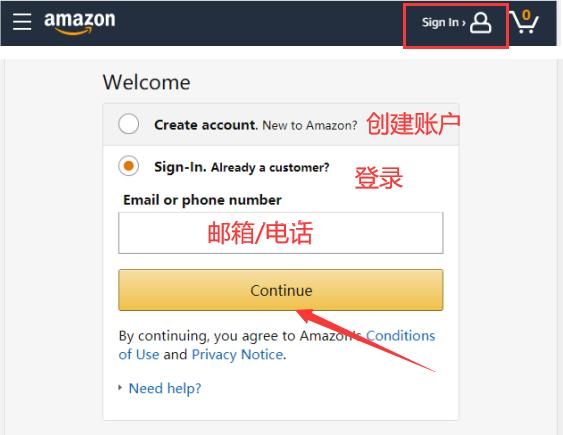
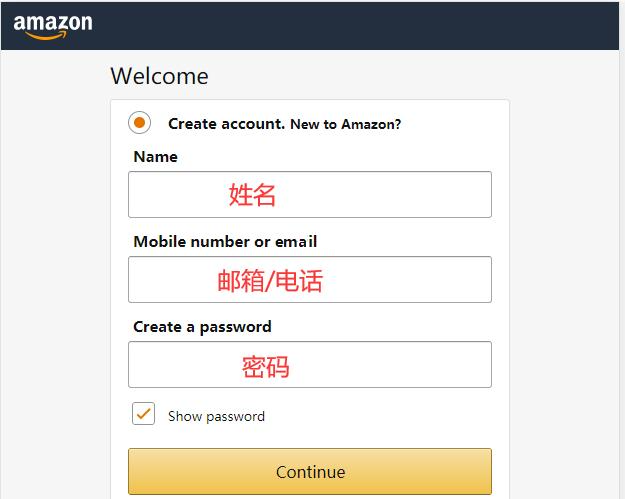
Enter registration information and click "Continue" to join;
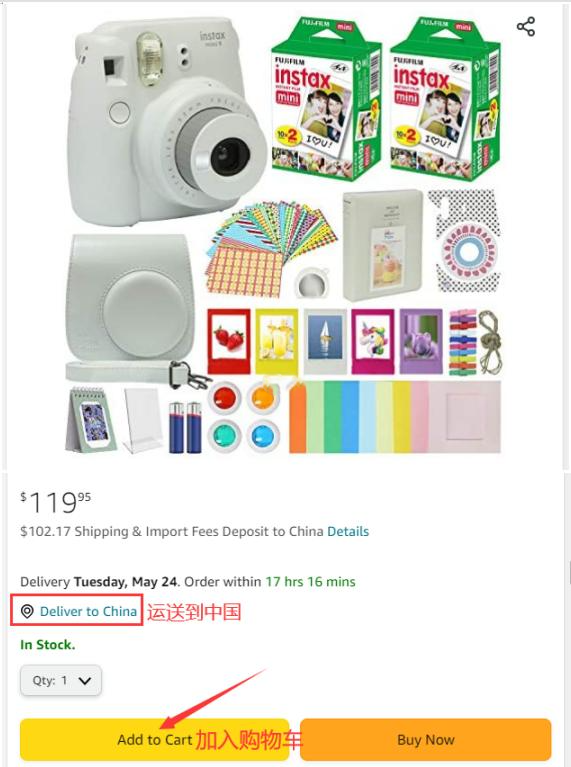
3. After registration, return to the page and browse by category or search to select your desired items, then add them to the cart;
4. Click on the shopping cart to view your order and carefully check it;
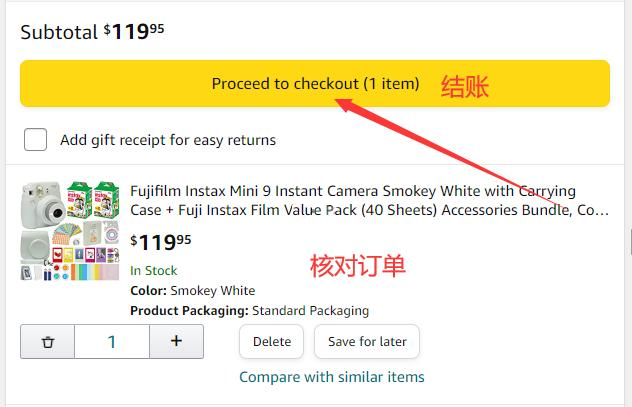
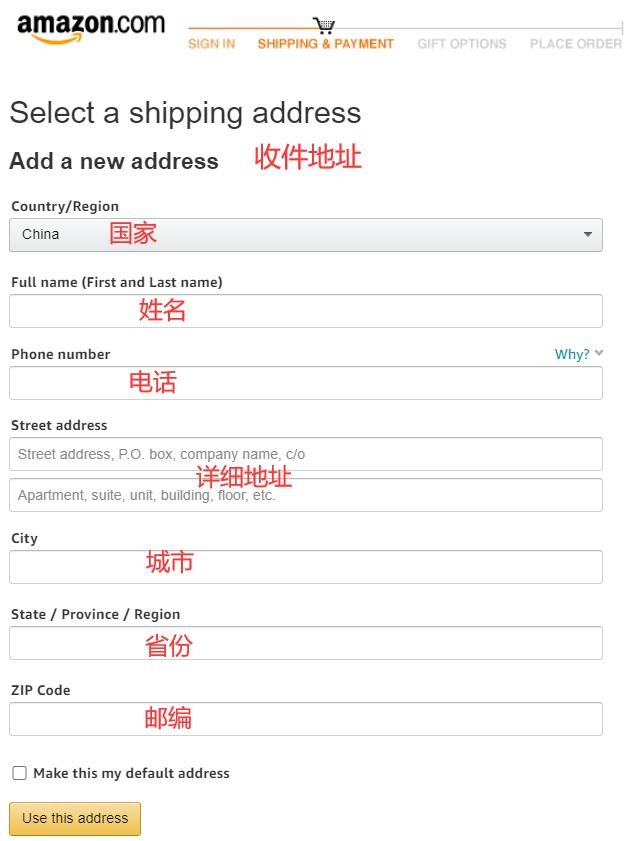
5. Fill in your shipping address
Enter your domestic shipping address directly, using pinyin to fill it in;
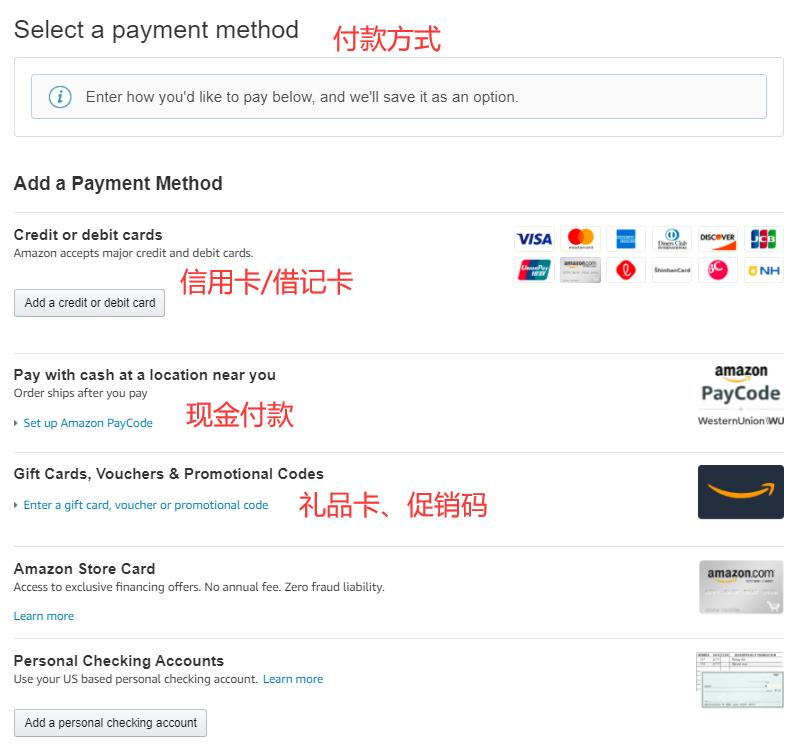
6. Choose a payment method
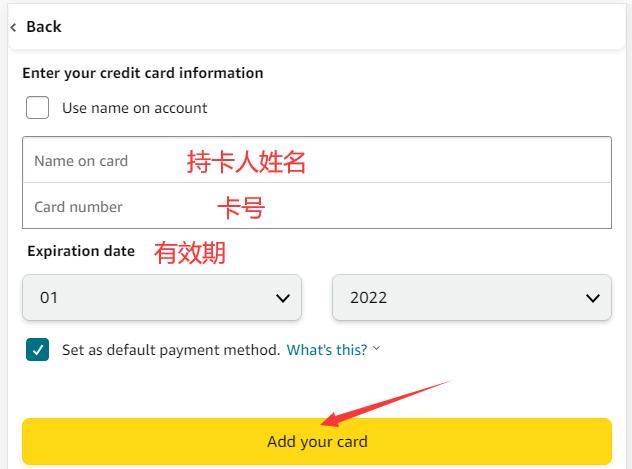
Using bank card payment as an example, fill in the relevant information such as card number, expiration date, and security code in the image below, and click to pay once everything is correct;
7. Wait at home for delivery!
2. Other Notes for Placing Direct-Ship Orders from Amazon US to China
1. The Amazon US official website supports payment via UnionPay, Visa, MasterCard, American Express, and JCB cards
2. Direct shipping will include prepaid customs duties;