

Founded in 1999, Bluemercury operates 60 stores across 18 U.S. states and was acquired by Macy's in 2015. It offers luxury cosmetics for international shoppers, including perfumes, skincare, haircare, makeup, and candles, with a wide variety of brands. Bluemercury is dedicated to bringing the best personal care products to the world and providing friendly, informed advice to everyone. Today, Xiao O shares the latest 2023 Bluemercury US official website shopping guide to help you shop smoothly without any hiccups.
I. Bluemercury US Official Website Shopping Guide
1. First, open the official website
Bluemercury official website link: https://bluemercury.com/
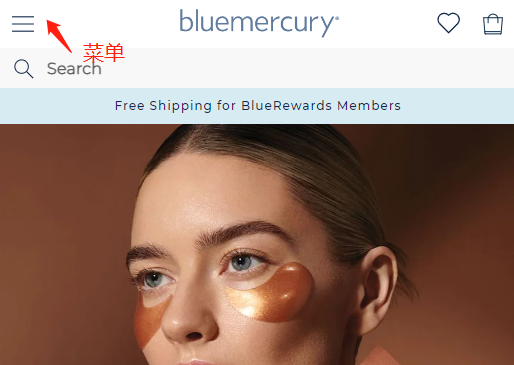
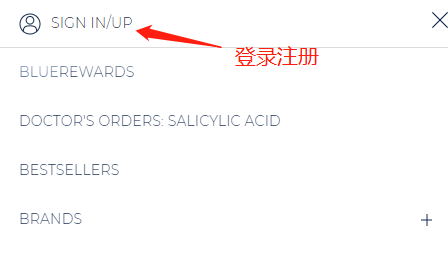
2. Click the menu in the top left corner and select Sign in/up to log in or register.
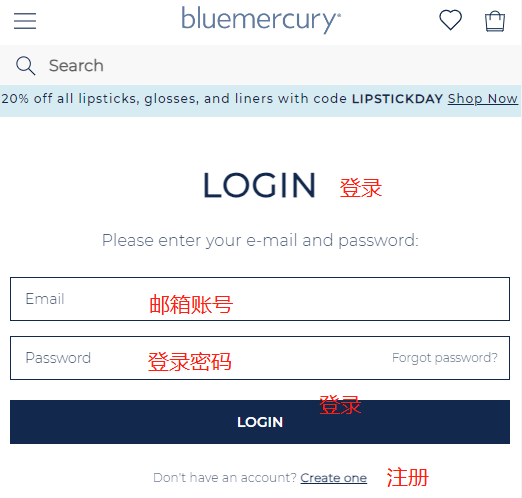
Returning users can simply enter their account and password to log in.
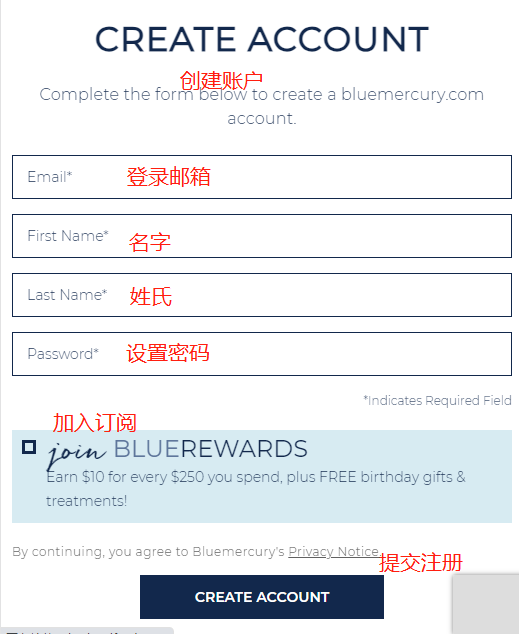
New users can simply enter their name, email, and password to submit registration.
3. After registration, return to the official website to browse or search for your favorite products and add them to the cart.
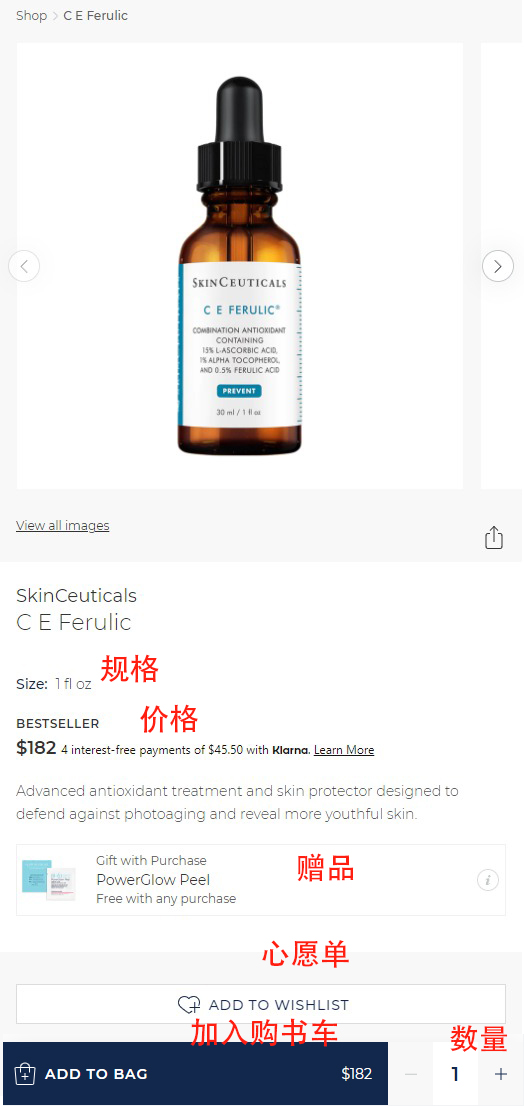
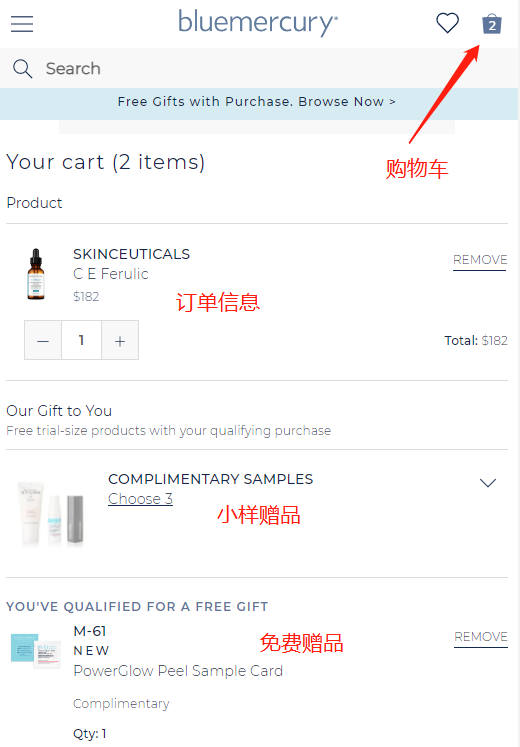
4. Review and check the product information in your shopping cart.
Enter the shopping cart; you can select 3 samples and 1 corresponding product for your order, totaling 4 free gifts. Scroll down to enter any discount code you may have found.
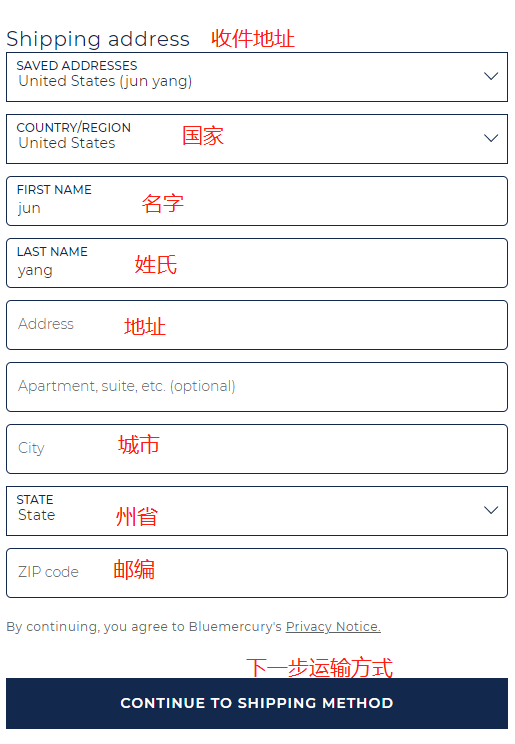
5. Next, fill in the shipping information. Since direct shipping is not supported, register with a freight forwarding company in advance and enter the forwarding address.
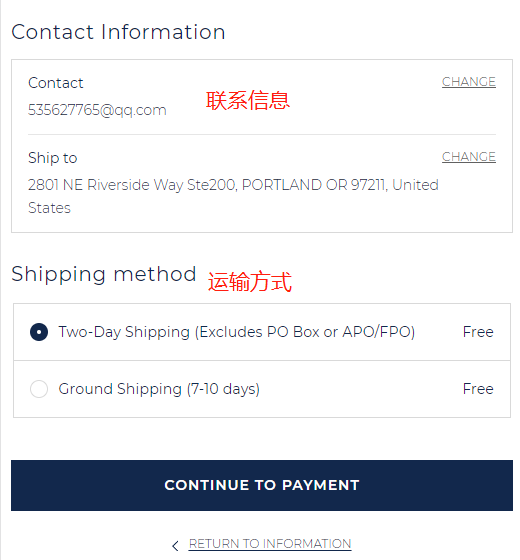
6. Then, select the shipping method.
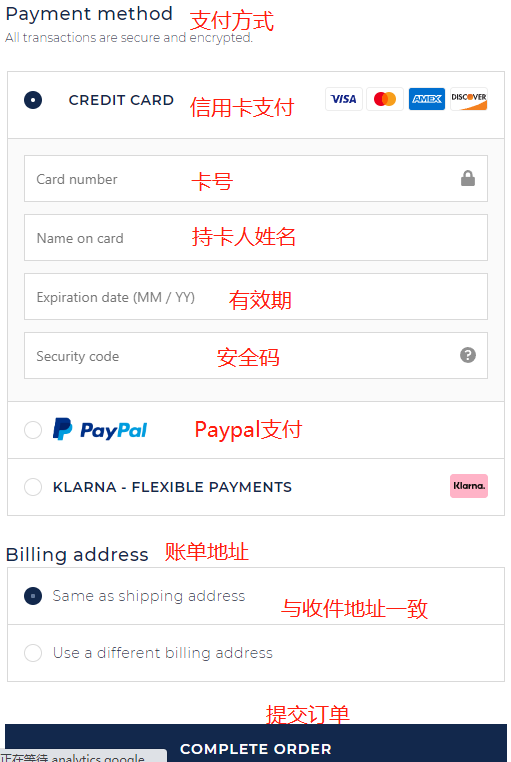
7. Next, proceed to the payment page. Credit card payment is the default option.
Fill in the credit card number, cardholder name, expiration date, and security code in order. Review the order information and submit if everything is correct.
8. Submitting the order completes the entire shopping process. All that's left is to wait for the website to ship and receive your goods. After shipment, report to the freight forwarder and wait for the package to be warehoused.
II. Bluemercury US Official Website Shopping Notes
1. Bluemercury is similar to Macy's; order success depends on luck, with a certain order cancellation rate.
2. Although the official website claims to support payment methods like VISA, AE, and Mastercard, the merchant is not very friendly; it's best to use PayPal.
3. Direct shipping is not supported; only freight forwarding to your country is available. You need to register with a forwarding company in advance.
4. Join Blue Rewards membership for free shipping on any order.
5. Also, note that half-price items may have short expiration dates.
6. New users can enter their email before registering to receive a 10% discount code for their first order.
7. Sometimes the shopping cart may not load; it's recommended to switch browsers, with Google Chrome being the best option.
Customer service contact information:
Customer service email:
Customer service phone: 1-800-355-6000