

Colourpop is a rising star in the beauty world, born in Los Angeles. It has no physical stores, only an official website. From eyeshadows to lip liners, every product is simply amazing. The brand was only founded in 2014, but it has already taken the world by storm. Beauty lovers who frequent YouTube and Instagram likely discovered this brand early on. Many top Western influencers have recommended it countless times on these platforms, causing it to explode in popularity in China at lightning speed. Now, a quick search on Weibo reveals countless swatches and even makeup tutorials.
Colourpop offers direct shipping to China for some products, with a Sunshine Customs Clearance model that includes prepaid duties and shipping fees. Alipay payments are supported, making purchases even more convenient! Colourpop offers free US domestic shipping on orders over $30, and free international shipping on orders over $50. However, direct shipping and free shipping promotions do not include Mainland China. So today, I'm sharing a guide on how to shop internationally via the Colourpop official website on mobile. Hope you enjoy it.
Colourpop Official Website Direct Link: https://colourpop.com/
Colourpop Official Website International Ordering Process:
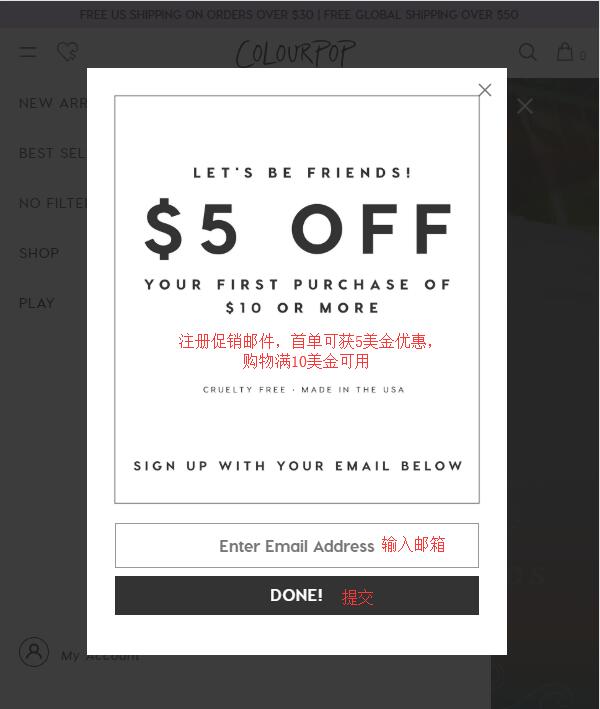
1. First, you need to register an account. When you open the homepage, a pop-up window will prompt you to sign up for promotional emails. This gets you a $5 coupon for new customers. After registering, you'll receive a related email. You can use this coupon on any order over $10. Note that the discount code becomes invalid after one use!
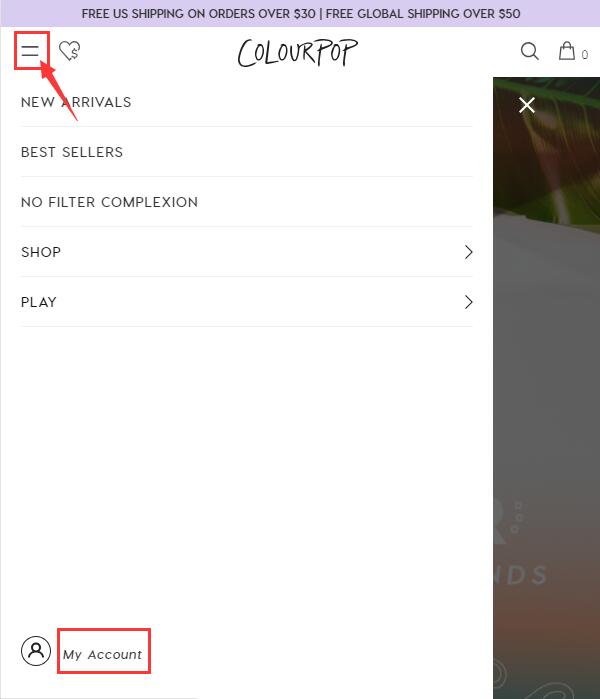
2. On the homepage, click to expand the menu in the top left corner, then click "My Account" at the bottom left of the page to go to the login/registration page:
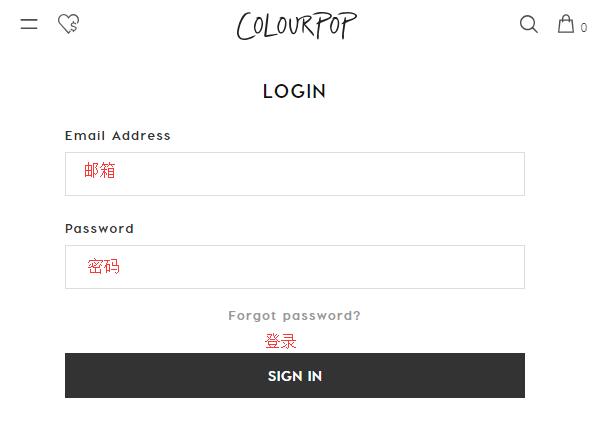
Existing customers can log in using their email and password:
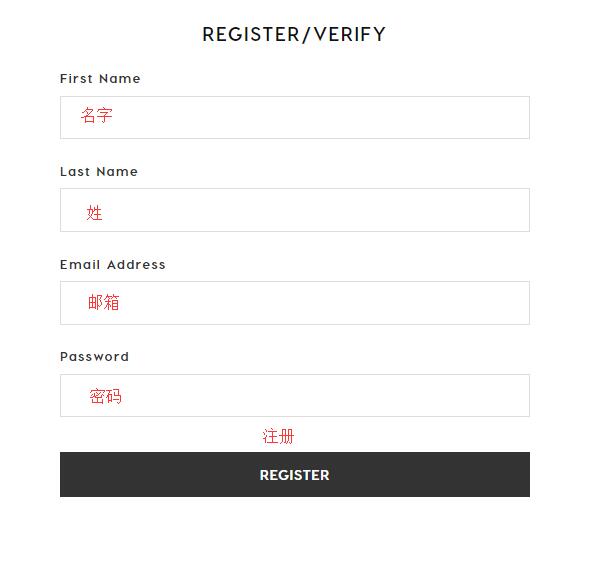
3. New customers should select "Register" below, fill in your name, email, and password, then click "Register" below to complete the registration.
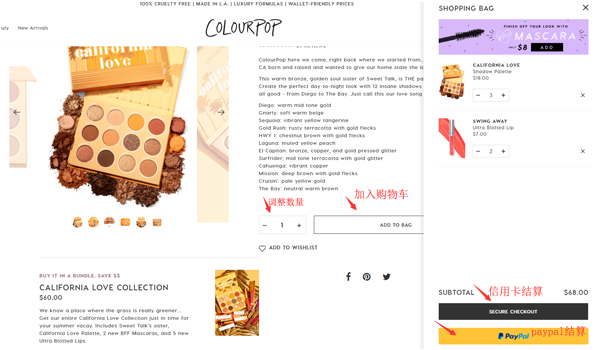
4. Now you can start shopping! Use the homepage navigation, categories, or search to find your desired products. Select the quantity, click "Add to Bag," then proceed to choose your payment method and checkout:
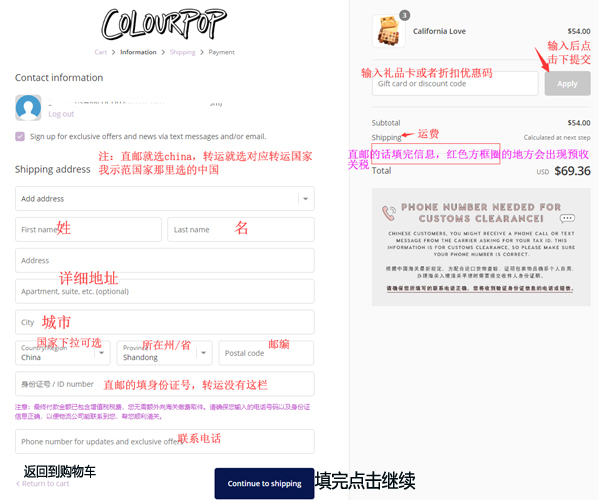
5. Continue by filling in the shipping address. Regarding the shipping address:
1) Direct Shipping (fill in your domestic address in pinyin);
2) Freight Forwarding (register with a freight forwarder to get their address);
3) Discount Code: In the box on the right, if you have a discount code (new registrants can use the code from the registration email), enter the discount code or gift card code in the "Gift card or discount code" field below the product info, and click the right arrow to submit and get the discount.
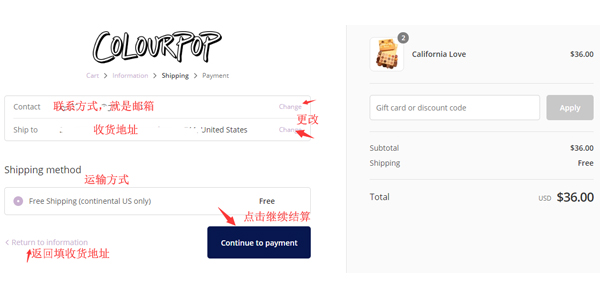
6. Next, choose the shipping method:
1) Freight Forwarding defaults to domestic shipping, costing $5.99. Of course, orders over $30 qualify for free US domestic shipping;
2) Direct Shipping is free for orders over $50, with only prepaid duties charged.
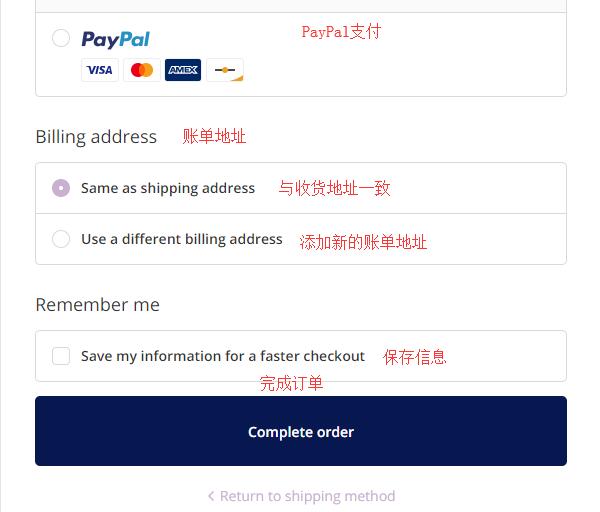
7. Proceed to the payment section: Payment methods include Visa, American Express, or PayPal, with Alipay added as a new option. Using Visa as an example, you need to fill in the cardholder's name, card number, expiration date, security code, and other relevant details shown in the image.
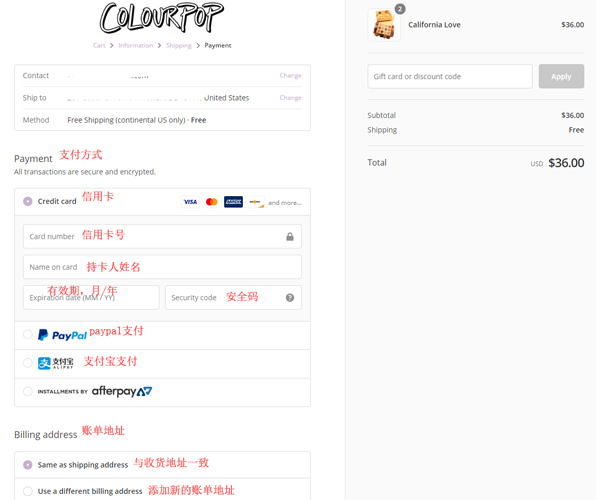
8. In the billing address section below, to avoid order cancellations, it's best to fill in your real personal information and address. Select "Add a new billing address" and fill it out in the same format as the shipping address. Then click "Complete Order" to finish your purchase.
Complete your purchase, monitor your registered email for order status updates, wait for the website to ship your order, submit the forwarding request to your freight forwarder, and then just sit back and wait for your package to arrive.