

As one of Italy's earliest e-commerce websites, Eleonora Bonucci sells a wide range of international luxury brands including Alexander McQueen, Moschino, Canada Goose, and more. Since 2007, Eleonora Bonucci has rapidly grown into a key reference point for luxury fashion online shopping, making it a consistently popular destination for cross-border shoppers.
This article introduces a guide to shopping on the Eleonora Bonucci official website, explaining how to place orders and shop on the site. If you also want to order from the Eleonora Bonucci official website but don't know how, feel free to bookmark this Eleonora Bonucci shopping guide.
1. Eleonora Bonucci Official Website Ordering Tutorial
1. Open the official website
Eleonora Bonucci official website entrance: https://eleonorabonucci.com/
2. Log in
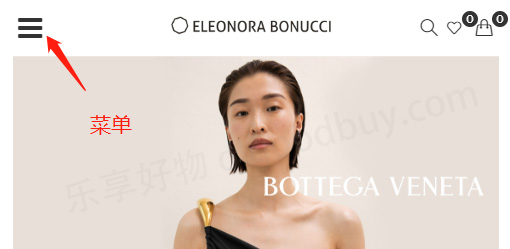
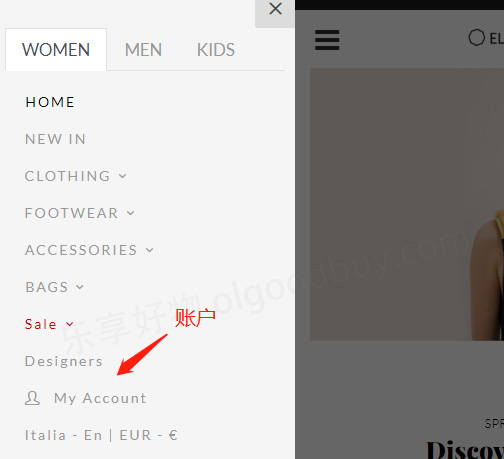
Click the dropdown menu in the upper left corner of the page and select Account
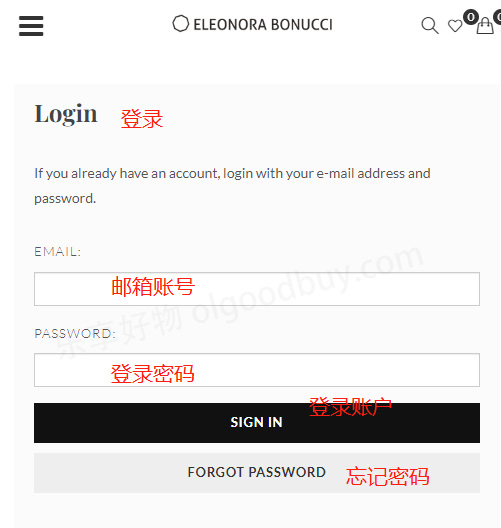
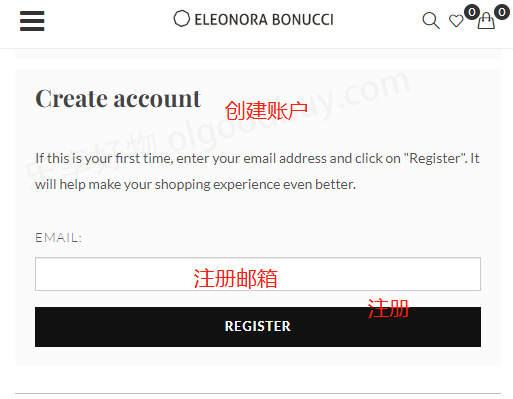
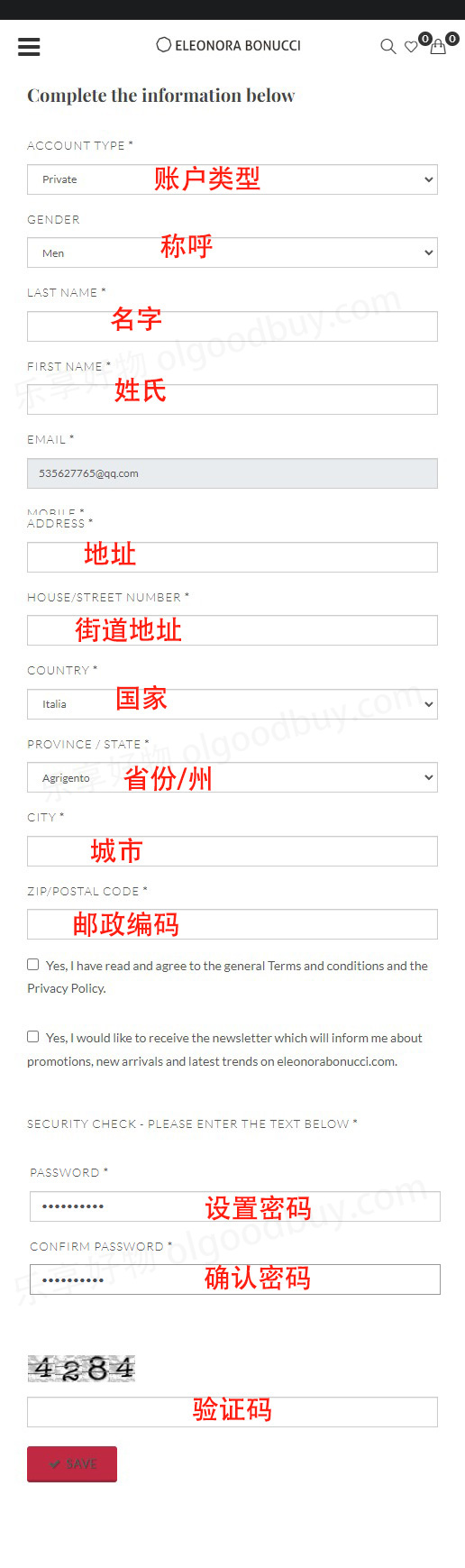
Existing users can log in using their email and password. Users who haven't registered should click Create
Enter the detailed registration information as shown below to create an account
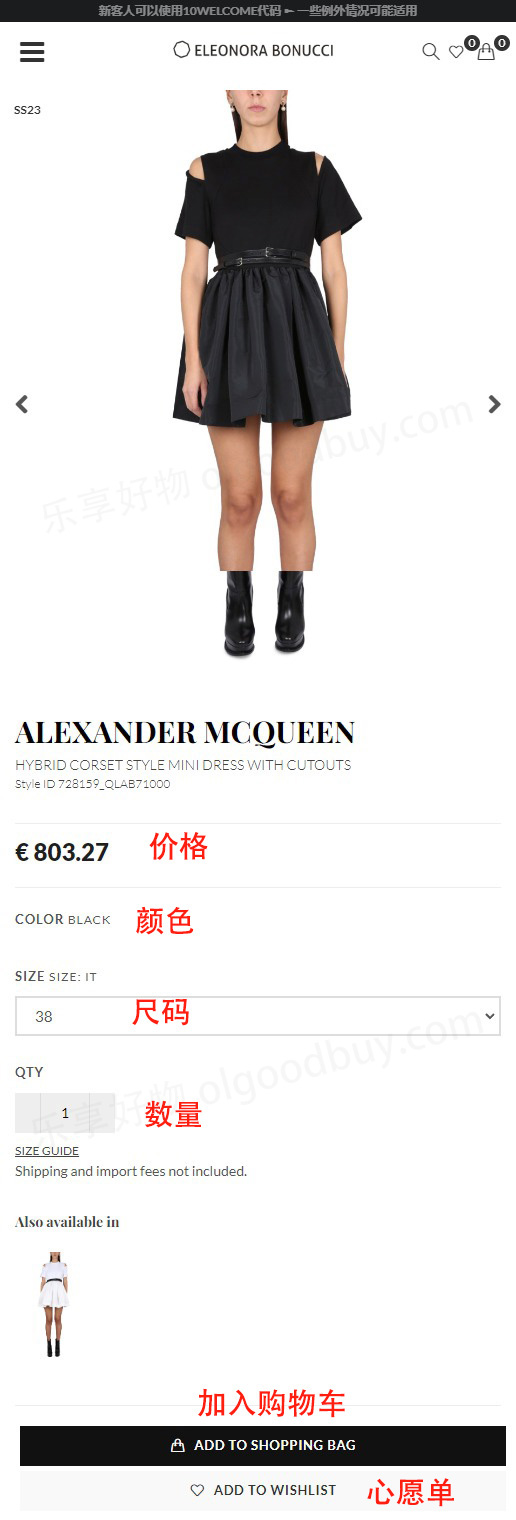
3. After completion, select products and specifications, and add them to the cart
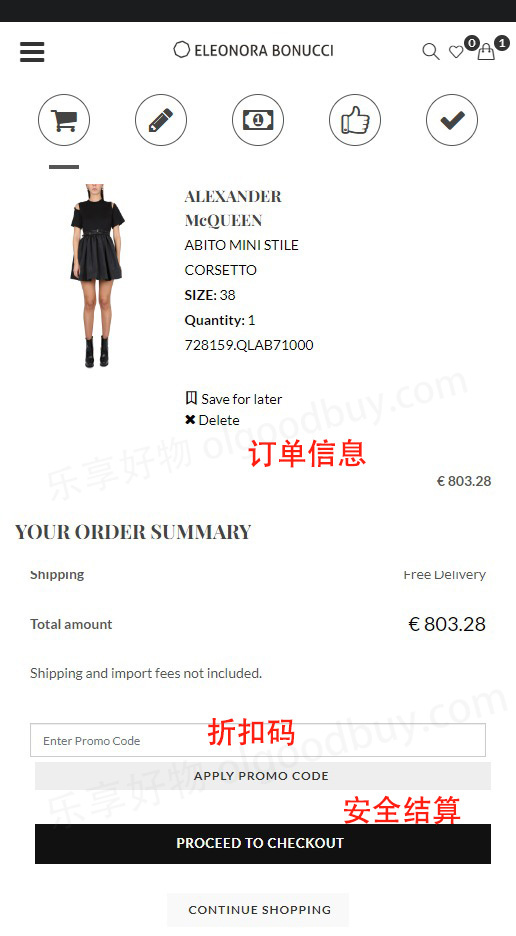
4. Open the shopping cart to review the order
Enter a promo code if available to get a discount
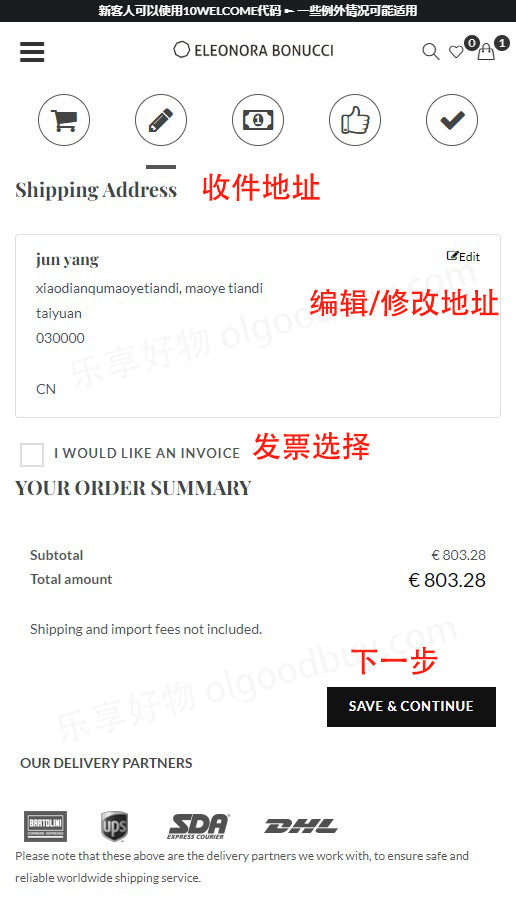
5. Fill in / modify the shipping address
If you filled in the details during registration, just confirm them. If the address has changed, click Edit to modify and re-enter
6. Choose a payment method and confirm the billing address
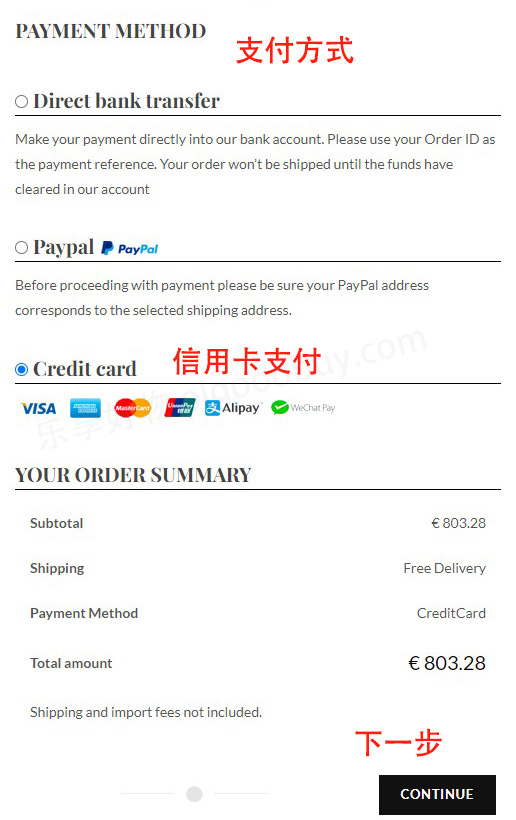
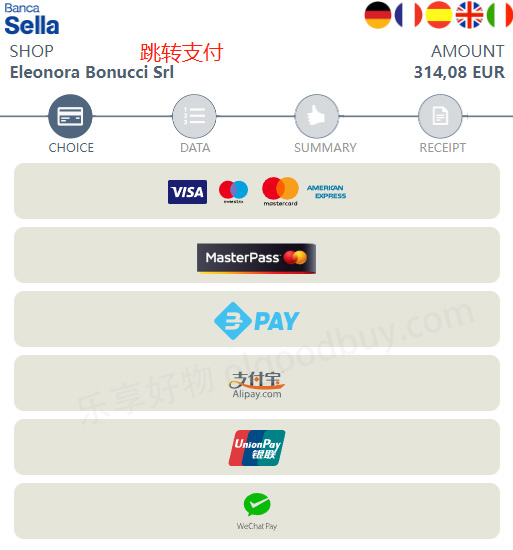
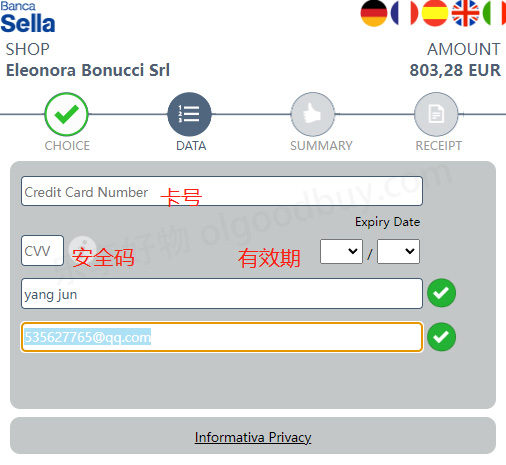
Using a credit card as an example, fill in the cardholder name, card number, expiration date, security code, and other details shown in the image, then confirm the billing address. Once everything is correct, submit the order
7. Wait for delivery!
2. Eleonora Bonucci Official Website Ordering Notes
1. The website supports Alipay, WeChat Pay, and credit card payments, as well as PayPal online payment
2. Supports direct shipping to China