

J.ING is a modern women's fashion brand founded in Los Angeles, USA. Upholding the belief of "giving all women the quality of luxury at the most reasonable price," it focuses on crafting each piece into a "classic." Meeting the demands of fashion, comfort, refinement, taste, and quality, it continuously introduces various fashion elements and strictly controls design, material selection, and craftsmanship to build a truly mobile "wardrobe" for women.
This article introduces a guide for overseas shopping on the J.ING US official website, telling you how to place orders and shop on the J.ING US official website. If you also want to place an order on the J.ING US official website but don't know how, feel free to click and view this J.ING US official website overseas shopping guide.
1. J.ING US Official Website Ordering Tutorial
1. Open the website
J.ING US official website entrance: https://www.jingus.com/
2. Log in / Register
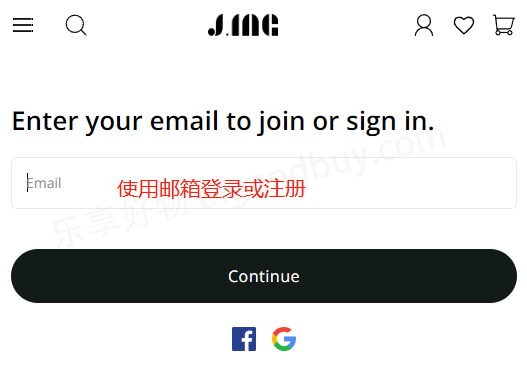
Click the account icon in the upper right corner of the page to enter the login/registration page.

Existing users can log in with their email and password. Users who haven't registered should click "Create."
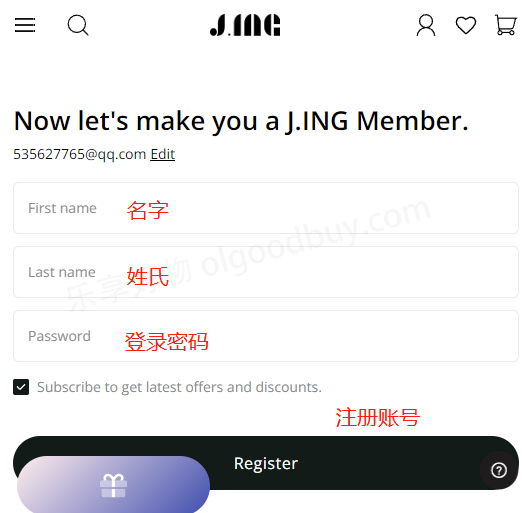
Simply enter the registration information to create an account.
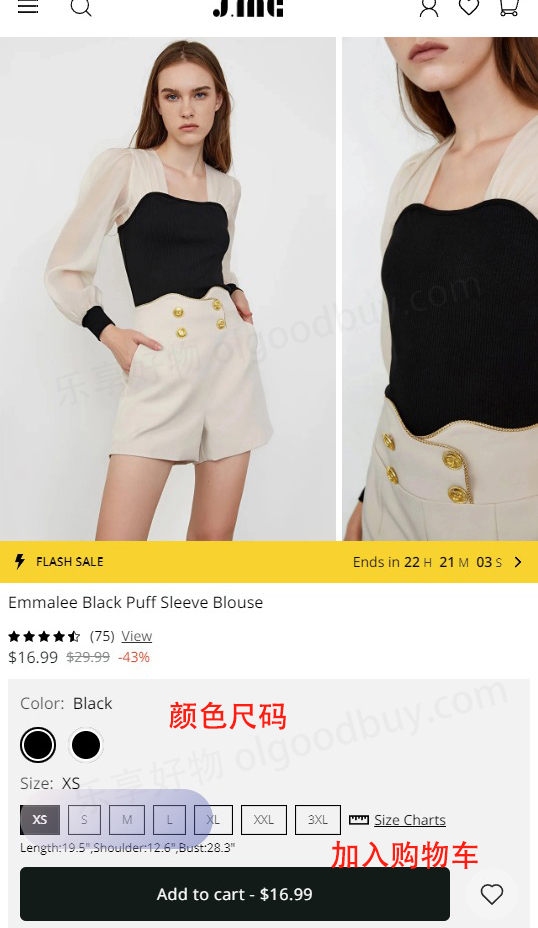
3. Select your favorite items and add them to the shopping cart.
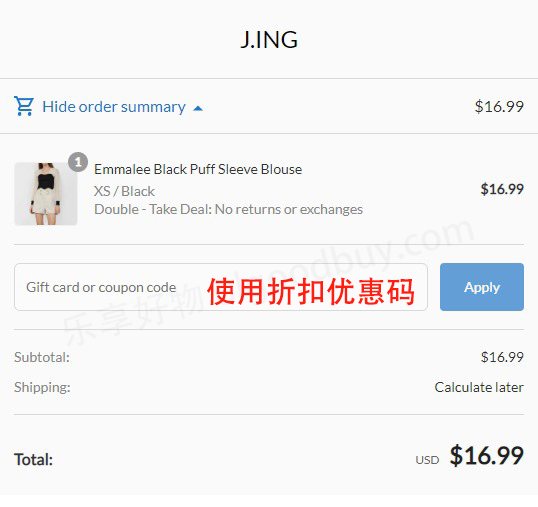
4. Open the shopping cart page and review your order.
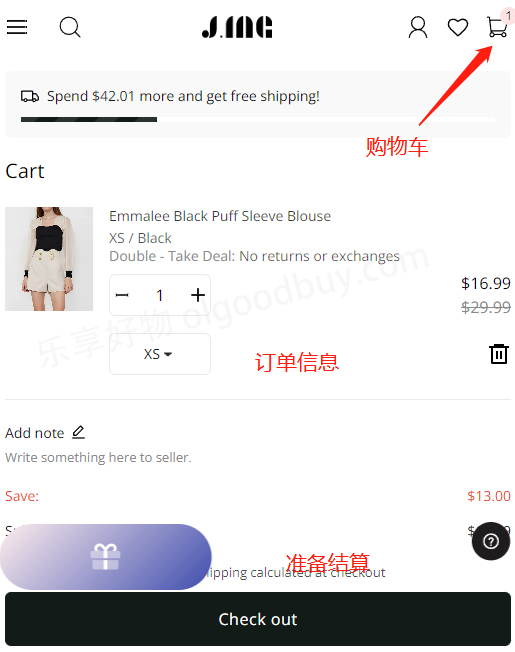
Enter a promo code if you have one to get a discount.
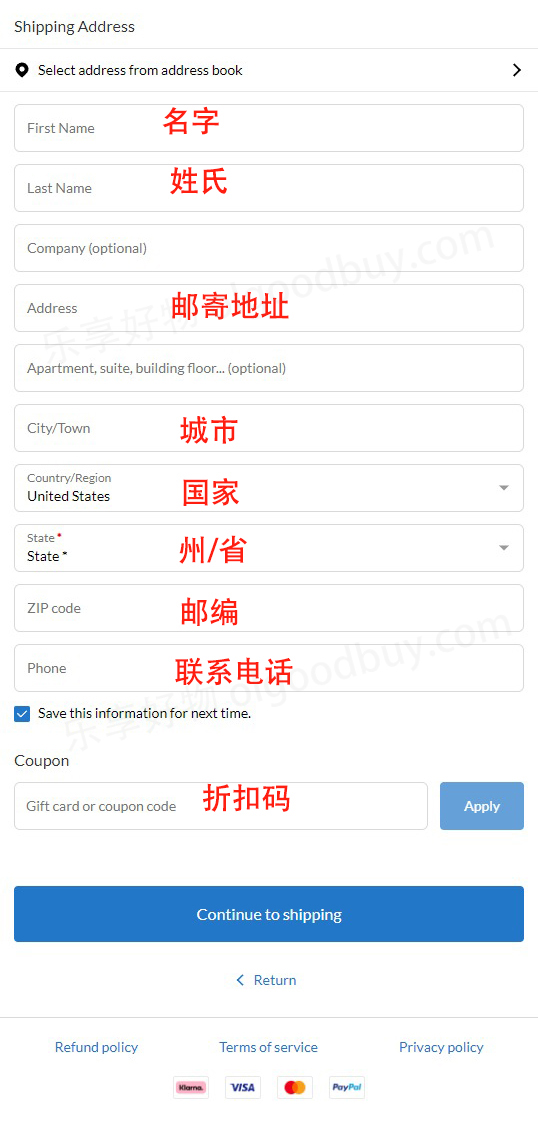
5. Fill in the shipping address.
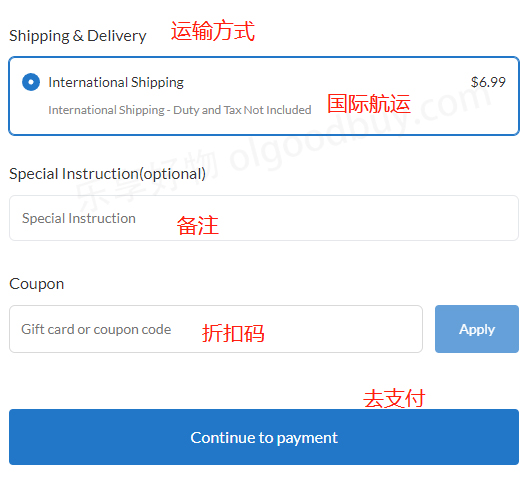
6. Select the shipping method. If you haven't used a discount code before, you can also add one here.
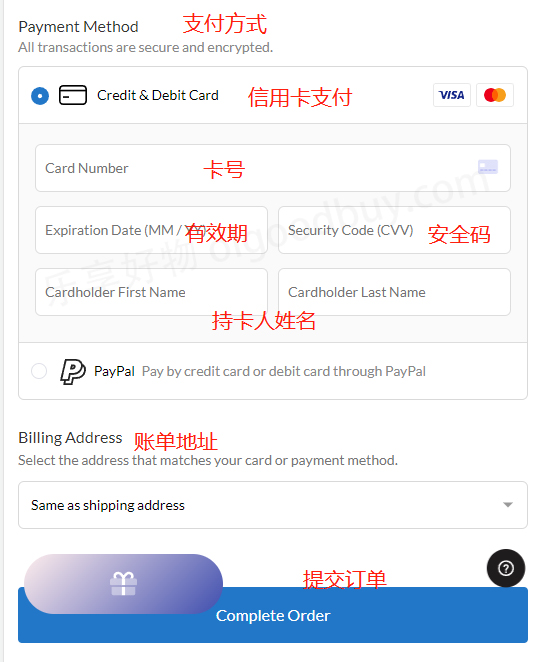
7. Choose a payment method and review the billing address.
Using a credit card as an example, fill in the cardholder's name, card number, expiration date, security code, and other details completely. Then review the billing address. Once everything is correct, submit the order.
8. Wait to receive your order!