
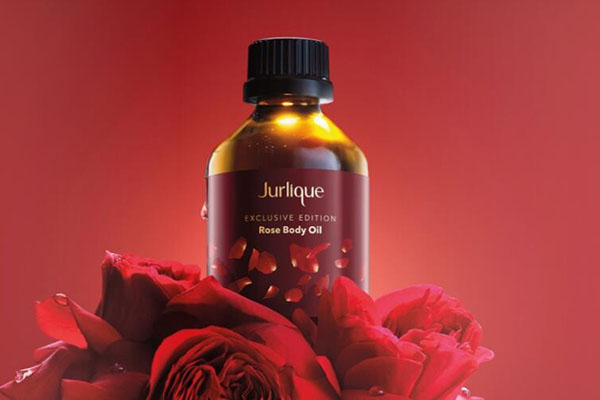
JURLIQUE is a natural skincare brand founded in 1985 by biochemist Jurgen Klein and his wife Ulrike Knew. It may be the only pure natural skincare company in the world that manages the entire process from plant cultivation to product research and development. Over 95% of its ingredients come from plants grown on the Mylor biodynamic farm in the Adelaide Hills of South Australia. It is hailed as the purest skincare on Earth and is also a government-recognized manufacturer of therapeutic products.
Jurlique skincare products are excellent to use. They are all plant-derived, with safe and reassuring ingredients, and are known as the purest skincare in the world, making them very suitable for those with sensitive skin.
Below is a guide for mobile overseas shopping on the Jurlique US official website.
Jurlique US official website entrance: https://www.jurlique.com/us
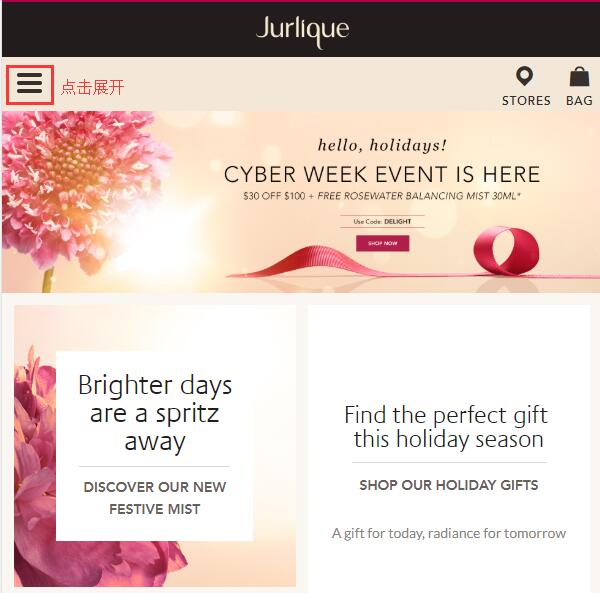
1. The first step is to register an account (Note: The Jurlique official website now supports guest checkout. If you don't want the hassle, you can skip this registration section). Open the website homepage and click to expand the menu in the top left corner:
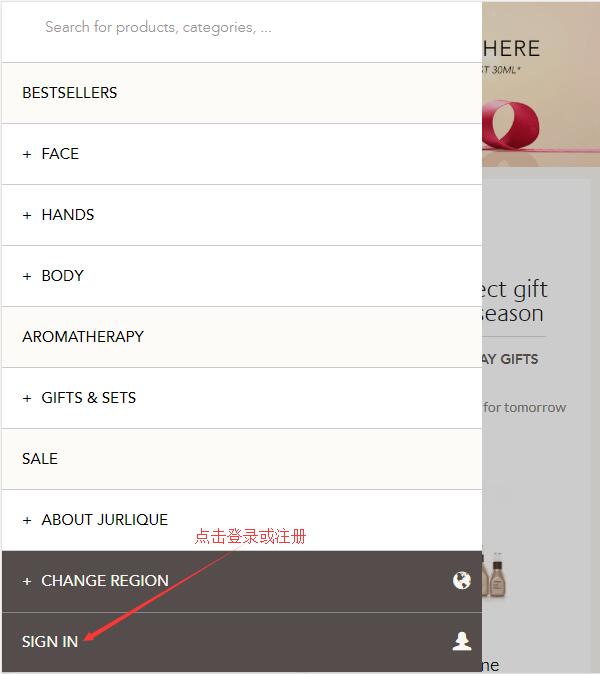
At the bottom left of the menu, click Sign in to log in or register an account:
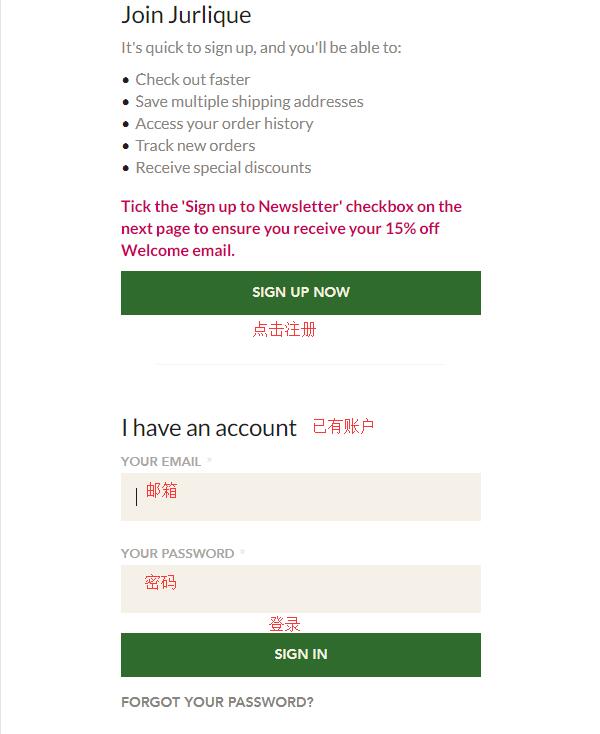
New users can directly click Sign up now. New registrants can enjoy a 15% discount on their first order. Existing customers can simply enter their email and password to log in:
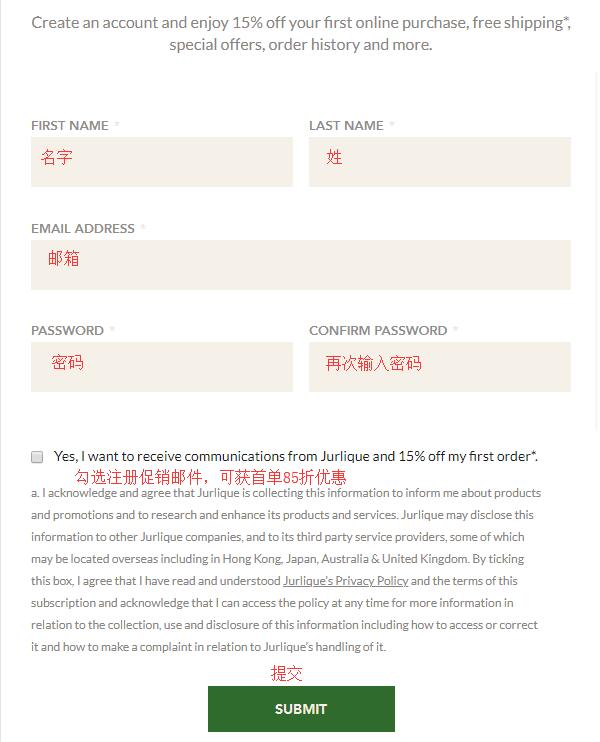
Enter your name, email, and password, check the box to receive promotional emails, and click Submit to complete registration.
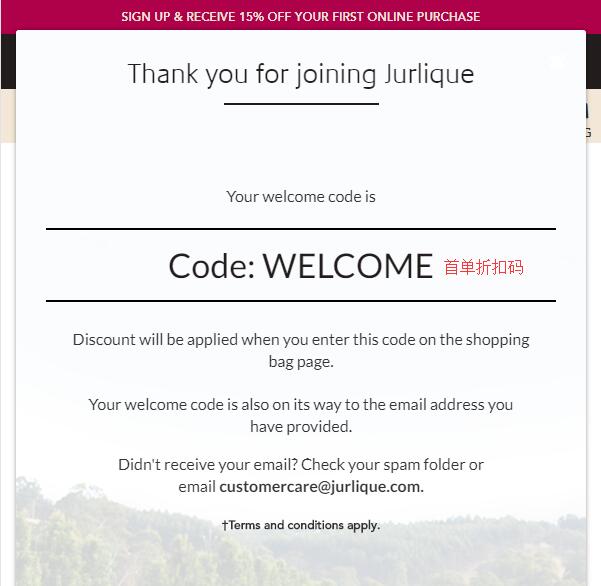
After registration, you can see the promotional code for the first order discount, "welcome". Then you can start shopping.
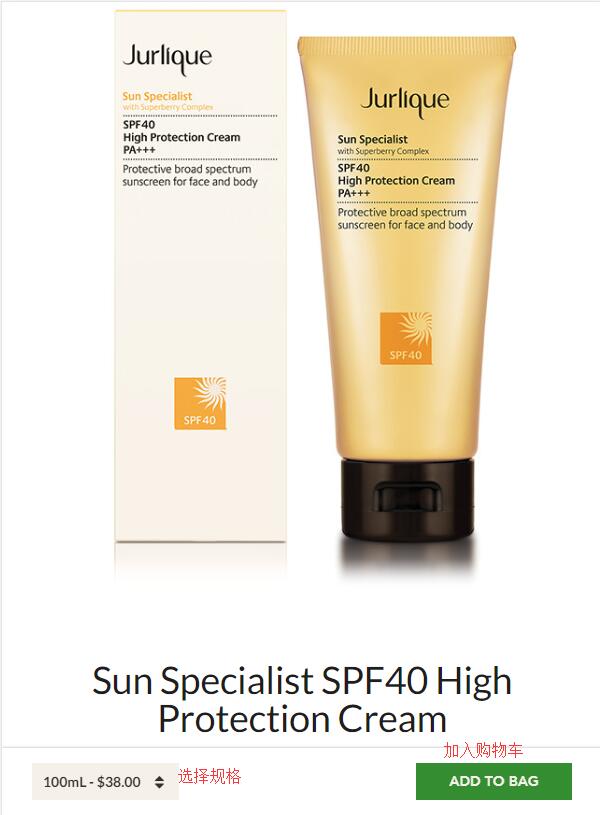
2. The second step is to select products. Jurlique's categories are also very simple. You can browse by category or search directly for products. Enter the product page, select the product specifications, and click add to bag.
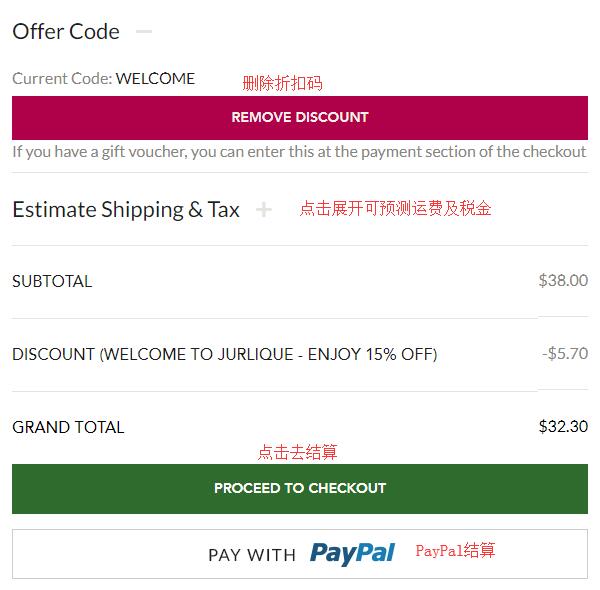
3. A small icon will appear in the bottom right corner of the shopping cart, indicating it has been successfully added. Click this icon to enter the shopping cart. Confirm the product information is correct, then click Checkout to proceed. If you have a discount code (such as the 15% off code we just got from registration), don't forget to enter it to get the discount.
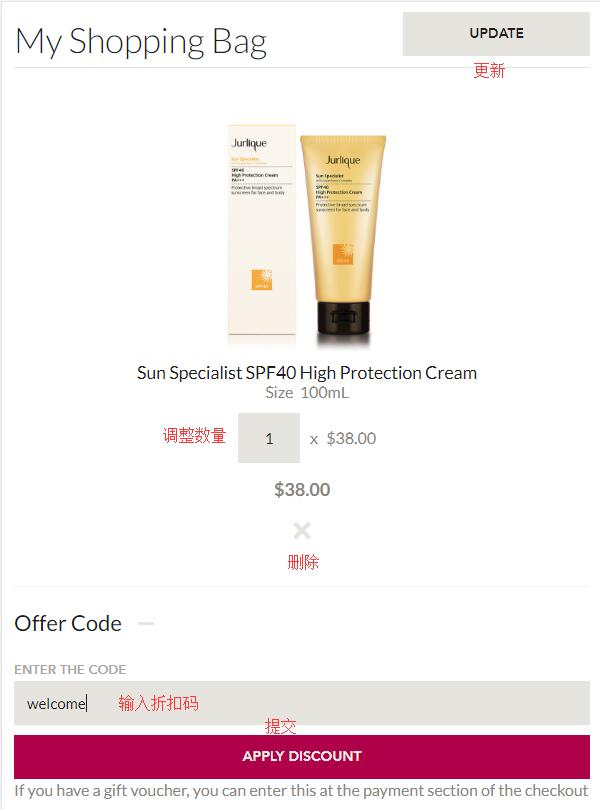
After entering the discount code, it will display as follows:
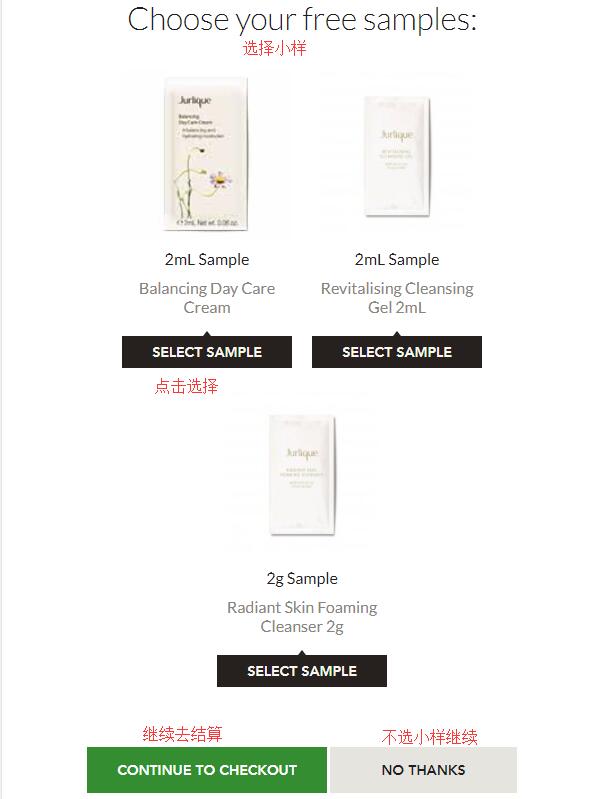
4. Start checkout. First, you need to select a free sample. You can choose one sample, click select sample to add it to the cart, then click Continue to proceed with checkout:
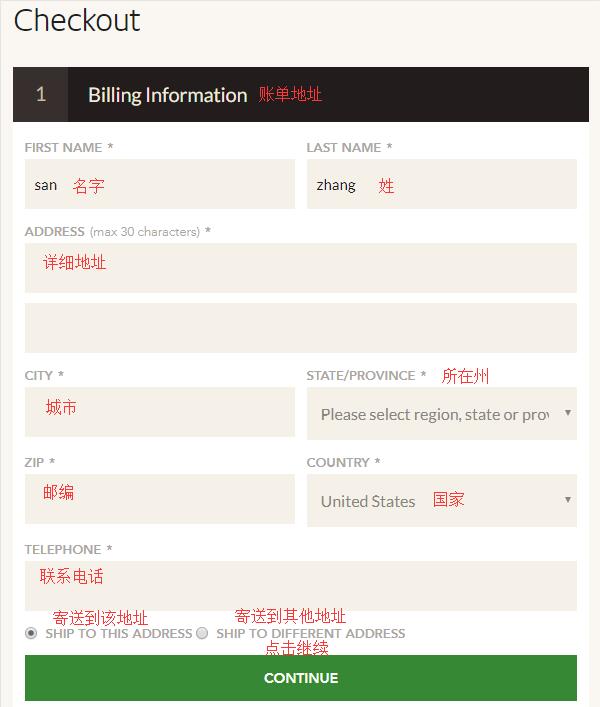
5. First, you need to enter the billing address. You can choose to use a forwarding address. Enter the address information as required. You can choose to use this address for shipping as well, then click Continue:
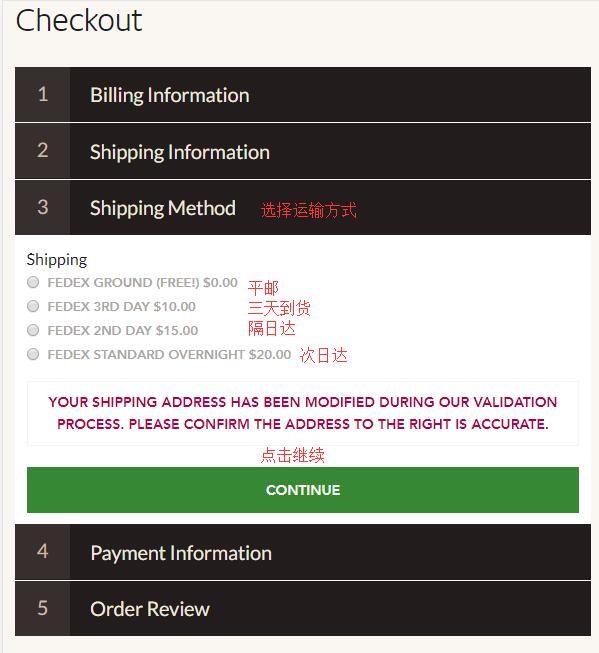
6. After entering the address, select the shipping method. Generally, the default ground shipping is chosen. Then click Continue:
7. Enter payment information. The website supports credit card and PayPal payments. We choose to use a credit card. Enter the card number, expiration date, security code, and other information, then click Continue. If you have a gift card, you can enter it at the bottom of the page.
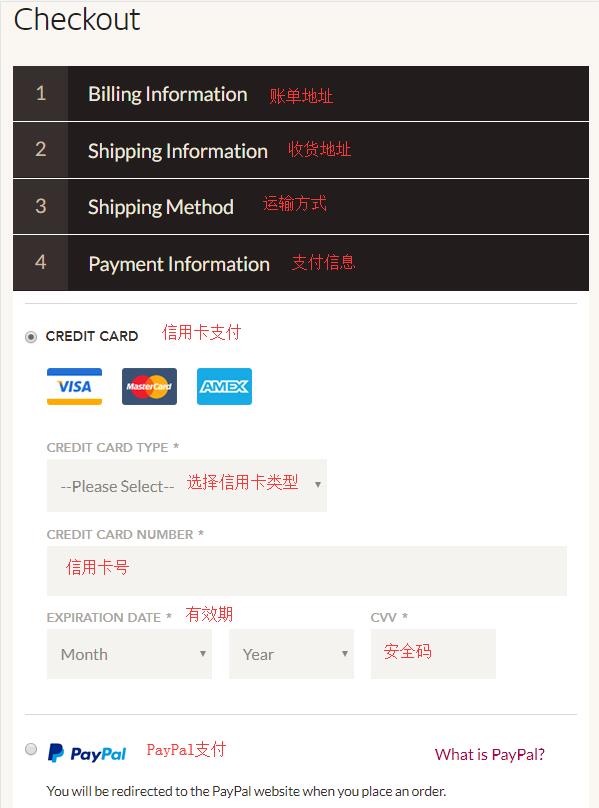
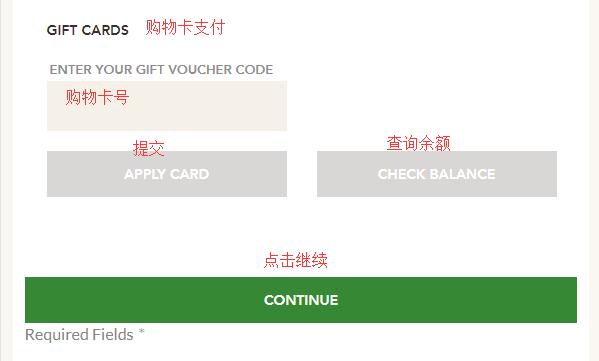
8. The final step is to review and submit the order. Carefully check the order information. Once everything is confirmed correct, click Place Order at the bottom to submit the order and complete the purchase.
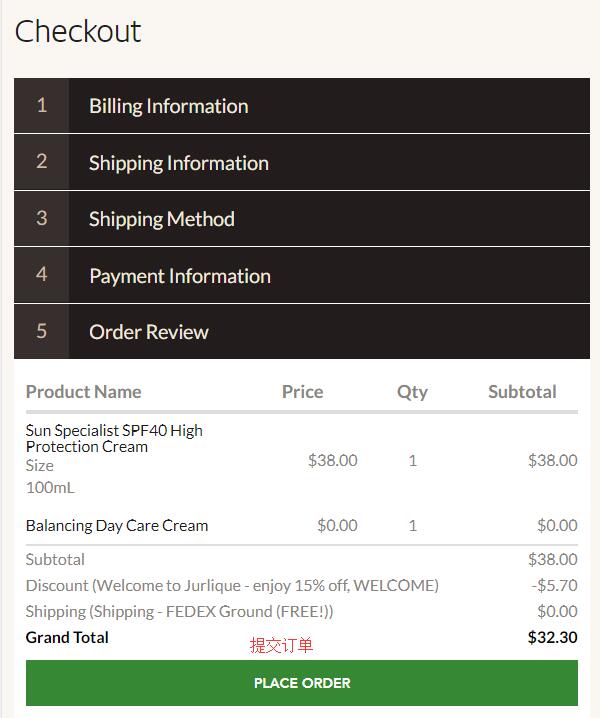
All that's left is to wait for the website to ship the goods and prepare the forwarding details for receiving the package.