

Since launching six designer handbags in 1993, Kate Spade New York has represented optimistic femininity. From handbags and ready-to-wear to jewelry and more, today Kate Spade is a global lifestyle brand. With vibrant colors, playful prints, and a whimsical, sophisticated style, Kate Spade New York's founding principles have defined a unique aesthetic for the brand — Kate Spade is a happy brand.
This guide introduces the Kate Spade official website overseas shopping tutorial, explaining how to place orders and shop on the Kate Spade official website. If you also want to order on the Kate Spade official website but don't know how, feel free to click and bookmark this Kate Spade official website overseas shopping guide.
1. Kate Spade US Official Website Ordering Tutorial
1. Open the official website
Kate Spade official website entrance: https://www.katespade.com/
2. Log in
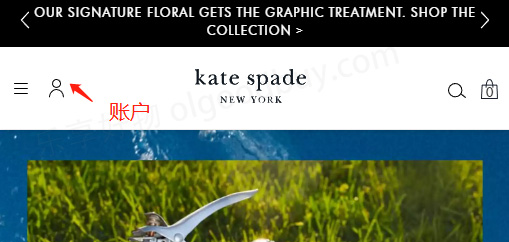
Click the account icon in the upper left corner of the page to enter the login/registration page
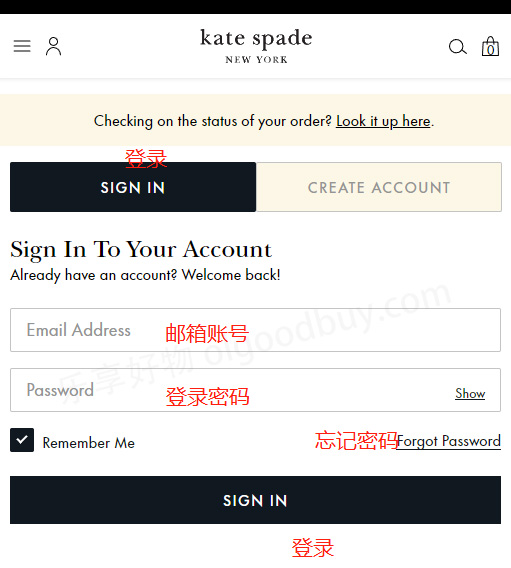
Registered users can log in using their email and password; unregistered users should switch to create an account
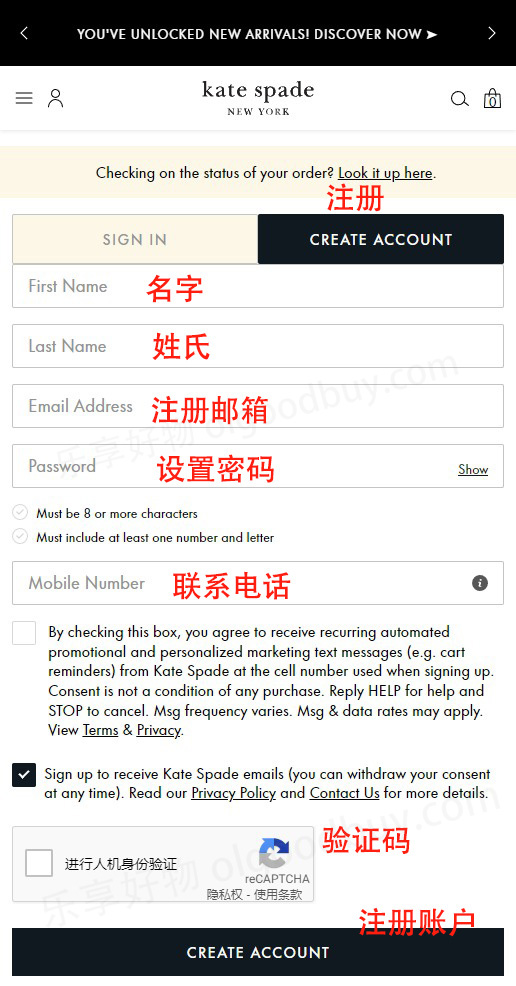
Enter registration information to create an account
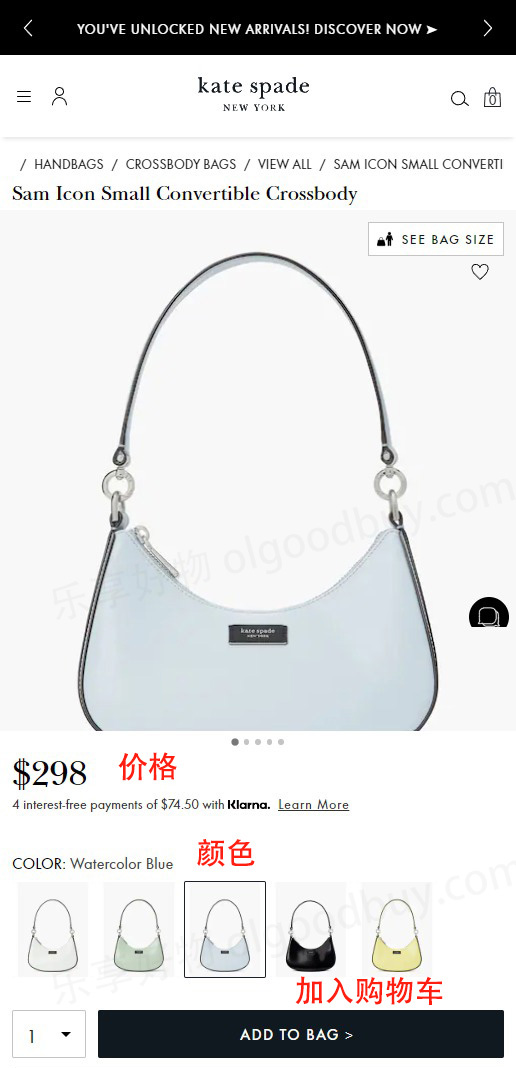
3. After completion, return to browse products and add to cart
4. Open the shopping cart page and review the order
If you have a promotional code, you can enter it to receive a discount
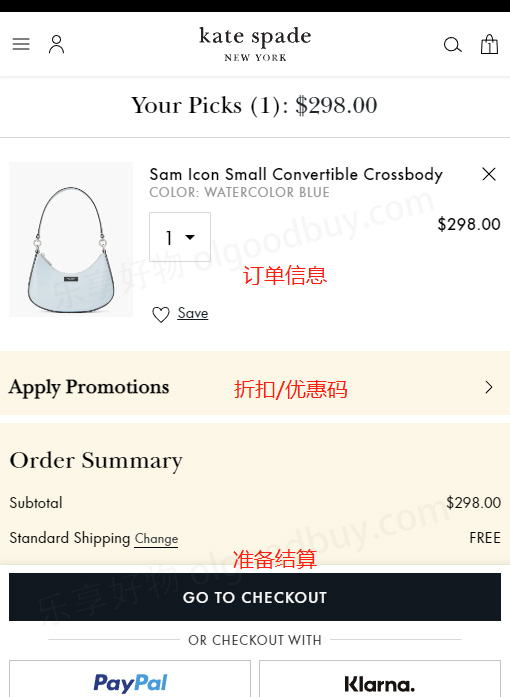
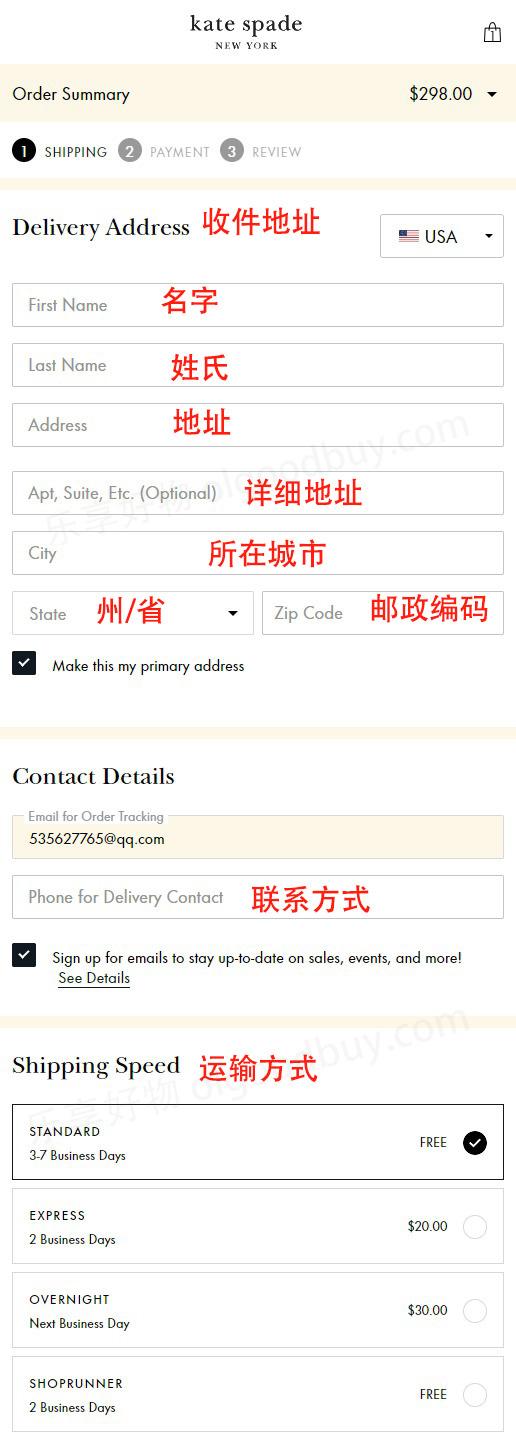
5. Fill in the shipping address and select the shipping method
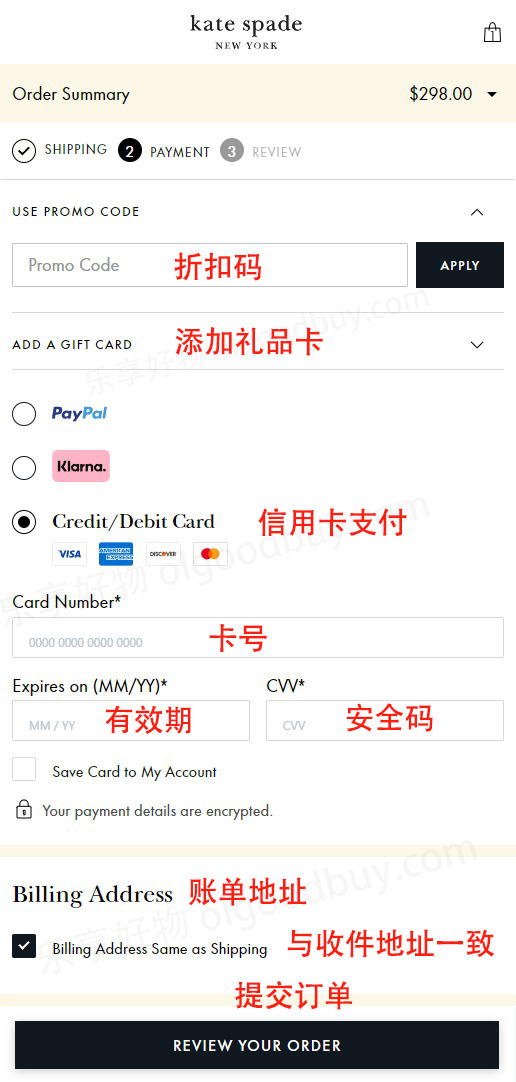
6. Select payment method and review billing address
If you haven't added a discount code before, you can enter it here again
Taking credit card payment as an example, fill in the cardholder's name, card number, expiration date, security code, and other relevant information completely, then review the billing address. Once confirmed, submit the order
7. Wait to receive your package!
2. Notes for Ordering on the Kate Spade Official Website
1. The website supports domestic dual-currency credit cards and PayPal payment, supports freight forwarding, and does not support direct shipping;
2. Users generally report that the website is slow to confirm orders and ship, and order cancellations are quite common. However, many users have still been successful. If an order fails, you can try using PayPal. Additionally, please fill in the billing address as your domestic credit card's real billing address to reduce the chance of order cancellation (using pinyin is fine).