
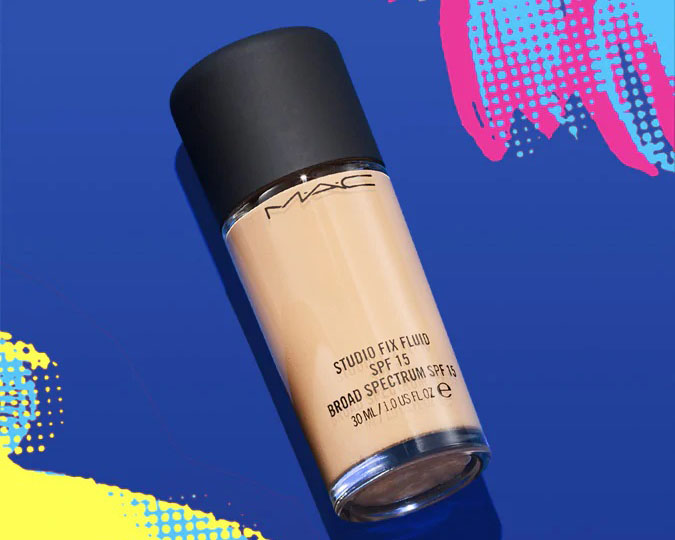
MAC Cosmetics is the first brand under the Estée Lauder Group not originally created by Mrs. Estée Lauder herself. M·A·C is a professional artistic makeup brand, offering hundreds of shades of eyeshadows, lipsticks, and foundations, making it a beloved choice for every makeup enthusiast.
In 1985, professional makeup artist and photographer Frank Toskan, along with Frank Angelo, who ran a chain of hair salons, combined their expertise and resources to co-found M·A·C in Toronto, Canada. M·A·C's dazzling brilliance caught the eye of the Estée Lauder Group, which recognized its shining potential. With the assistance and support of the Estée Lauder Group, M·A·C's exceptional qualities were discovered and spread, reaching from North America to countries across Europe and Asia.
Next, let's take all beauty enthusiasts through the ordering process on the MAC US official website mobile version:
MAC US Official Website Direct Link: https://www.maccosmetics.com (If it opens the China website, just close it and reopen it.)
MAC US Official Website Overseas Ordering Process:
1. Click to expand "My M.A.C" at the top right of the homepage. If you have an account, log in with your email and password. New users without an account, click "Register" to sign up:
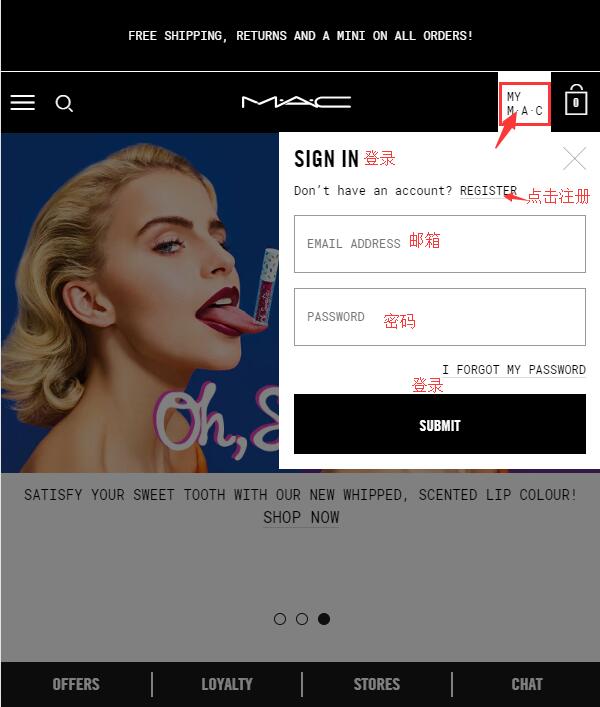
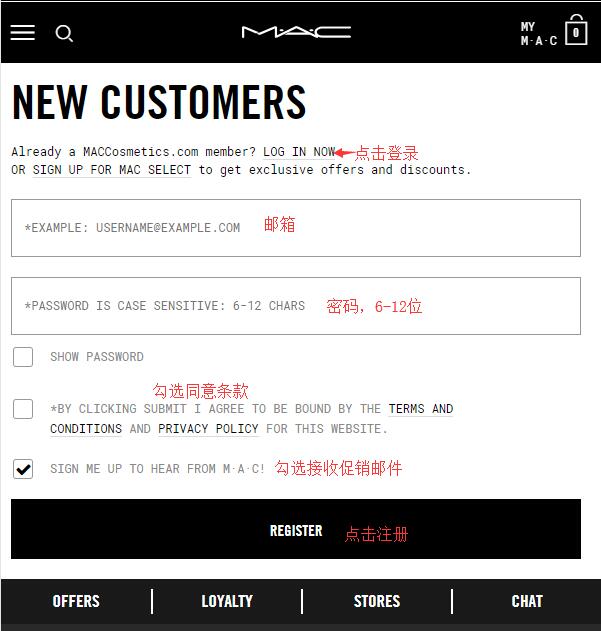
New users can easily register by filling in their email and password as required by the website! Note that the password needs to be 6-12 characters.
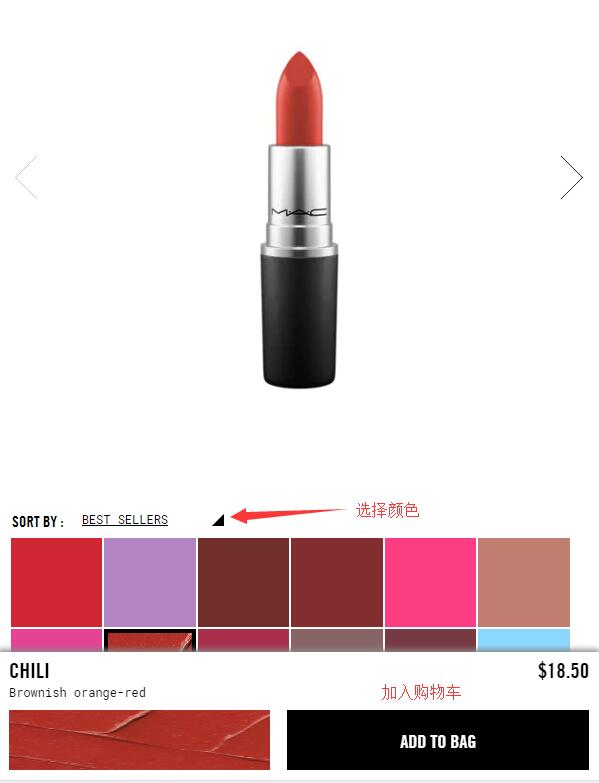
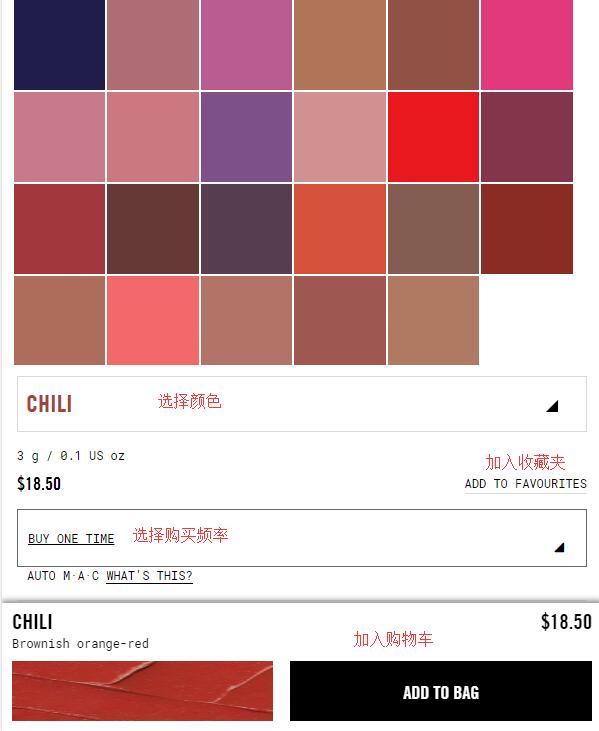
2. Once registered, start shopping! Take the popular bullet lipstick as an example. Search for the product or find it through the bestseller list, click to enter the product details page, and follow the prompts below to select the lipstick color, purchase frequency, and add it to the cart. As shown in the image below, you can choose based on the color swatches under the product image, or select the corresponding color from the dropdown menu below the swatches to add to the cart.
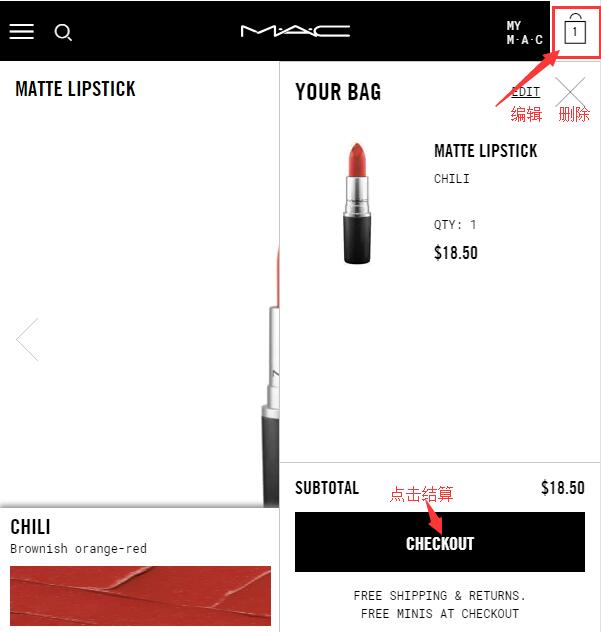
3. After adding to the cart, click the shopping bag icon at the top right of the page to edit or remove items, or click "Checkout" below to proceed to payment:
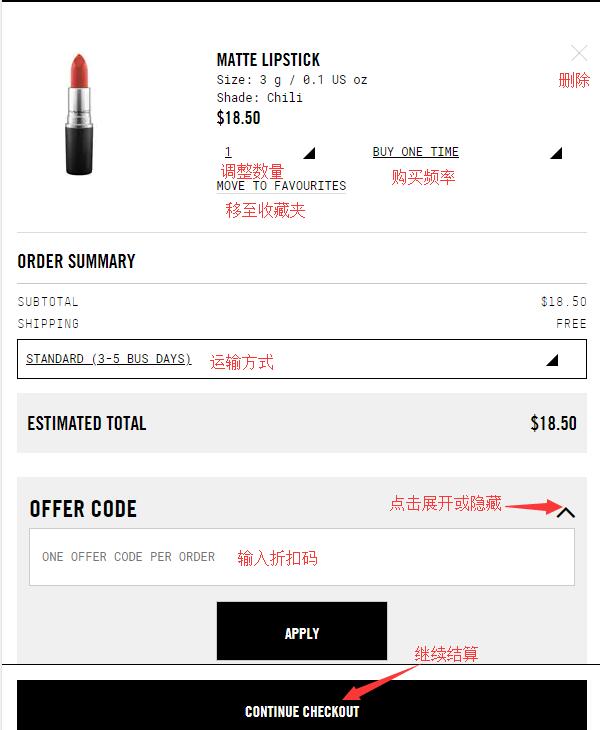
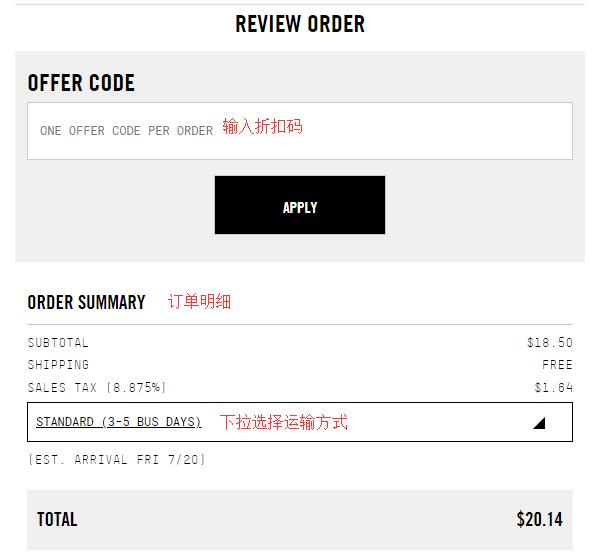
4. Click "Checkout" to proceed to the cart. Here you can further adjust product information. Once the product details are correct, select the shipping method. Currently, the official website offers free shipping within the US and free returns/exchanges! If you have a discount code, click the arrow next to "Offer Code," expand it, enter the code to get the corresponding discount, and then proceed to checkout. The website accepts credit cards and PayPal as payment methods.
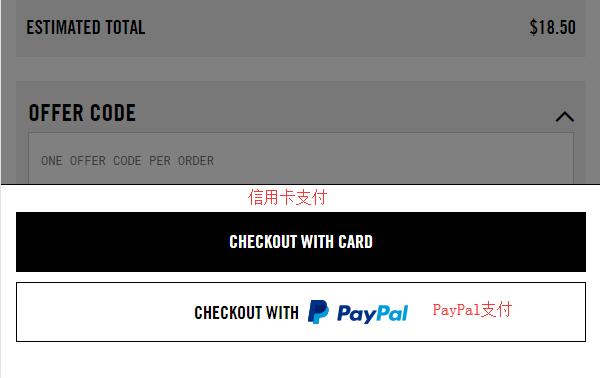
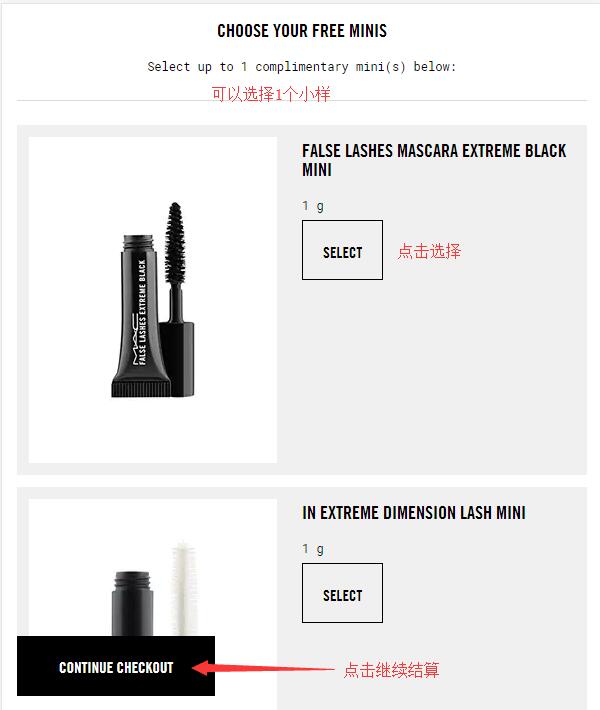
5. Click to select credit card payment, and you will see the page for choosing samples. Currently, each order on the official website comes with free samples. For orders over $50, you can receive two samples. After selecting your preferred samples, click to continue checkout:
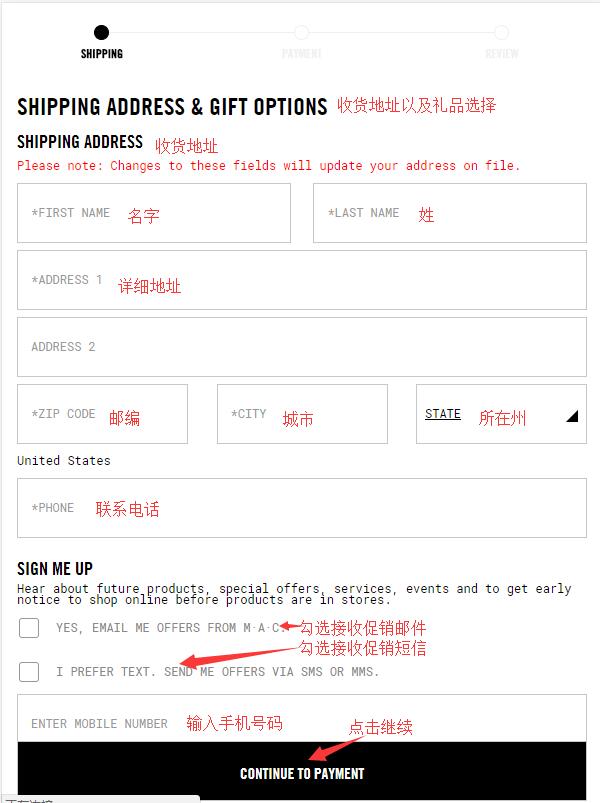
6. First, fill in the shipping address and a gift option.
Currently, the official website does not support direct shipping to China, so the shipping address should be a forwarding address. Fill it in as required, and then choose whether to receive promotional emails or text messages from the official website based on your needs. If you choose to receive text messages, you need to provide your phone number. Then click to continue:
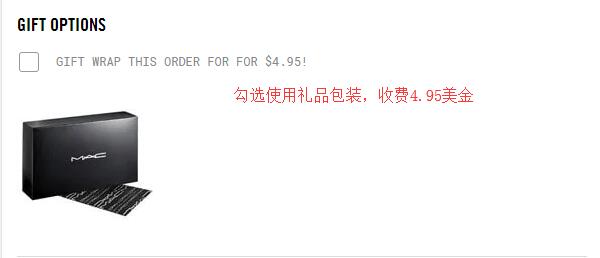
Note: The official website offers gift wrapping, but it is a paid service at $4.95 per order. Interested friends can consider it.
7. Payment information. First, in the payment method section, fill in the credit card number, expiration date, security code, etc., as required. The website supports dual-currency credit cards. The billing address can be the same as the forwarding address, as long as the name matches the name on your credit card.
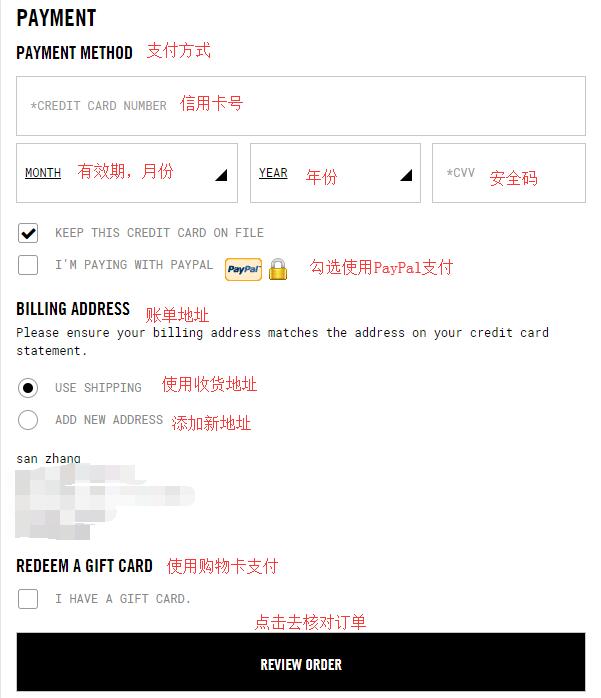
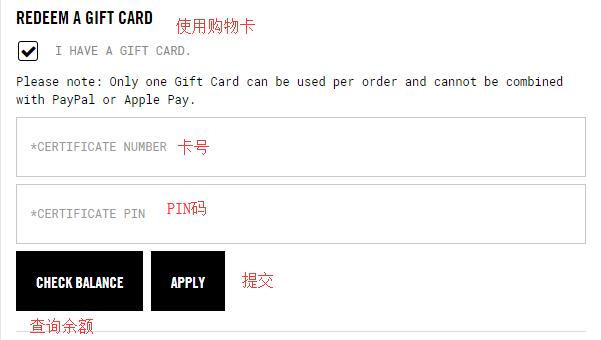
If paying with a gift card, check the gift card option, expand it, fill in the gift card number and PIN code as required, and click submit.
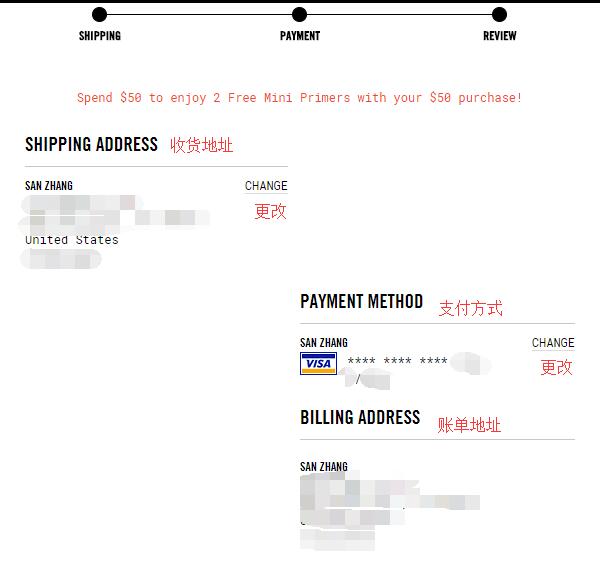
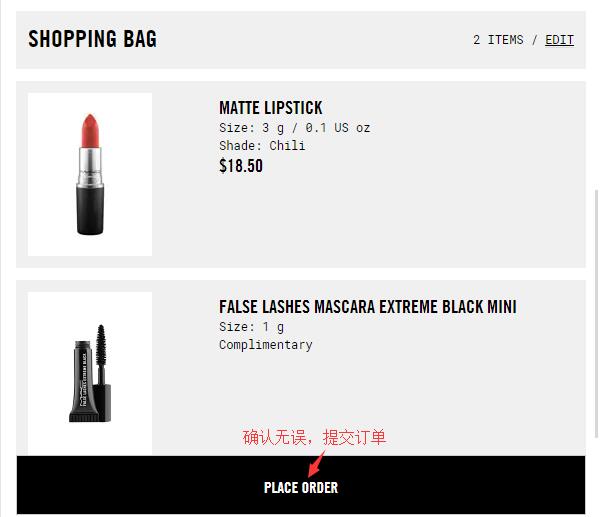
8. After submitting the above shipping and payment information, you will arrive at the order review page again. Here, please carefully double-check that the shipping address, credit card information, billing address, and order details are all correct. If you forgot to enter the discount code in the previous steps, you can enter it again here to get the discount. Once all information is confirmed and correct, submit the order!
All that's left is to wait for the website to ship the order, submit the forwarding information to the forwarding website, and wait to receive your package!