

Nordstrom Rack is the off-price retail division of the upscale American department store Nordstrom, offering products including clothing, shoes, accessories, handbags, and jewelry. The store's philosophy: provide customers with the best service, the best quality, and great value prices. It has physical stores in the US, and its online shop carries men's and women's apparel, handbags, and stylish shoes, all at discounted prices, with frequent incredible deals. It would be a shame not to learn how to shop internationally! To snag those bargains, you'll want to see how to buy overseas.
Official website link: https://www.nordstromrack.com
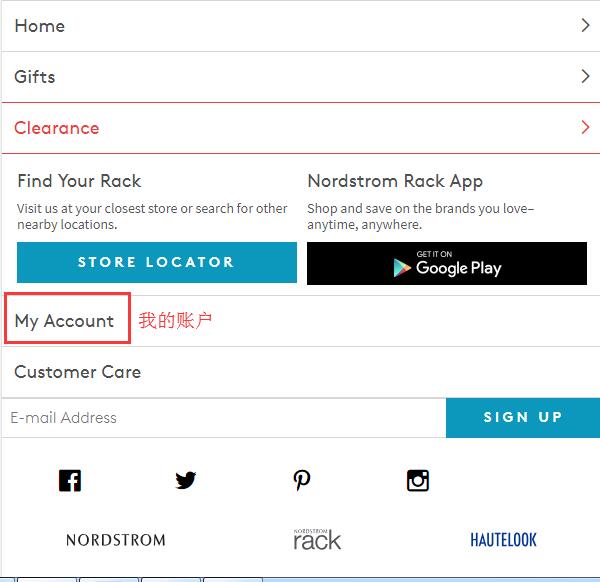
1. First, you need to register an account. Click "My Account" at the bottom of the homepage to log in or register:
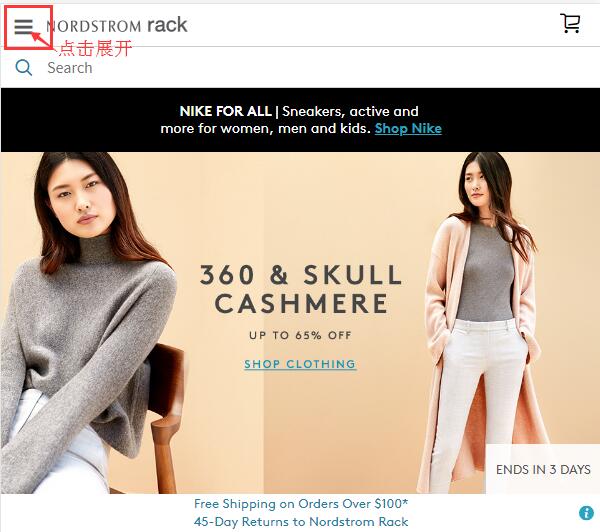
Or click to expand the menu at the top left of the homepage:
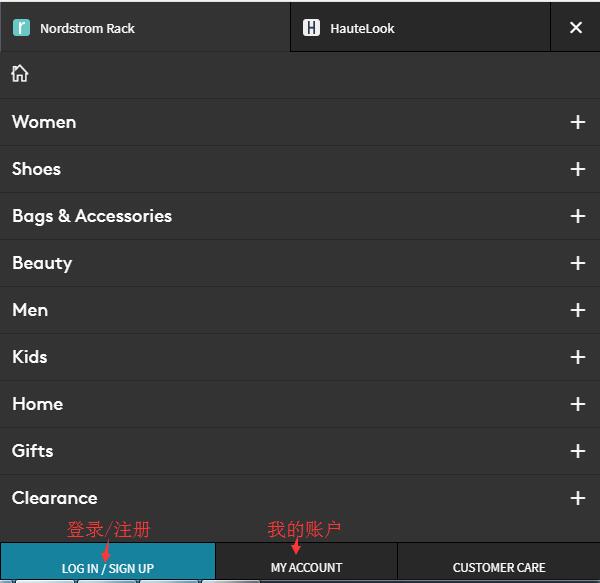
In the expanded menu, at the bottom left, click "Log in/Sign up" to log in or register:
If you already have an account, you can log in directly using your email and password. New users without an account, click "Sign up" below to register:
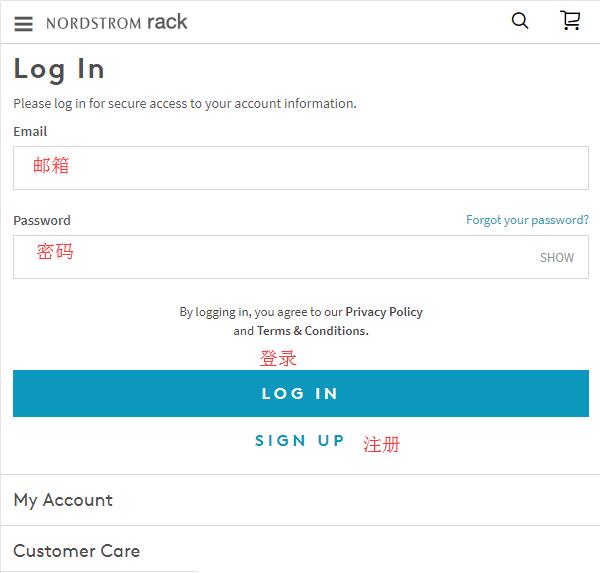
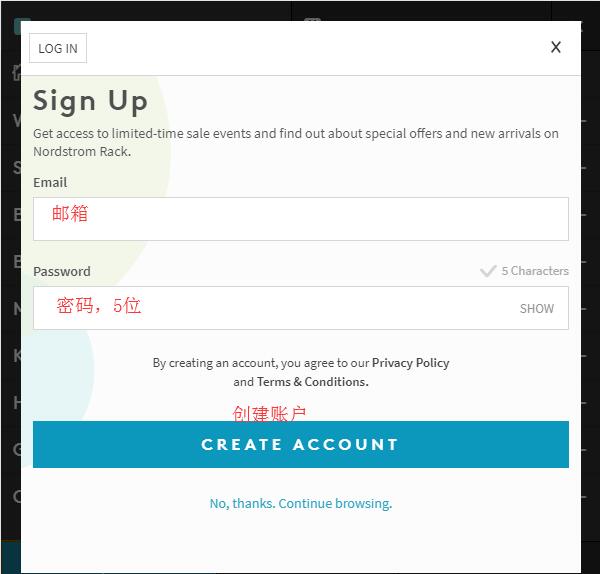
Enter your email and password (password must be at least 5 characters), then click "Create Account" to create your account and complete registration.
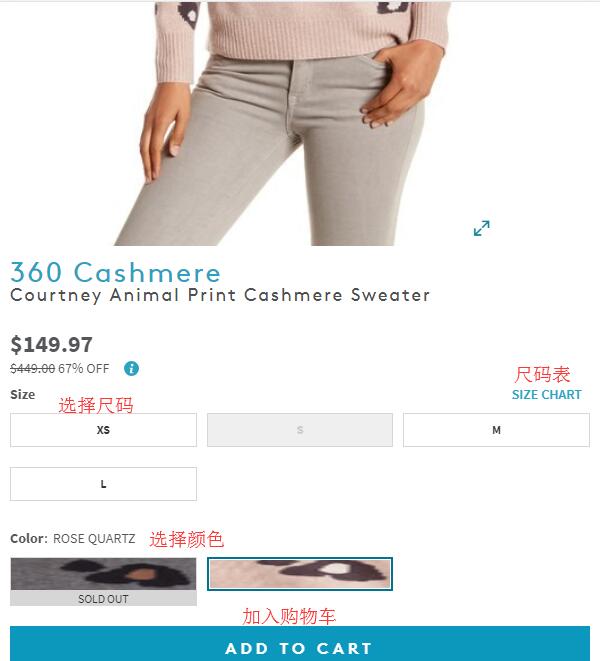
2. Start shopping! Browse by category, the homepage's promotion sections, or use the search function to pick your desired products. Go to the product detail page, select color, size, and quantity, then add to cart:
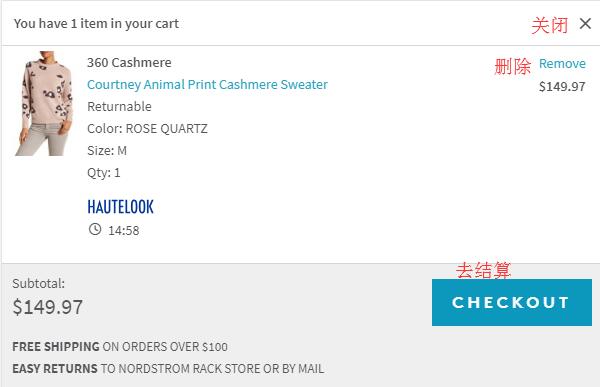
3. Click the shopping bag icon at the top right, then click "Checkout" in the pop-up dialog to proceed to payment:
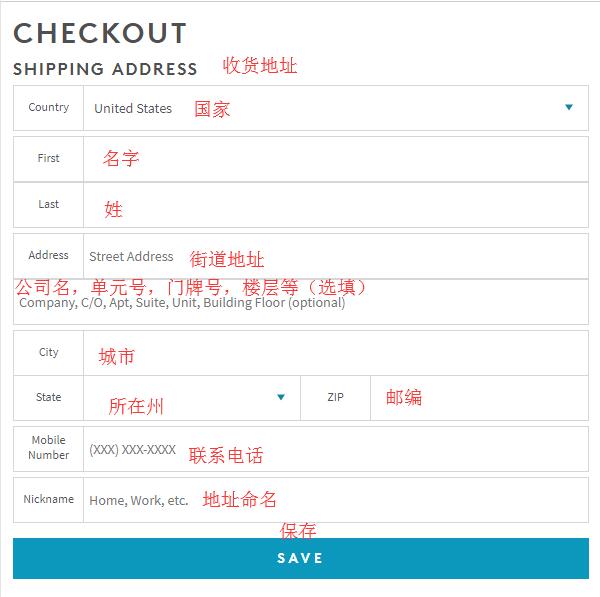
4. Shipping address: Since direct shipping is not supported, the shipping address here should be your freight forwarding address. Enter the forwarding address according to your freight forwarder's requirements, click "SAVE" to save, and proceed to the next step:
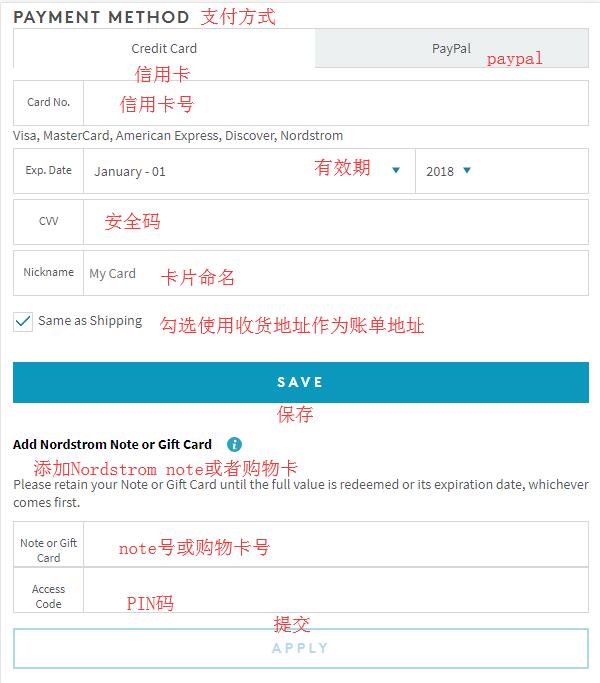
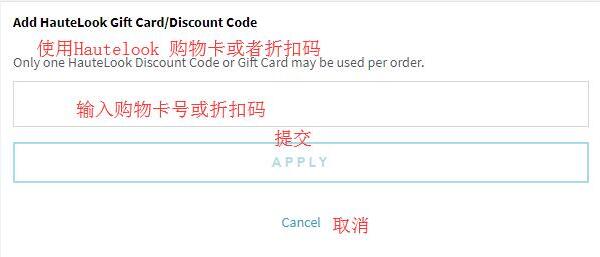
5. Next step, payment method. There are two options: credit card and PayPal. We choose to use a credit card. Enter your credit card number, expiration date, security code, and other information. For the billing address, you can choose to use the shipping address, or uncheck it and enter your actual billing address in China. Some users have reported successful orders this way. If you have a gift card or Nordstrom Note, you can enter the corresponding card number and PIN below to use them. Similarly, if you have a discount code, enter it in the discount code field below and click "Apply" to submit and receive the corresponding discount. Then click "Save" to proceed to the next step:
6. Final step, order review. Carefully check the address information, payment information, and product details for any errors. Once all information is confirmed correct, click "Place Order" below to submit your order and complete the purchase.
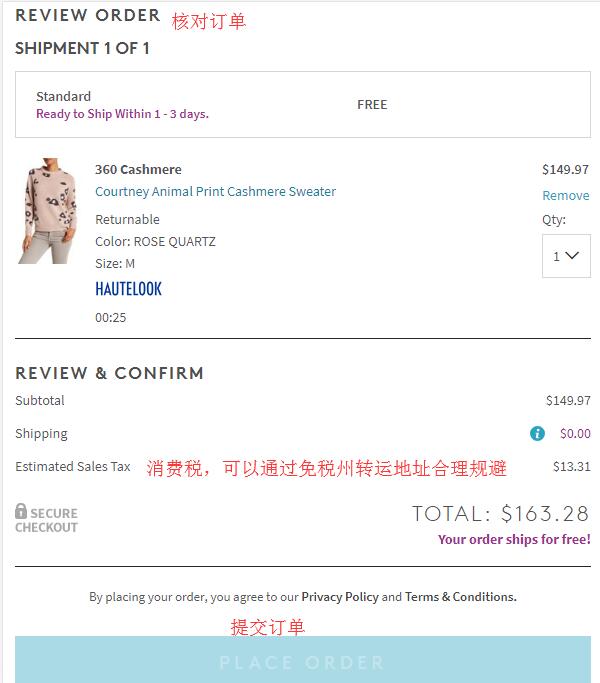
US sales tax can be reasonably avoided by using a freight forwarder's address in a tax-free state.