

Friends who often shop on international sites may have frequently heard of Selfridges. Selfridges & Co., located on Oxford Street in London, is one of the most famous department stores in the city. It brings together a large number of popular brands and designer counters, with a very comprehensive range of categories. You can shop for your favorite products on the Selfridges UK official website.
This article introduces the Selfridges international shopping guide, telling you how to place orders and shop on Selfridges. If you also want to order from Selfridges but don't know how to proceed, feel free to click and check out this Selfridges international shopping tutorial.
Most items at Selfridges can be shipped worldwide, including Mainland China, with prepaid Chinese customs duties. Direct shipping to Hong Kong and Macau is duty-free. However, beauty products cannot be shipped directly to Mainland China. Choosing a UK transfer line is not only expensive but also has restrictions, such as perfumes not being shipped, and it includes VAT. It's better to send directly to Hong Kong and Macau, where you can also get a refund of about 17% VAT. So, for skincare and cosmetics, it is recommended to switch to the Hong Kong site and ship directly to Hong Kong and Macau.
Here, we take the UK site shipping directly to China as an example;
1. Open the website;
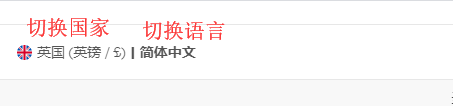
Selfridges international shopping URL: https://www.selfridges.com/US/zh/, click the link to access directly. You can switch the language and set it to Simplified Chinese for a clear view;
2. Register an account;
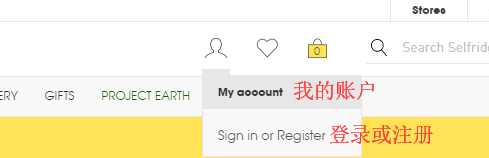
Click the top right corner and select Sign in or Register to log in or create an account;
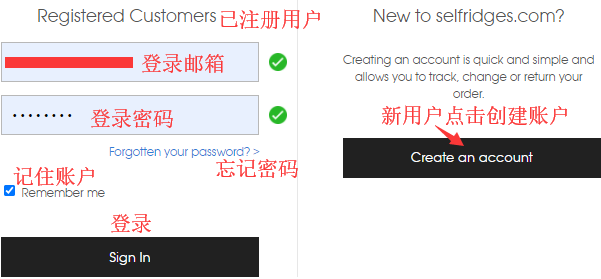
Friends who have already registered can select Sign In to log in. Unregistered users should select Create An Account to register;
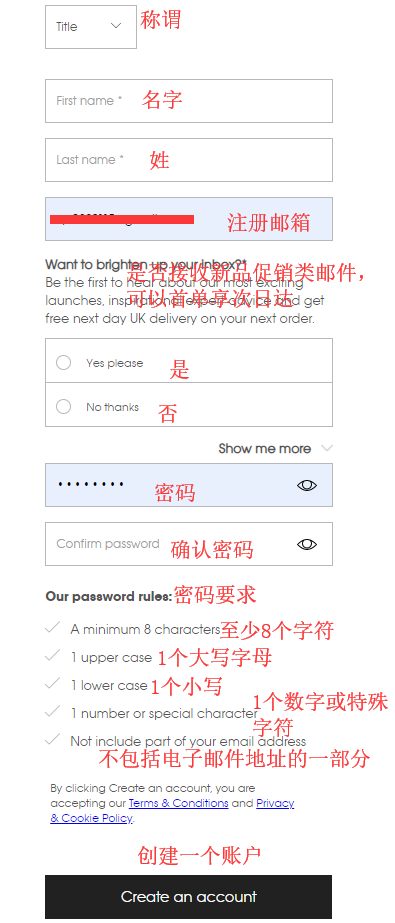
Enter the registration page;
3. Select products, here we take shipping directly to Hong Kong and Macau as an example;
Add the products you want to purchase to the shopping cart, then click the top right corner to view the cart and go to the cart page;
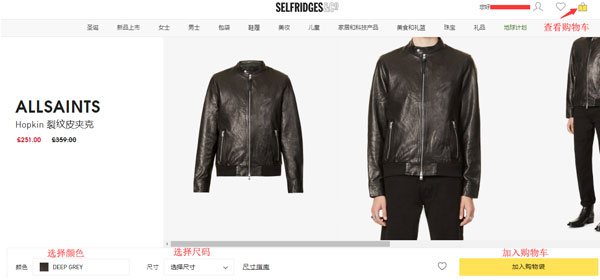
4. Click the shopping bag in the top right corner and select View Cart to enter the cart page;
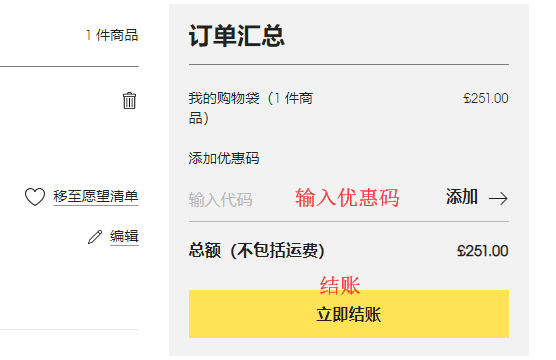
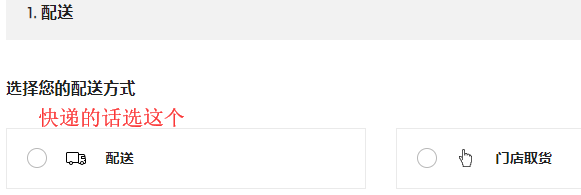
5. Continue to enter the shipping method selection page;
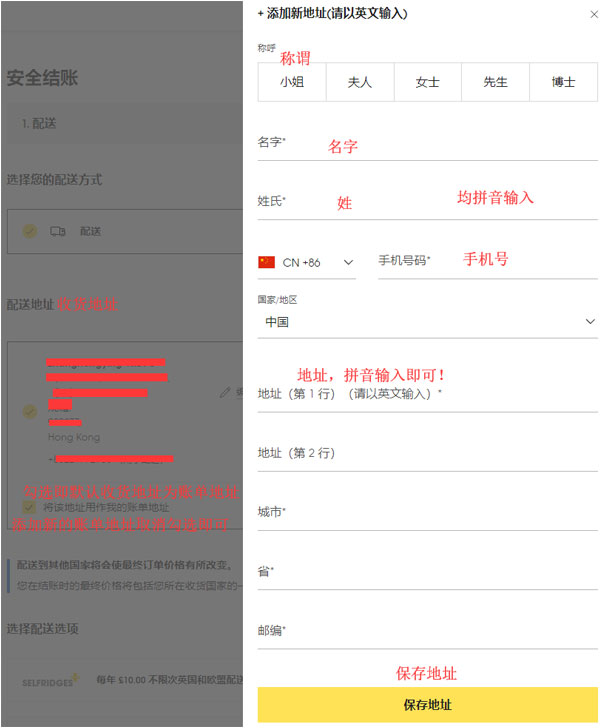
6. Continue to enter the page for filling in the shipping address and billing address;
7. Enter the shipping method selection page;
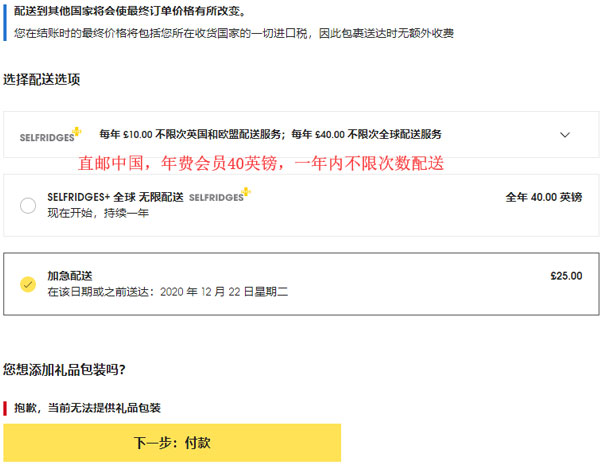
8. Continue to enter the payment page, fill in the payment information, confirm everything is correct, click Pay Now, and submit the order;
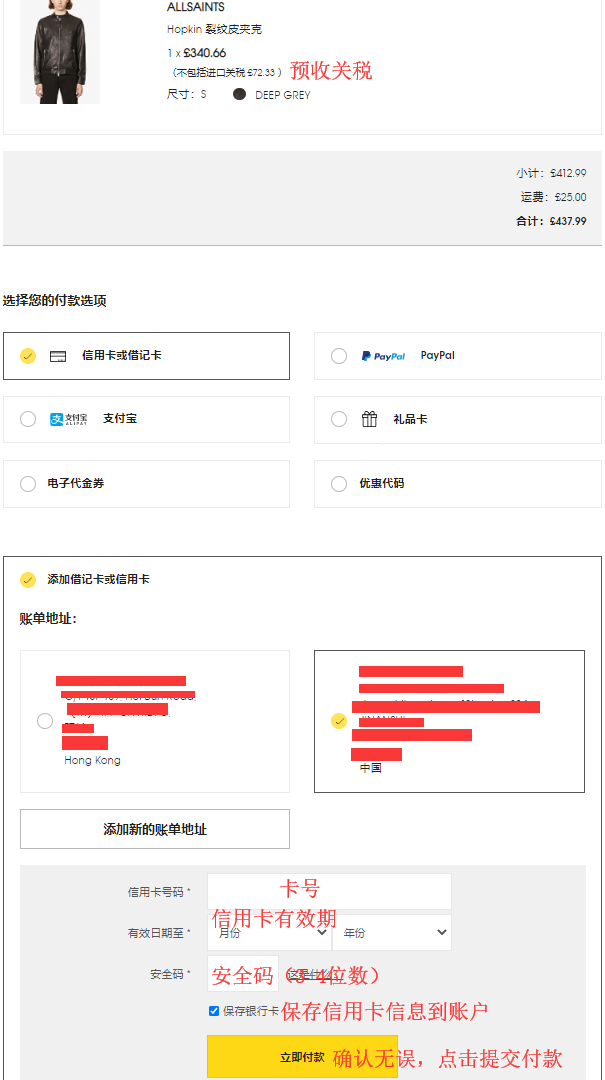
9. Direct shipping includes prepaid customs duties, just wait to receive your goods~