

The Children's Place is an affordable children's clothing brand in the US, offering apparel, accessories, and shoes for newborns up to age 14. With a wide variety of styles and bright colors, the official website often features discounts and promotions, making overseas shopping very cost-effective and popular among parents and children.
This article explains how to shop on The Children's Place official website, providing a step-by-step guide on placing orders for overseas purchases. If you want to order from The Children's Place but don't know how, feel free to check out this The Children's Place overseas shopping guide.
1. The Children's Place US Official Website Overseas Ordering Tutorial
1. Open the official website
The Children's Place US official website URL: https://www.childrensplace.com/us/home, Note: A VPN is required to access it.
2. Register a website account
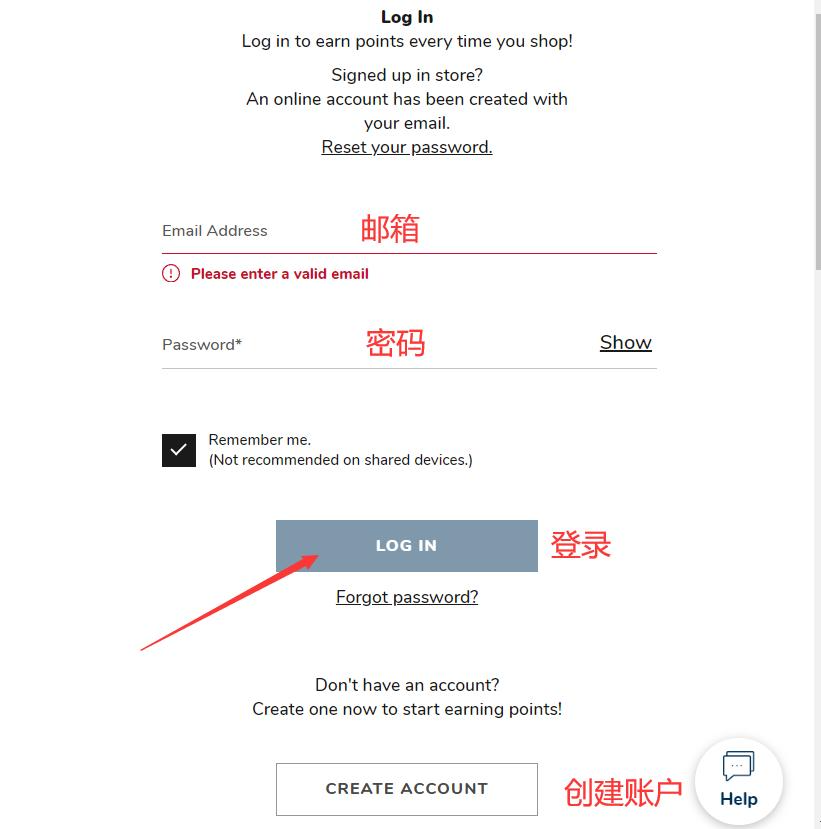
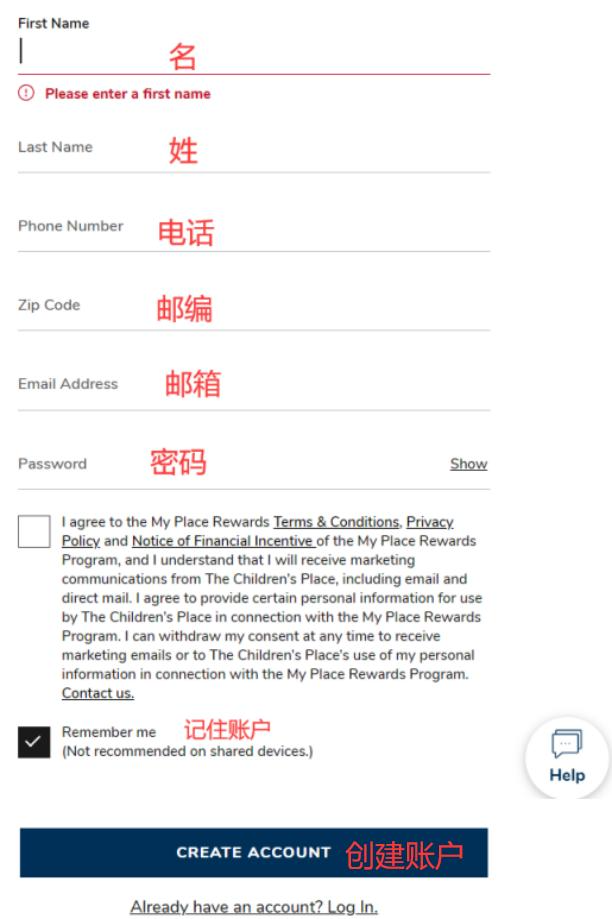
Click the top right corner. If you have an account, log in with your email and password. If not registered, click to create one.

Enter registration information to create an account.
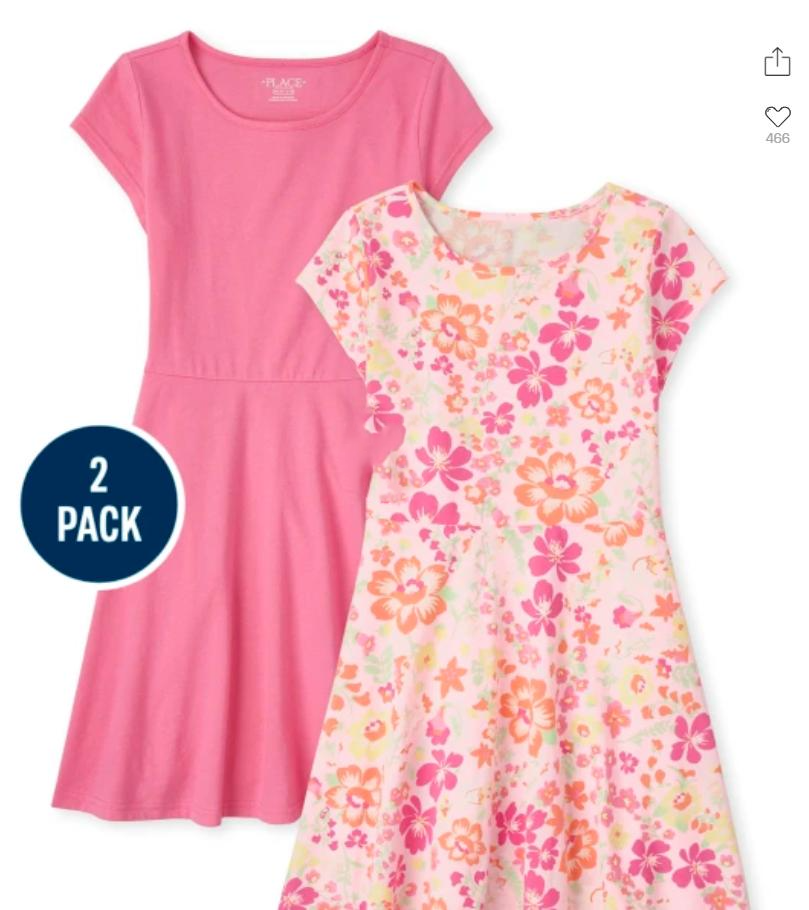
3. Select items and add them to the cart.
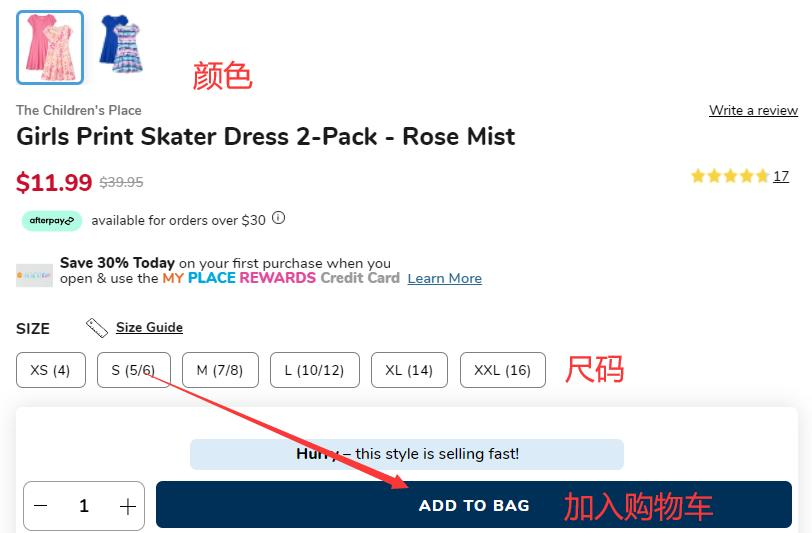
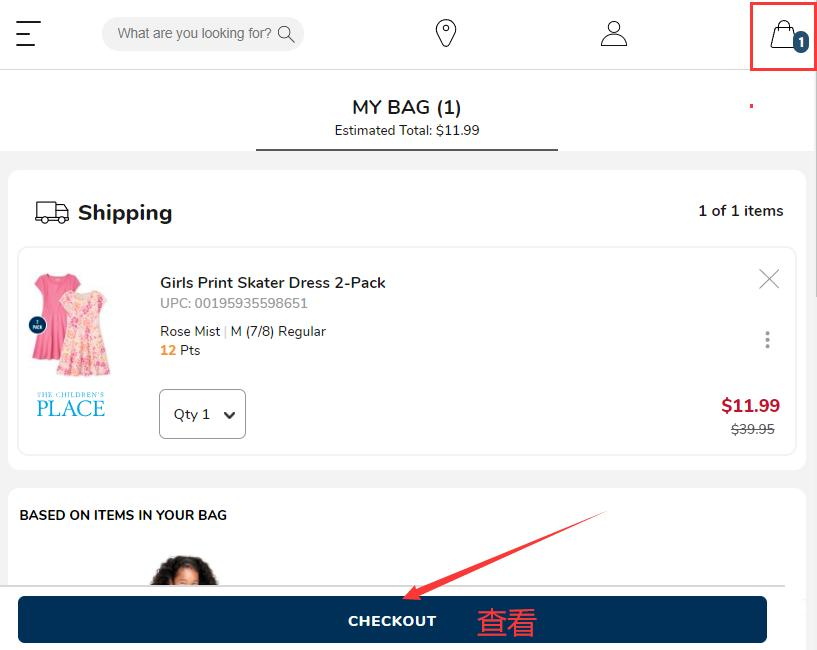
4. Click the shopping cart icon in the top right corner to enter and review your order details.
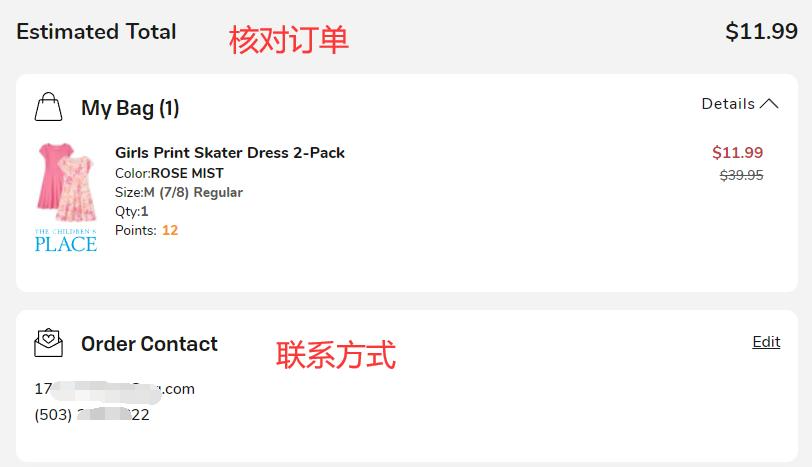
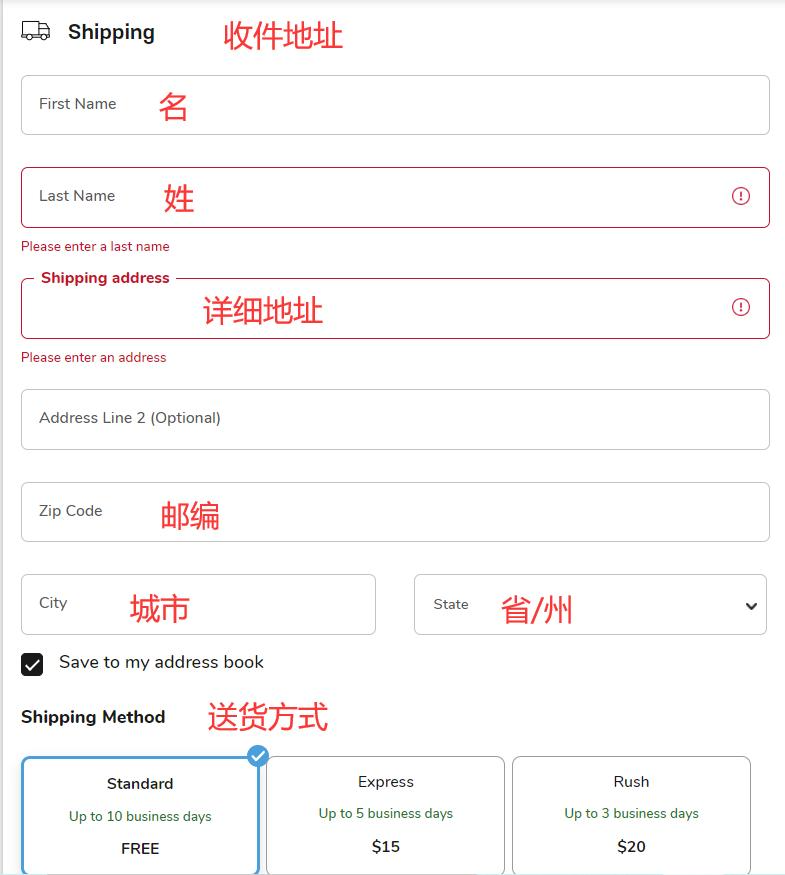
5. Enter the shipping address and select the delivery method.
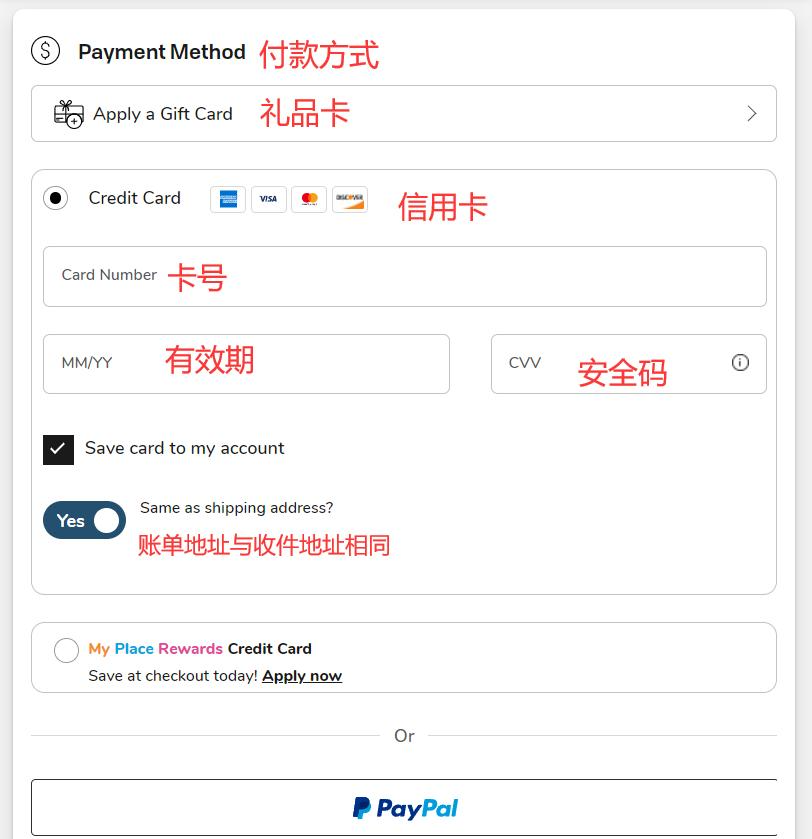
6. Choose a payment method
Using card payment as an example, fill in the card number, expiration date, security code, and other details as shown in the image.
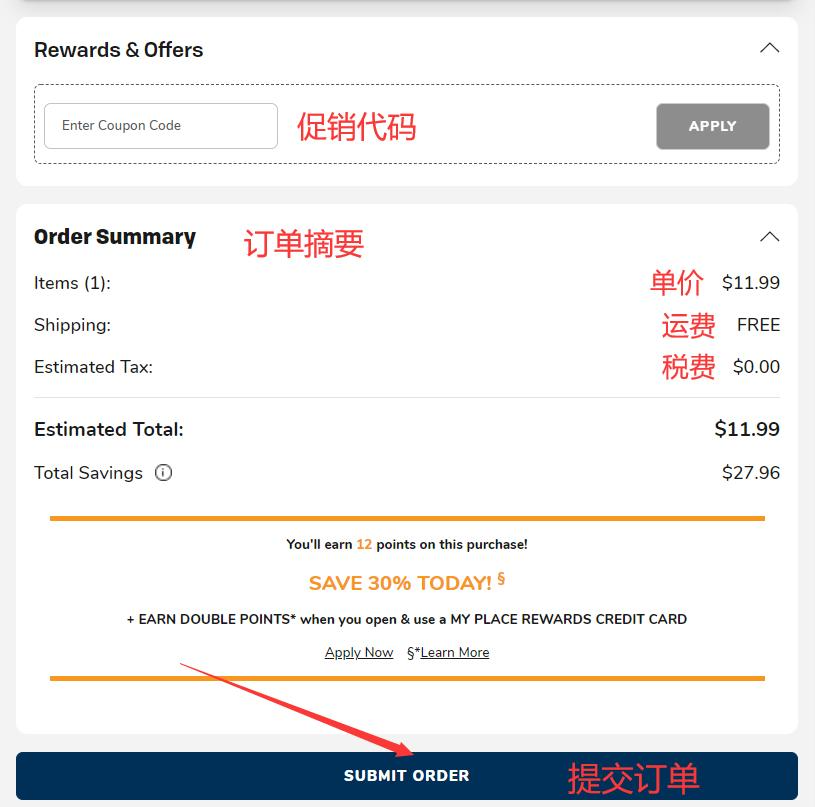
7. Review the order information, confirm it is correct, then pay and submit the order.
If you have a promo code, enter it and click apply to get the discount.
8. All that's left is to wait for the forwarding company to receive the package, prepare the shipping details, and sit tight for delivery!
2. Other Ordering Notes for The Children's Place US Official Website
1. Orders do not support direct shipping to China; you can use a forwarding service. Free shipping within the US.
2. The official website accepts Visa, Mastercard, American Express, Discover, and PayPal payments.