

TheDoubleF is an Italian luxury online store under the Folli Follie Group, specializing in apparel, shoes, bags, and accessories. In just one year since its launch, it has emerged as a dark horse in the luxury e-commerce scene. This article provides a guide on how to shop on TheDoubleF Italian official website, explaining the steps to place an order. If you want to order from TheDoubleF but don't know how, feel free to bookmark this guide.
1. TheDoubleF Official Website Ordering Tutorial
1. Open the official website
TheDoubleF Italian official website link: http://www.thedoublef.com/
2. Log in to your account
Click the dropdown menu in the top left corner and select "My Account"
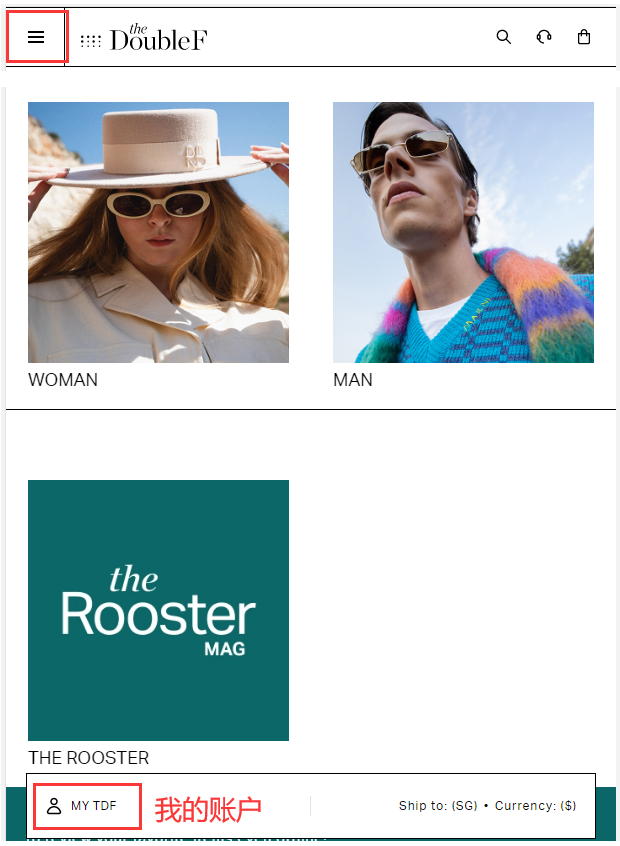
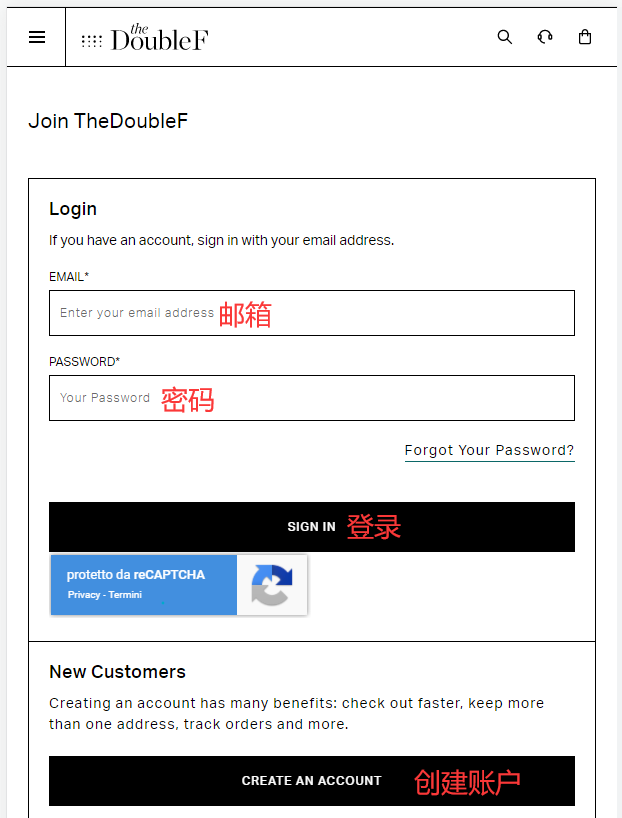
Existing users can log in with their email and password; new users click "Create"
Fill in the registration information to create an account
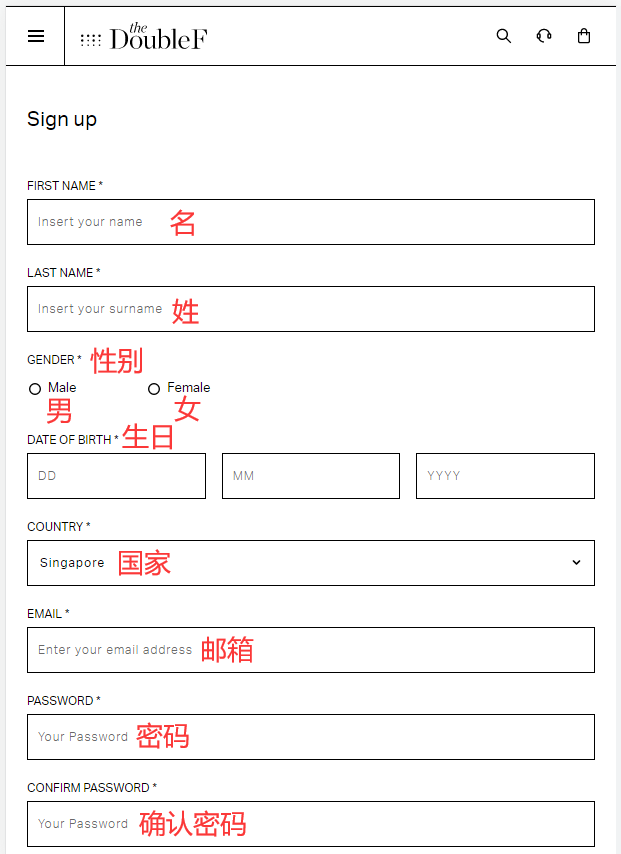
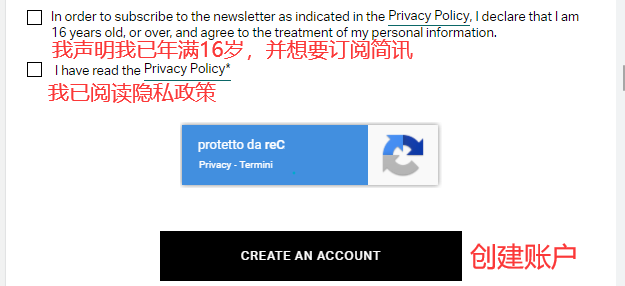
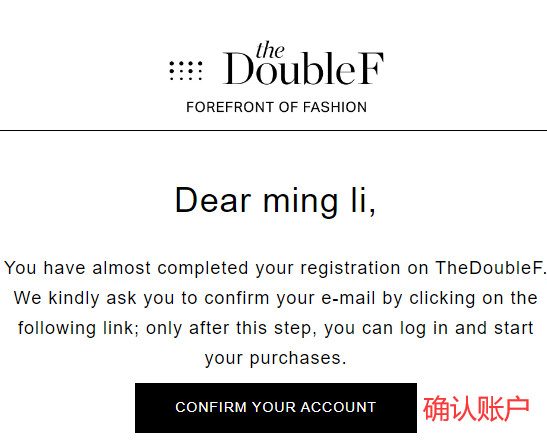
Open your email and confirm verification
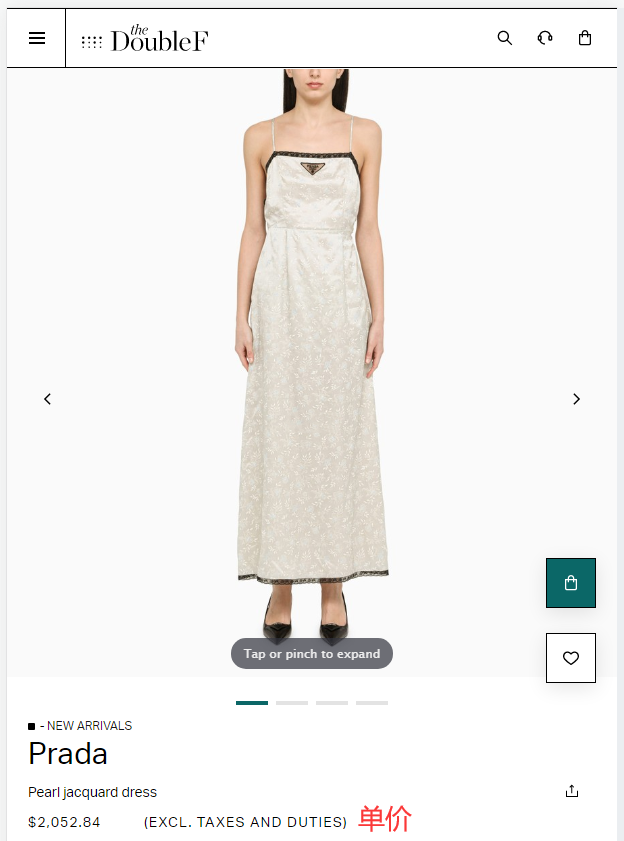
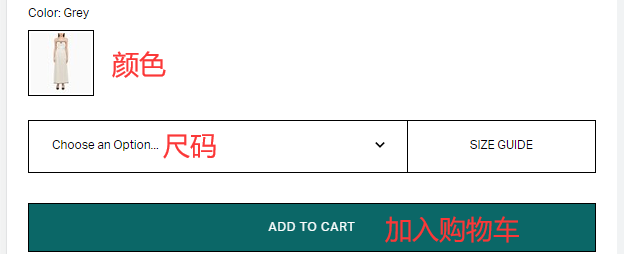
3. Select items and add to cart
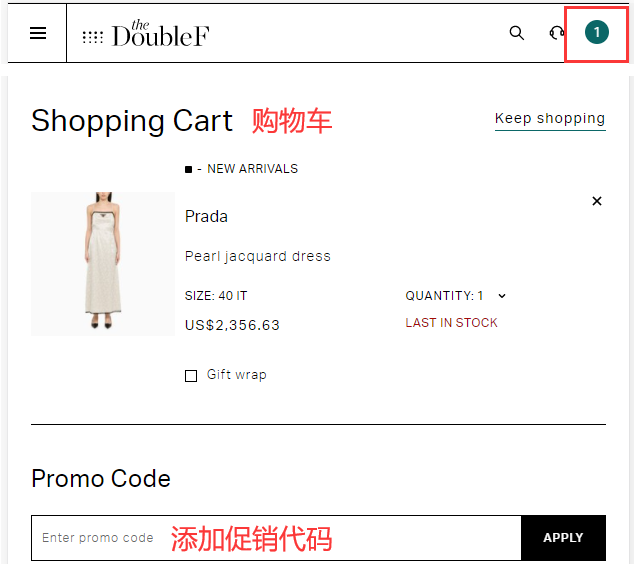
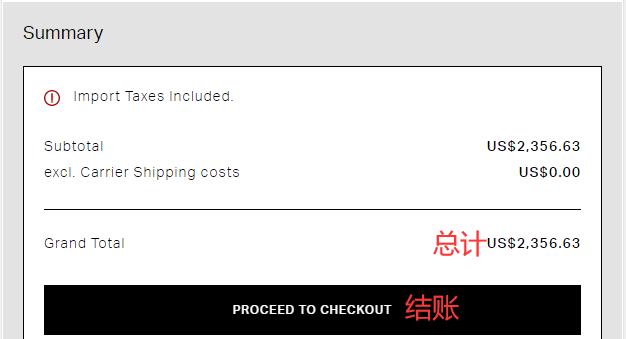
4. Open the cart and checkout
Enter a promo code if available to get a discount
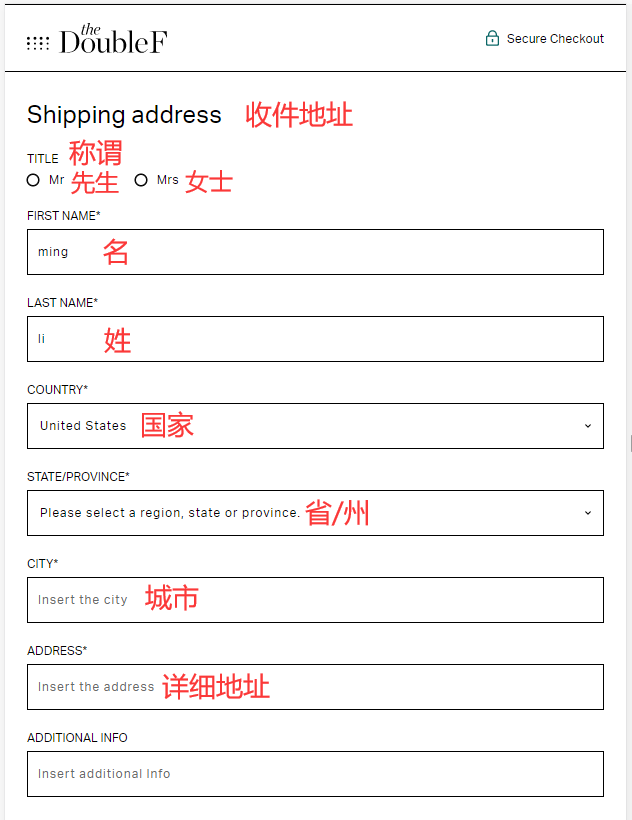
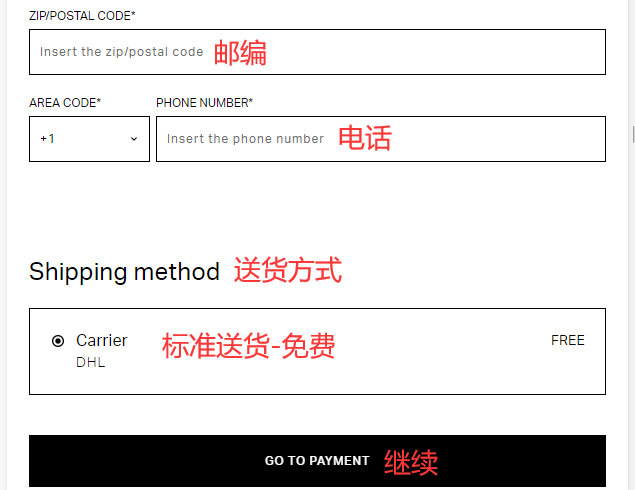
5. Fill in the shipping address and select a delivery method
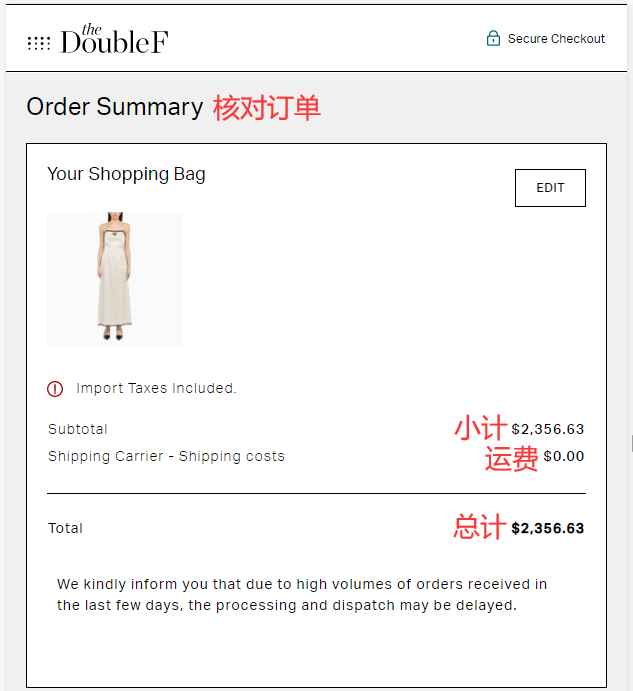
6. Review the order information
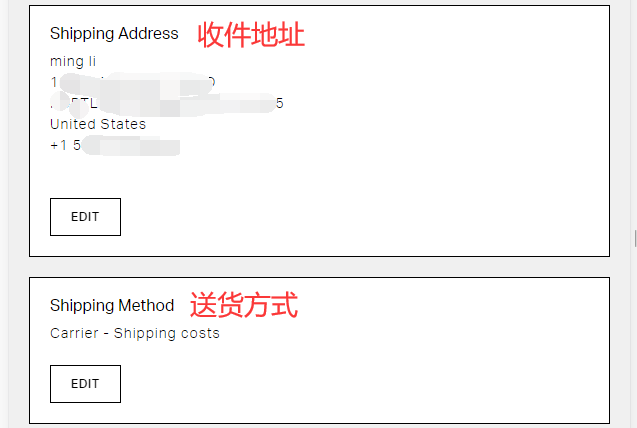
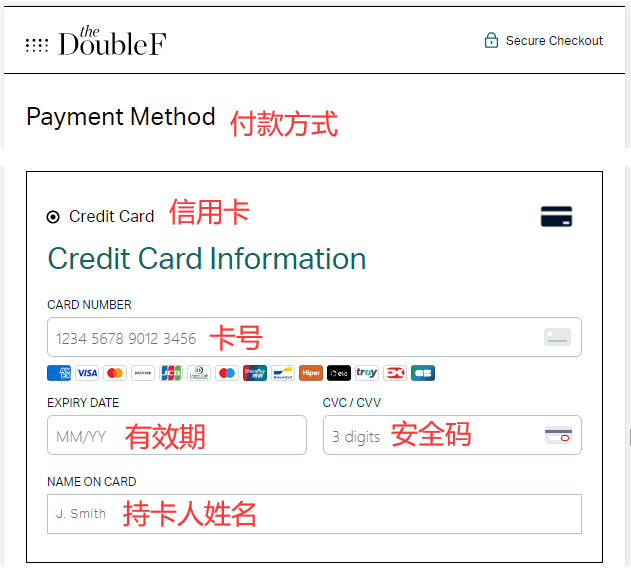
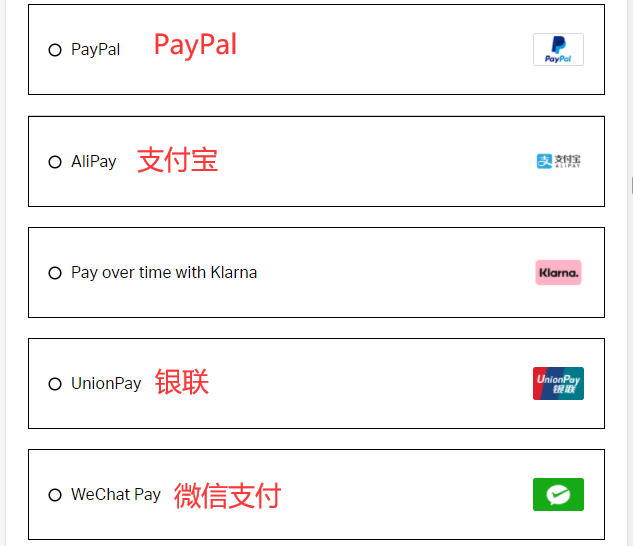
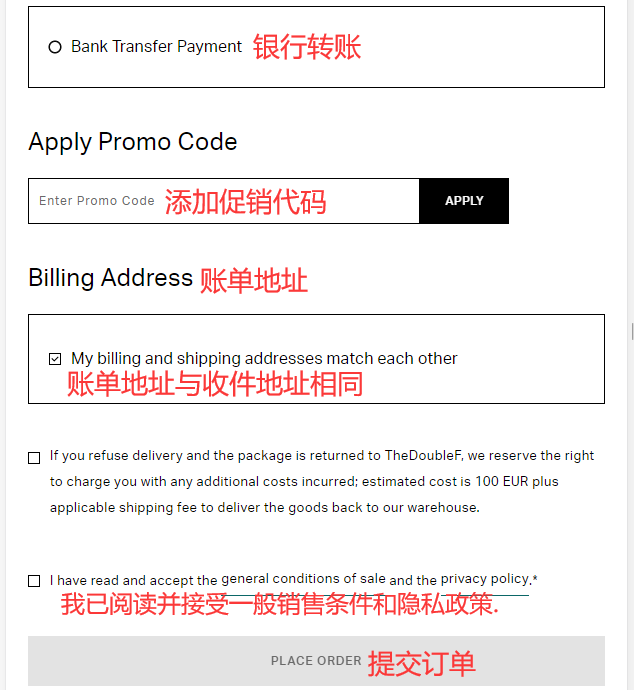
7. Choose a payment method and verify the billing address
Using credit card payment as an example, fill in the cardholder's name, card number, expiration date, security code, and other details completely. Verify the billing address, then submit the order if everything is correct
8. All that's left is to wait for the shipping forwarder to receive the package, prepare the forwarding details, and sit tight for delivery!
2. Other Notes for Ordering on TheDoubleF Official Website
1. The website supports global direct shipping. Free shipping on orders over €600 to China, but orders shipped directly to China are not tax-inclusive, with duties around 20%. Shipping to the US includes taxes in the price, so no additional payment is needed upon arrival
2. Supports UnionPay, Visa, Mastercard, American Express, JCB, and Discover credit cards, as well as PayPal, WeChat Pay, and Alipay online payments