

Algenist comes from a biotechnology lab based in San Francisco. It is rooted in cutting-edge biotechnology that unlocks the anti-aging potential of microalgae. Algenist incorporates polyglucuronic acid into all its high-end anti-aging skincare products. Algenist elevates traditional skincare approaches, offering effective anti-aging solutions for different skin concerns across various ages.
Today, we will share a guide on how to place an order on the Algenist US official website.
Algenist US Official Website: https://www.algenist.com/
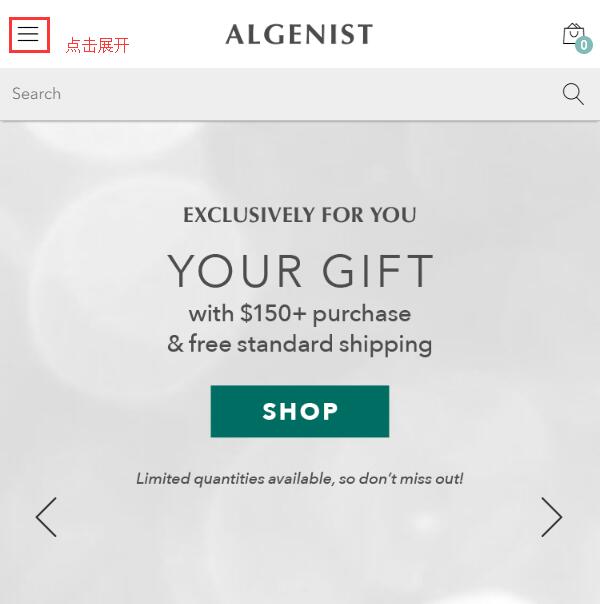
1. First, register an account. Open the homepage and click to expand the menu in the top left corner:
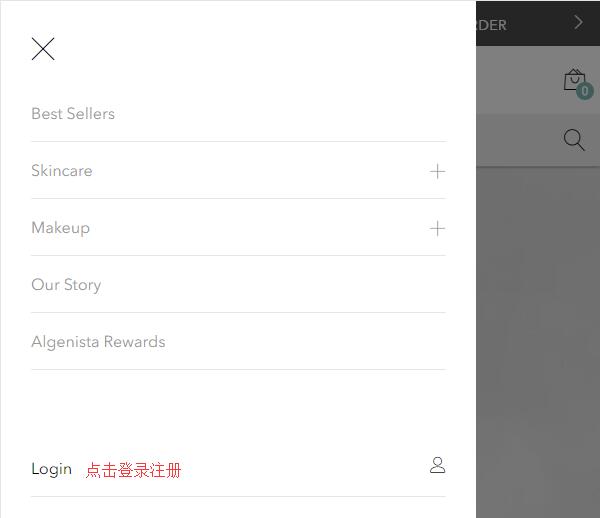
Click Login at the bottom left of the menu to log in or register:
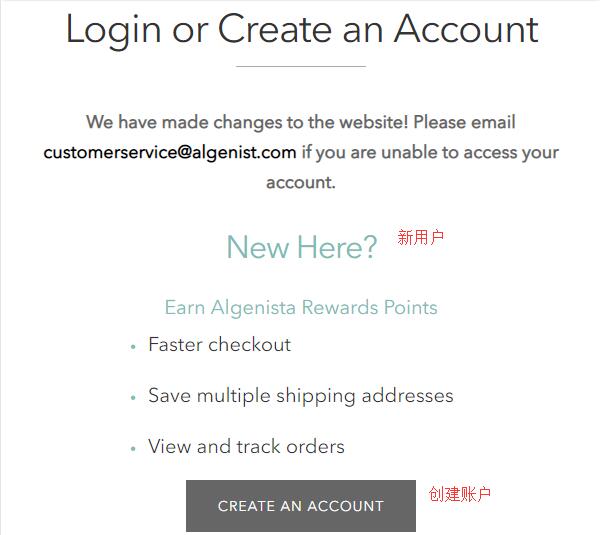
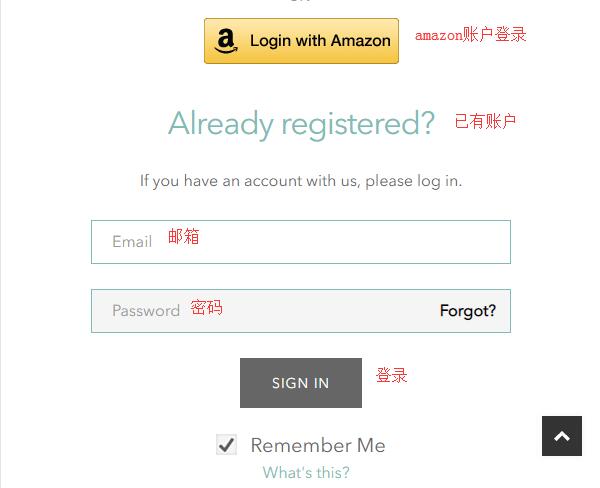
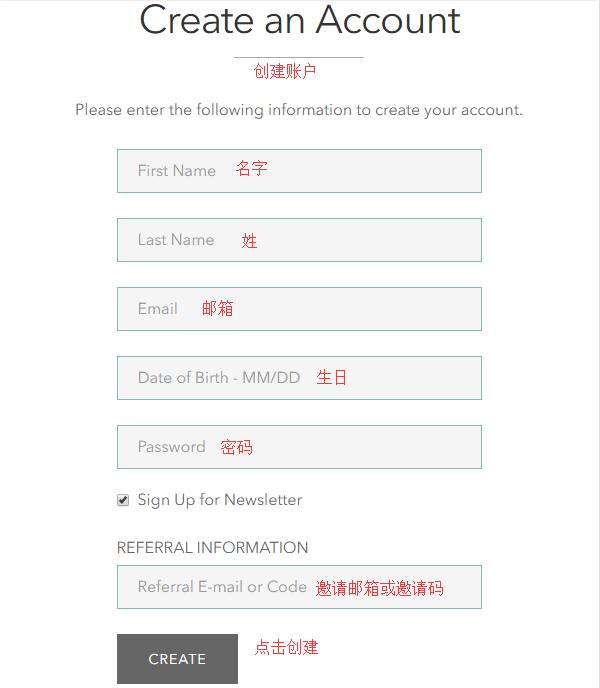
New users click Create an Account below to register. Returning users can log in by entering their email and password at the bottom of the page, or by using their Amazon account.
Enter your name, birthday, email, password, and other information. Click Create below to create your account and complete registration.
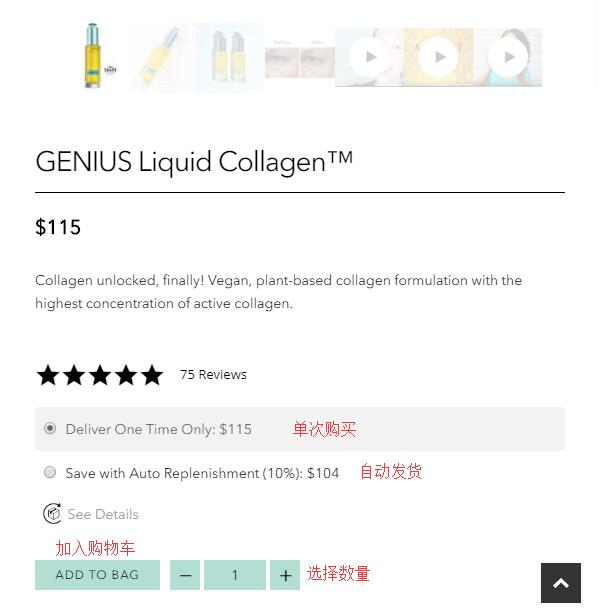
2. Registration complete, start shopping. In the menu, you can see categories like Best Sellers, Skincare, and Makeup. You can also search for products directly. Enter the product detail page, select the quantity and purchase frequency, and click Add to Bag. Note: Like other skincare websites, this site offers a subscription service with automatic recurring shipments and payments. Since we are overseas shoppers, it is generally recommended to choose a one-time purchase and not opt for the subscription.
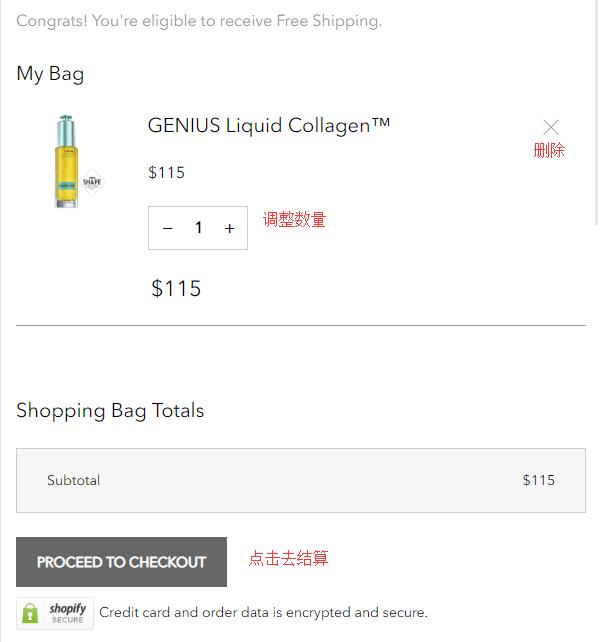
3. Go to the shopping cart, verify the product information is correct, and click Proceed to checkout.
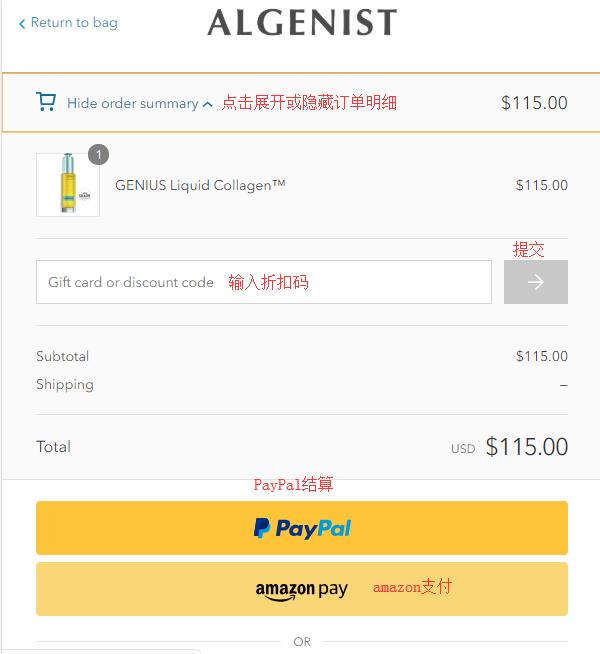
4. Start checkout. At the top of the page, you can see the Order summary. Click to expand or collapse it. Enter a promo code below the product information to get a discount. Enter the shipping address below, following the requirements of your shipping forwarder. Then click Continue.
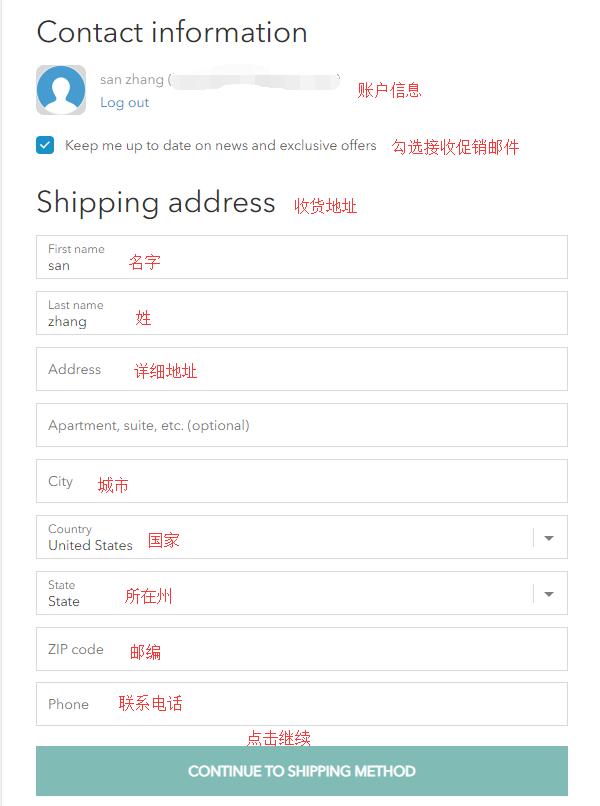
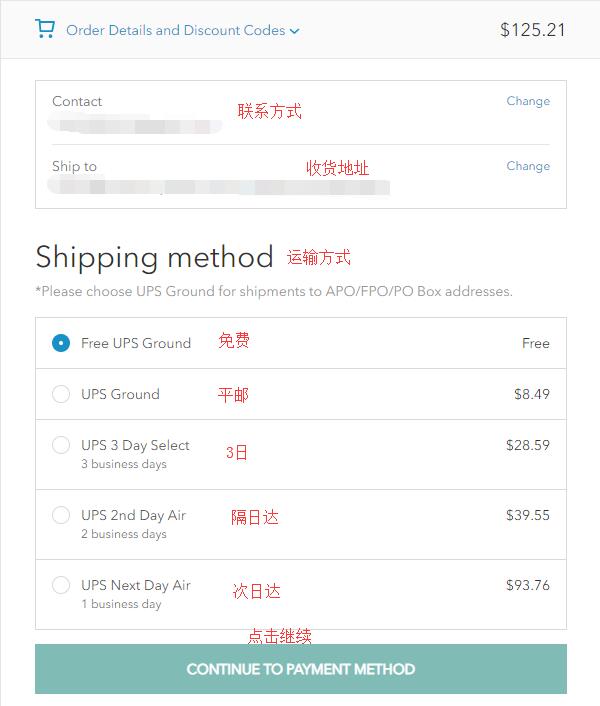
5. After entering the address, select the shipping method. Since becoming a member may offer free shipping, you can directly select the default shipping method and click Continue.
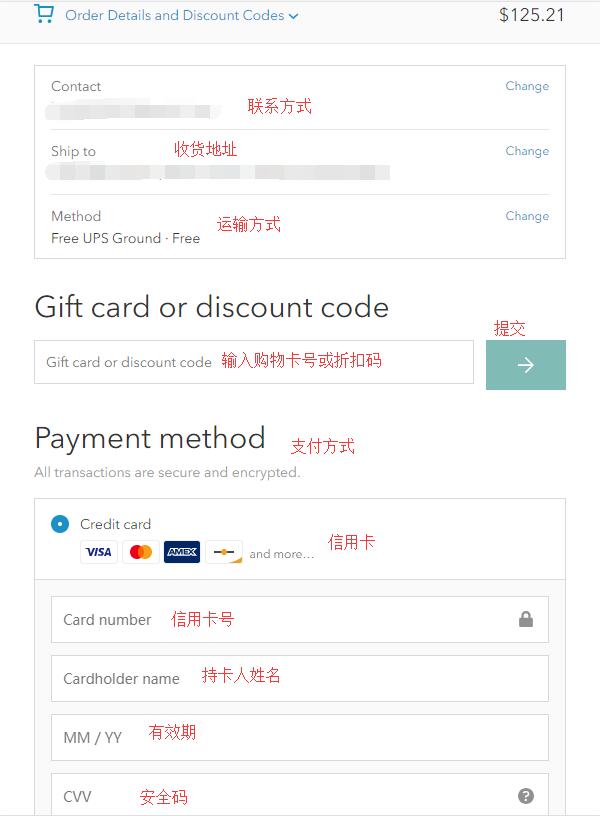
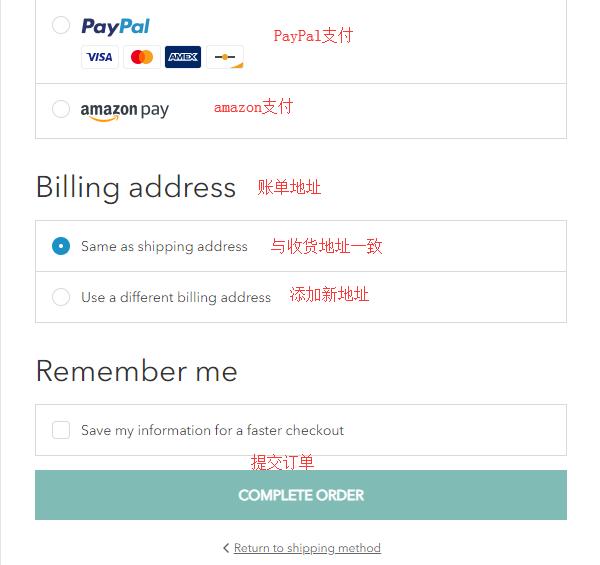
6. After entering the address, select the payment method. We choose to pay by credit card. Enter the card number, cardholder name, expiration date, security code, and other information. If you have a gift card or discount code, you can enter it in the dialog box below the credit card information and submit it. For the billing address, you can use the shipping address or enter your real billing address. After verifying all information is correct, click Complete Order below to submit the order and complete the purchase.
The official website currently offers free shipping within the US for orders over $50, which can be forwarded. There is also an option for direct shipping to China, but applicable shipping fees and taxes will apply. You can choose the shipping method based on your needs.