

Charles & Keith is a fashion brand from Singapore, known for its avant-garde designs and unique innovation, capturing the attention of industry insiders and winning the admiration of fashion enthusiasts. It is a go-to brand for urban style-setters, standing out for its easy-to-wear yet modern aesthetic. As a brand that champions a new generation lifestyle, it has expanded its product lines to include footwear, bags, sunglasses, accessories, and jewelry, with most items priced under 1,000 RMB, making it a popular affordable luxury brand among young people.
This article introduces a guide on how to shop on the Charles & Keith US official website, explaining the steps to place an order. If you want to order from the Charles & Keith US site but don't know how, feel free to bookmark this Charles & Keith US official website shopping guide.
1. Charles & Keith US Official Website Ordering Tutorial
Charles & Keith US official website entrance: https://www.charleskeith.com/us, click the link to visit directly;
2. Log in or Register an Account
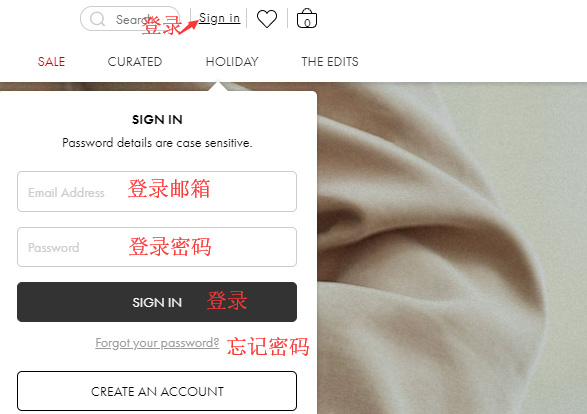
Click "Sign in" in the top right corner. If you already have an account, select "Sign In" to log in.
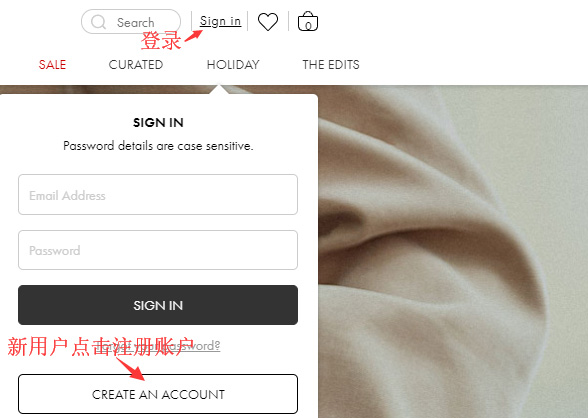
If you don't have an account, select "Create An Account" to register.
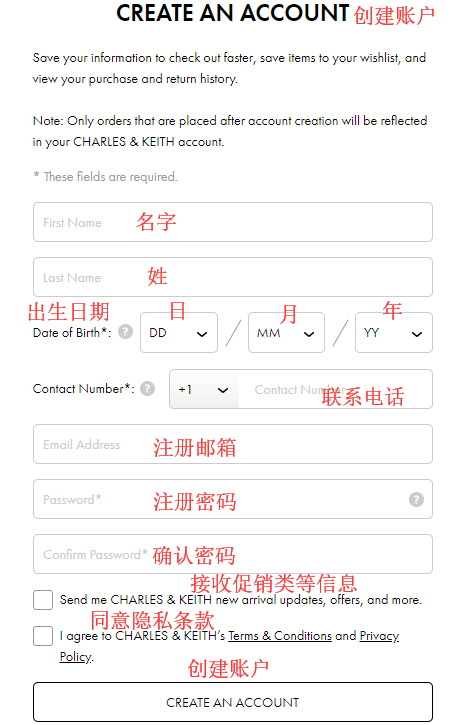
Enter the registration page and fill in your information.
3. Select Items and Add to Cart
Then click "Bag" in the top right corner to view your cart and go to the cart page.
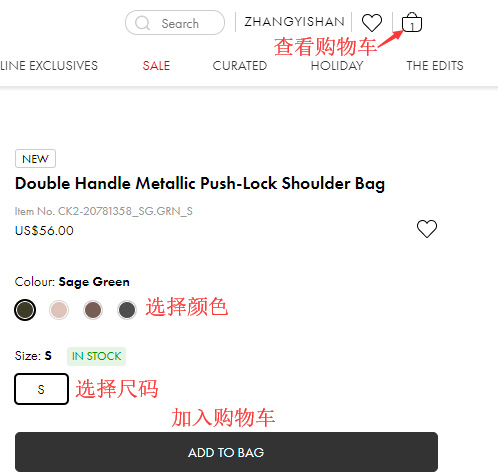
4. Click "Bag" in the top right corner to view your cart and enter the cart page.
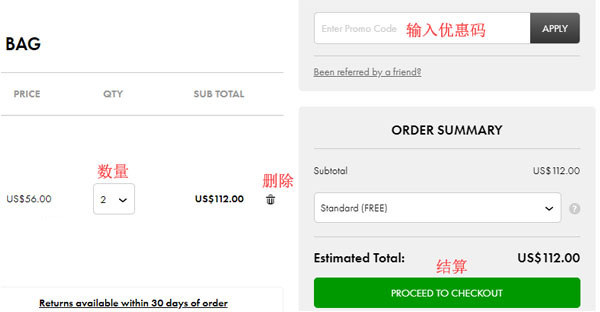
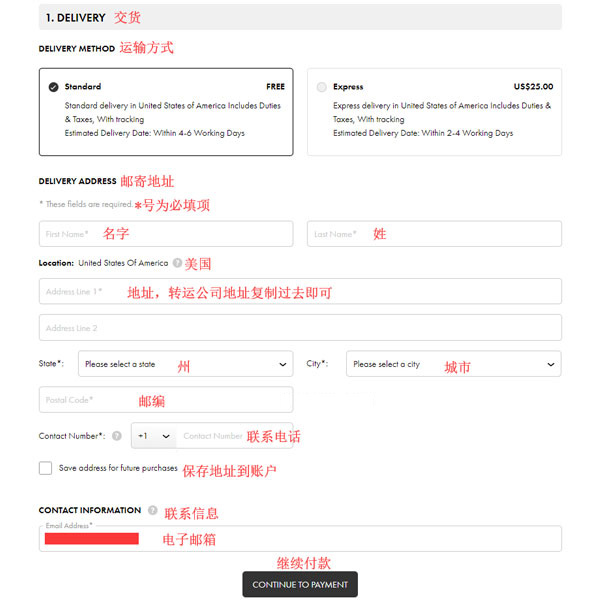
5. Click "PROCEED TO CHECKOUT" to go to the page for selecting shipping method and entering the delivery address.
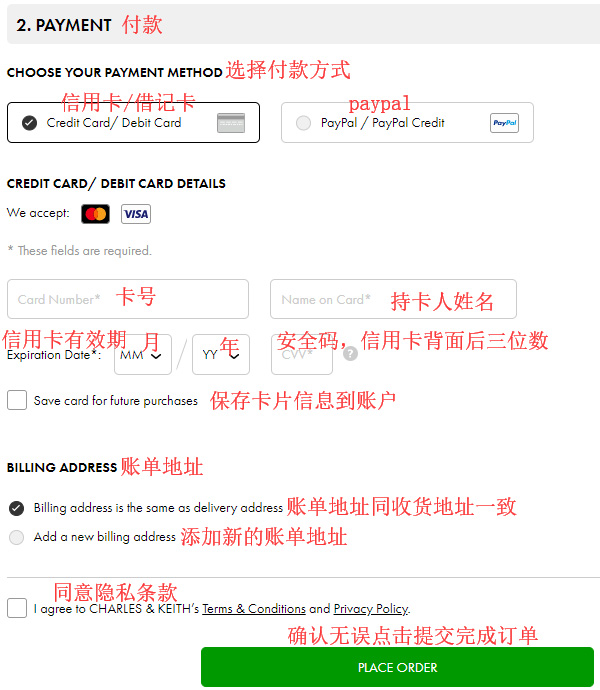
6. Next, enter the page for filling in payment information and billing address. Confirm everything is correct and click "PLACE ORDER" to submit and complete the order.
7. All that's left is to wait for the shipping forwarder to receive the package, prepare the shipping details, and sit tight for your delivery!