London's trendy brand All Saints, known as "Da Ai" in Chinese, is often called the affordable version of Vivienne Westwood by many avant-garde fashion enthusiasts and is widely recognized as one of the most successful young brands in the British fashion scene. It has strong brand recognition among young people in the UK. All Saints products are priced in the mid-to-high range, generally starting at 100 Euro, making it a great choice for those who are unconventional and seek individuality. Founded in 1994, the brand initially launched only menswear collections. After four years of development, All Saints gradually introduced womenswear, accessories, and bag collections, with its menswear and womenswear mainly featuring printed shirts, sweatshirts, denim pants, casual wear, ready-to-wear, and accessories.
Official website link: https://www.allsaints.com/
Below, we'll introduce you to the overseas shopping guide for the All Saints UK official website.
Latest All Saints overseas shopping tutorial
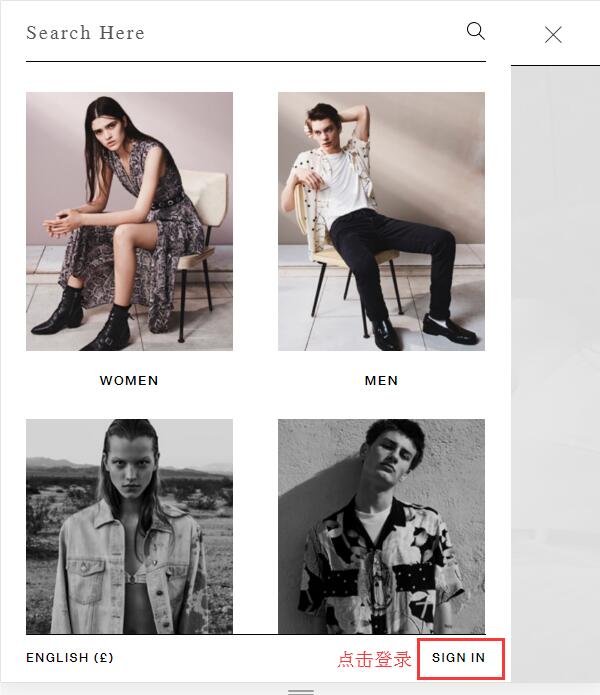
1. First, register an account. Open the homepage and click to expand the menu in the top left corner.

Click Sign in at the bottom right of the menu to log into your account.
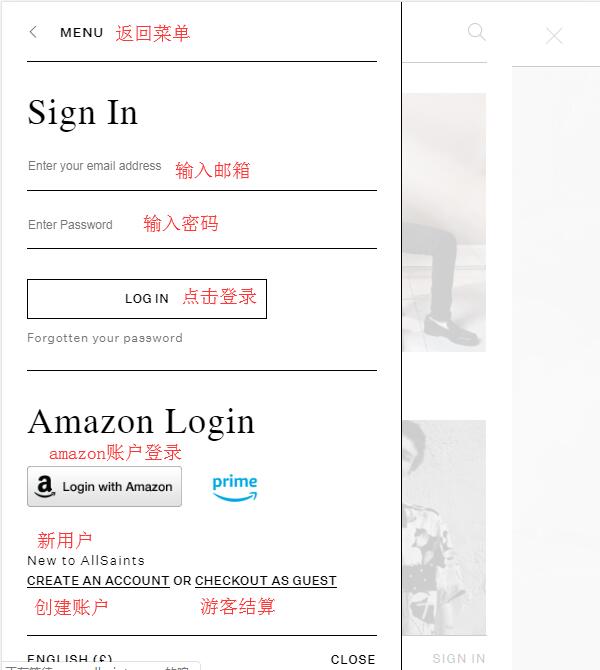
Returning users enter their email and password to log in. New users can choose to register a new account or check out as a guest.
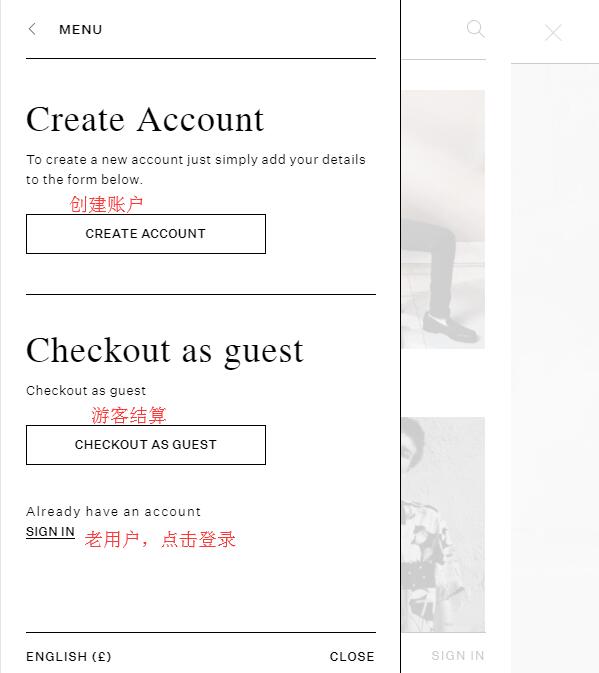
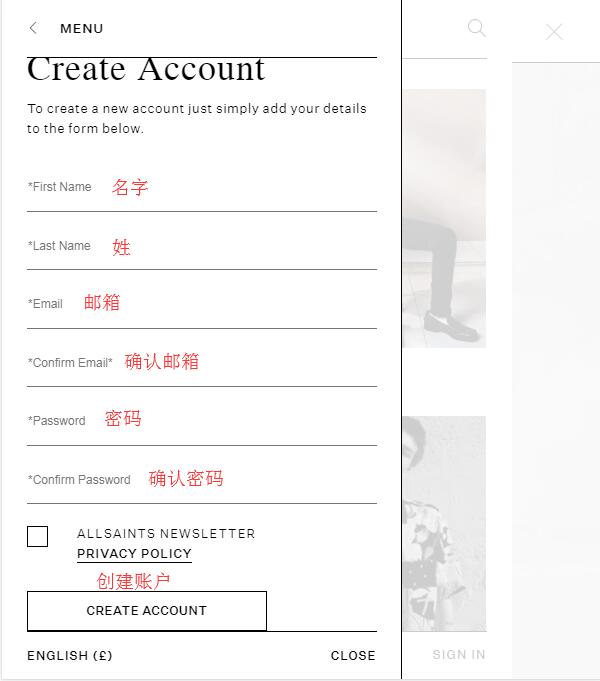
Click Create an Account to register:
Enter your name, email, and password, then click Create Account to create your account.
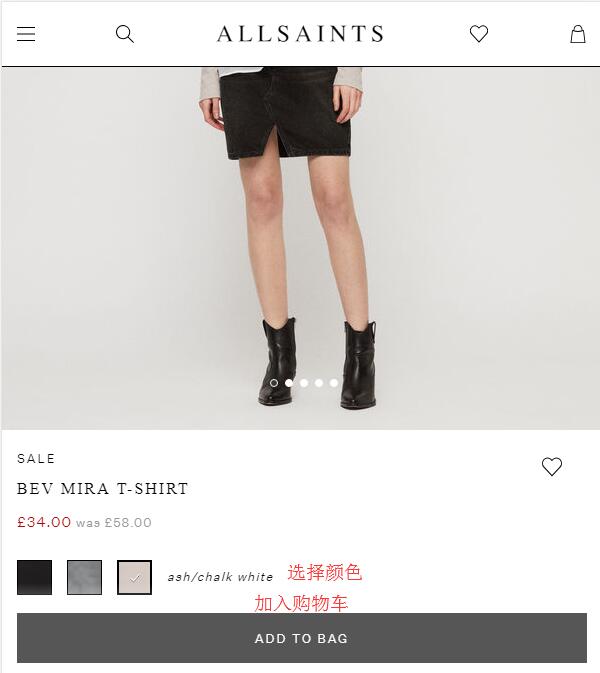
2. Registration complete, start shopping. Browse products by search, categories, etc., enter the product page, select a color, and click Add to bag.
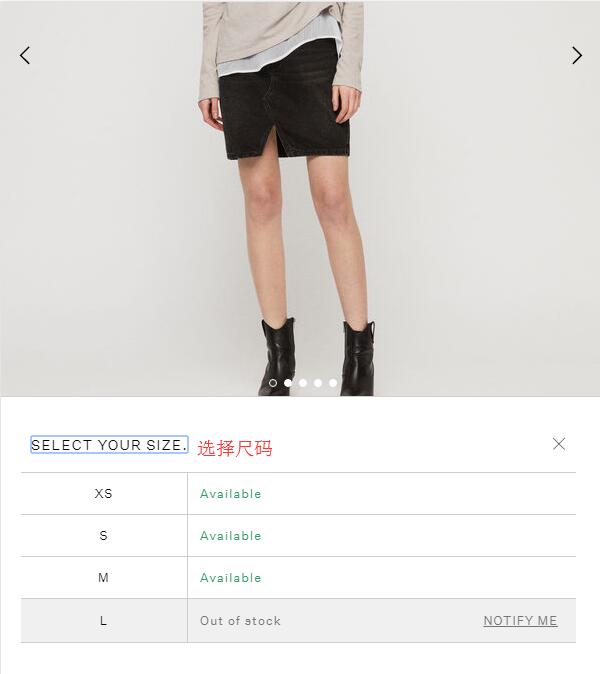
Then select the size, and the item will be added directly to your shopping bag.
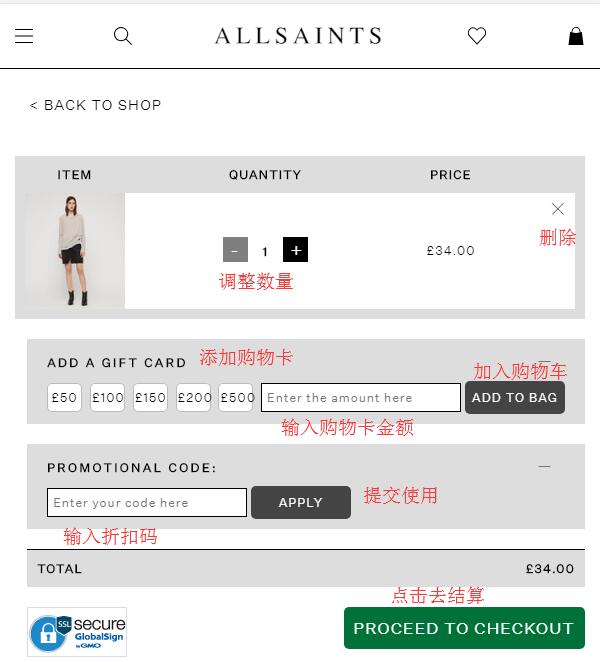
3. Go to your shopping bag, check the product details for accuracy. If you have a discount code, enter it to get the corresponding discount. Once all information is correct, click checkout to proceed.
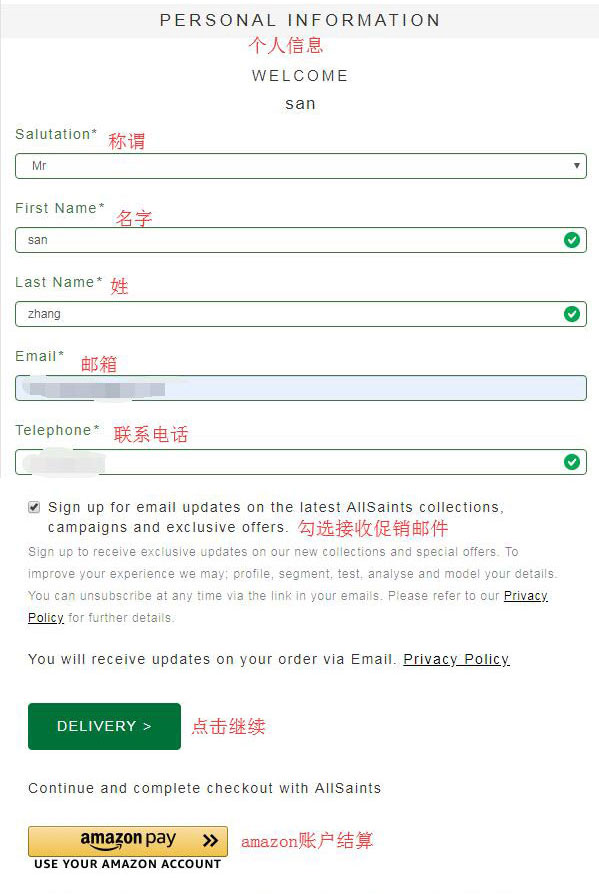
4. Enter your name, email, phone number, and other details, then click Delivery to enter your shipping address.
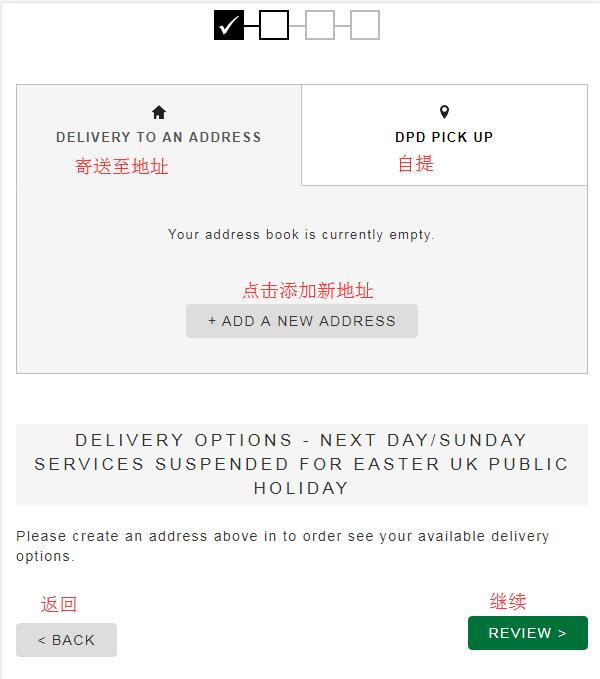
5. Select Delivery to an address, then click add below to add a new address. The official website currently supports direct shipping and also forwarding. We'll introduce it using the forwarding method first.
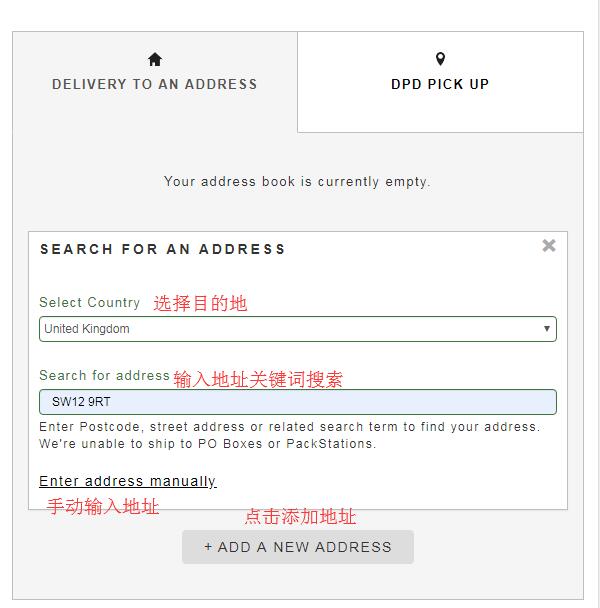
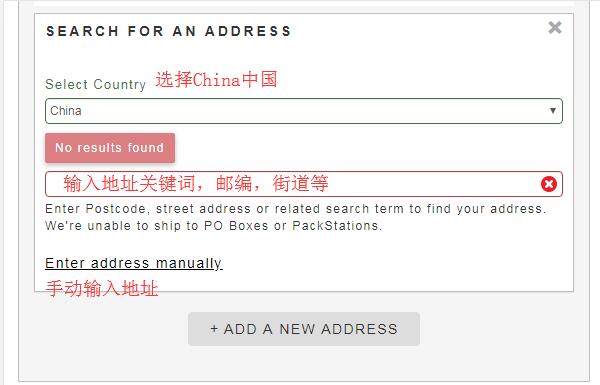
Select the destination, enter address keywords to find your shipping address, or click manually to add the address.
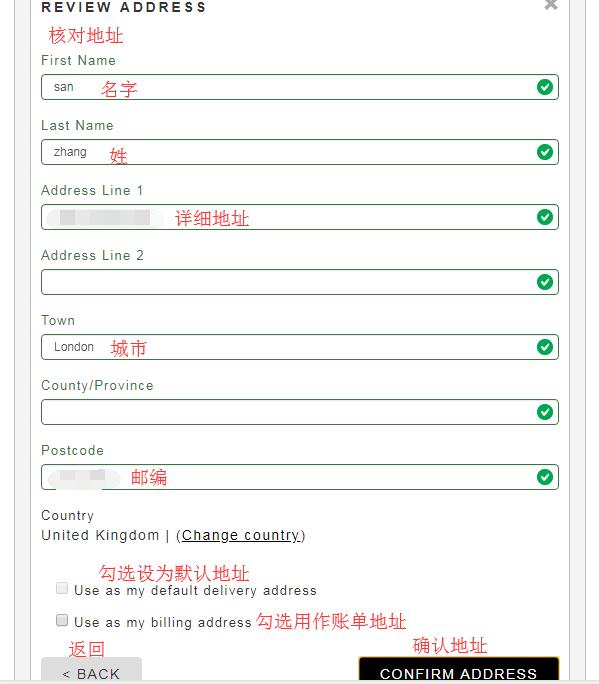
After entering, carefully check if the address is correct. Once confirmed, click confirm address to continue.
6. After entering the address, select the shipping method. Generally, choose the default standard shipping. Then click review to check your order.
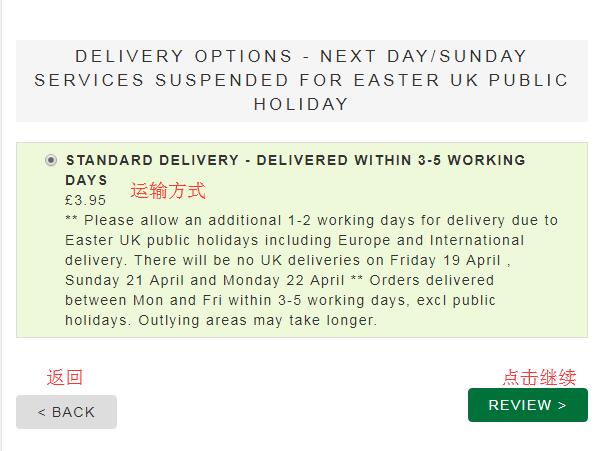
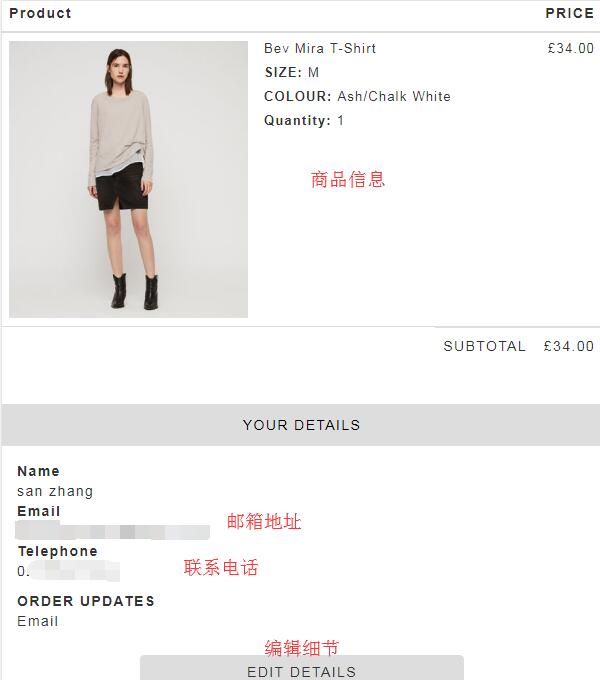
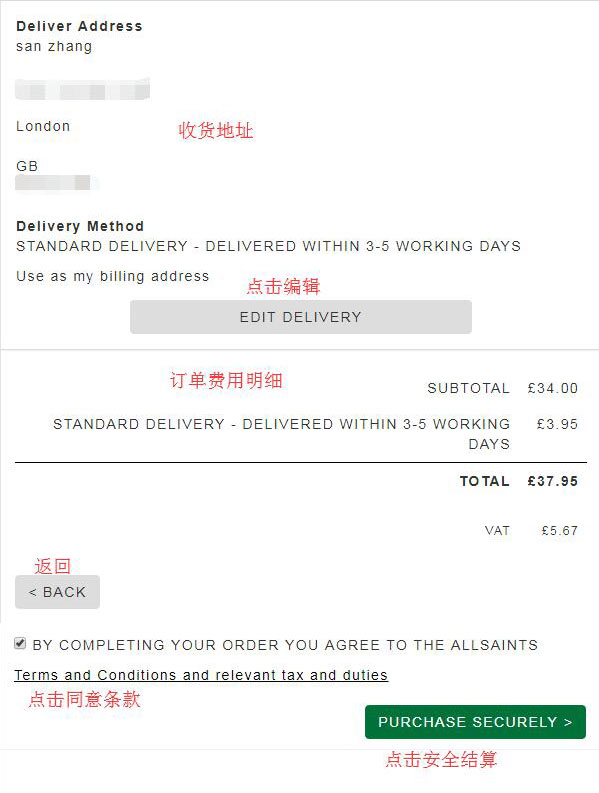
7. The final step is to review the order. Carefully check the product details, address, and fee breakdown for accuracy. After confirming all information, click purchase securely to pay.
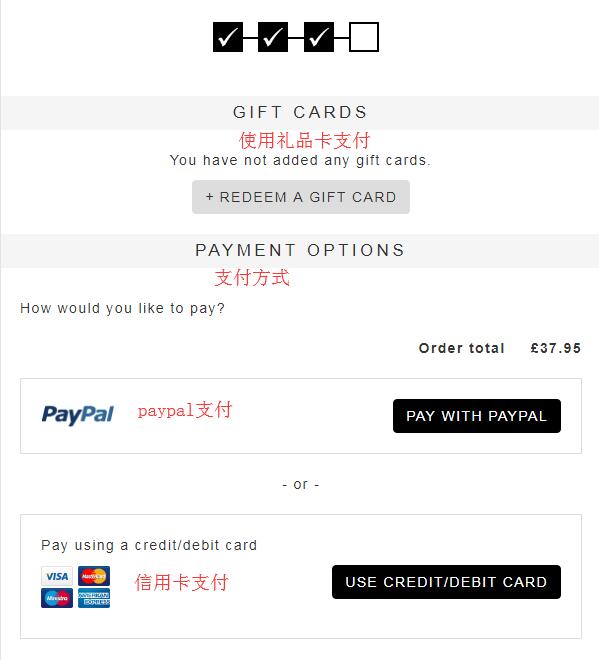
8. The final step is payment. The website supports payment via Gift Card. If you have a gift card, you can click to enter and use it. We generally use credit card payment. Click Use credit card to continue:
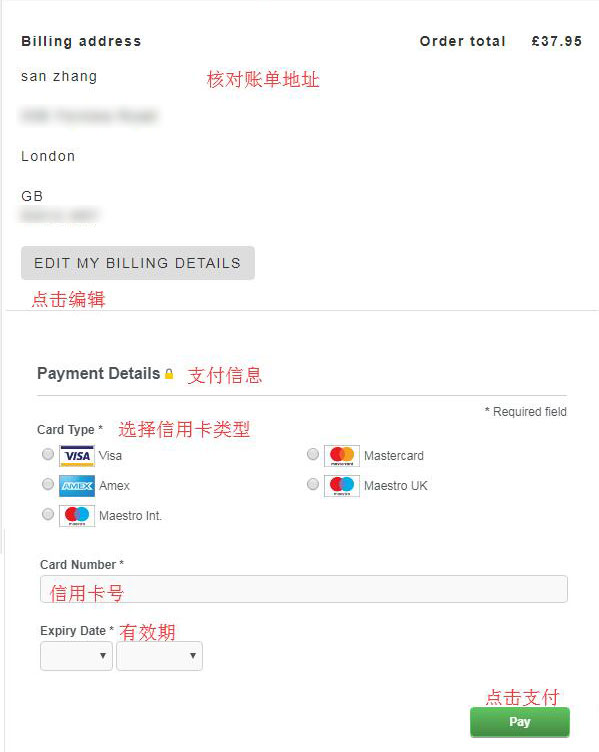
Check the billing address. Note that the billing address here is the shipping address we used, but you can also enter your actual billing address based on your personal situation. Then enter your credit card number, expiration date, security code, and other details, then click Pay to complete the purchase.
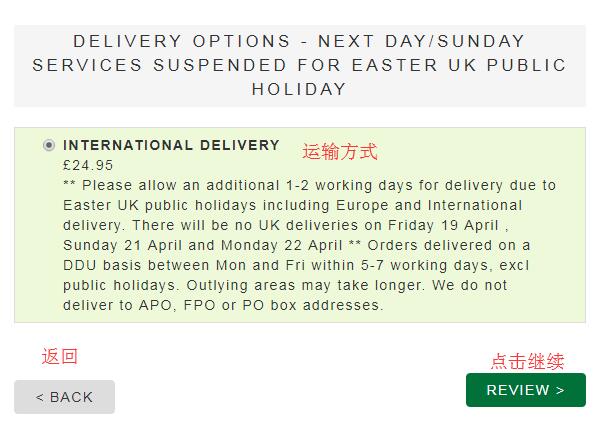
9. The website also supports direct shipping to China. For orders under £250, the shipping fee is £18.95. Orders over £250 qualify for free global shipping. For direct shipping, select China as the destination, then enter your domestic shipping address:
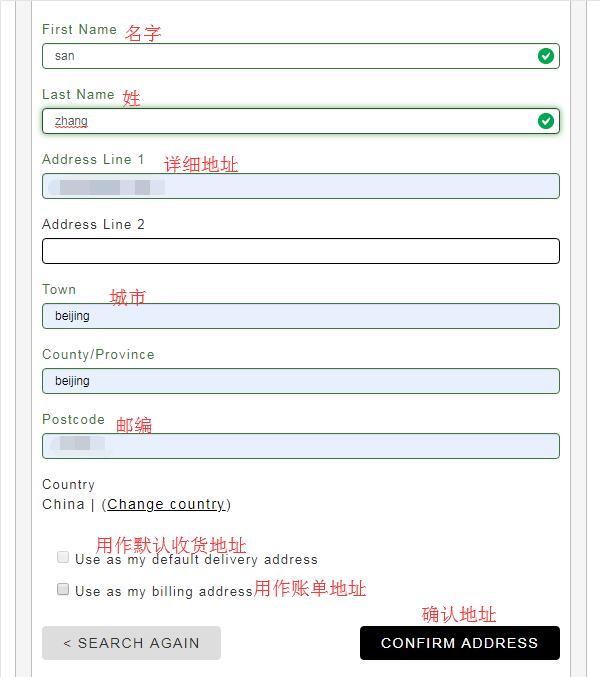
10. After confirming the address, select the default shipping method and click Review to check the order. The subsequent steps are the same as other overseas shopping websites: review the order, choose credit card or PayPal payment, enter payment information, and complete the purchase.