

London's trendy new brand All Saints, often called the affordable Vivienne Westwood by many avant-garde fashion enthusiasts, enjoys strong brand recognition among young people in the UK and is widely regarded as one of the most successful young brands in the British fashion scene. This article introduces a guide on how to shop on the All Saints UK official website, explaining how to place orders and make purchases. If you also want to order from the All Saints UK official website but don't know how to proceed, feel free to click and bookmark this All Saints UK official website shopping guide.
1. All Saints UK Official Website Ordering Tutorial:
1. Open the official website
All Saints UK official website entrance: https://www.allsaints.com/, needs to be opened under an overseas network environment
2. Login and Register
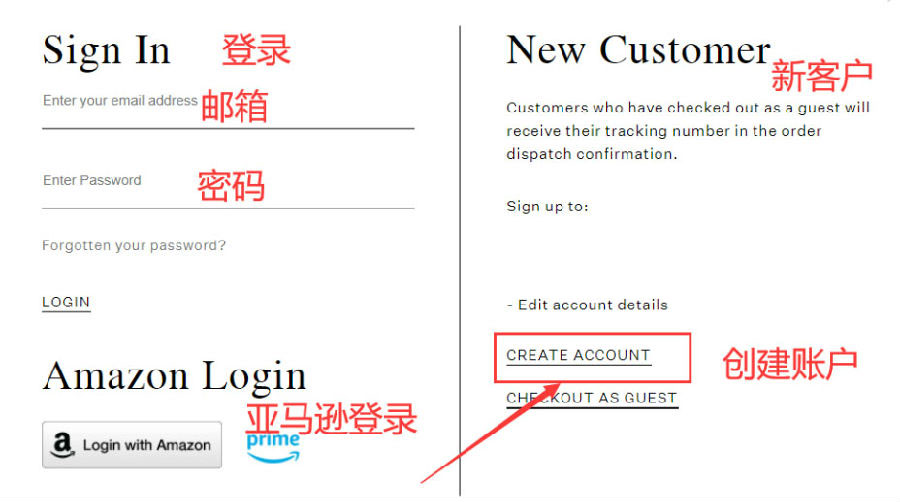
Select Sign in at the top right corner of the page

Registered users can log in using their email and password, or log in with their Amazon account
Users who haven't registered click Create Account
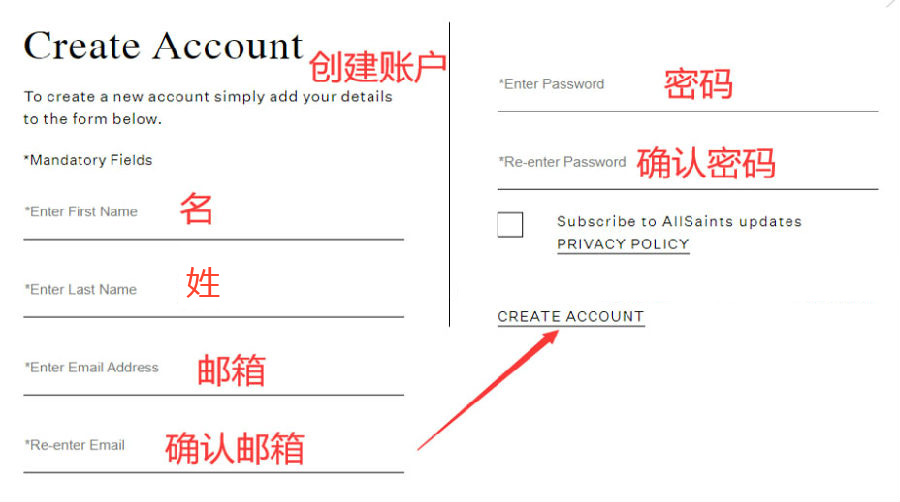
Enter registration information to create an account
Password must contain uppercase letters, numbers, and characters
3. Select items and add to cart
Choose your preferred products by category or search,
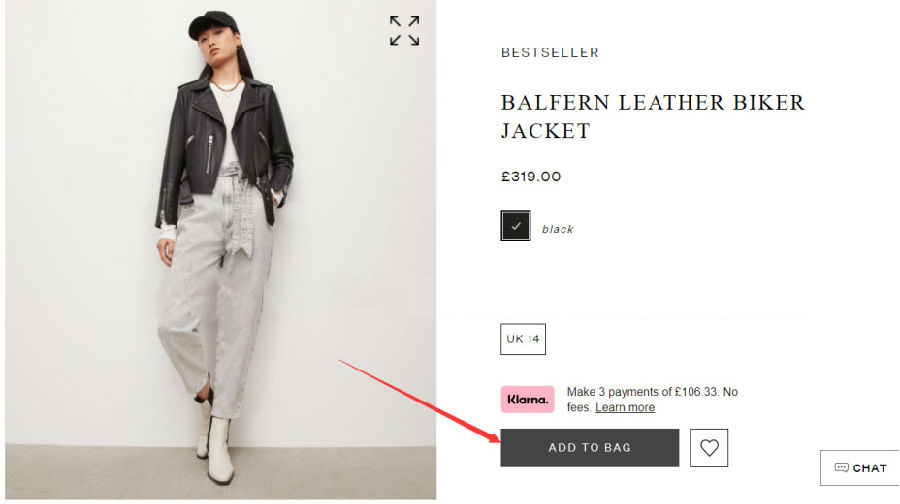
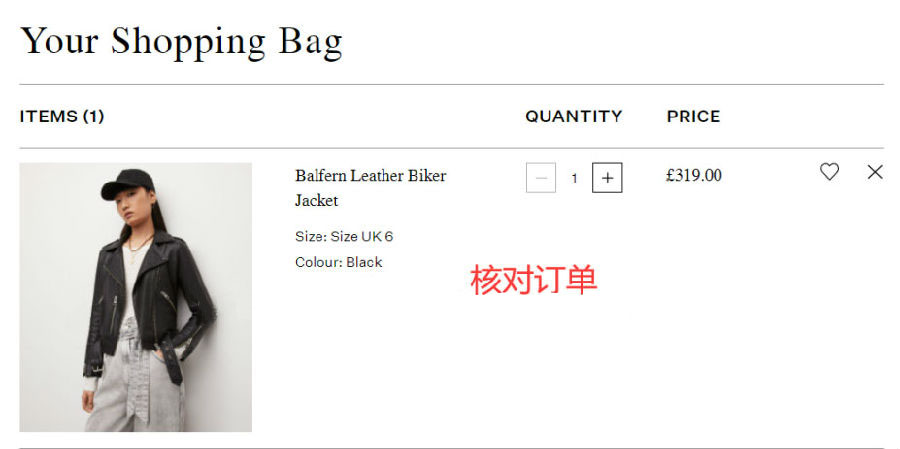
Click the shopping cart icon at the top right corner of the page to view
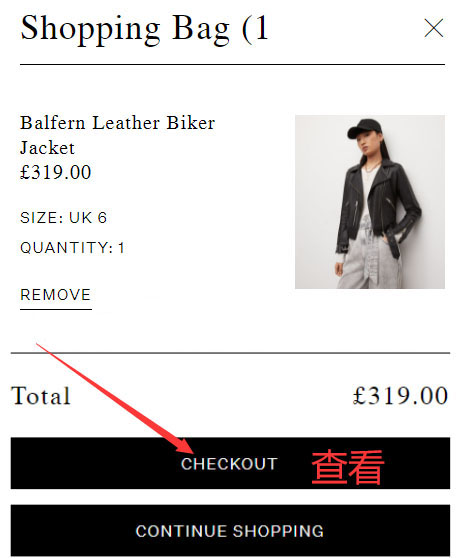
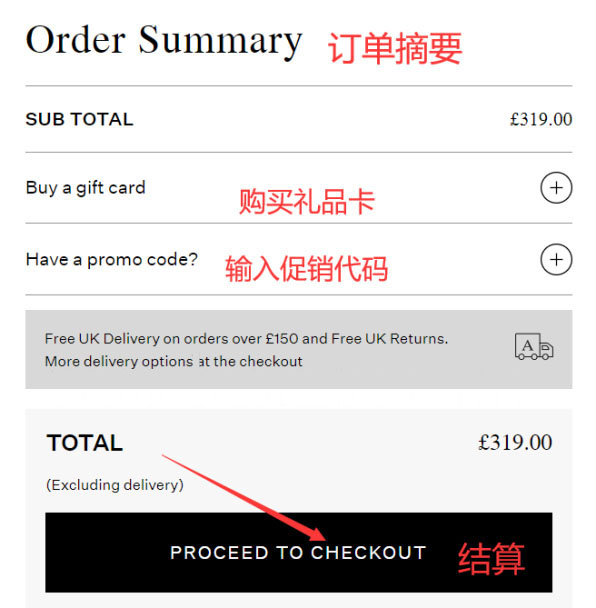
4. Review order information and prepare for checkout
If you have a promo code, enter it and click Apply to get the discount
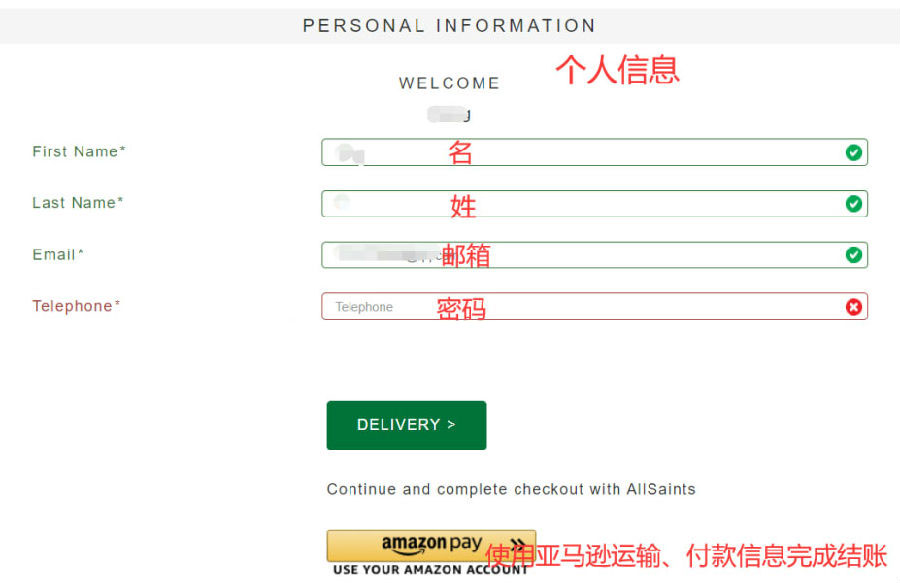
5. Fill in personal contact information
6. Add shipping address
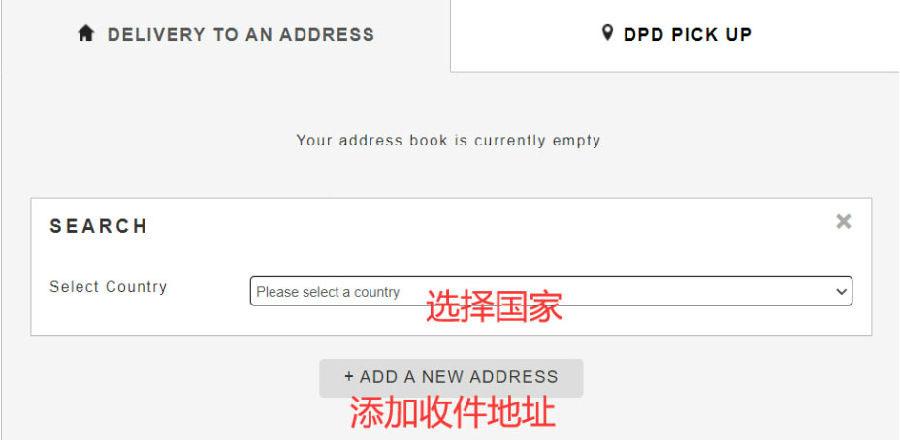
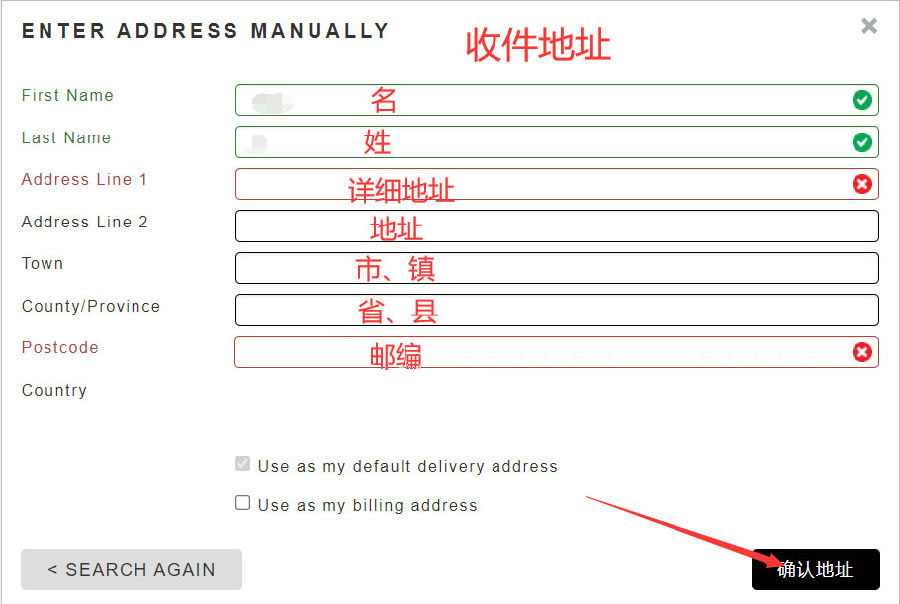
7. Choose delivery method
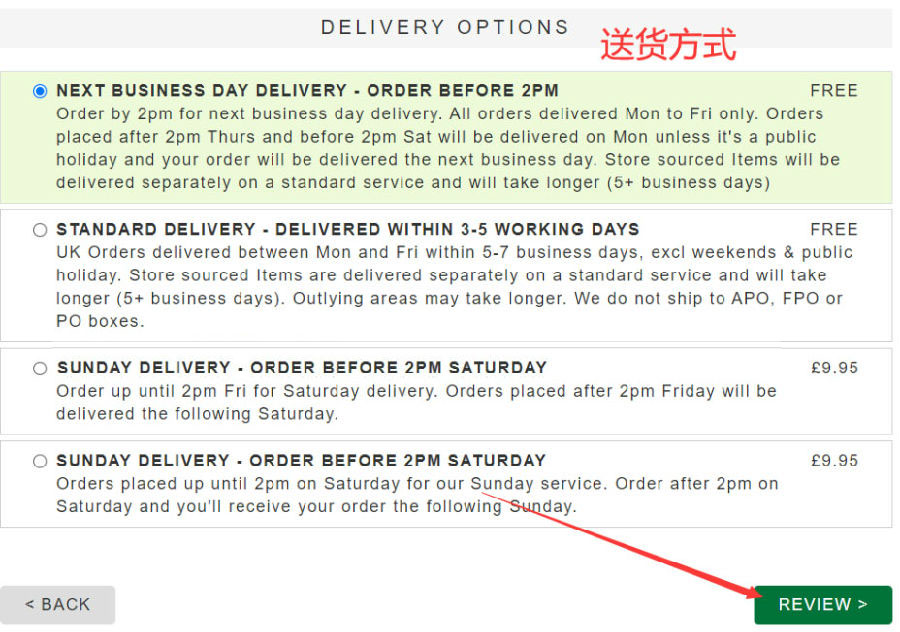
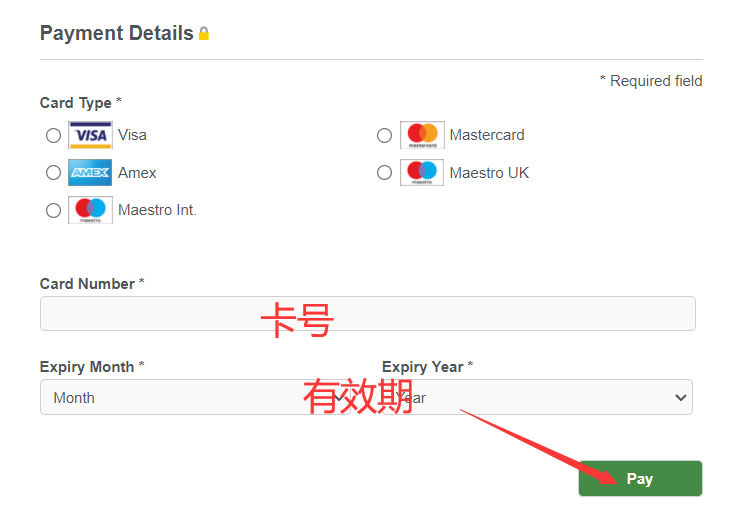
8. Choose payment method
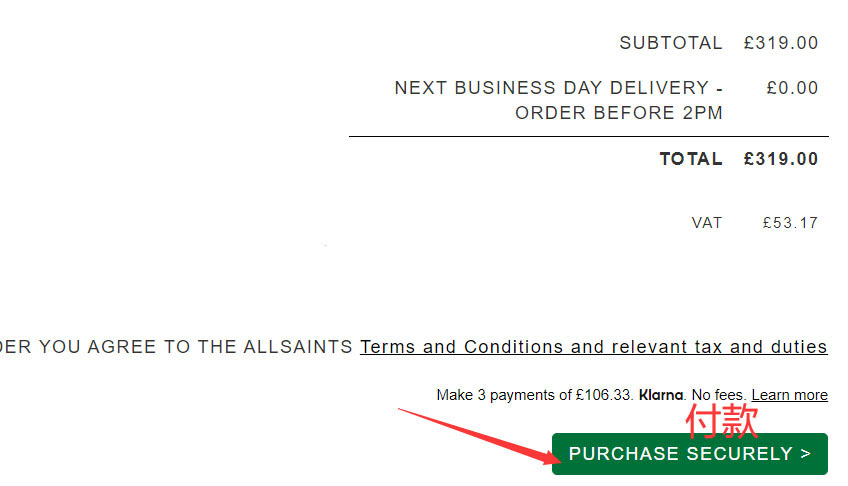
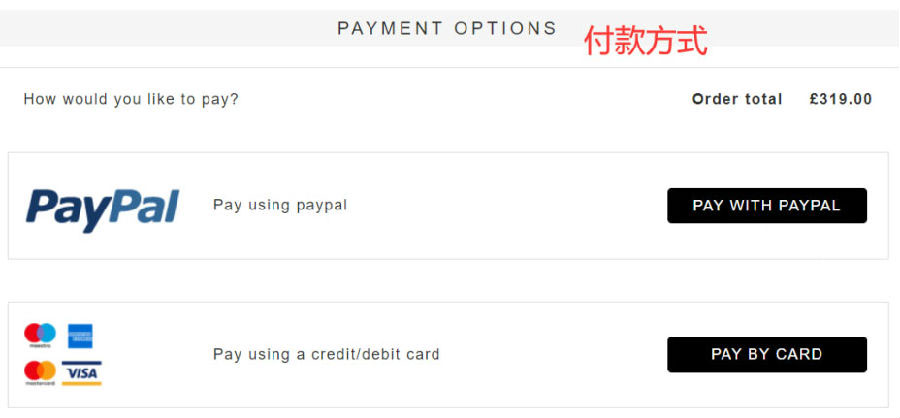
Using bank card payment as an example, fill in the card number, expiration date, and other details completely. After confirming everything is correct, pay and submit the order
9. Wait to receive your order!
2. All Saints UK Official Website Ordering Notes
1. Free direct shipping to China for orders over £250, free UK domestic shipping for orders over £150, also supports ordering via forwarding services
2. Supports payment methods such as Visa, Mastercard, AE card, PayPal, etc.