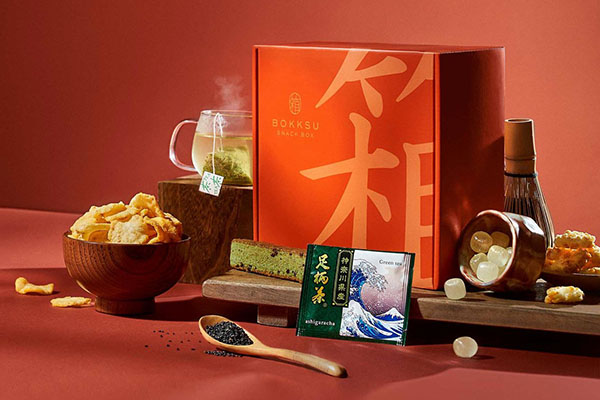
Bokksu is a Japanese snack box subscription brand where you can experience the best snacks Japan has to offer. Explore a variety of authentic Japanese foods, candies, and tea flavors from small family-run snack makers in Japan. Free delivery worldwide.
Today, we'll mainly share how to subscribe to and get direct mail from this snack brand. Friends who like Bokksu's flavors can click to bookmark this guide.
Bokksu Official Website: https://www.bokksu.com/
Bokksu Subscription Direct Link: https://www.bokksu.com/products/classic-bokksu
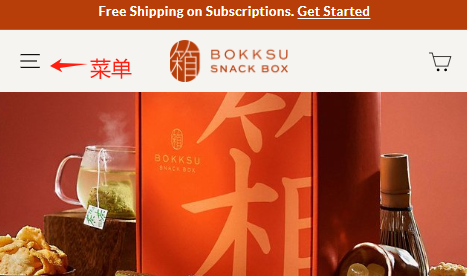
1. First, open the Bokksu official website and click the menu on the left.
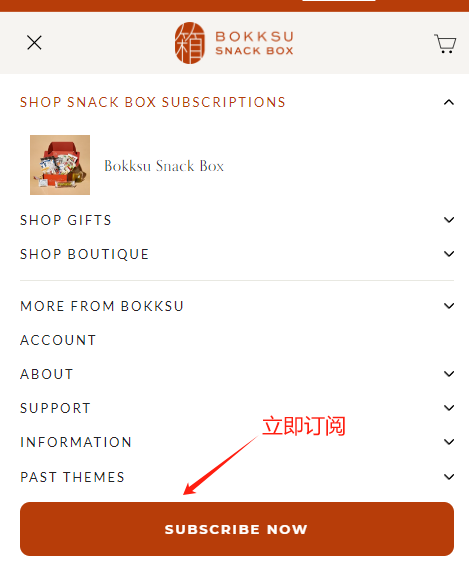
2. Then, you'll see a prominent button below that says "SUBSCRIBE NOW". Click it to subscribe immediately.
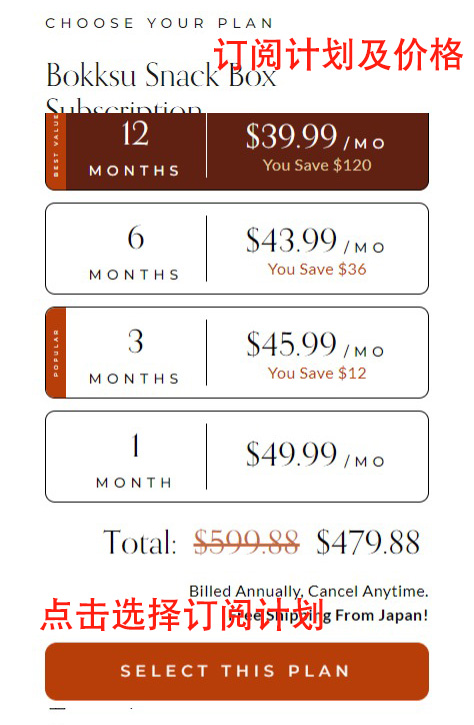
3. Next, we enter the subscription page. Scroll down a bit to see 4 subscription plans: 1 month: $49.99/month; 3 months: $45.99/month; 6 months: $43.99/month; 12 months: $39.99/month. If you need it long-term, you can directly choose the annual subscription. Besides being cheaper, it can also be used as a gift.
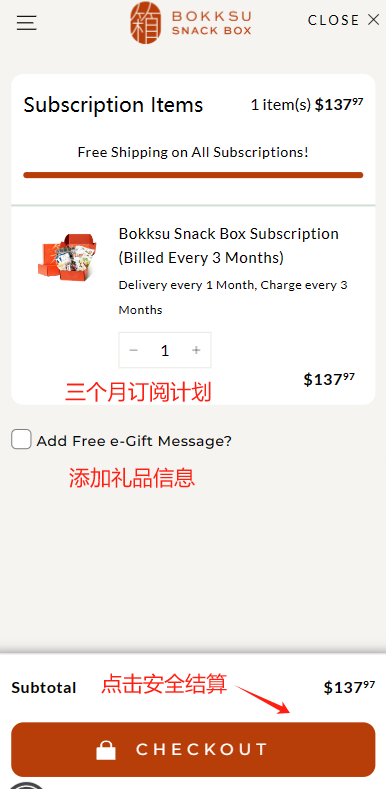
4. After selecting your plan, click "Next" to go to the cart page. Check if it matches the subscription plan you chose. If using it as a gift, you can also check the box to add a gift message. Then click "Proceed to Checkout".
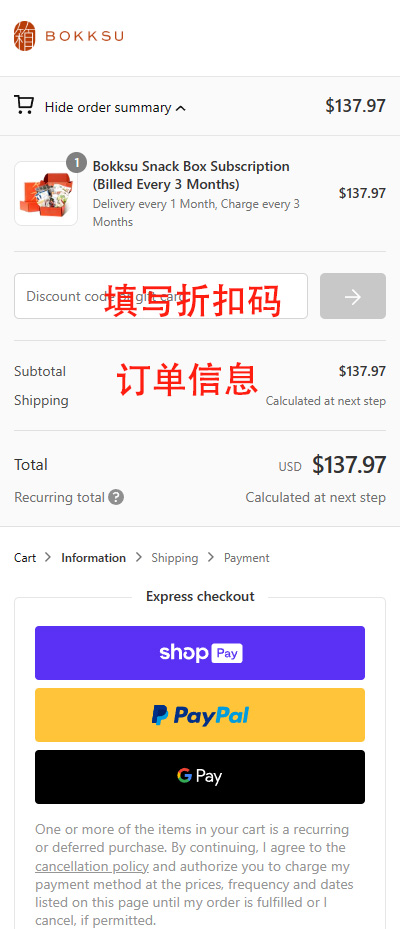
5. First, you can see the order information, which will remain pinned at the top. Here you can enter a promo/discount code to get a discount.
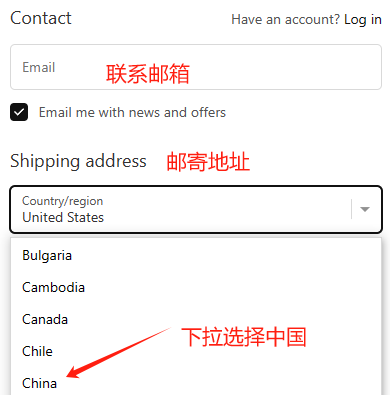
6. Then, scroll down to fill in the shipping information. First, enter your email as the subscription credential for later use. Since we are shipping domestically, first switch the country selection to China.
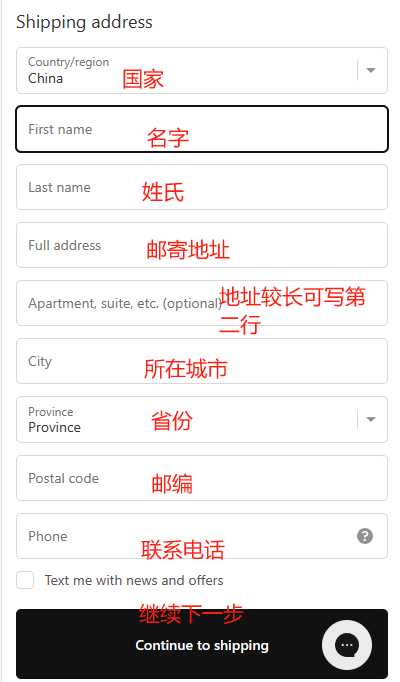
7. Then, fill in the relevant information in order as shown in the image below. All information can be filled in using Pinyin. After filling it in, proceed to the next step.
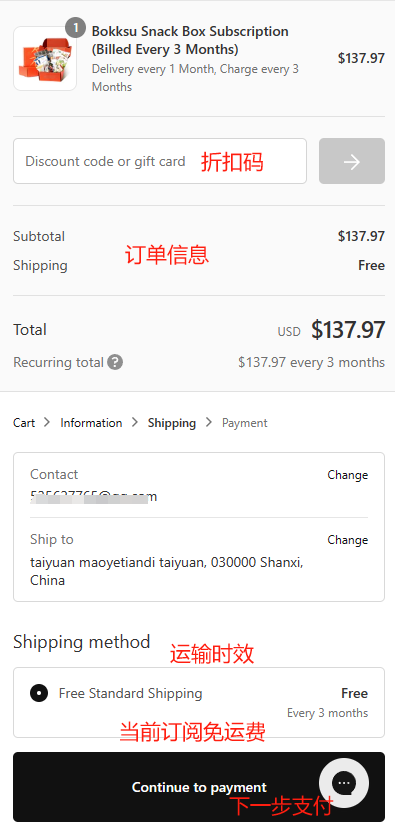
8. Review the order information on the current page: check if the discount has been applied and if the shipping information is correct. Since the current subscription includes free shipping, the shipping section will show as "Free". Once everything is correct, click to proceed to the next step for payment.
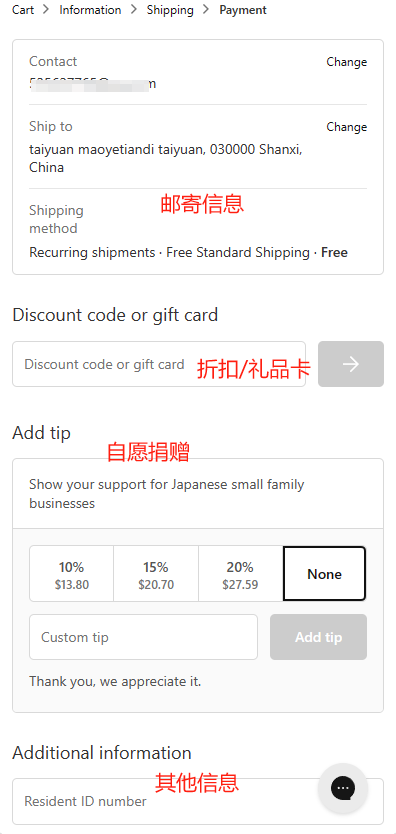
9. Here are some related notes and donation options. Refer to the image below to see if you want to fill them in.
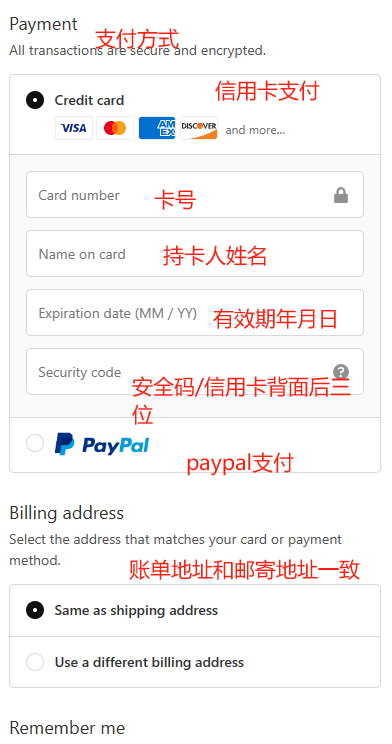
10. Finally, we proceed with payment. Since most websites only support US PayPal, we'll use a regular credit card here. Fill in the card number, name, expiration date, and security code in order. After completing, check the box to confirm the billing address matches the shipping address.
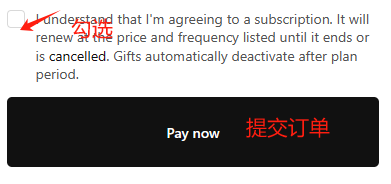
11. Finally, check the subscription terms and conditions, then submit the payment to complete the order. You will receive a subscription confirmation email in your inbox, which you can check on your own.