

BrownsFashion is the UK's largest luxury fashion boutique, not only leading London's fashion trends but also nurturing several British independent designers, earning the reputation of being a "patron of emerging designers." The website offers the latest fashion items from major brands, with fast updates, a wide selection, and a trendy vibe. It also features multiple independent designer brands, making it a popular site for overseas shopping.
This article introduces a guide on how to shop on the UK BrownsFashion website, explaining the steps to place an order and make purchases on Browns. If you also want to place an order on Browns but don't know how, feel free to click and bookmark this Browns shopping guide.
1. BrownsFashion Official Website Ordering Tutorial
1. Open the official website
Browns UK official website link: https://www.brownsfashion.com/
2. Log in to your account
Click the dropdown menu in the top right corner. Existing users select login, while unregistered users click to create an account.
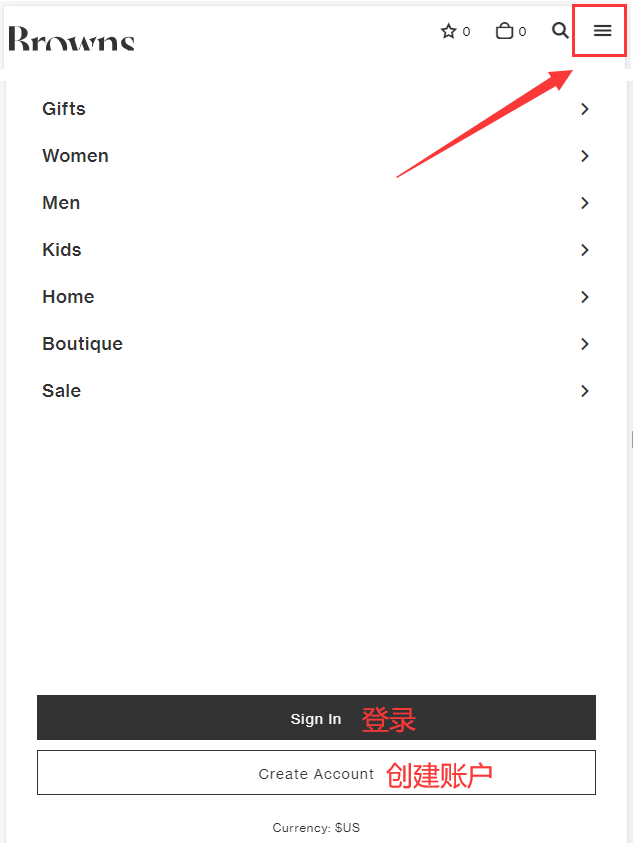
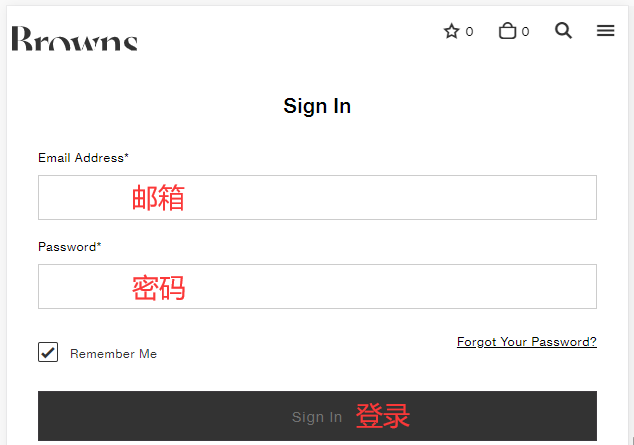
Simply log in using your email and password.
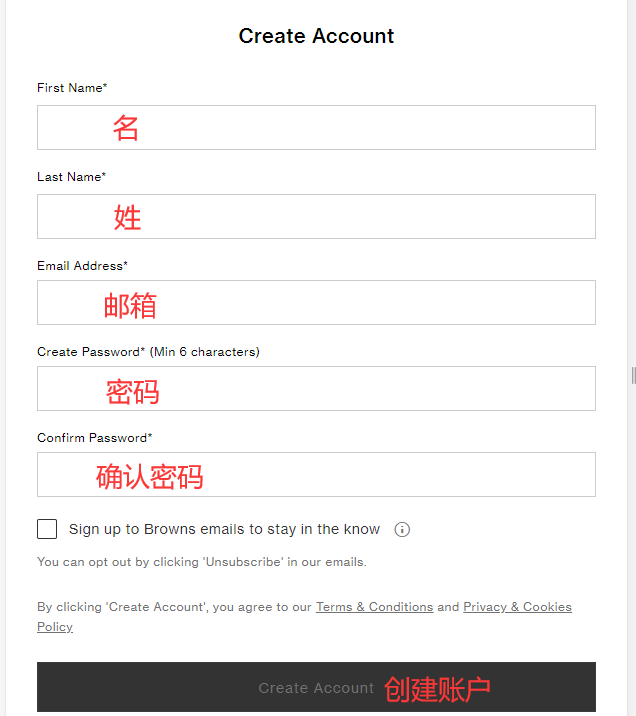
Unregistered users fill in the information to create an account.
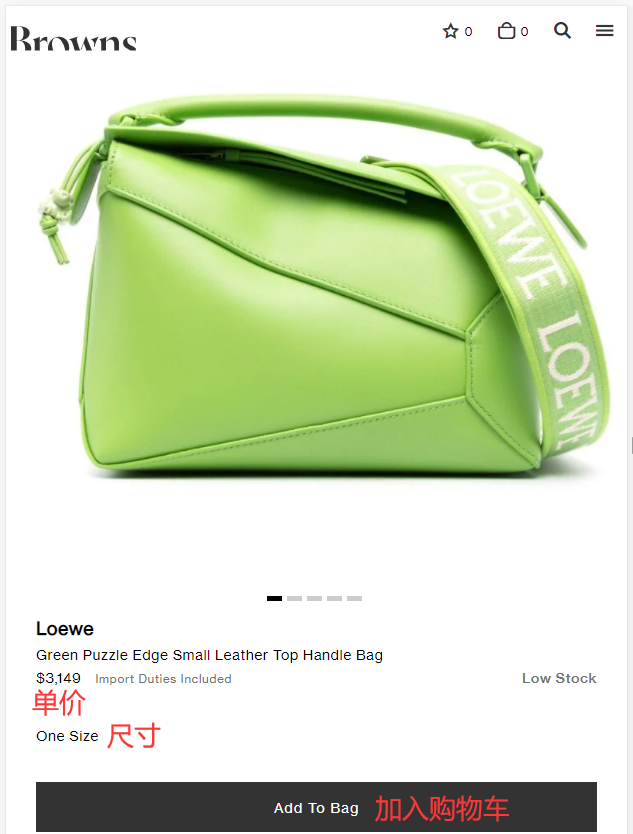
3. Select items and add to cart
4. Open the cart and proceed to checkout
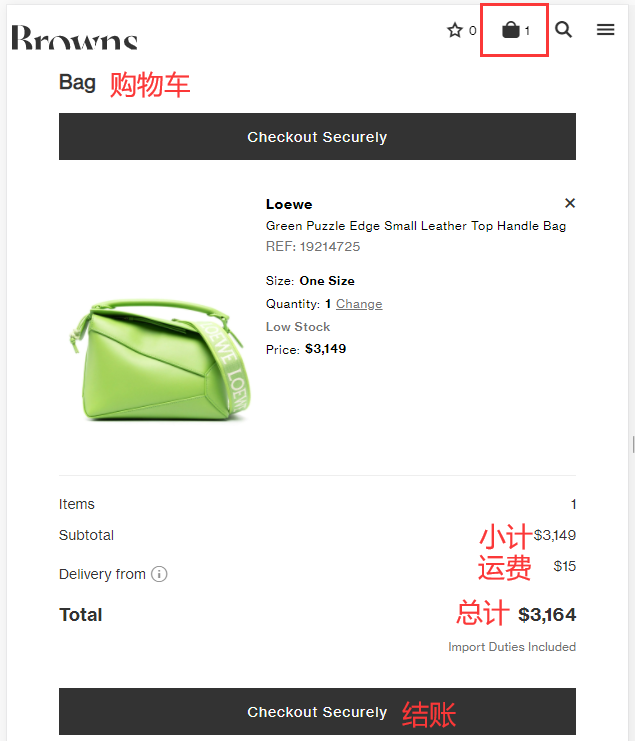
5. Fill in the shipping address
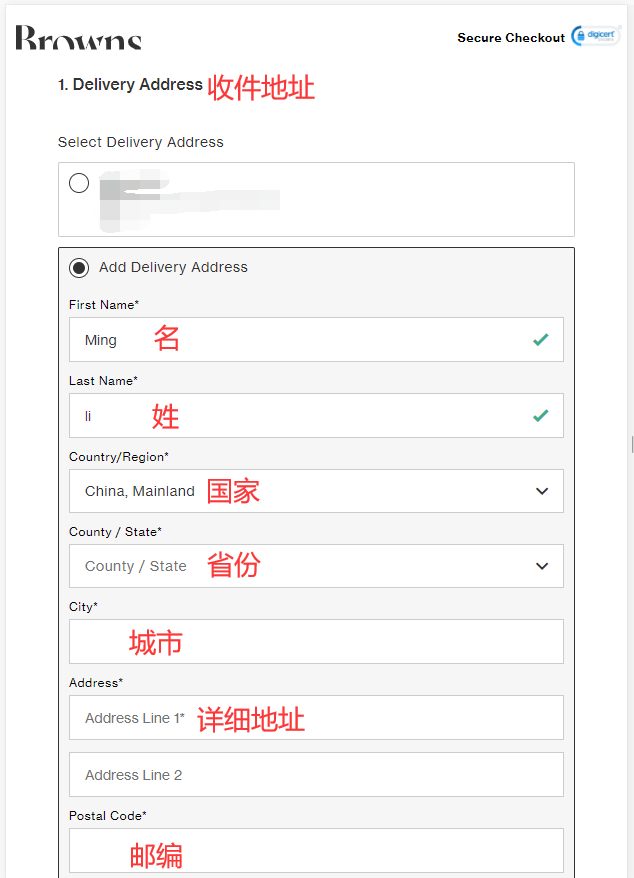
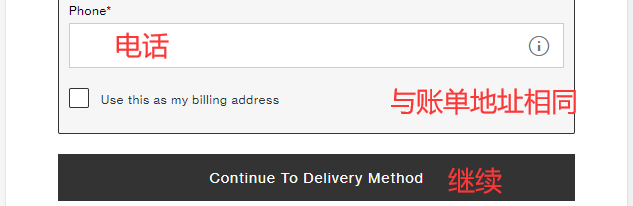
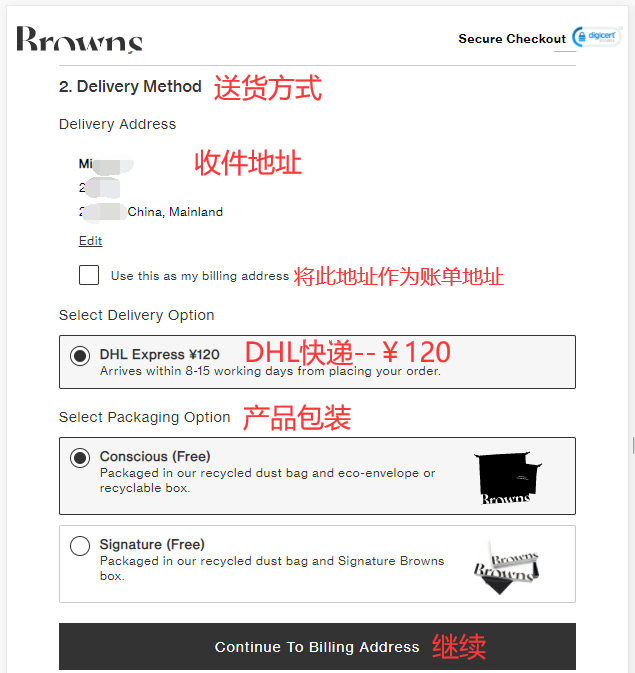
6. Choose a delivery method
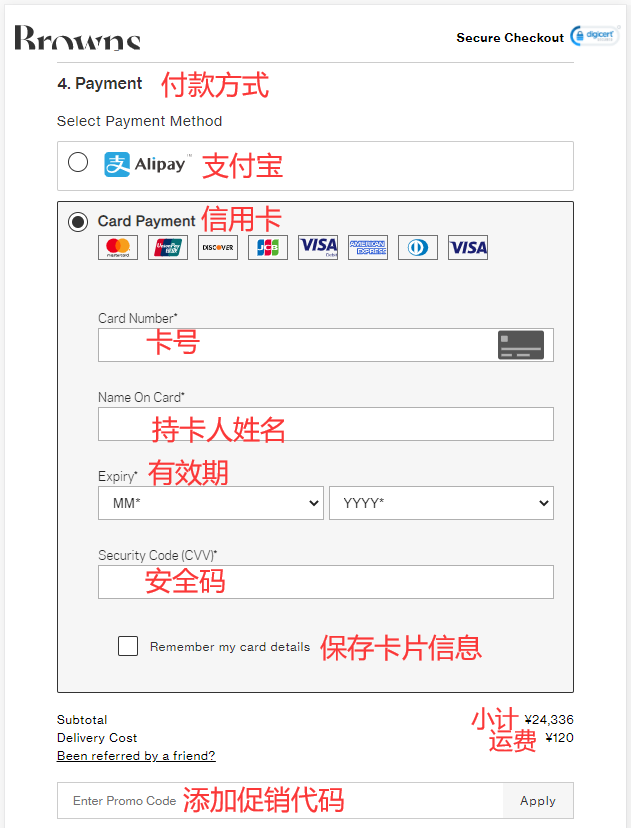
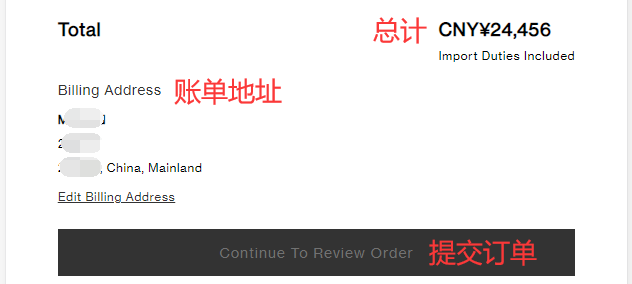
7. Select a payment method, review the bill, and enter a promo code if available to get a discount.
Using credit card payment as an example, fill in the cardholder's name, card number, expiration date, security code, and other details completely. Submit the order once everything is correct.
8. Wait for delivery!
2. Other Ordering Notes for BrownsFashion
1. The website supports direct shipping to China, with a shipping fee of ¥120. Orders shipped to China automatically qualify for a 17% tax refund.
2. The website accepts UnionPay, Visa, Mastercard, American Express, JCB, and Discover credit cards, as well as Alipay and PayPal online payments.