BuyDig is a globally recognized electronics retailer at the forefront of the digital imaging revolution. By offering low prices while working with a vast network of top-tier suppliers, they ensure both affordability and high quality. Always adhering to a "customer first" principle, they provide consumers with a worry-free shopping experience.
Below is a guide to overseas shopping on the official website of the digital product giant BuyDig.
BuyDig Official Website: https://www.buydig.com/
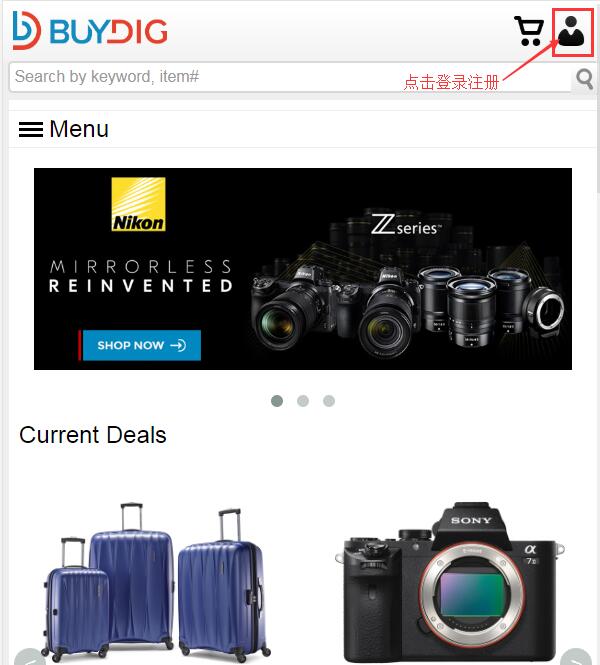
1. First, register an account. Open the homepage and click the profile icon in the top right corner to log in or register.
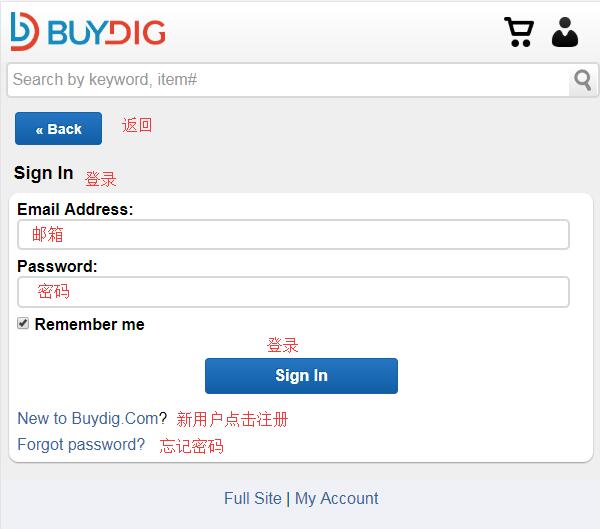
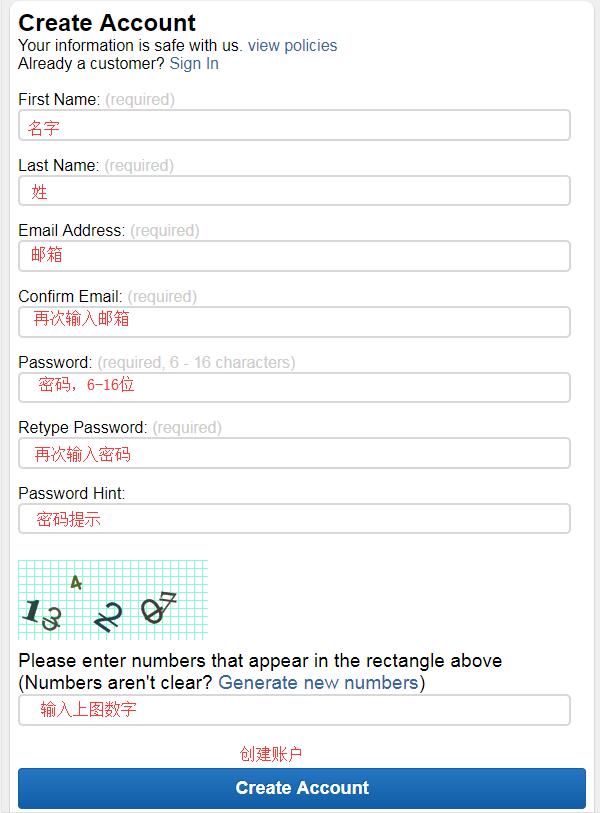
Existing users can log in with their email and password. New users should enter their name, email, and password under "Create Account" as required by the site, then click "Create Account" to register.
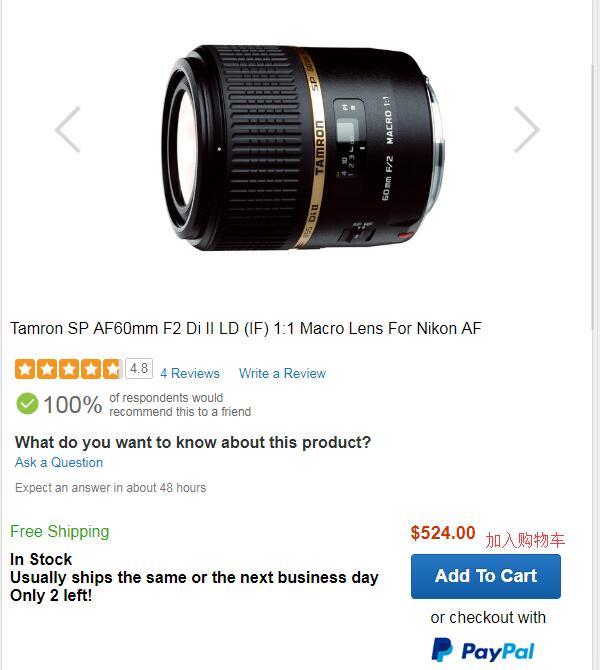
2. Now, start shopping. The website has many categories: cameras, TVs, computers, lenses, and more. You can browse products by category or search by brand or model. Using the lens below as an example, here is a detailed walkthrough of the shopping process. Select your product, go to the product page, and click "ADD TO CART":
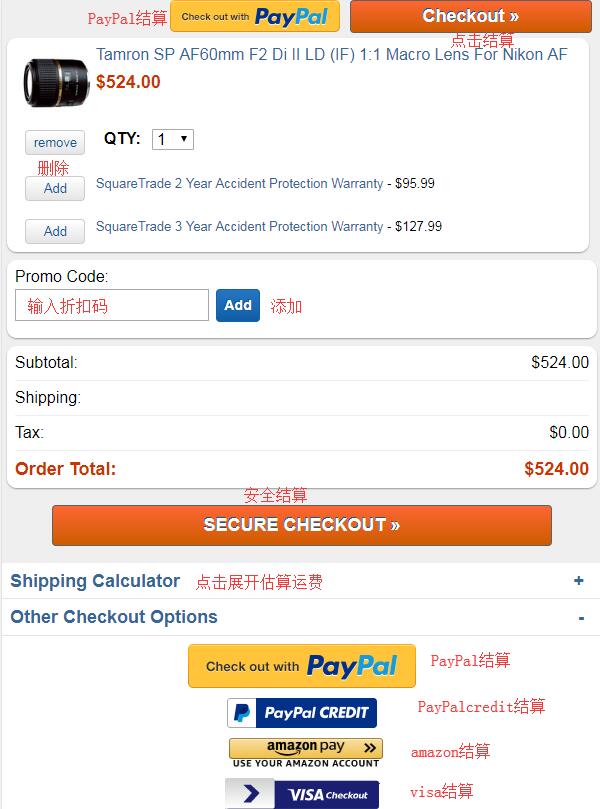
3. Go to your cart, verify the product details are correct, and click "checkout" to proceed. The site also supports PayPal, Amazon Pay, VISA, and other payment methods. If you have a discount code, enter it below the product information to apply the savings:
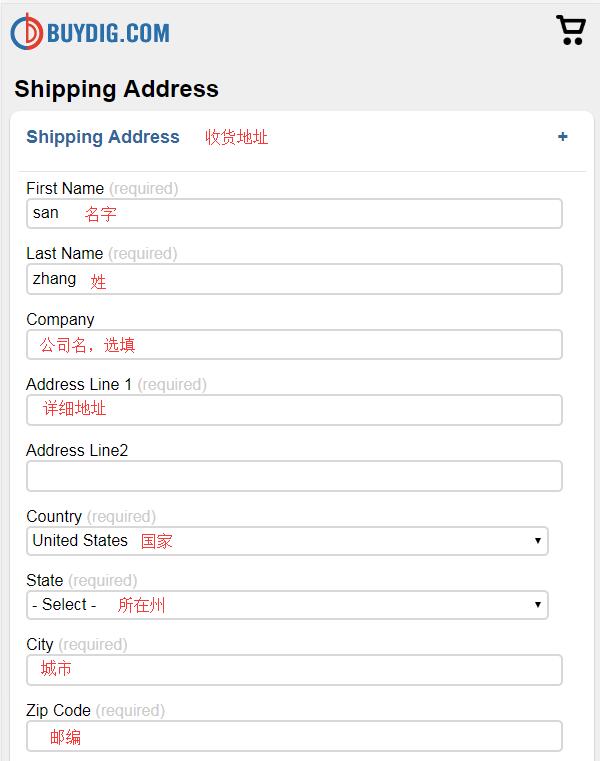
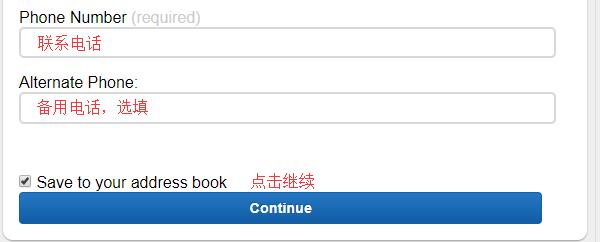
4. Click to proceed to checkout and enter your shipping address. The official website currently does not support direct shipping, so enter your freight forwarding address. Follow your forwarding service's requirements, then click "Continue":
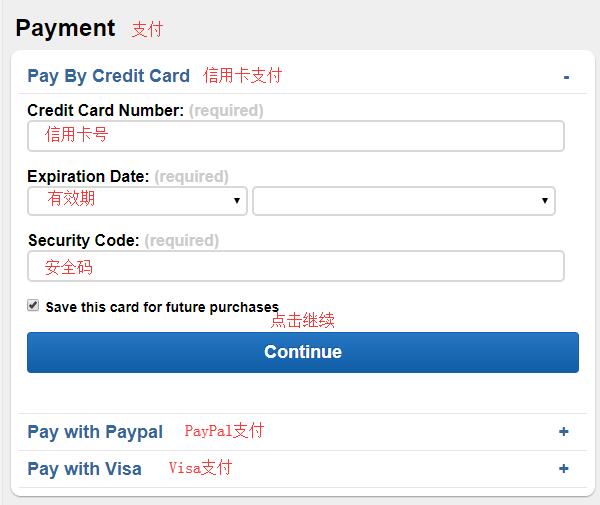
5. Payment section. Choose to pay by credit card, enter your card number, expiration date, and security code, then click "Continue":
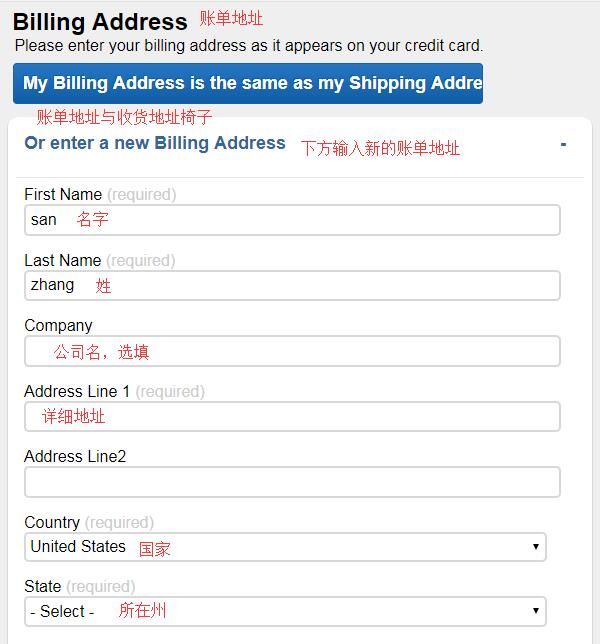
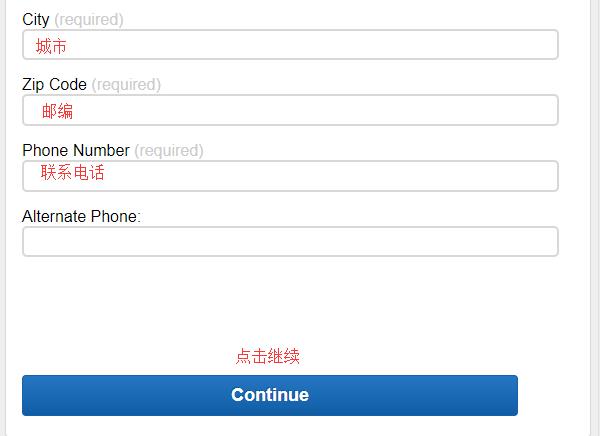
6. Billing address. You can choose to have the billing address match the shipping address. If they match, click to go directly to the order review page. If not, click "enter a new billing address" below, enter the new address in the dialog box, and click "Continue":
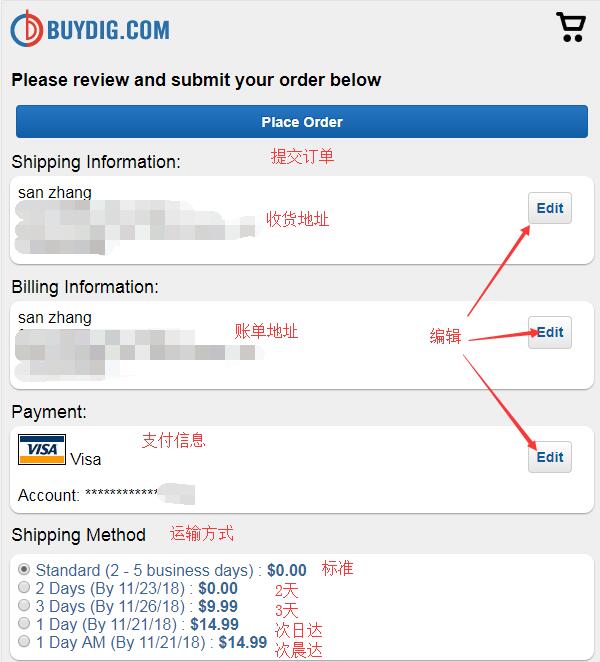
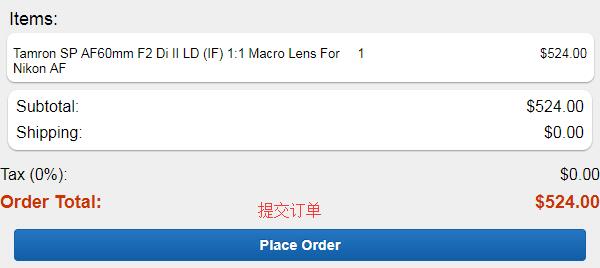
7. Review and submit the order. Carefully check that the product, address, and payment information are all correct. Once everything is confirmed, click "Place Order" to complete your purchase.