

DSW is an online store that is already a household name in the United States, with a mature business model. It offers a wide range of brands, from popular labels like GUESS and CROCS to luxury names like PRADA and GUCCI, giving shoppers a vast selection. The numerous designs and styles are truly dazzling. Surprisingly, such a well-established website offers consumers maximum savings; compared to similar products, the prices of almost every pair of shoes are hard to refuse. Therefore, DSW has undoubtedly become a top destination for shoe enthusiasts shopping overseas.
Impressively, the website has built long-term and solid partnerships with many brand suppliers. This ensures the authenticity and quality of the shoes at the source, while also guaranteeing the best discounts and the fastest updates on new arrivals.
Now, let's head to the official DSW website and show you how to find the perfect pair of shoes for yourself through overseas shopping.
DSW Official Website for Overseas Shopping: https://www.dsw.com/en/us
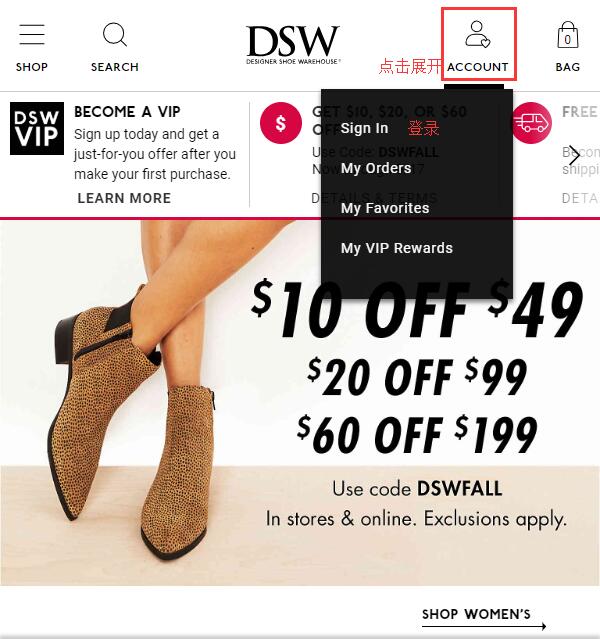
1. First, you need to register an account. Click on the Account icon in the top right corner of the homepage, then click Sign in below:
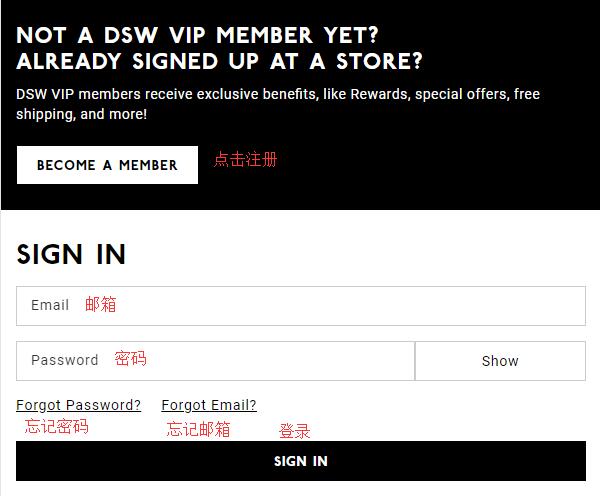
New users click "Become A Member" to register an account. Returning users can log in with their email and password:
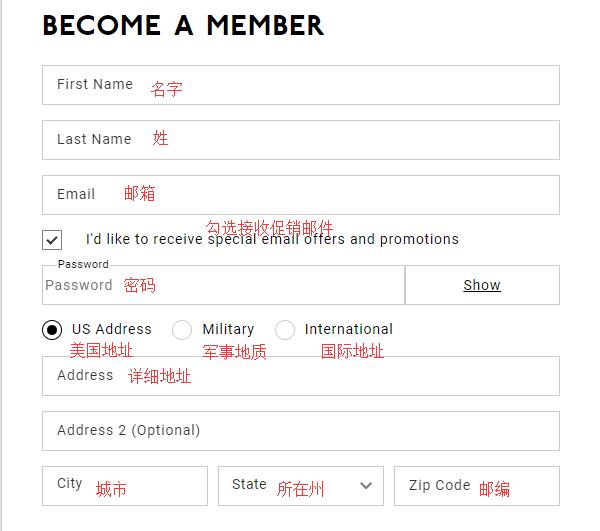
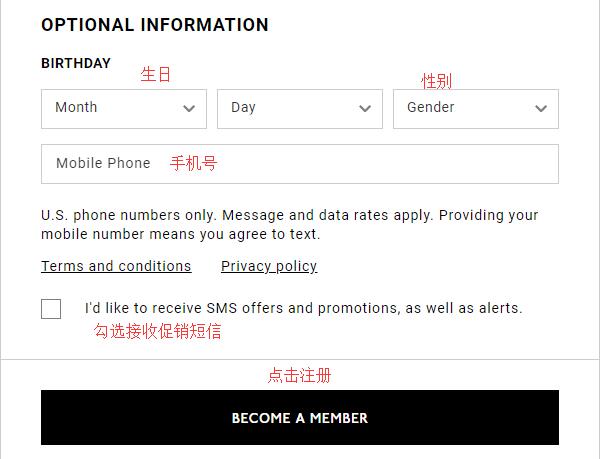
Enter your name, email, password (must include at least two of the following: uppercase letters, lowercase letters, special characters, and numbers), and contact address. Although DSW supports direct shipping, the shipping costs are high, so we generally recommend using a forwarding service. Therefore, enter your forwarding address here. Also fill in your birthday and phone number (these two are optional). Click "Become a member" below to complete registration.
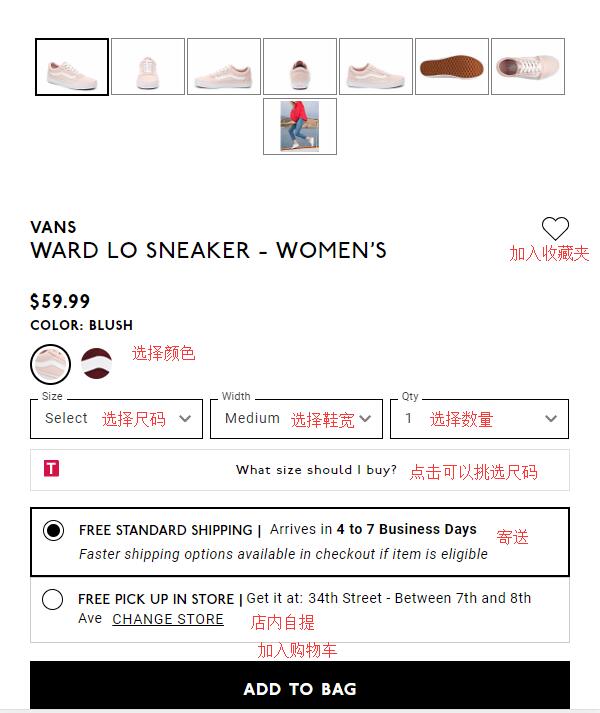
2. After registration, return to the homepage to start shopping. You can search by brand, browse by category, or use other methods to find products you like. Enter the product detail page, select the color, size, and quantity, and add the item to your cart.
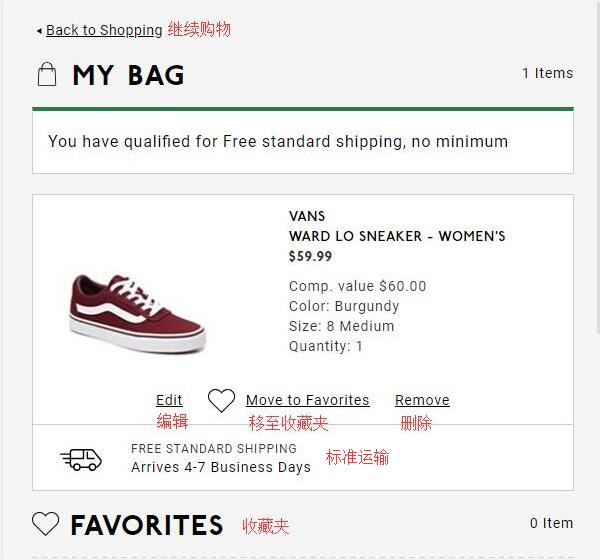
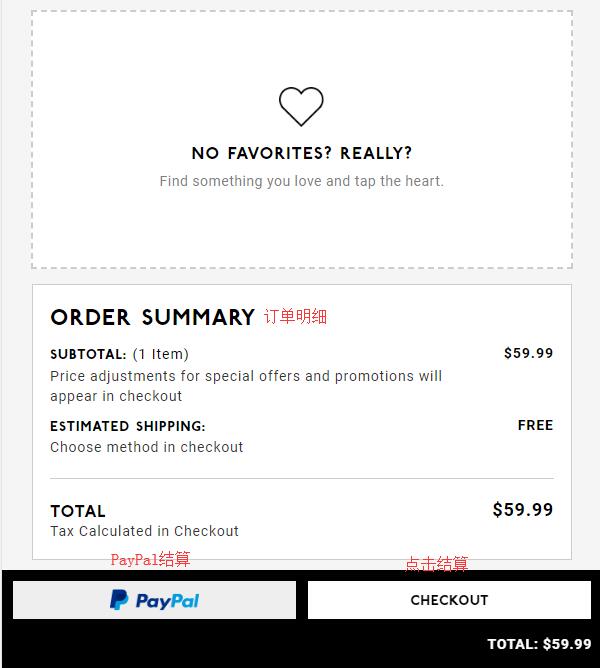
3. Go to your shopping cart. You can edit product information, review the items and charges. Once everything is confirmed, click "Checkout" to proceed. The website also accepts PayPal payments.
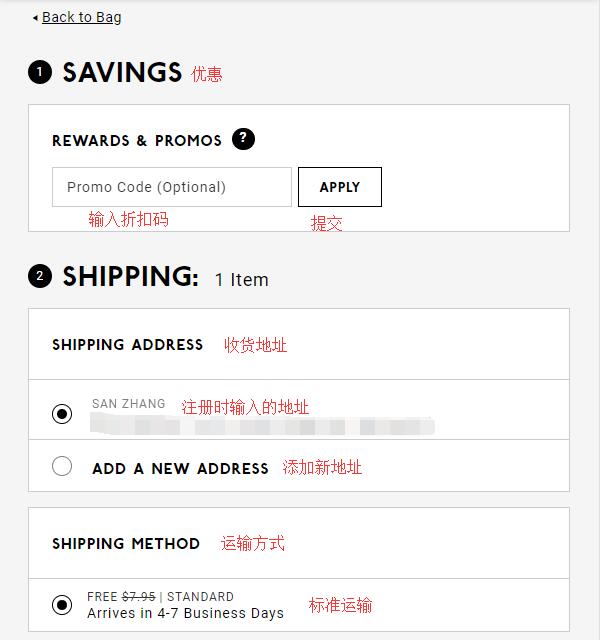
4. The first step in checkout is applying discounts. If you have a discount code or rewards points, enter them in the dialog box and click "Apply" to use them. Below that is the Shipping Address, which should still be your forwarding address. Since it was entered earlier, just select it here. The shipping method defaults to Standard shipping.
5. The third step is the payment method. If you have a DSW gift card, enter the card number and PIN, then click "Apply". Below that is for credit cards. You need to enter the credit card number, expiration date, security code, and other details. Generally, DSW will default your credit card's billing address to your shipping address. However, don't take the easy way out here; do not check the box. Instead, enter your credit card's real billing address as prompted by the website.
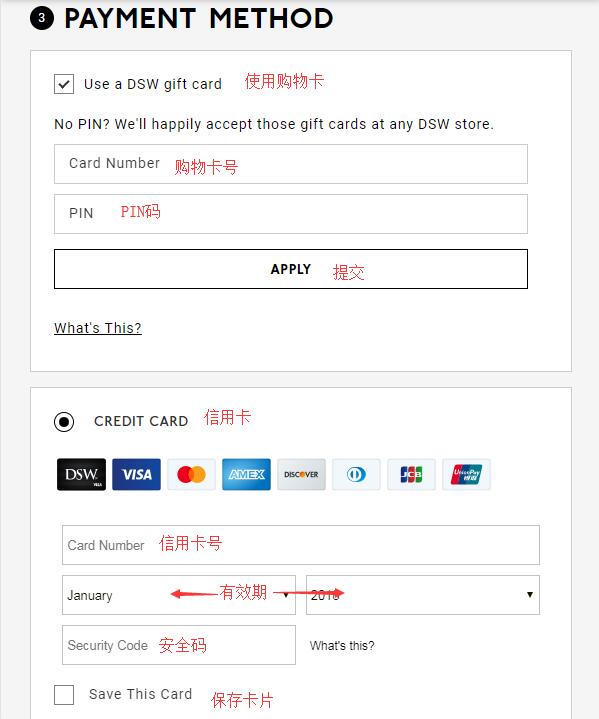
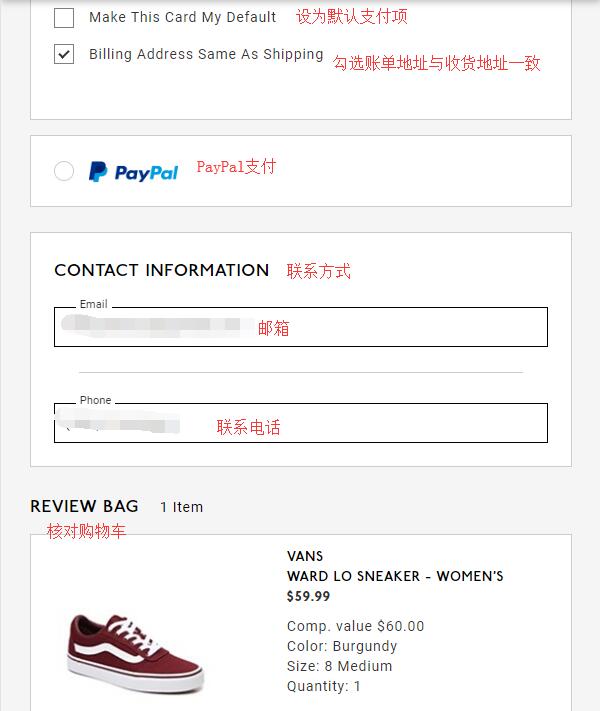
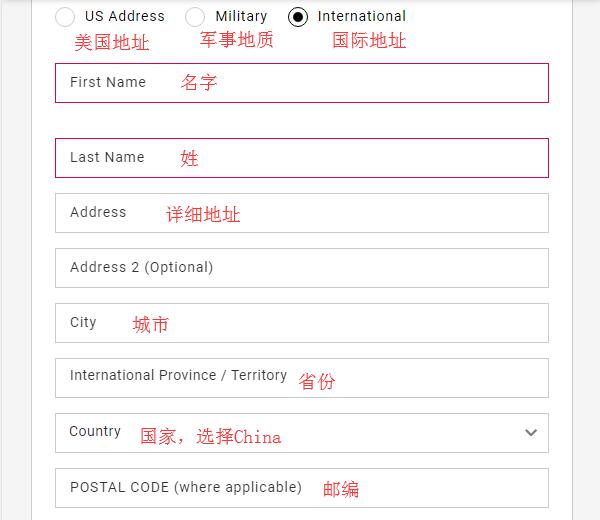
Do not check the box. Enter the Billing Address as follows:
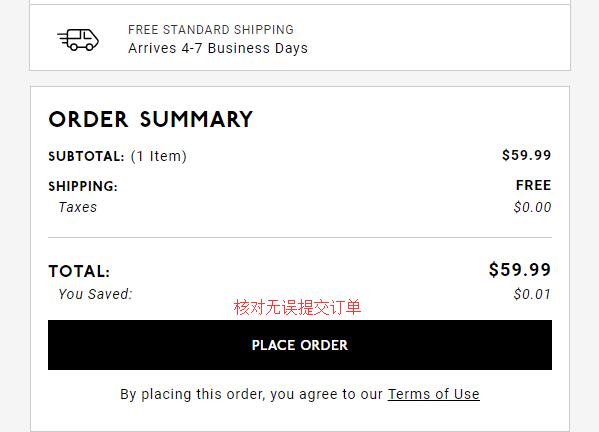
Below is the order summary and charges. Carefully review all the entered information, product details, and contact information. Once everything is correct, click "Place Order" below to complete your order.
All that's left is to wait for your delivery!