

Clinique is a globally renowned skincare brand under the Estée Lauder Companies, producing and selling premium skincare, cosmetics, and fragrances. Popular products include Clinique Dramatically Different Moisturizing Lotion, Moisture Surge, Clinique iD, and the highly sought-after Even Better Clinical Radical Dark Spot Corrector + Interrupter. However, prices vary significantly between domestic and international markets, leading many to choose overseas shopping. This article provides a step-by-step guide on how to shop on the Clinique UK website, detailing the ordering process. If you're interested in placing an order on the Clinique official site but don't know how, feel free to bookmark this Clinique UK shopping guide.
1. Clinique UK Official Website Ordering Tutorial
1. Clinique UK Official Website Link: https://www.clinique.co.uk/
2. Log In to Your Account
Select the dropdown menu in the top right corner to log in
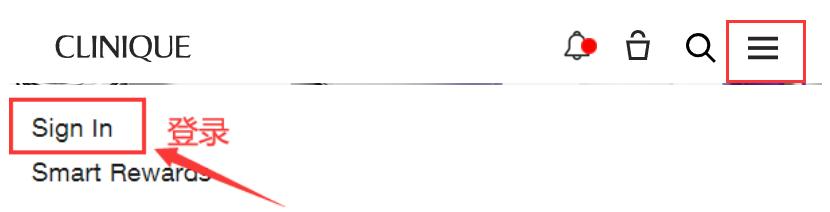
Existing users can log in with their email and password; new users should click to register

Enter registration details to create an account

3. Select Products and Add to Cart
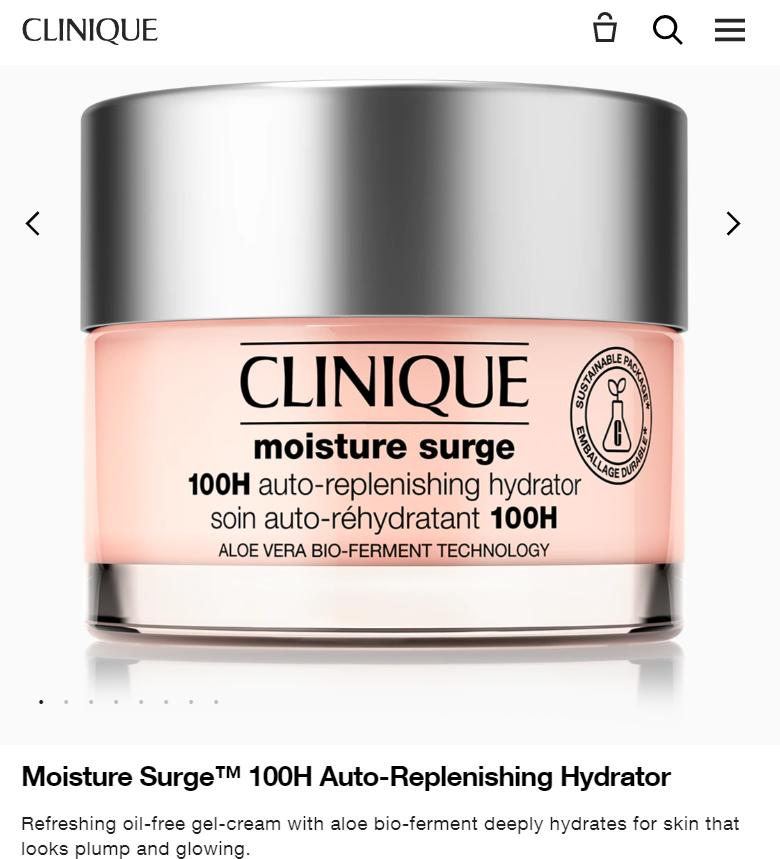
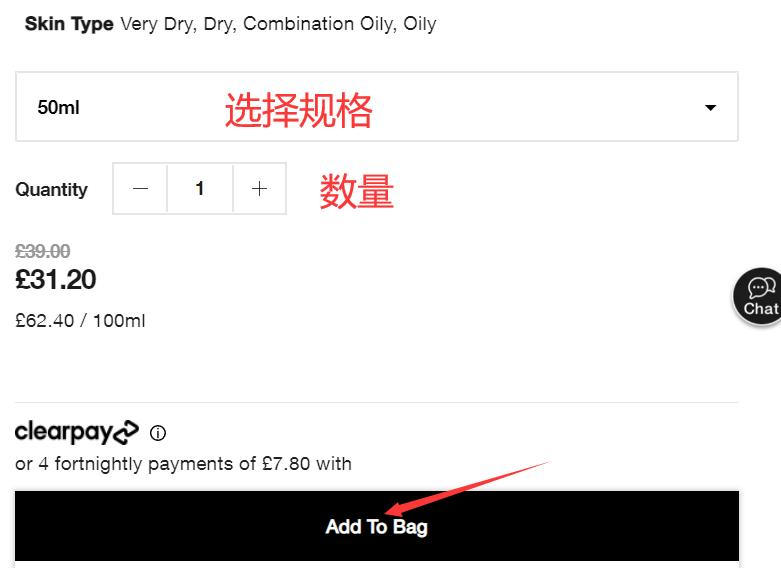
4. Click the Cart Icon in the Top Right Corner to Review Your Order
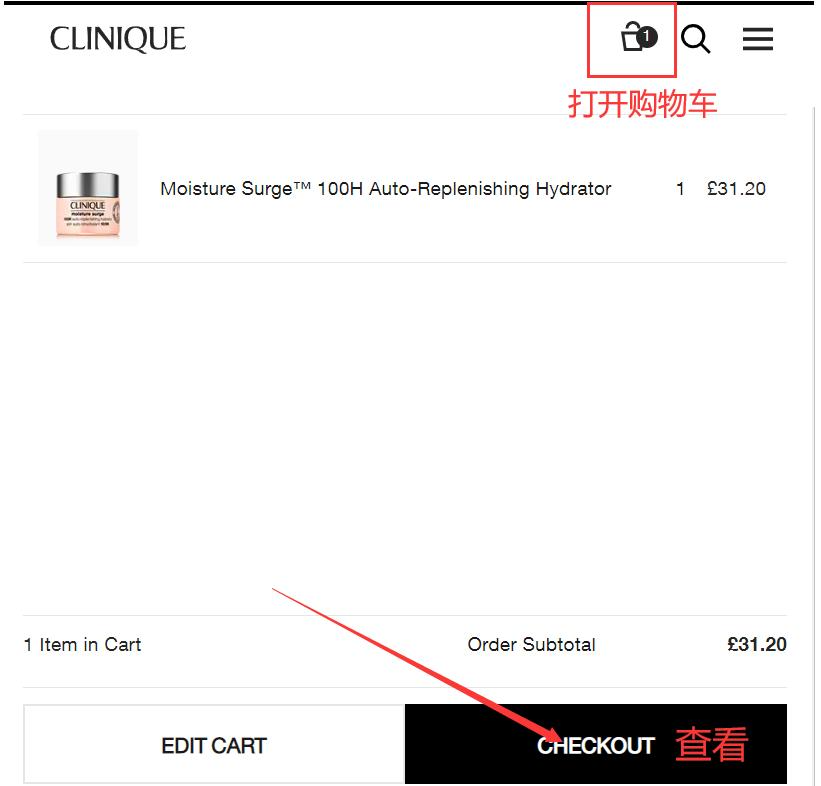
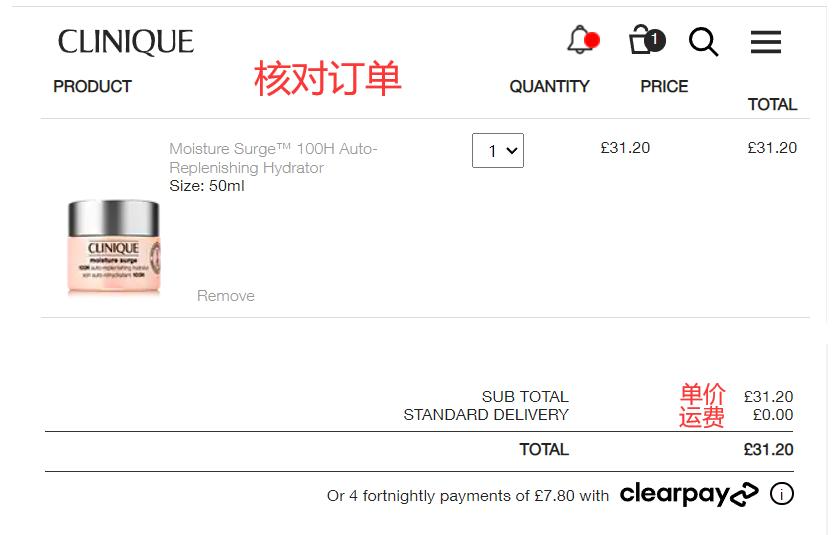
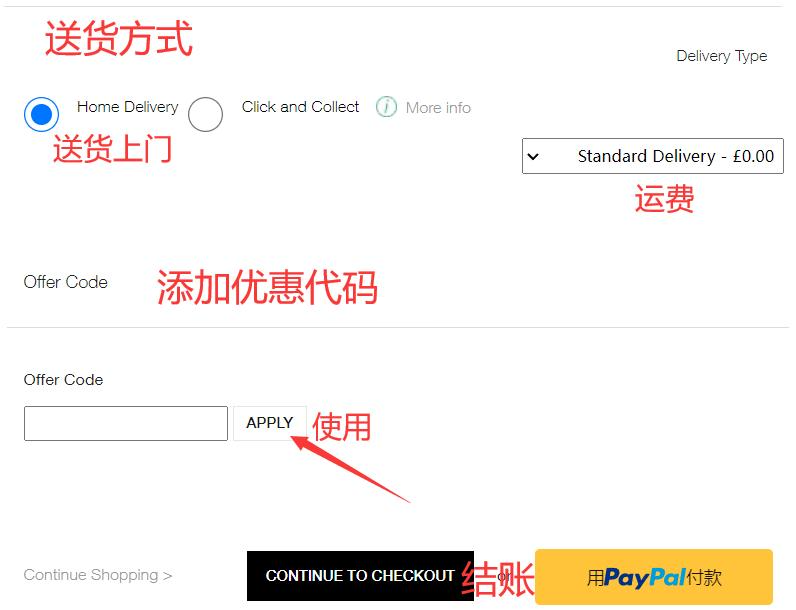
5. Choose Shipping Method
Enter a promo code if available to receive discounts
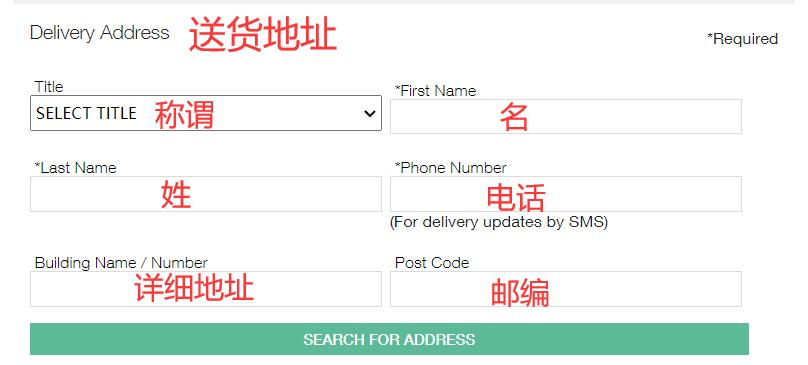
6. Enter Shipping Address
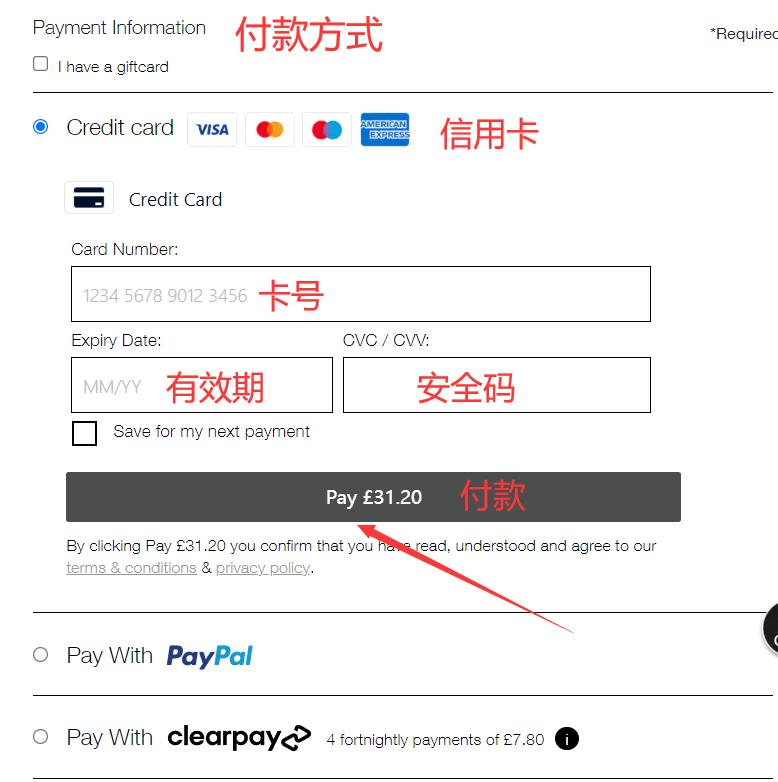
7. Select Payment Method
Using card payment as an example, fill in your credit card number, expiration date, security code, and other details accurately, then submit the order
8. All that's left is to wait for the forwarding company to receive your package, prepare the shipping details, and sit tight for delivery!
2. Clinique UK Official Website Ordering Notes
1. The official website does not support direct shipping to China; free shipping is available within the UK, and orders can be placed via a forwarding service
2. Payment methods accepted include Visa, MasterCard, American Express, and PayPal