

Founded in 1987 in Carlet, Barcelona, Druni is a Spanish chain store specializing in perfumes, cosmetics, and personal care products. Today, Druni has over 300 stores in Spain and offers a wide range of brands, making it a popular site for international online shopping.
This article provides a step-by-step guide on how to place an order on the Druni official website for international shipping. If you want to order from Druni but don't know how, feel free to bookmark this Druni shopping guide.
1. Druni ES Official Website Ordering Tutorial
1. Open the website
Druni official website link: https://www.druni.es/
2. Log in to your account
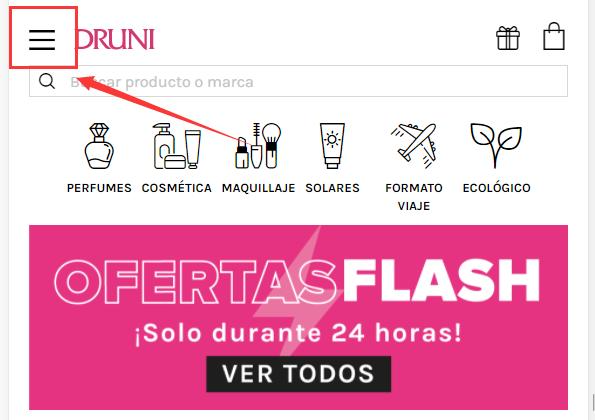
Click the dropdown menu in the upper left corner of the page
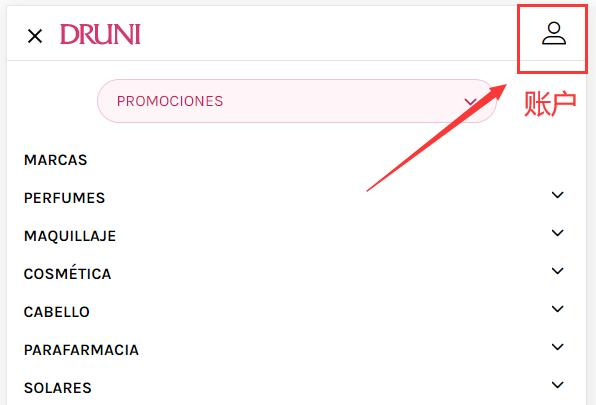
Select the account icon in the upper right corner
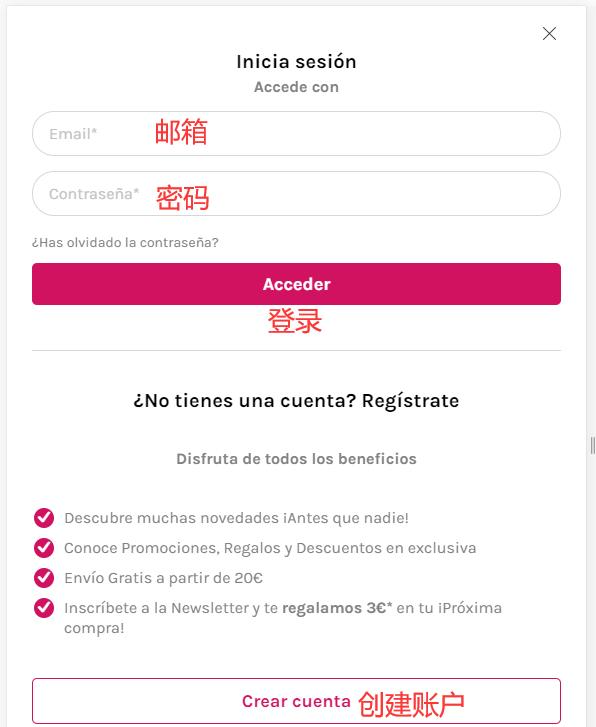
Existing users can log in with their email and password. Users who haven't registered yet should click "Create"
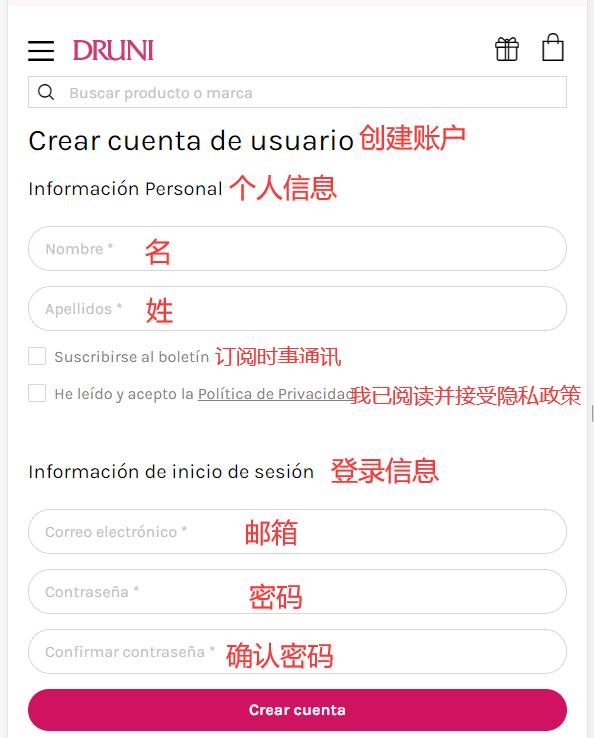
Fill in the registration information to create an account
3. Select products and add them to the cart
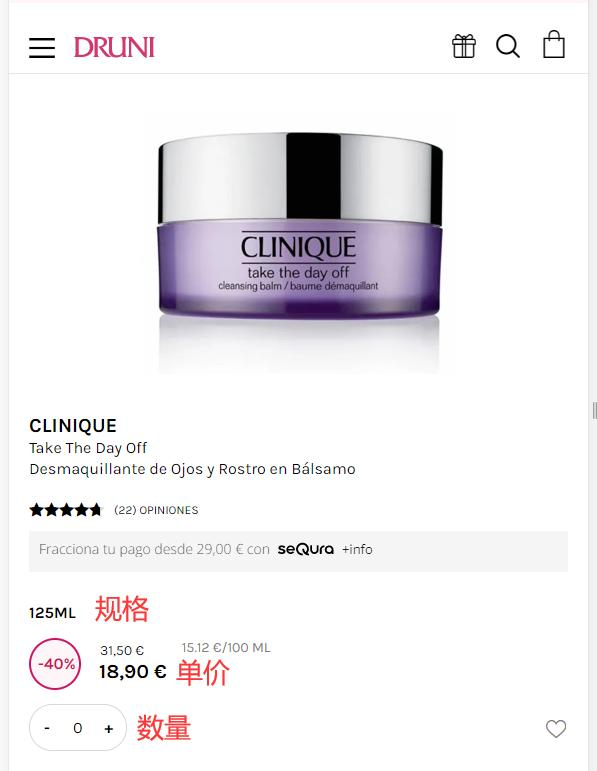
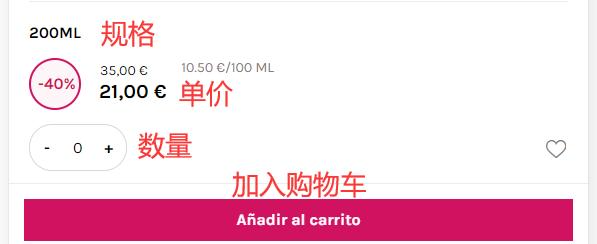
4. Open the shopping cart page and click "Checkout"
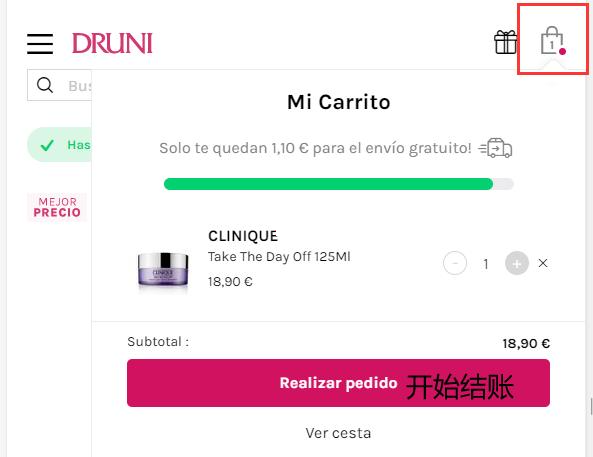
5. Select the shipping method
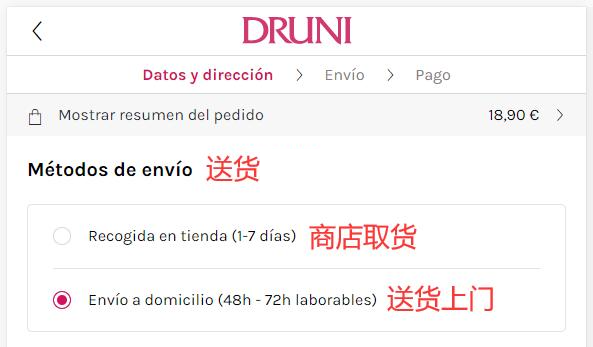
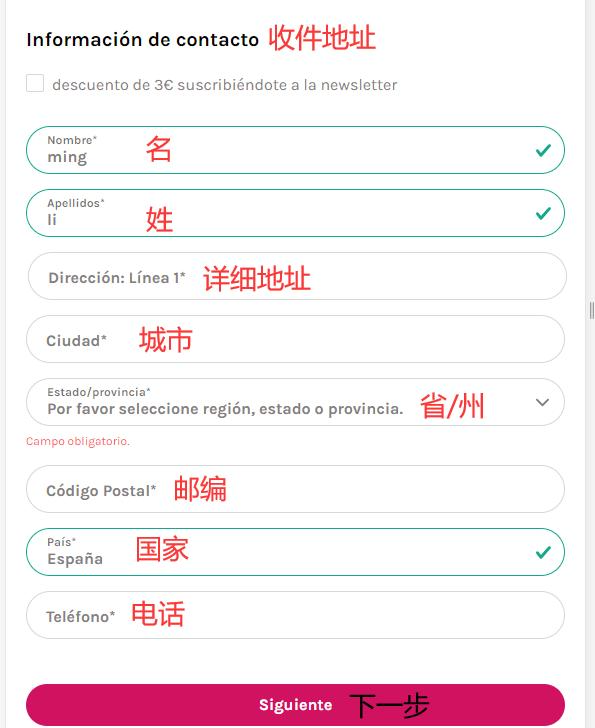
6. Fill in the delivery address
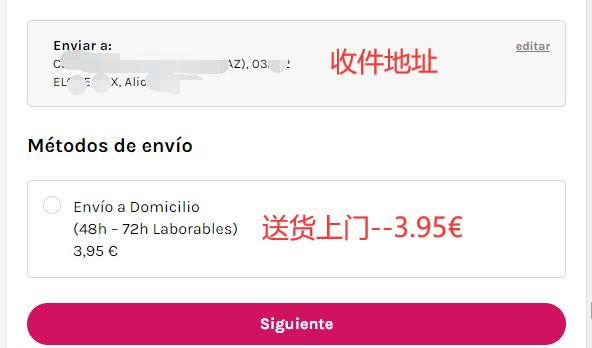
7. Confirm the shipping cost
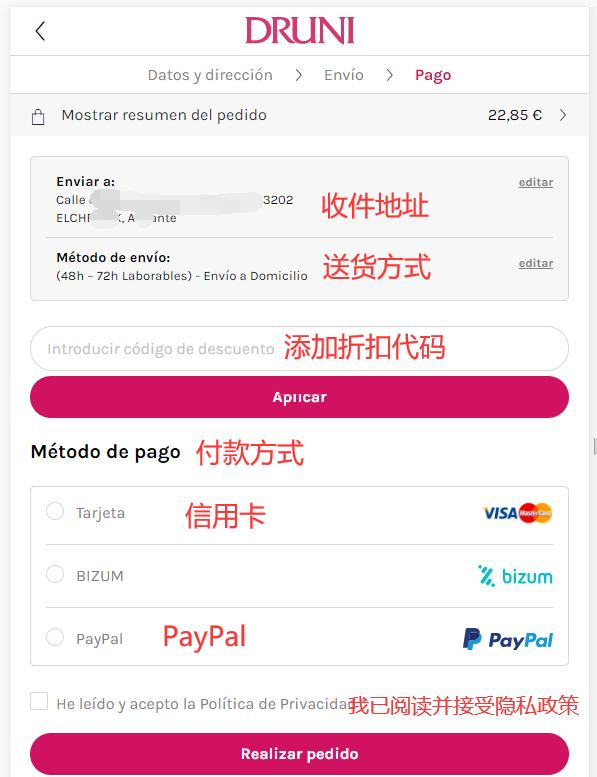
8. Select the payment method
Enter a promo code if available to get a discount
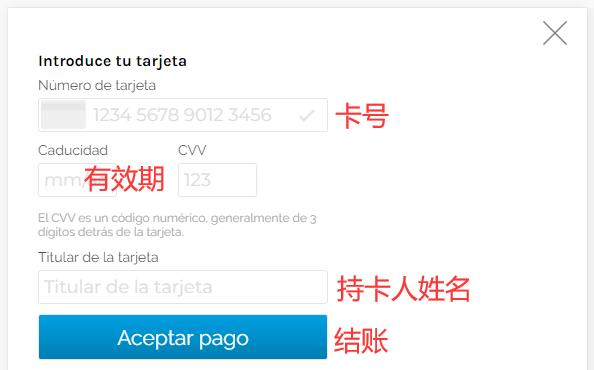
Using a credit card as an example, fill in the card number, expiration date, security code, and other details completely. Once confirmed, click "Checkout"
9. All that's left is to wait for the forwarding company to receive the package, prepare the shipping details, and sit tight for your delivery!
2. Other Notes for Ordering on Druni ES Official Website
1. Direct shipping to China is not supported; a forwarding service is required for orders.
2. Free shipping on orders over 20 euros within Spain. Orders under 20 euros incur a shipping fee of 3.95 euros.
3. Payments via Visa and Mastercard credit cards are accepted, as well as PayPal online payment.