
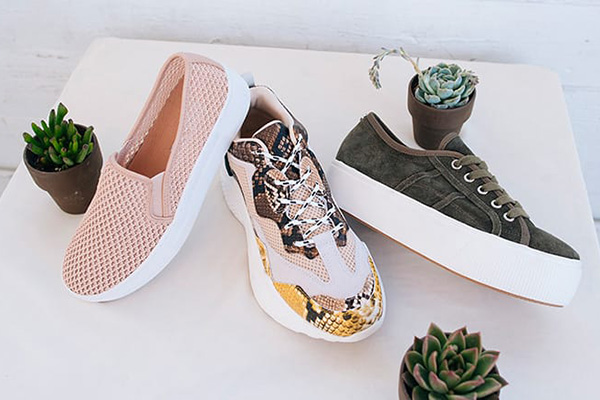
When buying shoes, bags, and luggage on foreign shopping websites, many people choose 6pm. 6pm.com is a US discount shoe shopping website and one of the American online retail stores. It can be said to be the most visited website besides Amazon. Its main products include shoes, bags, etc., and there are often discounted shoes, bags, and clothes. Frequently seen brands include Coach, Crocs, Nine West, Ecco, Hush Puppies, UGG, Levi's, The North Face, Fossil, Adidas, and Nike! Next, let's take a look at the ordering process on the 6pm official website mobile version, allowing us to easily shop overseas on our phones!
6pm official website entrance: https://www.6pm.com/
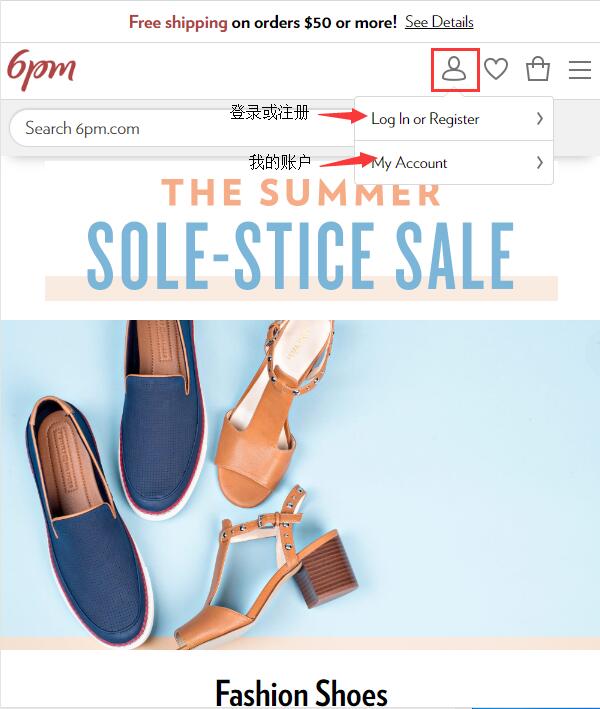
1. Open the 6pm mobile site, click the profile icon in the top right corner, and you will see dropdown options: Log In or Register, and My Account. Click Log In or Register to enter the login page:
2. On the login/registration page, the top section is for login information. If you already have a 6pm account, you can directly enter your email and password to log in. Additionally, you can choose to log in using your Amazon account. As long as you have an Amazon account, you can log in to 6pm directly without registering!
For those who don't have a 6pm account, you can choose to click the "Register for a 6pm account" option at the bottom of the page to sign up. Below, the editor will use a new user registration as an example to show you the detailed shopping process:
3. Click "Register for an account". Fill in the corresponding name, email, password, and other information in the page dialog box, then click "Register" below:
4. After registration, it's time to shop! Use the search bar or browse product categories to find the product you want to buy. Select the product, click to enter the product detail page, choose specifications like color and size below the image, and then click "Add to Cart":
6. After adding to the cart, you can make modifications and adjustments in the cart. If everything is correct, you can choose to proceed to checkout:
7. The first step of checkout is to add a shipping address. Please note that 6PM currently offers free standard shipping within the US for orders over $50, or when purchasing any two items. It does not support direct shipping to China. It is recommended to choose a forwarding company and fill in the corresponding forwarding company's shipping address according to the website requirements:
8. The second step of checkout is the payment method. Choose credit card payment. The website supports VISA, MASTERCARD, DISCOVER, American Express, PayPal, Bill Me Later, and other credit cards. Domestic users can currently only use dual-currency/multi-currency credit cards for placing orders.
Additionally, if you have a discount code, you can enter it in the discount code field below:
9. The third step of checkout is to review the order: Here you can do a final check of the entire order, confirming the shipping address, payment method, product specifications, price, and other information. Once everything is correct, click "Place Order" to confirm the order.
10. At this point, the entire shopping process is complete. After successfully placing the order, you will receive an order confirmation email at your registered email address. You can check the order status anytime through the website's notification emails, or go to "My Account" and view all purchased orders from the order history. Just wait for the delivery!