

Tory Burch is a fashion lifestyle brand from New York, USA, known for its free-spirited, romantic pastoral style. Its product range mainly includes women's clothing, shoes, handbags, and accessories. The Tory Burch UK official website primarily serves British consumers and does not support international orders. However, due to its lower pricing and full range of styles, the Tory Burch UK site is also a popular destination for overseas shoppers looking to buy Tory Burch products. This article provides a guide on how to shop on the Tory Burch UK official website. Users who want to place an order on the Tory Burch UK site but don't know how to proceed can bookmark this for reference.
1. Tory Burch UK Official Website Ordering Tutorial
1. Tory Burch UK official website entry: https://www.toryburch.com/en-gb/
2. First, since the Tory Burch UK official website does not support direct shipping to China, you will need to use a forwarding service. Users should first find and register with a UK-based forwarding company and obtain the forwarding address information.
3. Next, prepare a payment method for orders on the Tory Burch UK official website. The site supports Visa, Mastercard, AE credit cards, and PayPal payments.
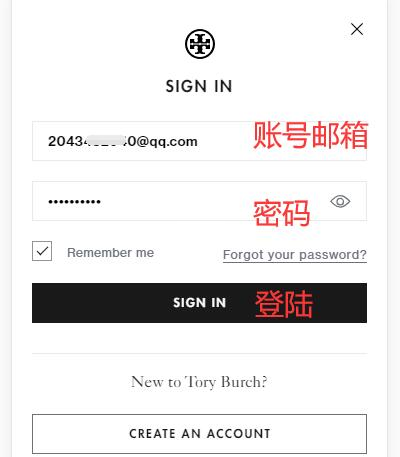
4. First, click the menu bar in the top right corner of the page to log in or register for a Tory Burch UK official website account.

You can see the account login/registration entry.

Tory Burch UK official website account login page.
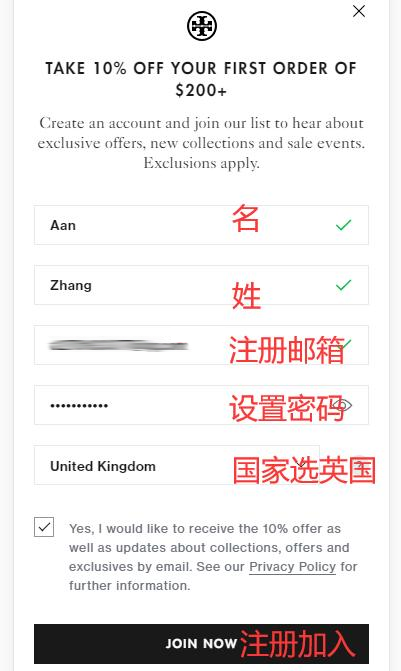
Tory Burch UK official website account registration page.
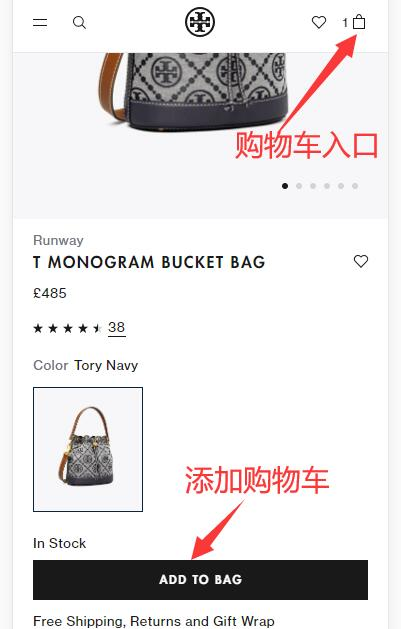
5. Shopping and ordering: Browse and select the items you want to buy on the Tory Burch UK official website, then add them to the cart and proceed to checkout.
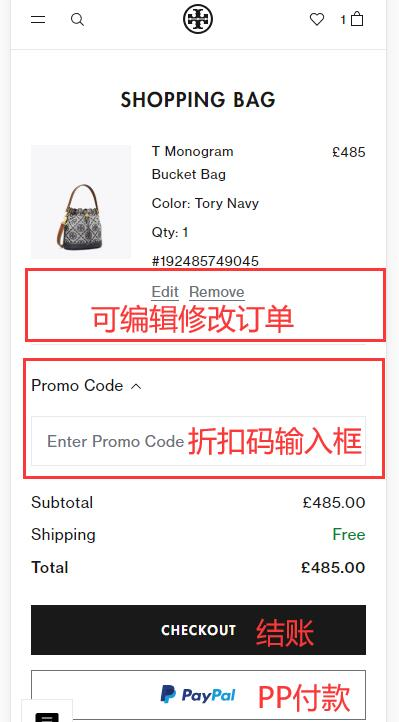
Shopping cart checkout page. Here you can edit the cart, add any site promotional codes, and then click "CHECKOUT" to proceed to the payment page.
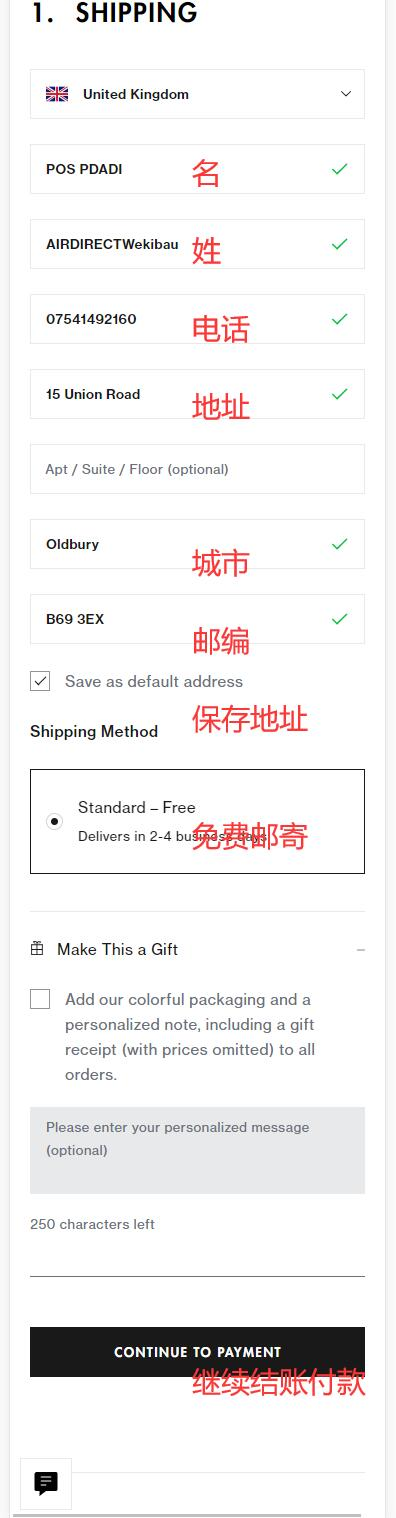
6. After entering the order checkout page, fill in the shipping information. Since the Tory Burch UK official website does not support direct shipping, you need to enter the shipping address of the forwarding company you registered in the first step.
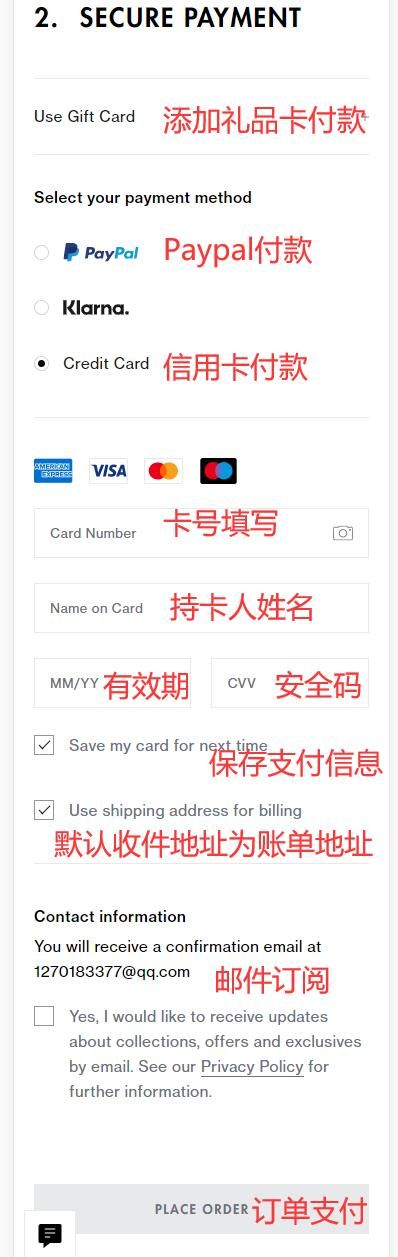
7. Enter the payment page. You can choose to pay by gift card, PayPal, Klarna, or credit card. Selecting PayPal will redirect you to the PayPal website for payment. Here we choose credit card payment. Fill in the credit card number, cardholder name, expiration date, security code, and other details. Verify the order is correct, then click "PLACE ORDER" to complete the payment.
8. Monitor the order status on the Tory Burch UK official website. After the item is shipped, take the tracking number to the forwarding company platform to declare the package. Once the package arrives in the warehouse, pay the forwarding shipping fee, submit it for outbound delivery, and wait for the package to arrive.
2. Notes for Overseas Shopping on the Tory Burch UK Official Website:
1. The Tory Burch UK official website requires an overseas network environment to access properly.
2. When setting a password for a Tory Burch UK official website account, it must include numbers, letters, and special characters to be submitted.
3. Before placing an order, be sure to find a reliable UK forwarding company to reduce the risk of lost or confiscated packages.
4. The Tory Burch US official website is more suitable for overseas shopping, with lower product prices and more promotions. It is also easier to find a forwarding company. You can switch directly using the option on the left.