

East Dane is a one-stop online shopping mall primarily offering mature men's apparel. It is dedicated to providing high-quality, top-tier men's products, and has won the favor of many male consumers thanks to its excellent taste in products.
This article introduces the East Dane overseas shopping direct mail guide, teaching you how to place orders and shop on East Dane. If you also want to place an order on East Dane but don't know how, feel free to click and check out this East Dane direct mail shopping guide.
1. Open the website;
East Dane official website URL for overseas shopping: https://www.eastdane.com/, click the link to visit directly;
2. Register an account;
Click Sign In / Register in the top right corner to register an account;

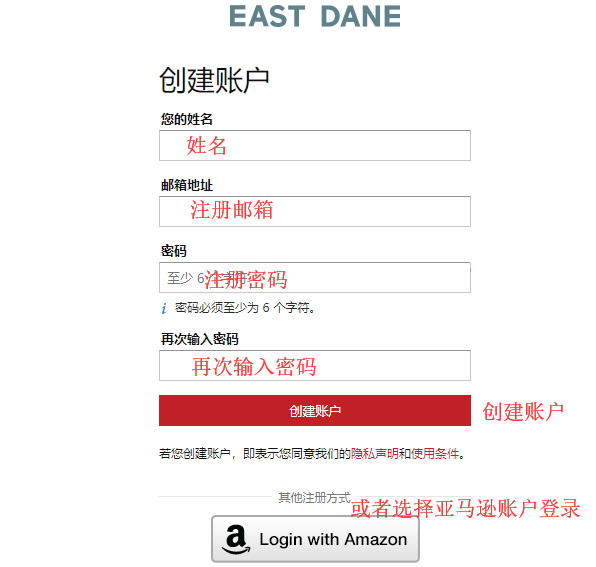
Unregistered users selectCreate Your East Dane Account to click and register an account;
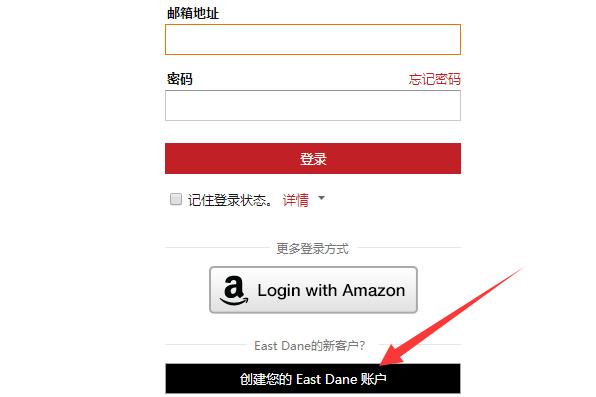
Enter the registration page;
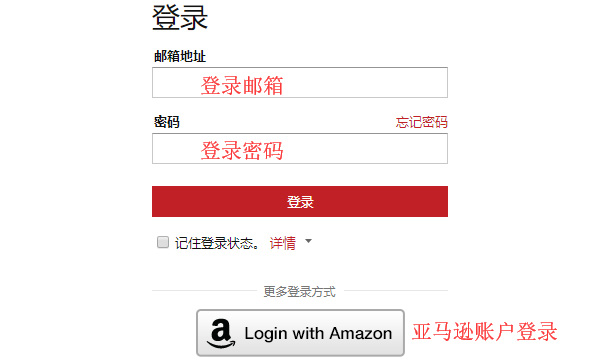
Friends who have already registered can simply choose to sign in;
3. Select products;
Add the products you want to purchase to the shopping cart, then click on the shopping cart icon in the top right corner to go to the cart page;
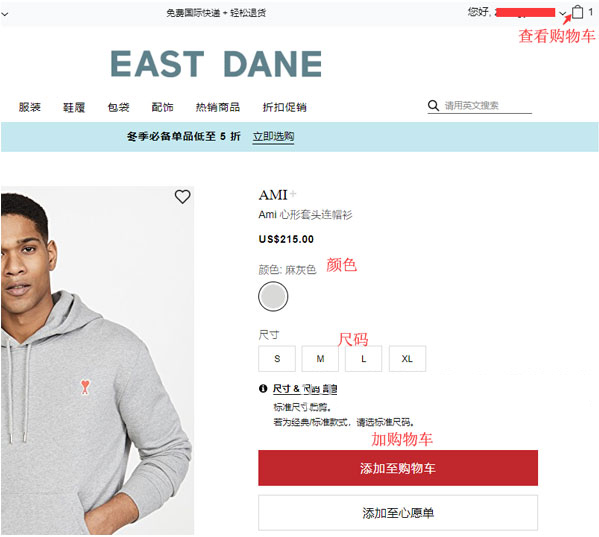
4. Click the top right corner to enter the shopping cart page;
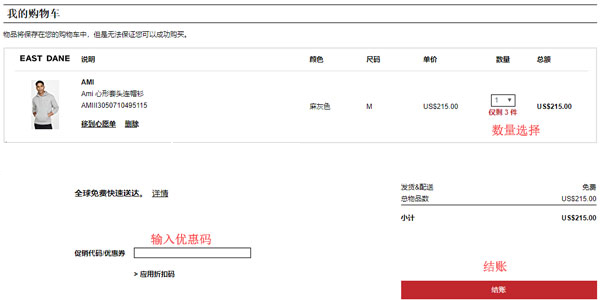
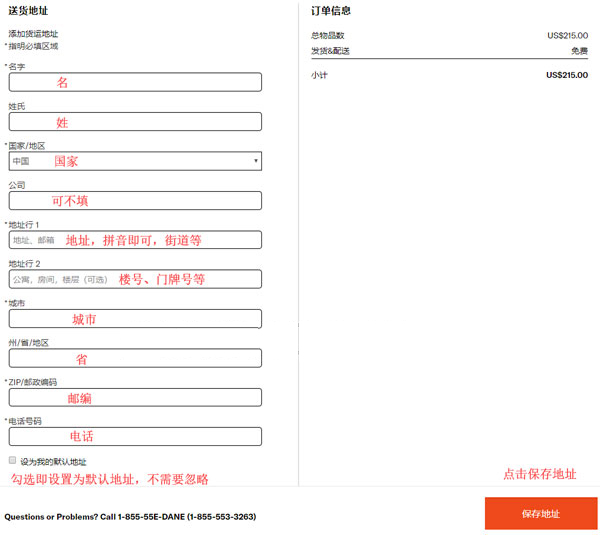
5. Click checkout to enter the shipping address interface, using direct mail as an example;
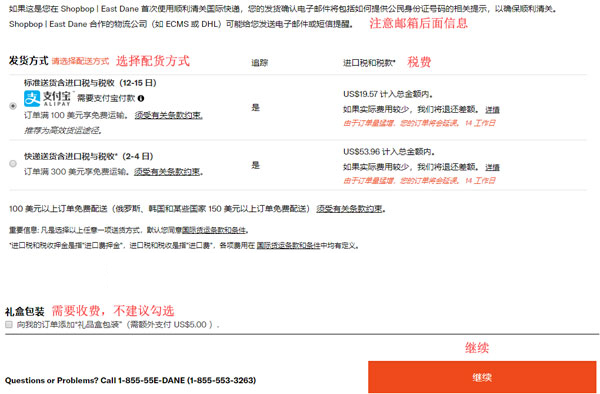
6. Next, enter the shipping method selection page. Direct mail includes prepaid duties;
7. Continue to the payment method and order amount review page;
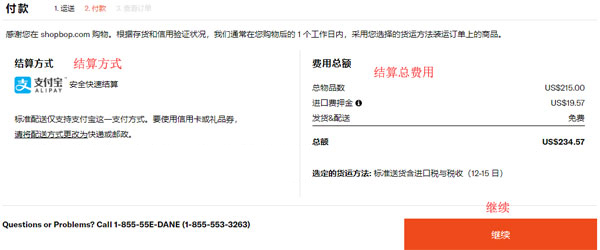
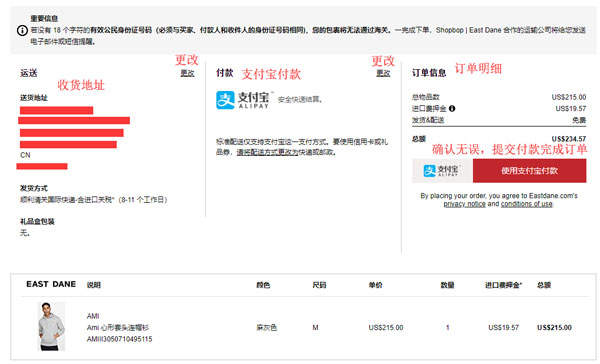
8. Finally, review the shipping address, payment method, and order details. Confirm everything is correct, submit payment, and complete the order;
9. Just wait to receive your package!