Too Faced was founded in 1998 and is a well-known cosmetics brand in the United States, especially favored by Hollywood actresses! Too Faced products are known for their rich colors, strong personality, and unique fun in each item, which is even reflected in their product names. Their product range includes face makeup: such as base makeup, concealer, and foundation; eye makeup: such as eyeshadow, eyeliner, mascara, and eyebrow pencils; and lip makeup: such as lip liners and lip balms.
Below is a guide on how to shop on the Too Faced US official website.
Official website link: https://www.toofaced.com/
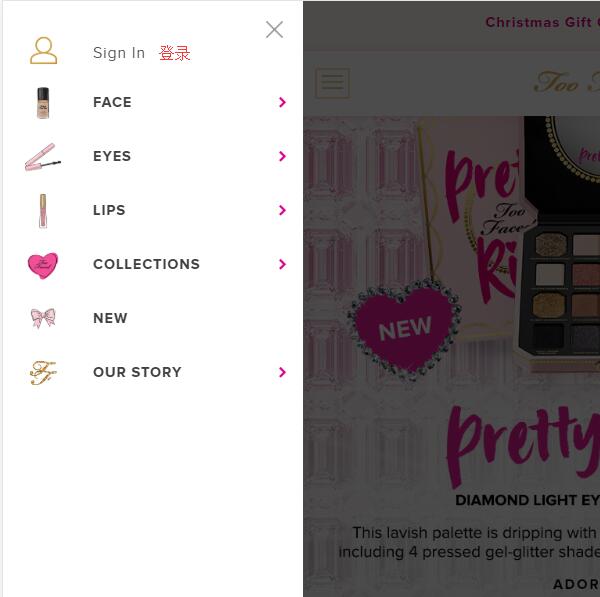
1. First, register an account. Open the homepage and click to expand the menu in the upper left corner:

Click Sign in at the top of the menu to log in or register an account:
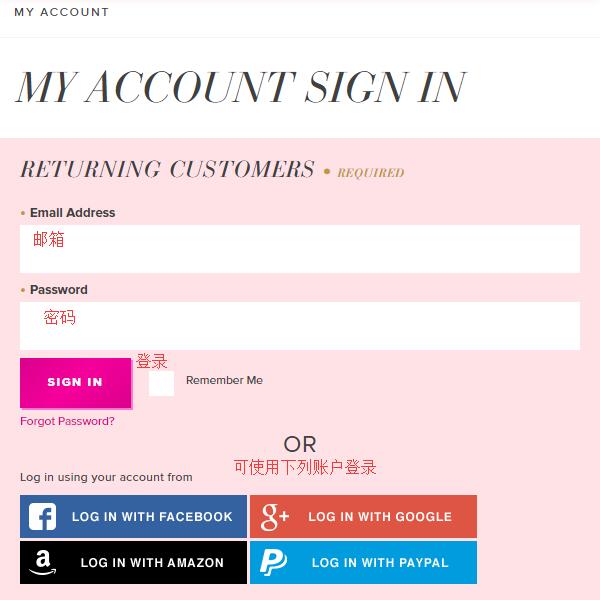
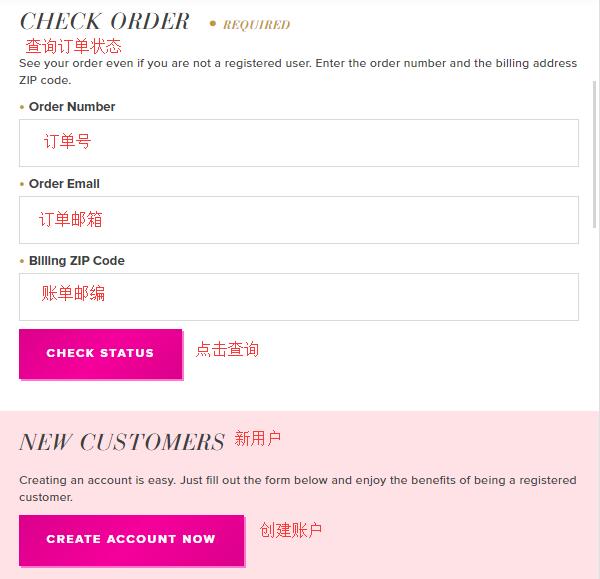
Existing customers can log in with their email and password. You can also log in using Facebook, Google, Amazon, PayPal, etc. Below, you can check the status of existing orders. New users click Create an Account below to register:
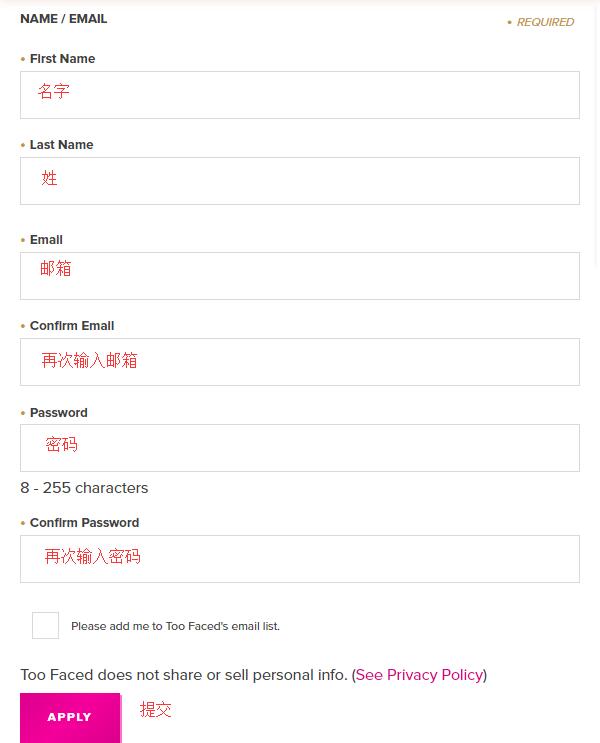
Enter your name, email, and password, then click Apply below to complete registration.
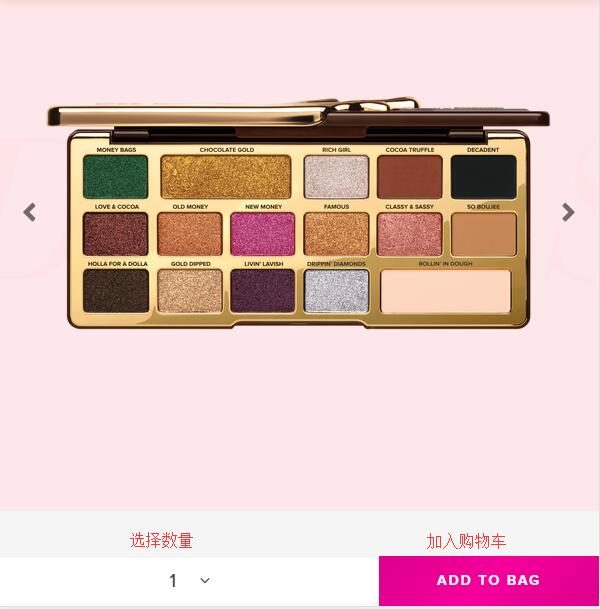
2. Registration complete, start shopping. Select your desired products, choose the quantity, and click Add to Cart:
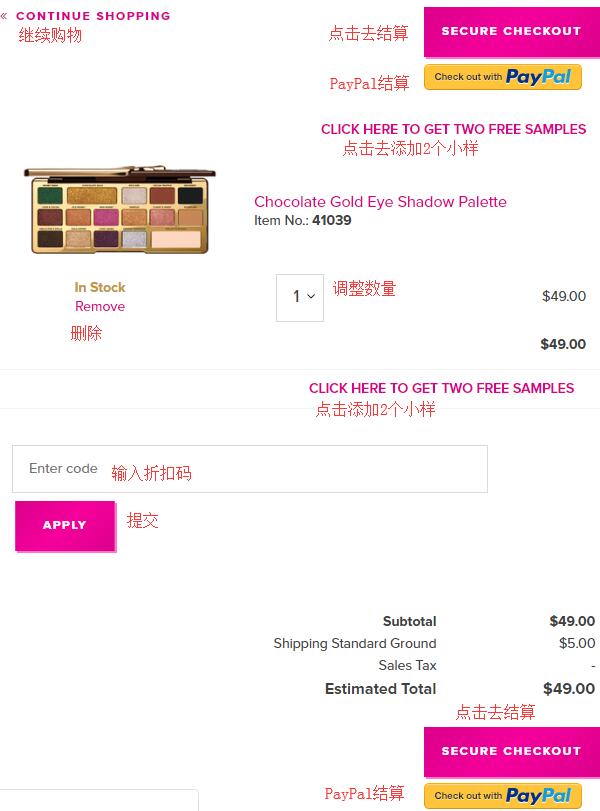
3. Enter the shopping cart. You will see Click here to get two free samples above and below the product information. Click to select samples. After selecting, click secure checkout to proceed. If you have a discount code, you can enter it at the bottom of the page to get the offer.
The page for selecting samples looks like this. Click select to choose a sample, then click Add to bag at the bottom of the page to add it to the cart:
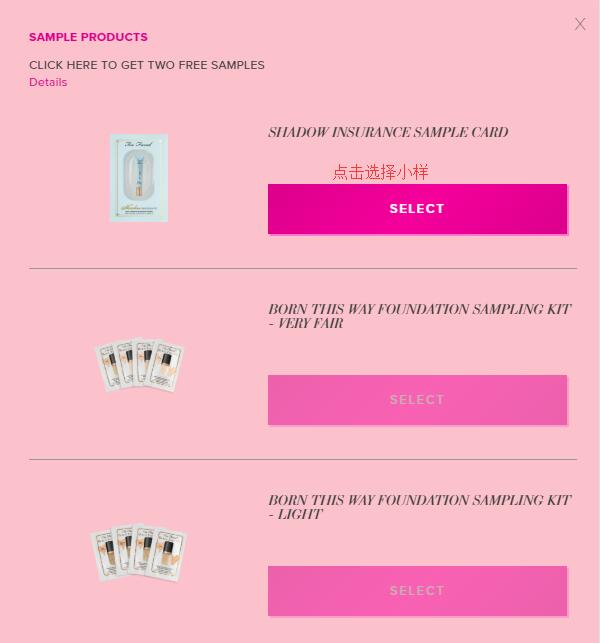
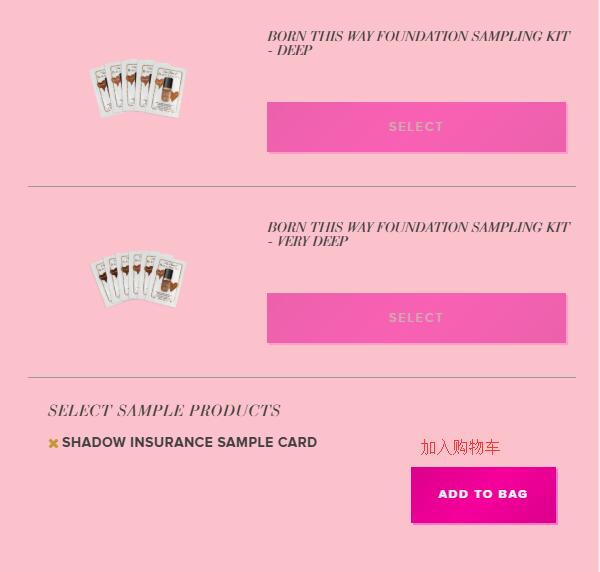
4. Next, proceed to checkout. First, enter the shipping address. The official website currently does not support direct shipping, so use a forwarding address here. Enter the forwarding address according to the forwarding company's requirements. For the billing address below, you can use the forwarding address; just check the box to make them the same. Choose the default standard shipping method, then click Continue to proceed:
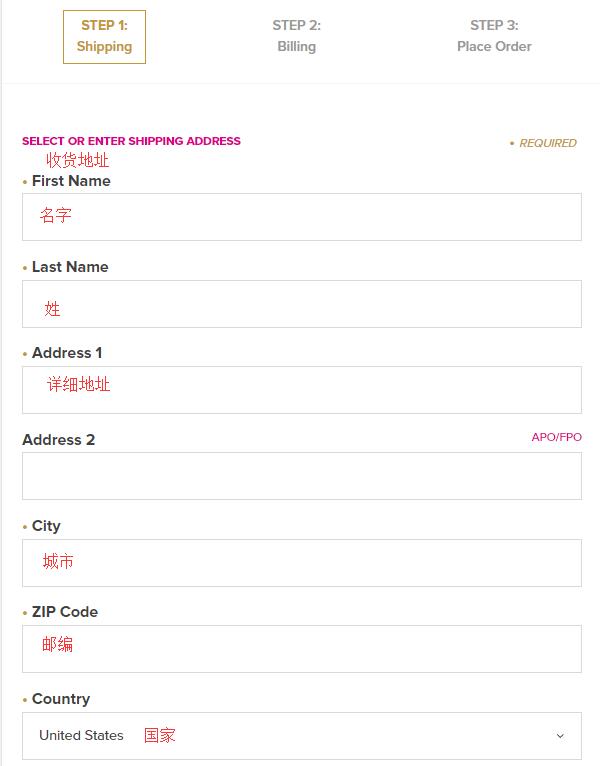
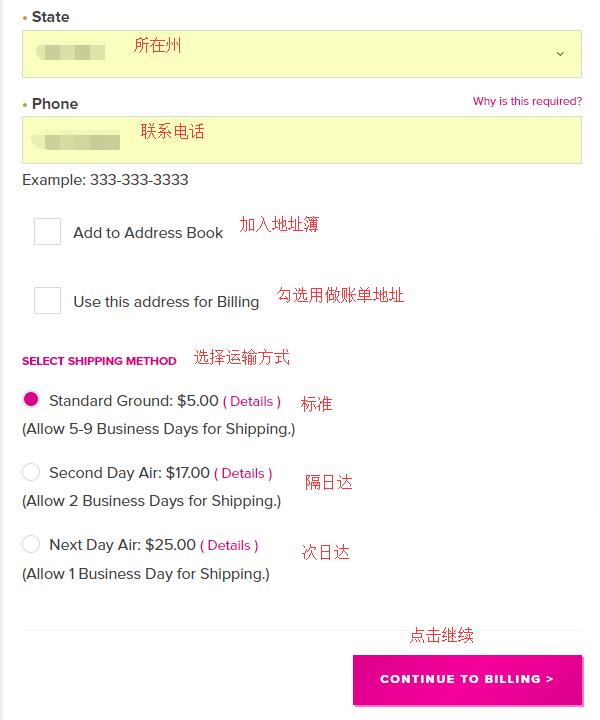
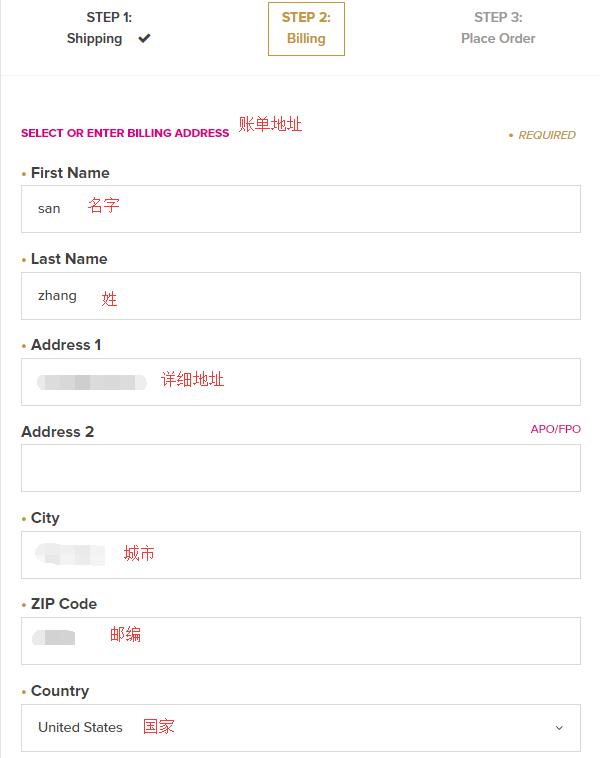
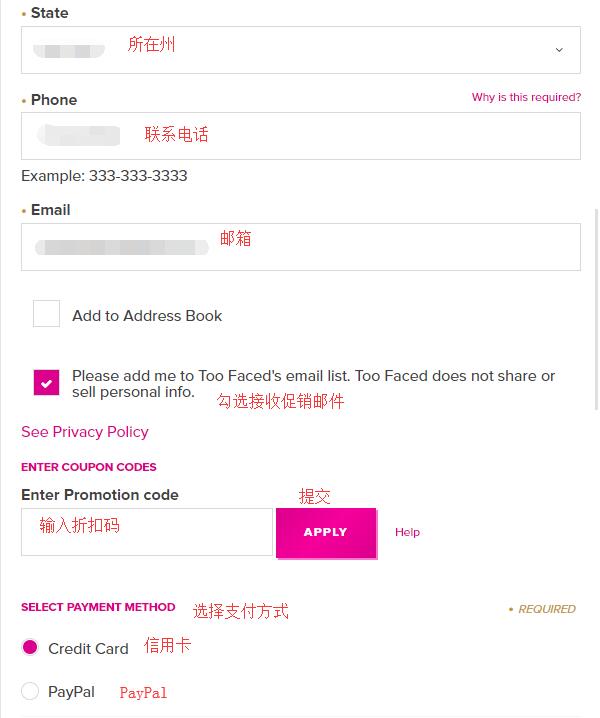
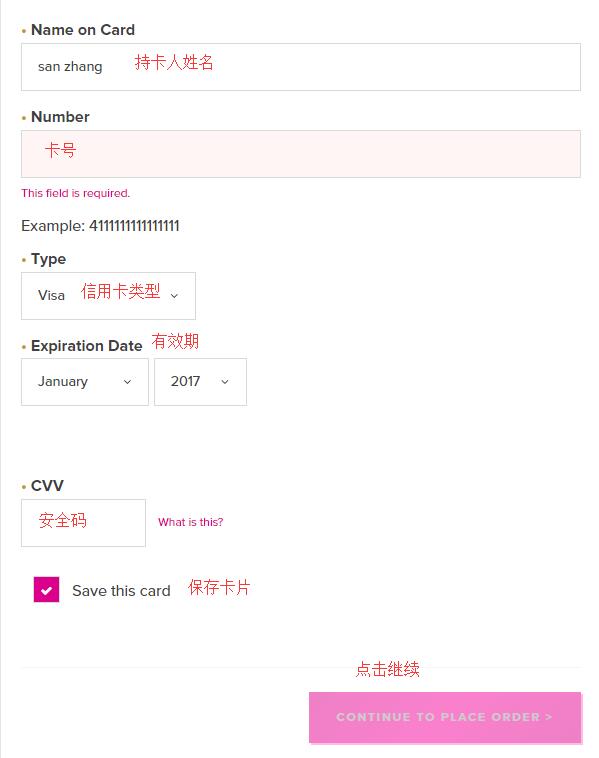
5. Next is the payment section. First, the billing address. Since we selected it to be the same as the shipping address, just double-check it for accuracy. Next, the payment method. We will choose credit card payment. Enter the cardholder's name, card number, expiration date, security code, etc., and click Continue to proceed:
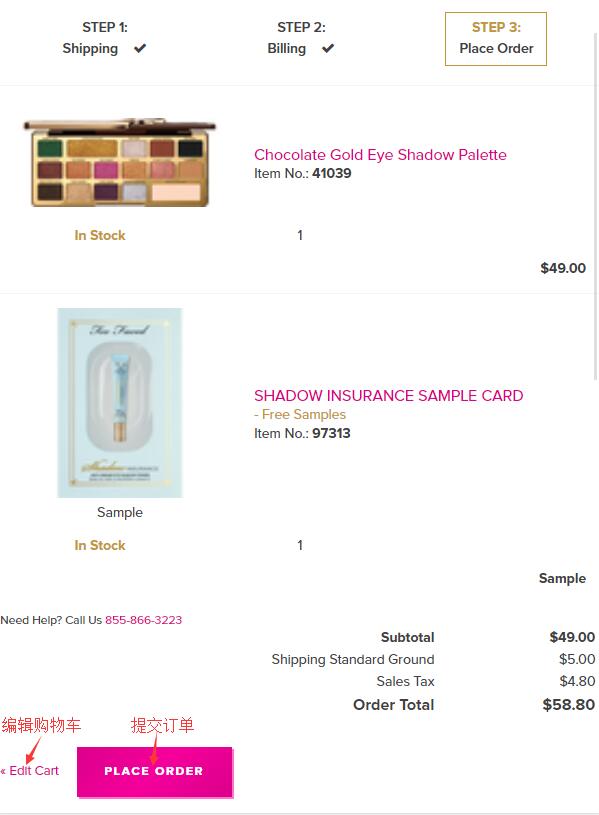
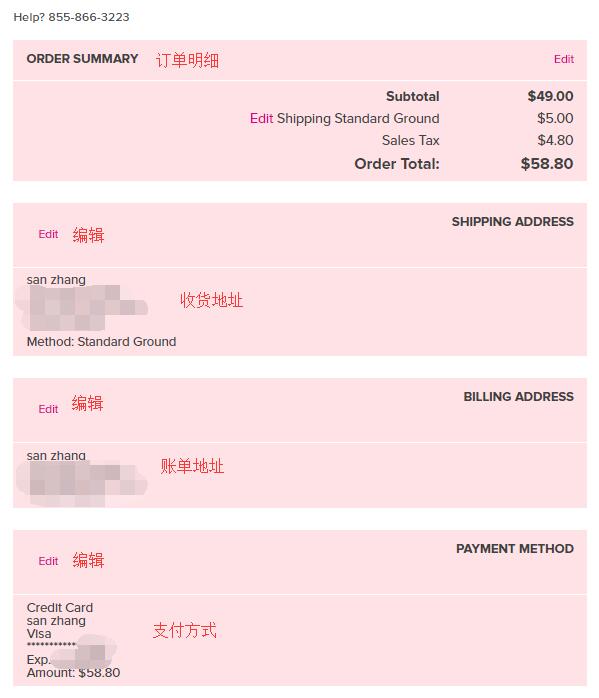
6. The final step is to review the order. Carefully check the products, address, payment information, and whether any discount codes are missing. Once all information is confirmed correct, click Place Order below to submit the order and complete the purchase.