
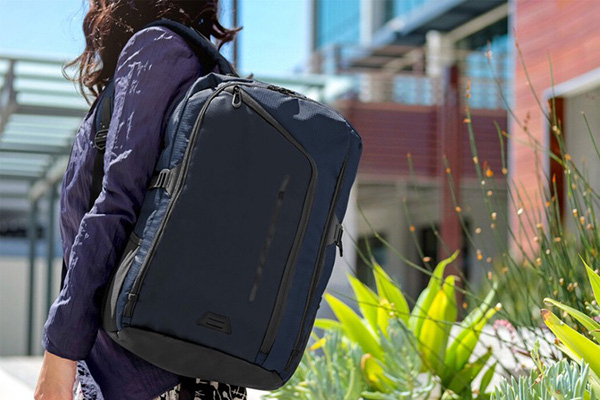
eBags is a global online retailer selling a wide range of products including luggage, laptop bags, men's business collections, crossbody bags, sports backpacks, wallets, headphones, children's luggage, and much more—basically everything you can think of. Regular visitors to eBags know that the site periodically offers discounts and promotions on holiday backpacks, men's business backpacks, luggage, and other items at affordable prices. The site supports domestic credit card payments, making it a budget-friendly paradise for international shoppers in China.
This article is a compiled guide to the eBags US official website, explaining how to place an order on eBags. If you want to order from eBags but don't know where to start, feel free to bookmark this guide. Below is a brief introduction to the eBags US official website international shopping tutorial.
1. Open the official website;
eBags official website international shopping entrance: https://www.ebags.com/;
2. Register an account;
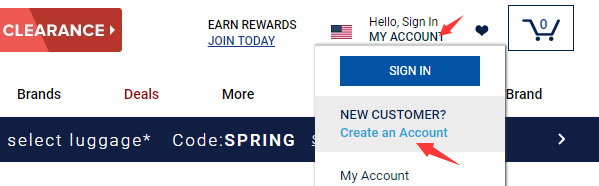
Click MY ACCOUNT in the upper right corner, then select Create an Account to register;
Enter the registration page and fill in the registration information;
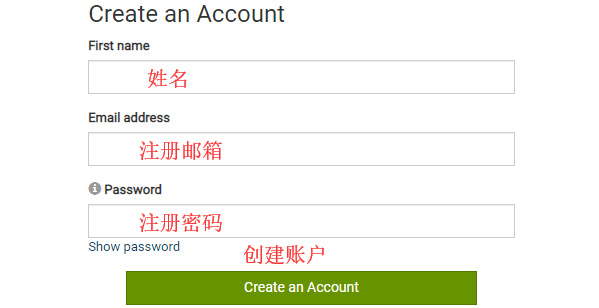
If you already have an account, select Sign In to log in;

3. Select products and add to cart;
Add the products you want to purchase to the cart, then click Your Cart in the upper right corner to view the cart and go to the cart page;
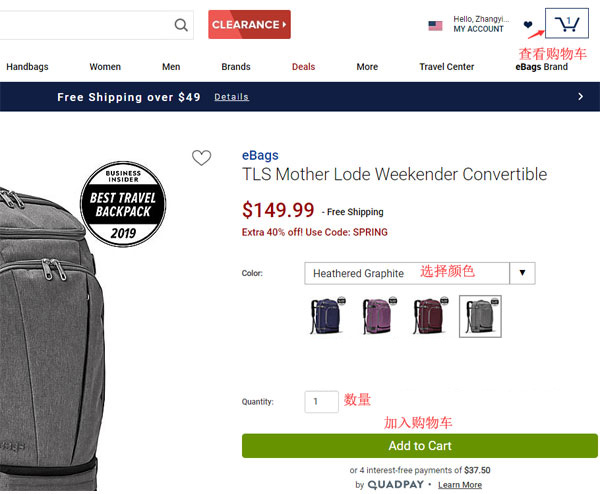
4. Click cart in the upper right corner to enter the cart page;
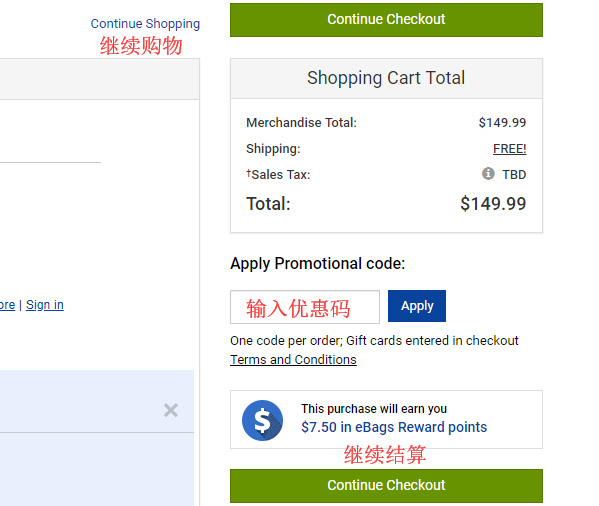
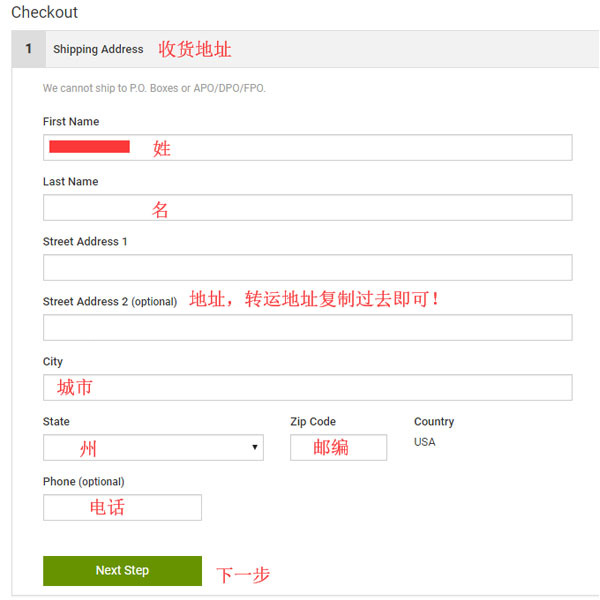
5. Click Continue Checkout to enter the shipping address page, then simply copy and paste the forwarding company address!
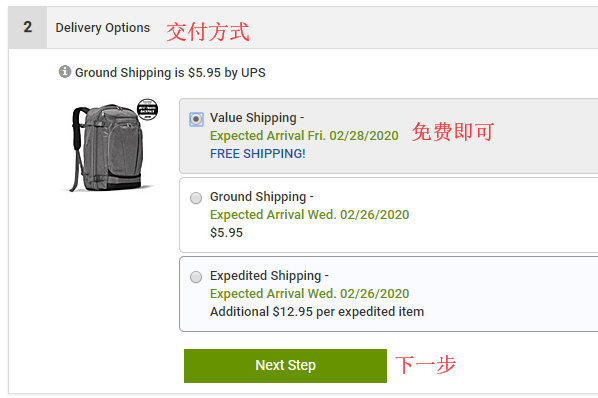
6. Then enter the shipping method selection page;
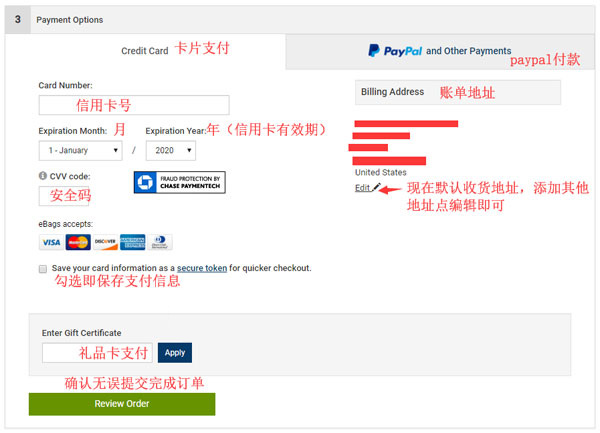
7. Next, enter the payment page and billing address page. After verifying the information is correct, click Review Order to submit the order;
8. All that's left is to wait for the forwarding company to receive the package, prepare the forwarding details, and sit tight for delivery!