

Giglio is an Italian high-end fashion brand primarily offering luxury goods for men, women, and children. Founded in the 1960s, the company operates 80 multi-brand stores and an e-commerce platform (mainly online) through Giglio.com. On Giglio.com, you can find the latest collections from top fashion designers and globally renowned luxury items, making it a popular site for international online shopping.
This article provides a guide on how to place orders on the Giglio official website for international shopping, explaining the steps to shop on Giglio.com. If you also want to place an order on Giglio but don't know how, feel free to bookmark this Giglio shopping guide.
1. Giglio International Shopping Order Guide
1. First, open the official website
Giglio official website URL: https://www.giglio.com
2. Click the menu in the top left corner to switch language and currency
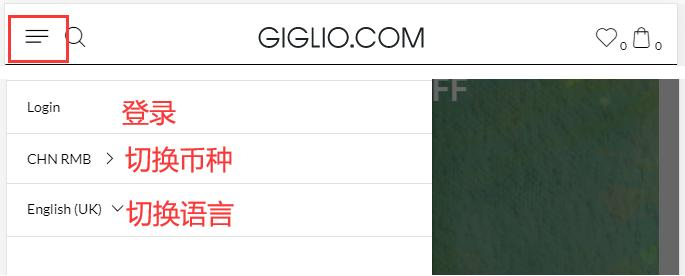
3. Log in to your account
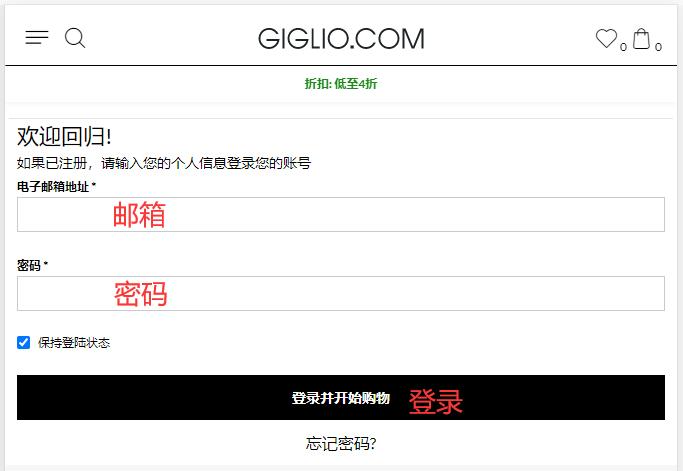
Registered users can log in directly using their email and password
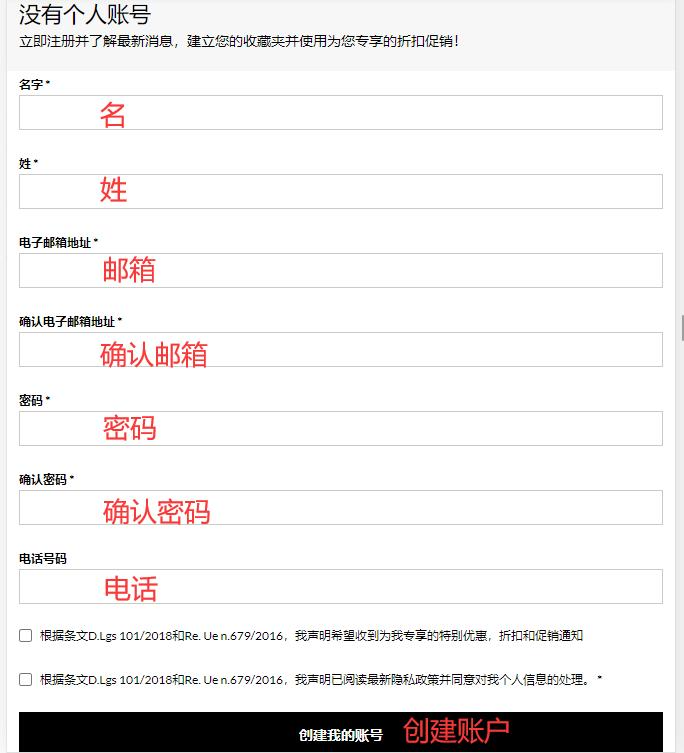
Users who are not registered can enter their information here to create an account
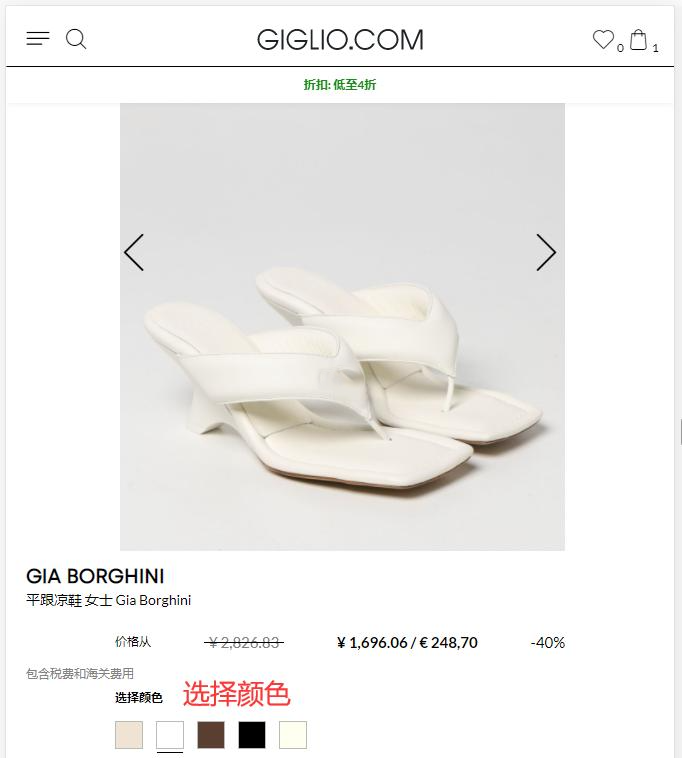
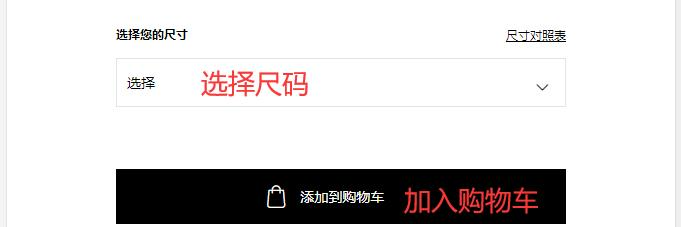
4. After completing, return to browse products and add them to the cart
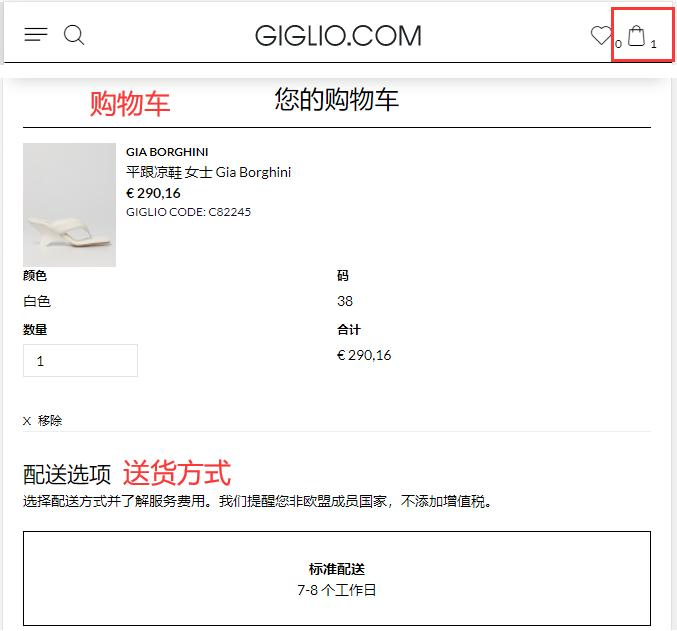
5. Open the shopping cart and select a shipping method
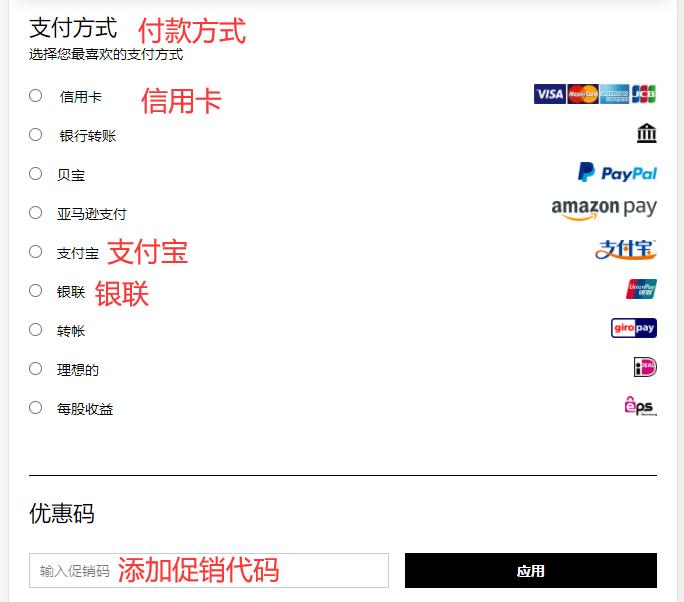
6. Select a payment method
If you have a discount code, you can enter it here to get the discount
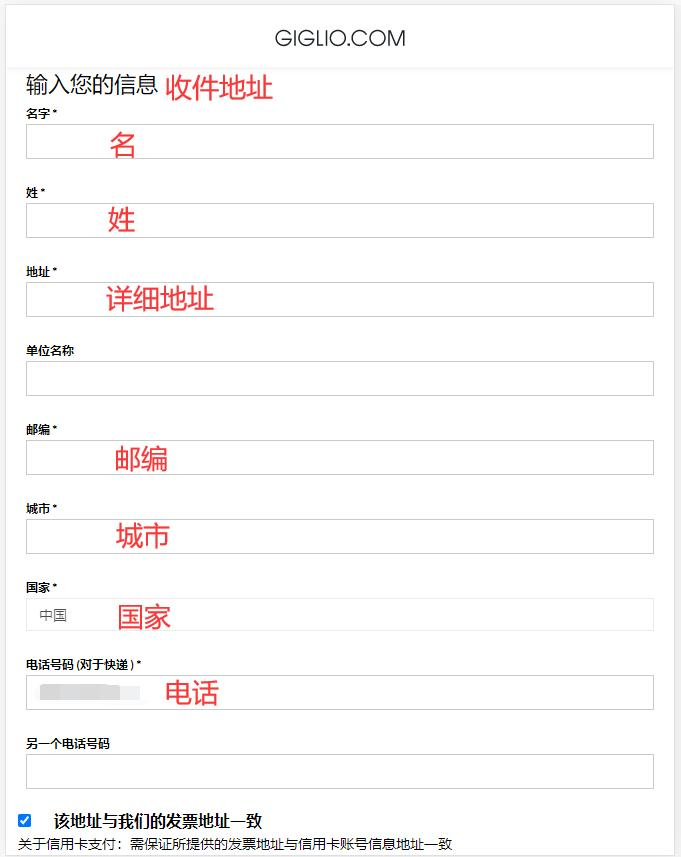
7. Fill in the shipping address
8. Review the order and checkout
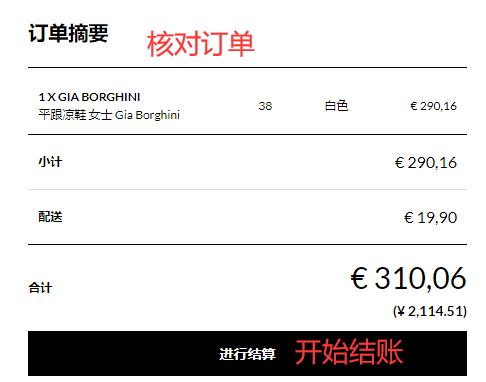
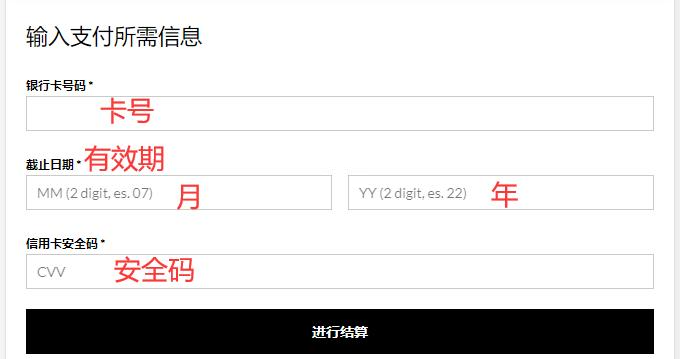
Using credit card payment as an example, fill in the cardholder's name, card number, expiration date, security code, and other details completely, then submit the order
9. Wait to receive your order!
2. Other Important Notes for Ordering on Giglio Official Website
1. The official website supports payment via Alipay, WeChat Pay, UnionPay, PayPal, and credit cards from Visa, MasterCard, American Express, and JCB;
2. The website offers direct shipping to China. Orders over €350 qualify for free shipping; otherwise, a shipping fee of €19.90 applies;
3. The order amount already includes duties and taxes;