

ilDuomo is an Italian luxury retailer, synonymous with true opulence and a sanctuary for fashion and beauty enthusiasts. At ilDuomo, you can find international brands like Gucci, Saint Laurent, Prada, and Dior, as well as the latest casual fashion from Vetements, Marine Serre, Fear of God, and Craig Green, plus trendsetting brands like Bottega Veneta, Balenciaga, and Tom Ford. The ilDuomo official website serves global users, accepts international orders, and offers direct shipping to China, making it a popular site for overseas luxury shopping.
This article provides a guide and tutorial on how to place orders on the ilDuomo official website for overseas shopping. It explains the steps to browse and purchase on the ilDuomo site. If you want to order from ilDuomo but don't know how, feel free to bookmark this ilDuomo overseas shopping guide.
I. ilDuomo Official Website Ordering Tutorial
1. Open the Website
ilDuomo official website entrance: https://www.ilduomo.it/
2. Log in / Register for an ilDuomo account to avoid ordering as a guest. Click the menu bar in the top left corner and select ACCOUNT.

This opens the ilDuomo official website billing login page.
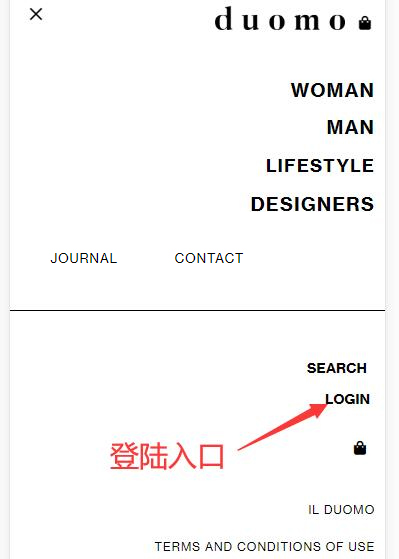
Click "LOGIN" to see the ilDuomo official website account login page. Enter your email address and password, then click "SIGN IN".
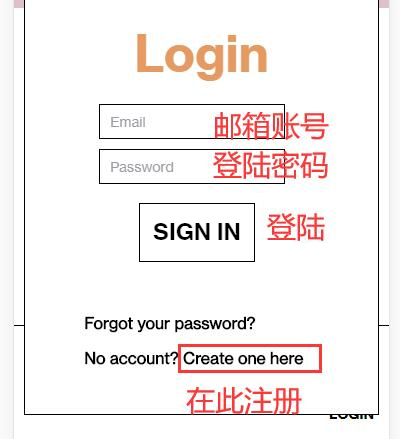
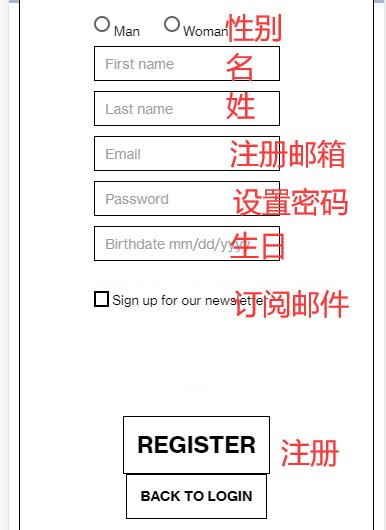
If you don't have an account, click "Create one here" as shown above to register a new account. When registering an ilDuomo account, fill in your first name, last name, email, password, birthday, and other information in order, then click "REGISTER" to submit.
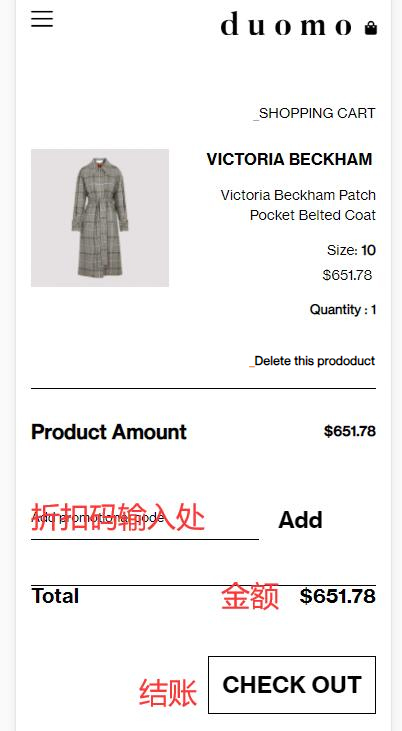
3. Place an order. Browse and select your desired items on the ilDuomo official website and add them to your shopping cart:

4. Go to the shopping cart to review your order. Enter any promo code here to get a discount, then click "CHECK OUT" to proceed to checkout:
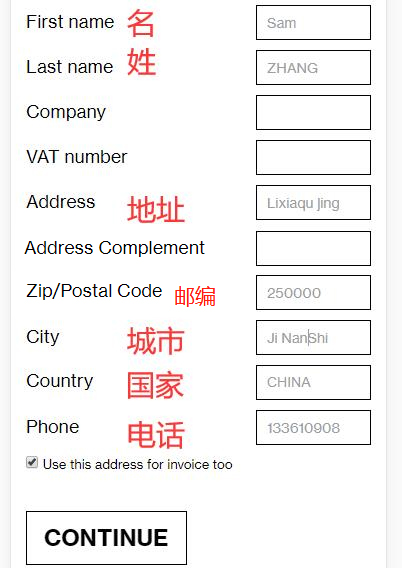
5. Fill in the shipping address on the ilDuomo official website. Since this is for direct shipping, enter your domestic address in pinyin, then click "Continue" to proceed:
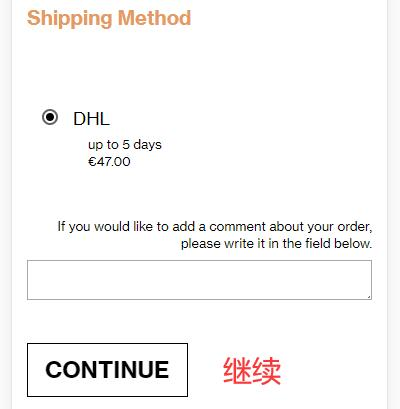
6. Shipping is handled by DHL. The shipping cost is 47 euros, with a delivery time of 5 days. Then click "Continue" to proceed.
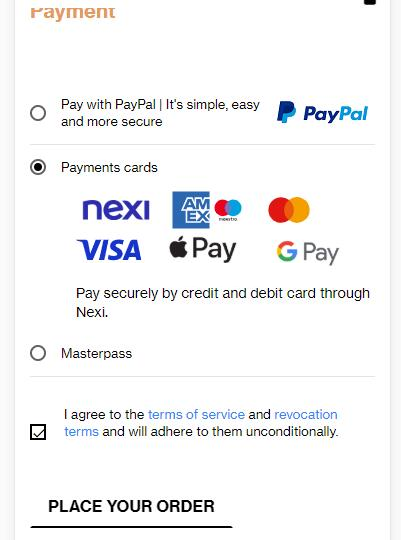
7. Choose a payment method. The ilDuomo official website supports PayPal and credit card payments. Select the payment method that suits you, then click "Place Your Order" to proceed.
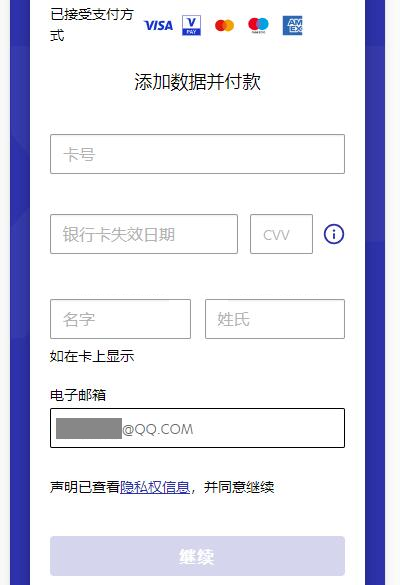
8. Fill in payment information. Using a credit card as an example, enter the credit card number, expiration date, cardholder name, and other relevant details, then click "Continue" to review the order and complete the payment.
9. Monitor your order status on the ilDuomo official website. If the order ships normally, simply wait for delivery.
II. Other Notes for Overseas Shopping on the ilDuomo Official Website:
1. The order total does not include taxes. If taxed, you are responsible for the customs duties.
2. Direct shipping to China is supported. Free shipping on orders over 700 euros. Orders under 699 euros incur a shipping fee of 47 euros, with a delivery time of 3-5 business days.
3. It is recommended to research clothing brand size charts in advance to avoid purchasing ill-fitting items.