Janie and Jack's official US website is a high-end online children's clothing store and part of the Gymboree Group's premium line. Compared to Gymboree, JANIE AND JACK's designs are more professional and detailed, especially the dress collection, which exudes high-end sophistication.?
Janie and Jack highlights an aristocratic feel in its craftsmanship, fabrics, and designs. Tom Cruise's daughter Suri is a big fan of this brand. However, you get what you pay for. Since some Janie and Jack products are hand-embroidered, labor costs are high. When new items launch, a small dress can cost around $180, and an evening suit set can be nearly $300.?
Occasionally, there are sales, such as 20% off the entire site with free shipping. The lowest discount I've seen is up to 70% off, with an additional 20% off that price. While the prices aren't as low as Carter's, the quality, fit, and style are superior. They are especially suitable for occasions like weddings and banquets. You can't buy them often, but splurging once in a while is fine.
Below is a guide to shopping on the Janie and Jack US official website via mobile. Let's take a look.
Step 1: Register
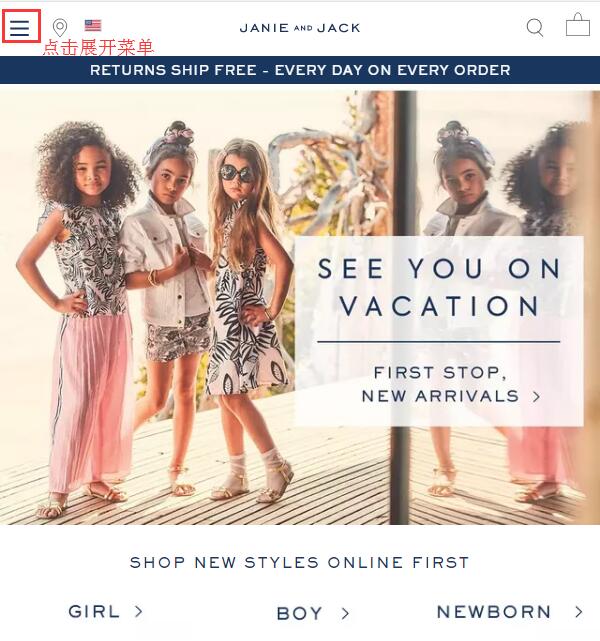
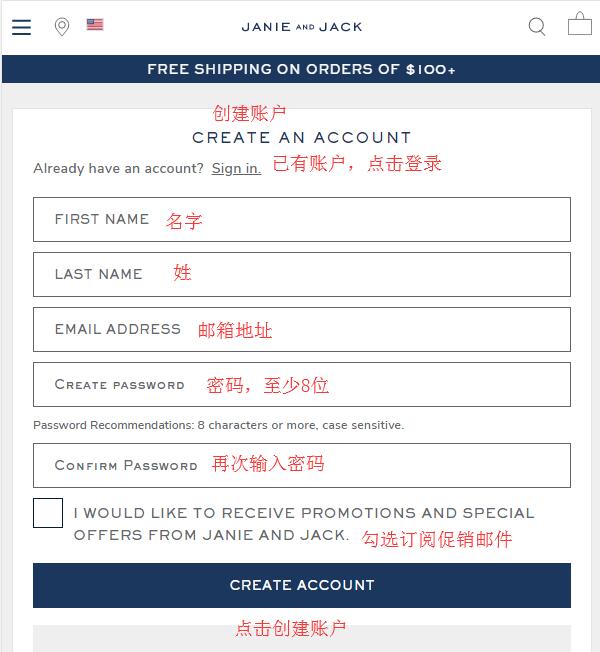
First, open the Janie and Jack official website: www.janieandjack.com. Click the menu in the top left corner, then click "Create an Account" at the bottom right of the menu to go to the registration page.
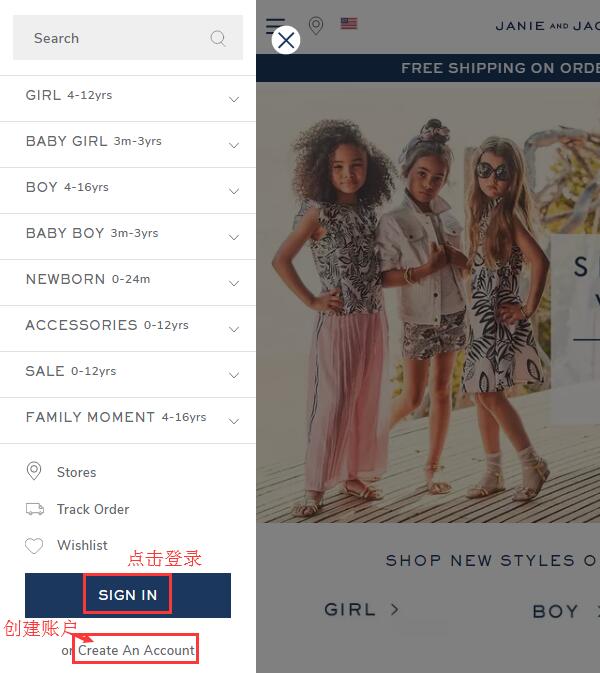
On the registration information page, if you already have an account, simply log in using the "Sign In" option. For new users, fill in your name, email, and a password of at least 8 characters as shown below. Click "Create Account" to submit and complete registration. After successful registration, the page will automatically redirect to your personal account page.
Step 2: Shopping
Browse the categories and navigation on the homepage, or use the search function to select clothing for boys, girls, or newborns. We'll use the dress below as an example to walk through the shopping process.
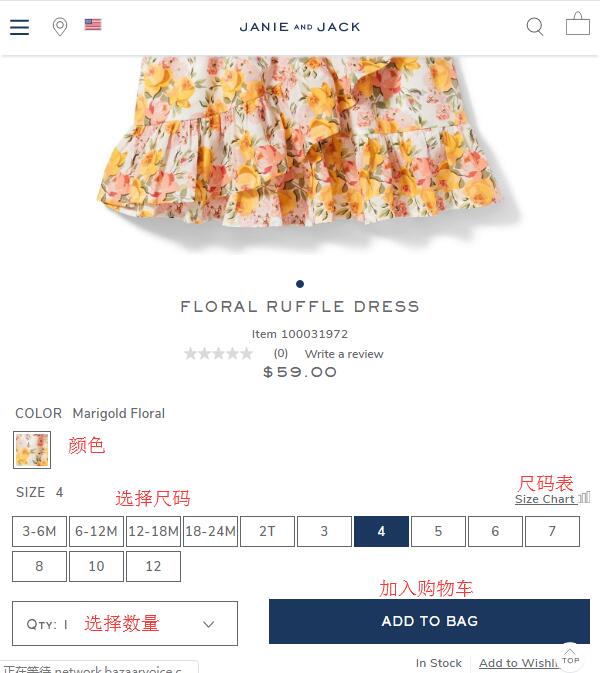
Click to enter the product details page, select the color and size, and click "ADD TO BAG" to add it to your shopping cart. If you're unsure about the size, click the "Size Chart" next to it to view the garment's flat measurements. Remember to check the unit conversion.
Step 3: Checkout?
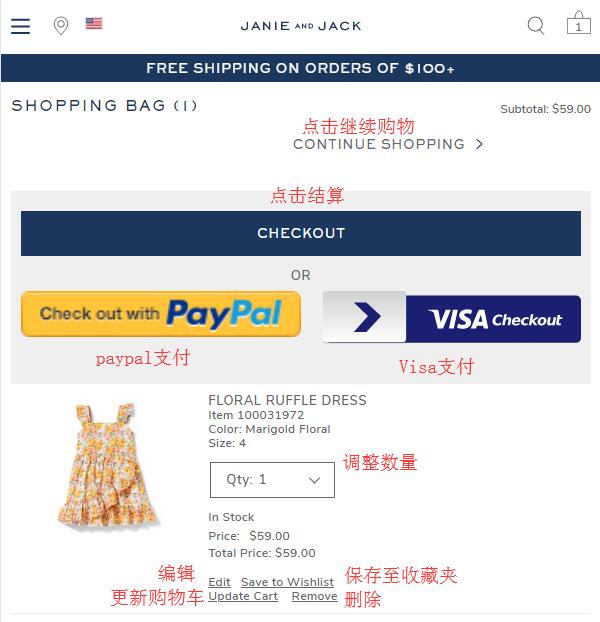
Click "Shopping Bag" in the top right corner of the page to enter your shopping cart and view the pre-checkout summary. Verify the product information is correct, then click "Checkout" to proceed. If you have a discount code, you can enter it at the bottom of the page to receive the corresponding discount.
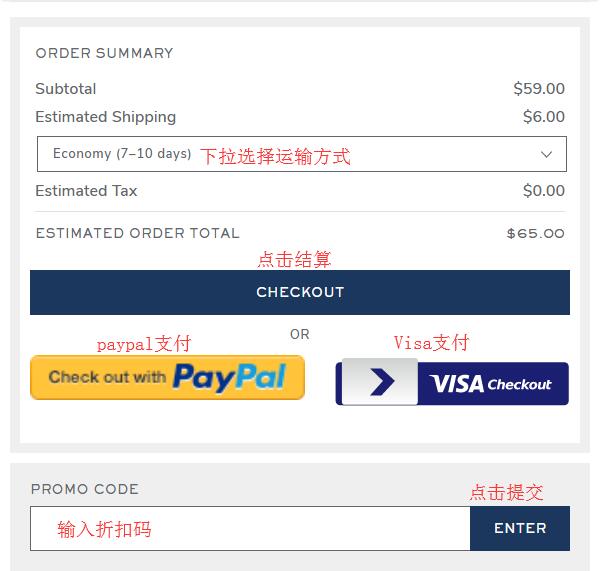
Next is the shipping address. The website supports direct shipping and freight forwarding. I recommend using a freight forwarder. Enter the forwarding address information, and check the box "Make default shipping address" to set it as your default mailing address. For the billing address, it is recommended to enter your actual domestic address, following the same format as the shipping address in the next steps. Then select a shipping method and click "Continue" to proceed.
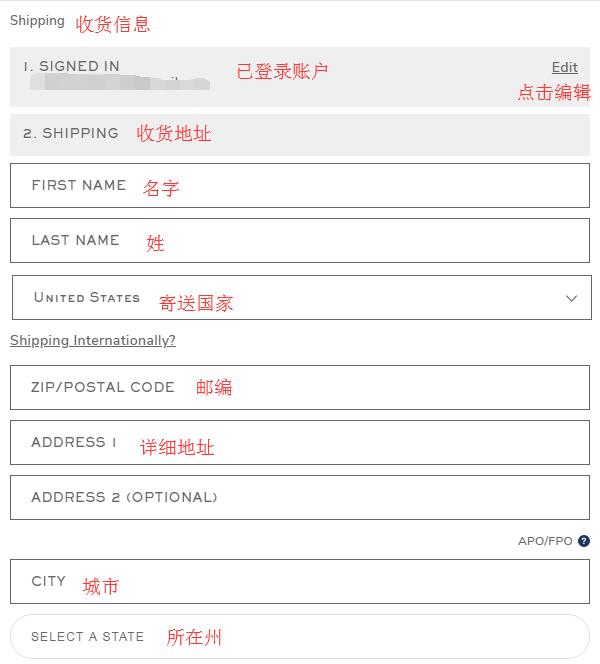
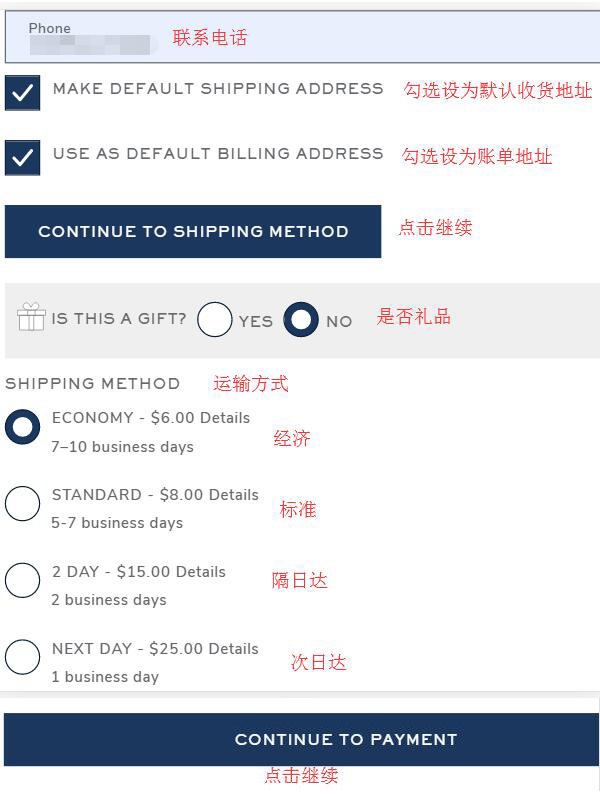
Note: Check if you need gift box packaging. If so, the information entry page is below. You can follow the instructions in the image below.
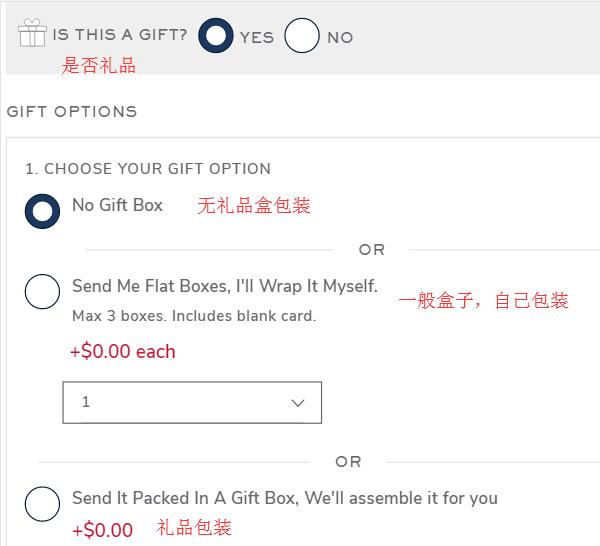
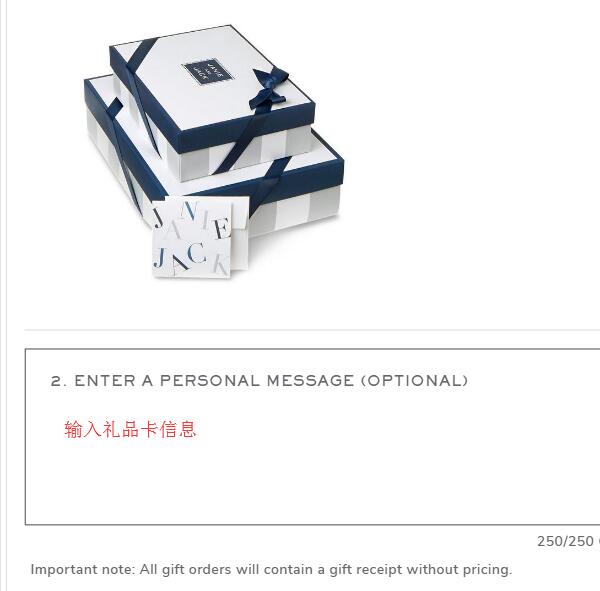
Next is the payment information. First, verify that all entered information is correct. Once confirmed, proceed to enter the payment method below. We choose to pay by credit card. Enter the card number, expiration date, security code, and other details, then click "Continue" to proceed.
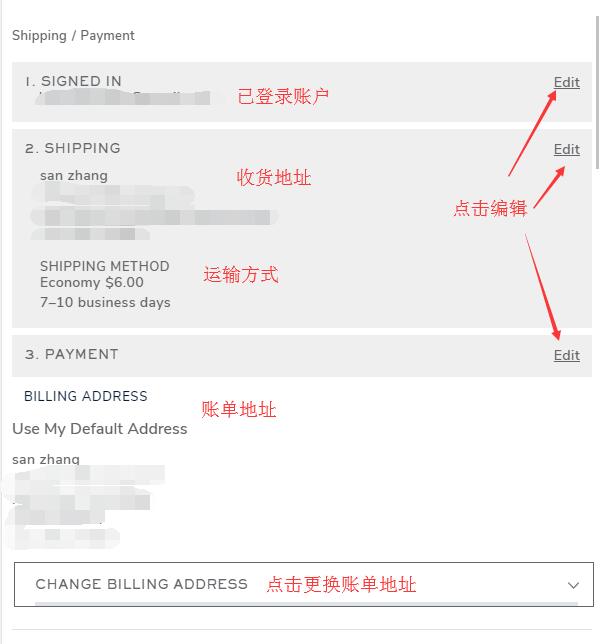
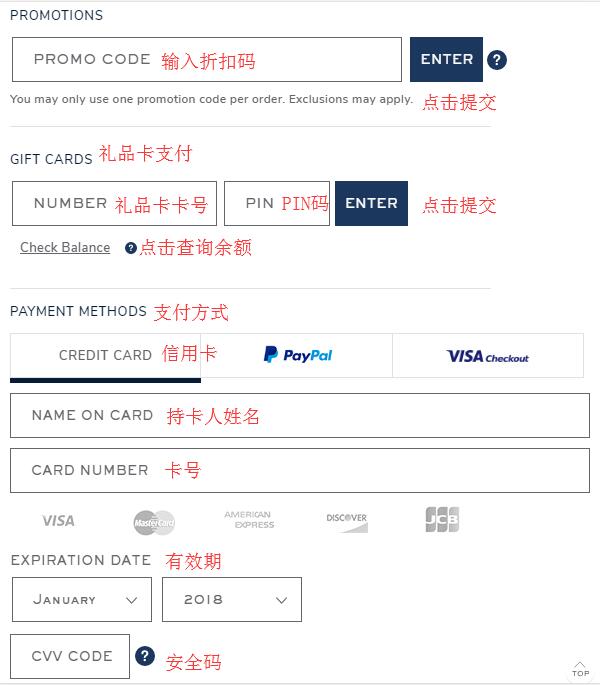
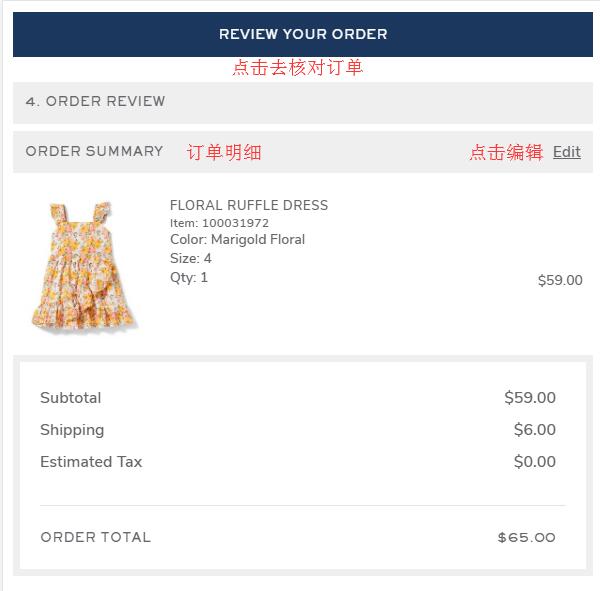
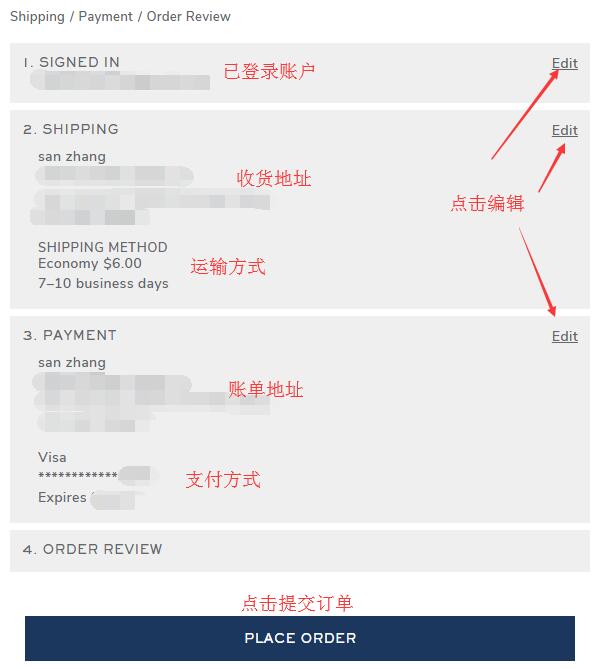
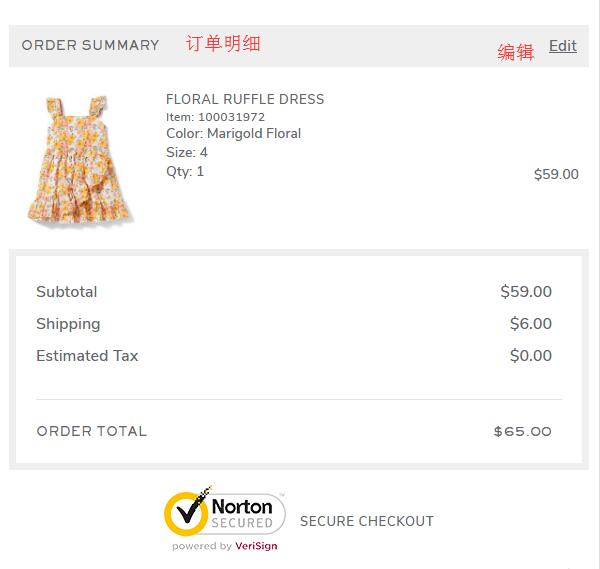
Final step: Review and submit the order. Carefully check that the shipping and payment information is correct, that no discount codes are missing, and that the product details are accurate. Once everything is confirmed, click "Place Order" below to submit the order and complete your purchase.