

SHOPBOP is a fashion women's clothing shopping website under Amazon, offering apparel, footwear, bags, accessories, and more from multiple well-known brands. It primarily features affordable luxury designer brands such as Alexander Wang, Tory Burch, and Marc by Marc Jacobs. The site doesn't have frequent promotions, but discounted items are always in-season, making it highly popular among overseas shoppers in China.
Official website: https://cn.shopbop.com/
Below is a guide to the ordering process on the Shopbop mobile site:
1. First, log in to the Shopbop official website to register. Click to expand the menu in the top left corner, then click Sign in to log in or register:

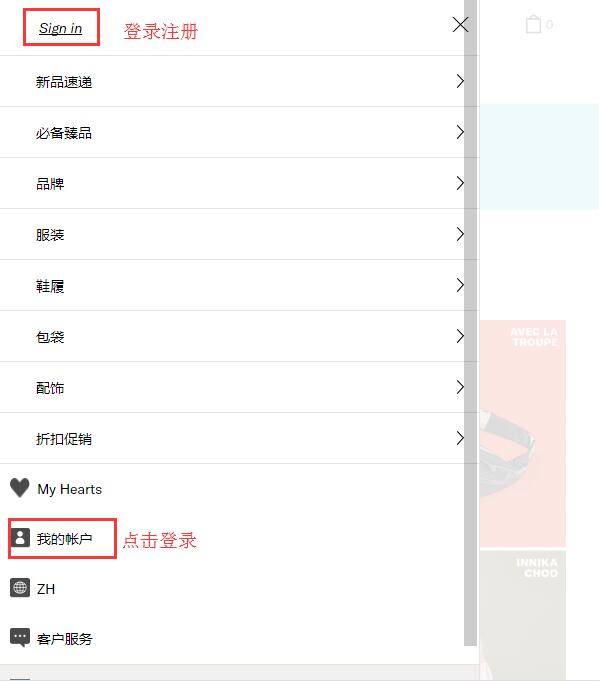
2. Existing users can log in using their email and password, or use their Amazon account to log in. New users can directly click "Create New Account" below:
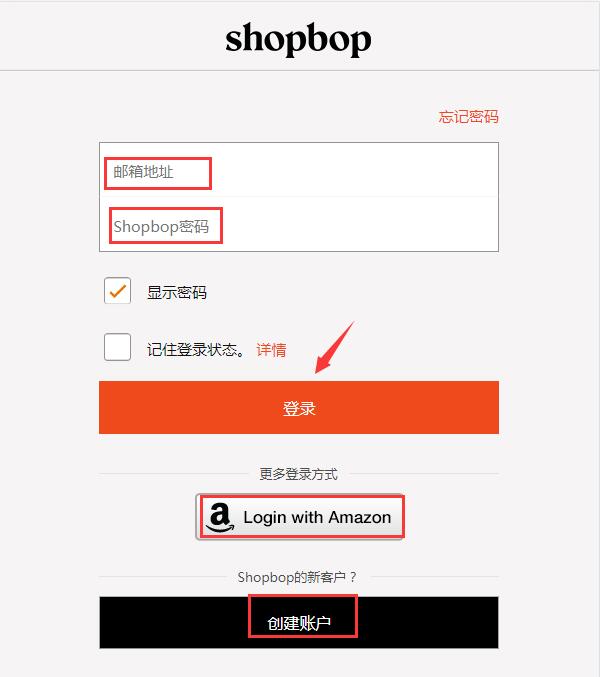
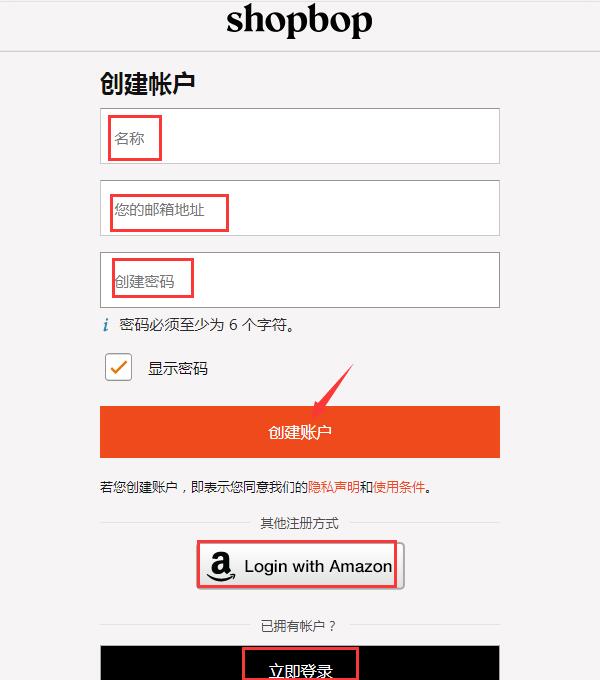
Fill in your name, email, and password as required by the site to complete registration. Note: All information must be entered in English, and names should be in pinyin (the site currently cannot recognize Chinese characters).
3. Once registered, it's time to shop! Select your desired products, choose size, color, and quantity, then add them to your cart:
Here, we'd like to remind you: Shopbop has a sales and promotions section featuring discounted items. Sometimes new arrivals are also on sale, offering great value. The sales section is categorized for easy browsing.
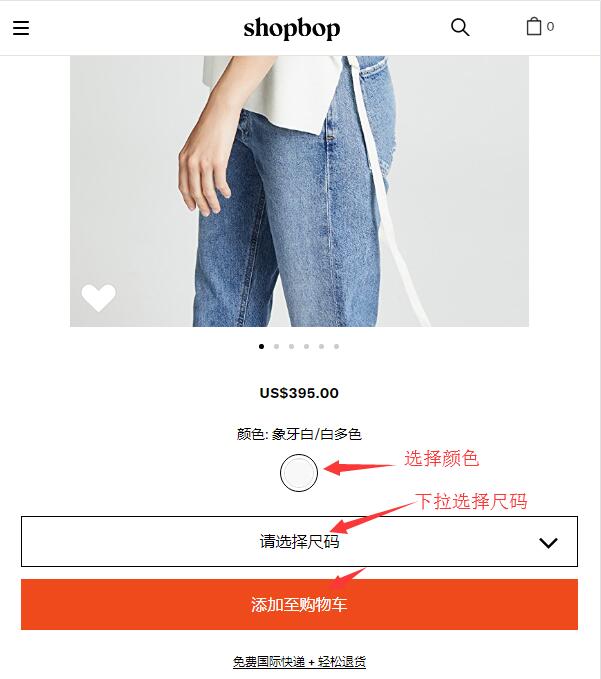
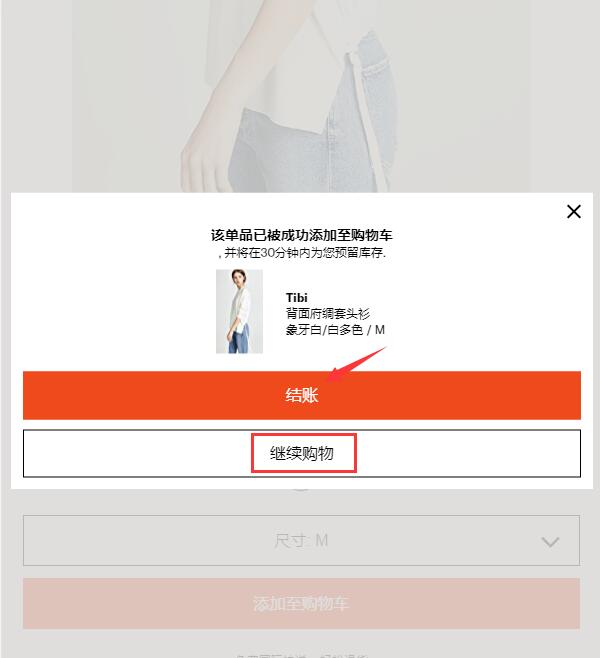
After adding items to your cart, a pop-up will appear with options to continue shopping or proceed to checkout. Select checkout to go to your cart:
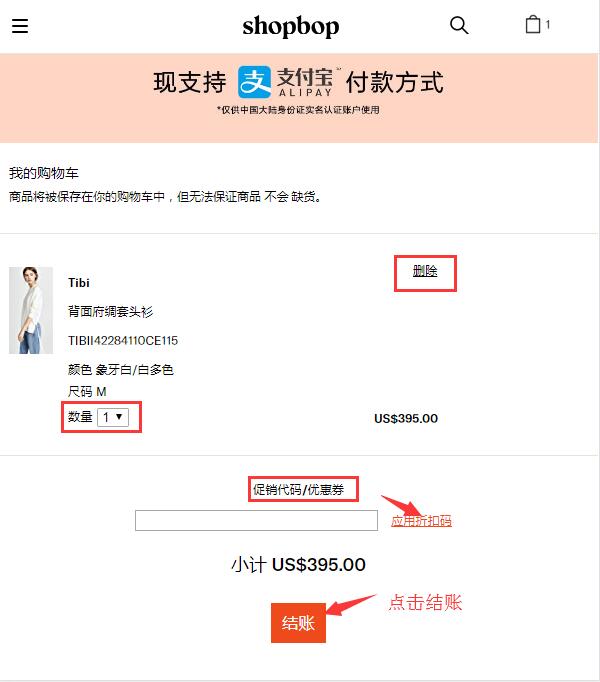
4. Items in the cart can still be edited. If you have a discount code, you can enter it in the blank space below to receive the corresponding discount, then proceed to checkout:
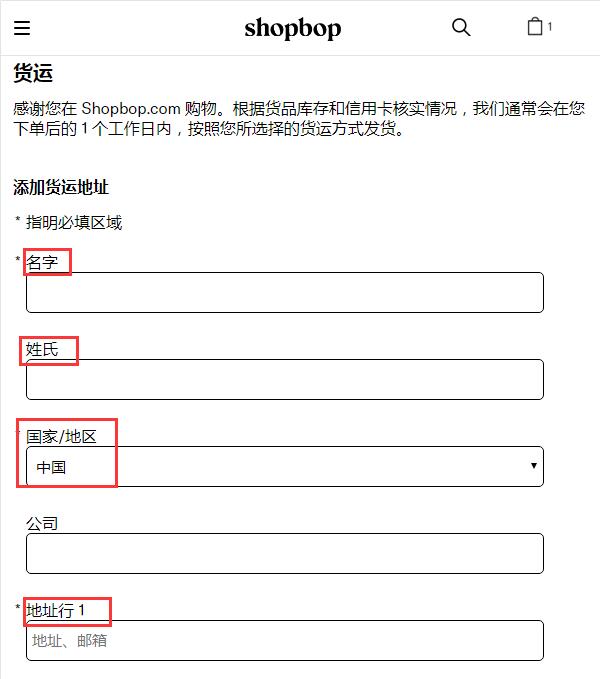
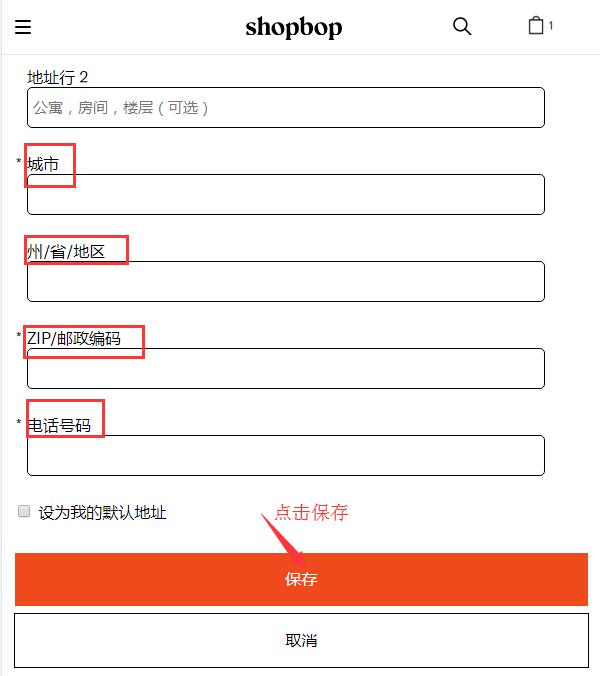
5. The first step in checkout is to fill in your shipping address. Enter your domestic address in pinyin as required by the site. Note: Postal sorting centers in each city have staff responsible for translating foreign addresses into Chinese and writing them on the mail. It's best to include your phone number on the second line of the shipping address, for example: "TEL:13611111112". Make sure the postal code is correct, as several postal stages from abroad to China rely on the postal code for regional delivery.
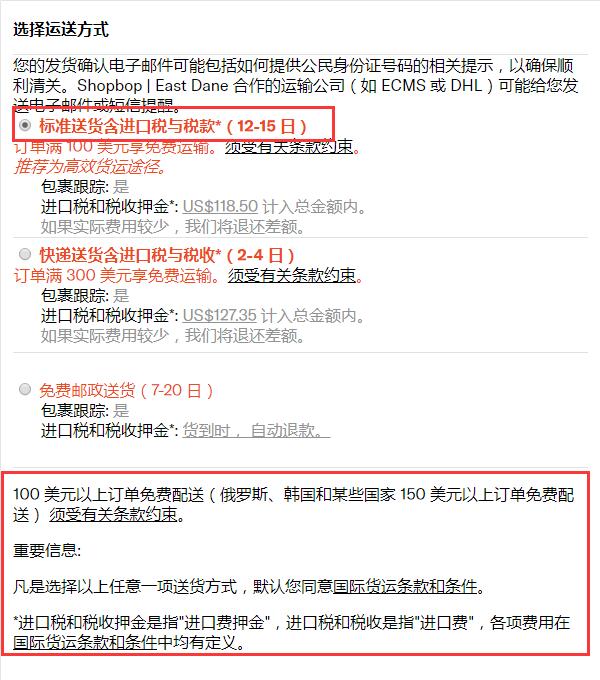
6. After entering the shipping address, choose a shipping method. Currently, SHOPBOP offers free international direct shipping for orders over $100. For orders under $100, a $10 international shipping fee applies. There are three options:
The first option requires prepaying customs duties, meaning you pay the duty at checkout. If the actual duty differs from the prepaid amount upon delivery, Shopbop will refund the difference or charge the extra.
The second option does not require prepaying duties, but if your package is selected by customs for inspection, you'll need to handle the tax payment yourself, which is cumbersome. Both options include package tracking, but avoiding duties is generally difficult.
We recommend the third option (EMS). It takes 7-20 business days, usually about two weeks. The advantage is no prepaid duties and a very low chance of being taxed. However, be careful not to order too many items at once; one or two items are best to keep the value and size small, reducing the likelihood of being taxed. Package tracking is available, and Shopbop has excellent after-sales service. If a package is lost, Shopbop will resend it, or refund you if the item is out of stock.
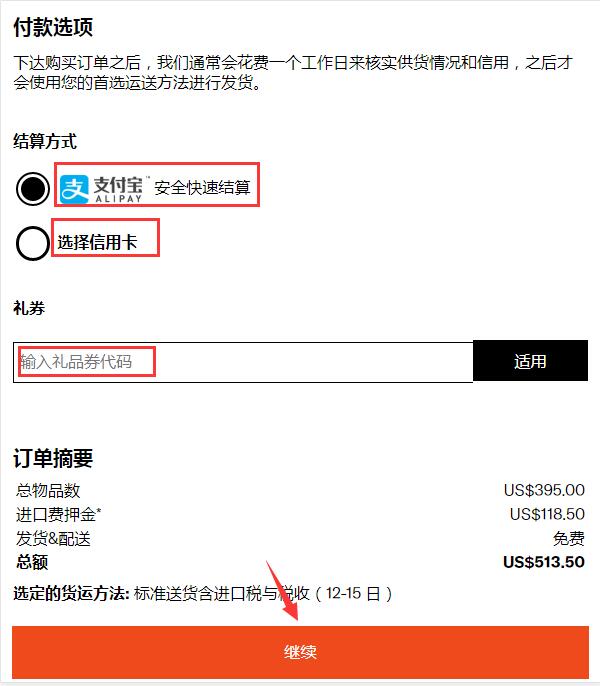
7. The next step is payment options. The official site currently supports Alipay quick payment. If you have gift vouchers or discount codes, you can use them here:
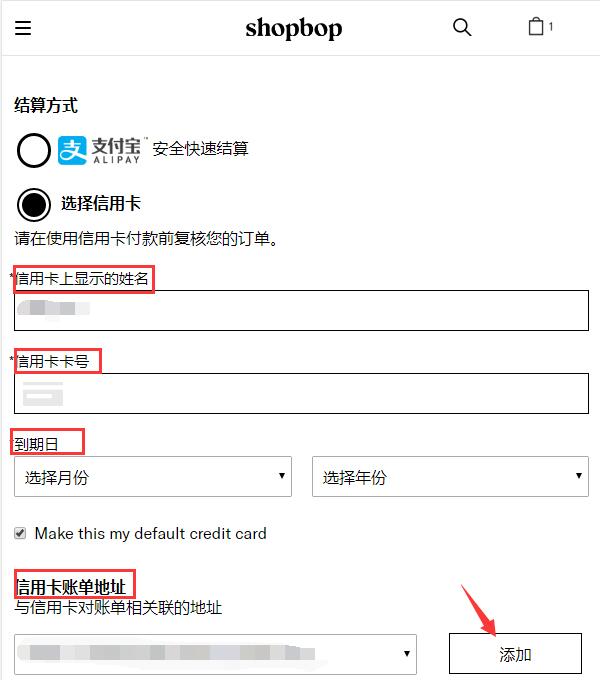
If using a credit card, select the credit card option and fill in the cardholder's name, card number, and other details as required. Most dual-currency credit cards are accepted. Note that the cardholder's name and billing address must also be entered in pinyin. Then click continue:
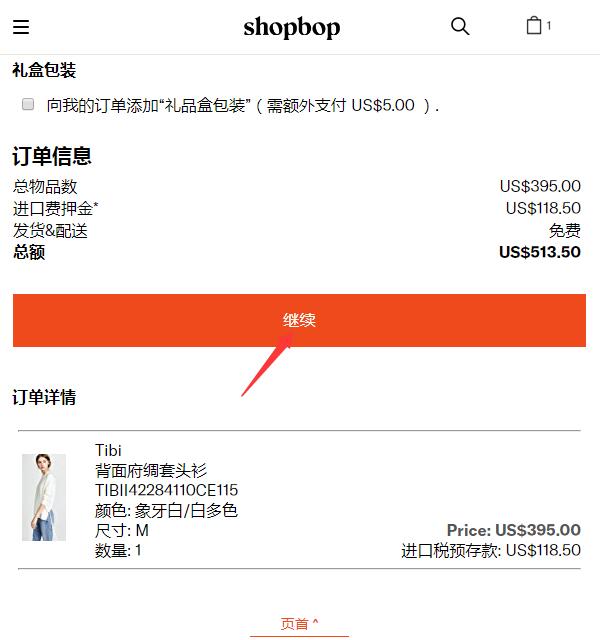
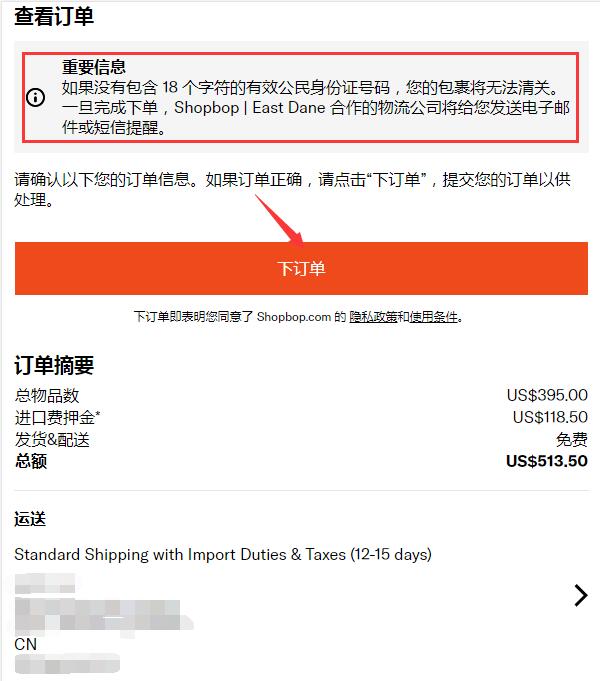
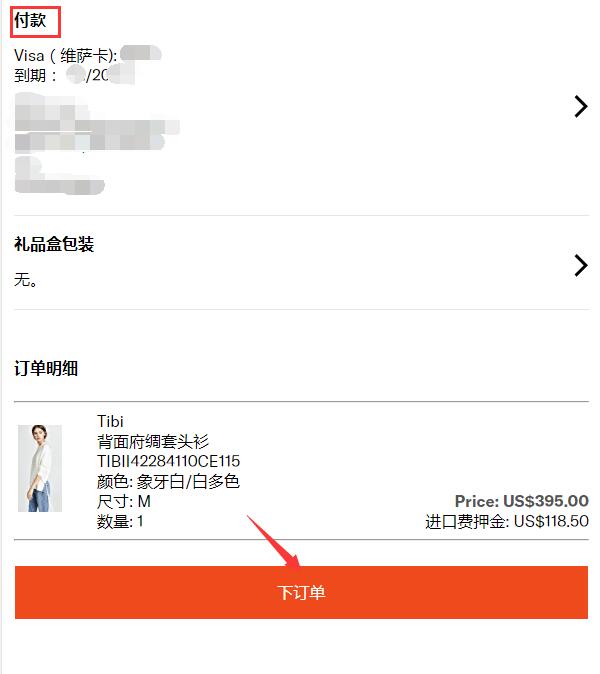
8. After entering all shipping and payment information, you will reach the final confirmation page. Verify that all details are correct, then place your order:
Note: After placing the order, you will be asked to provide your ID number for customs clearance. Simply fill it in as requested:
Other important notes:
(1) Once an order is placed on SHOPBOP, no changes can be made online, including cancellations. If you need to cancel or void an order for any reason, call official customer service within 2 minutes of placing the order. Chinese customer service: 400-890-4666
(2) If there is an issue with the received item, do not wear, alter, or wash it. Keep the original packaging and tags, take photos of the item, send them to customer service to request a return and refund, and return the item within 30 days of placing the order.
(3) Chinese customer service email: