

Jomashop is a website many of you will find familiar. It's an online watch retailer based in the US, founded in 1987. While primarily focused on watches, it also sells bags, jewelry, stationery, and other products. As a well-established North American shopping site, it's trustworthy. It offers a wide range of watches, from top-tier brands like Vacheron Constantin to popular Chinese favorites such as IWC, OMEGA, and TISSOT, ranking highly in online watch sales in North America.
Below is a guide to overseas shopping using the Jomashop US official website on mobile.
First, go to Jomashop to register an account.
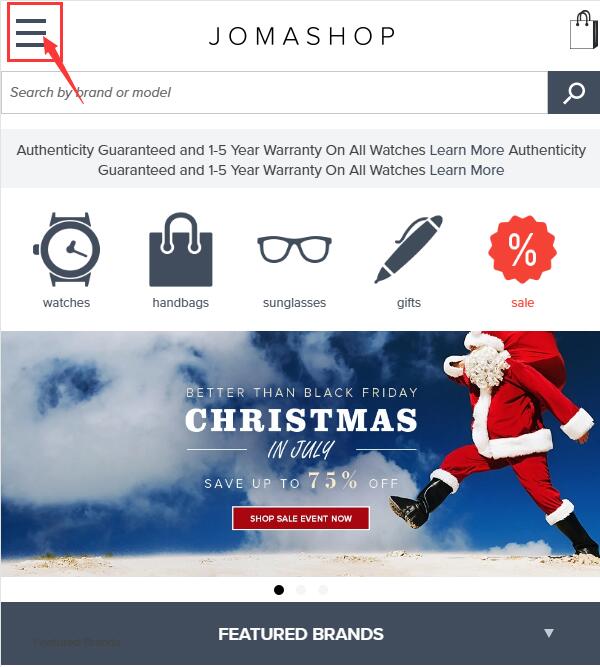
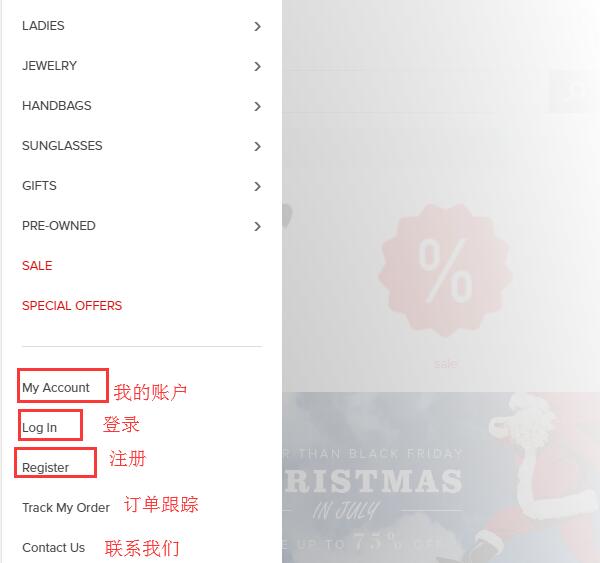
1. Click to expand the menu at the top left of the homepage, then click "Register" at the bottom left:
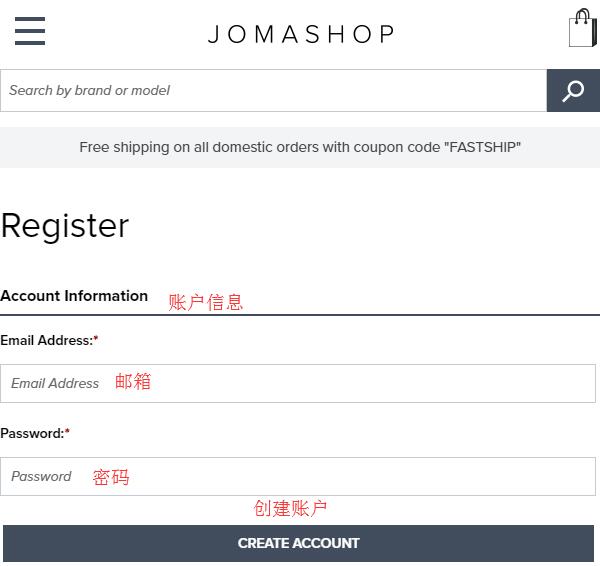
2. On the registration page, enter your email address and account password. After filling them in, click "CREATE ACCOUNT" to proceed to the next step:
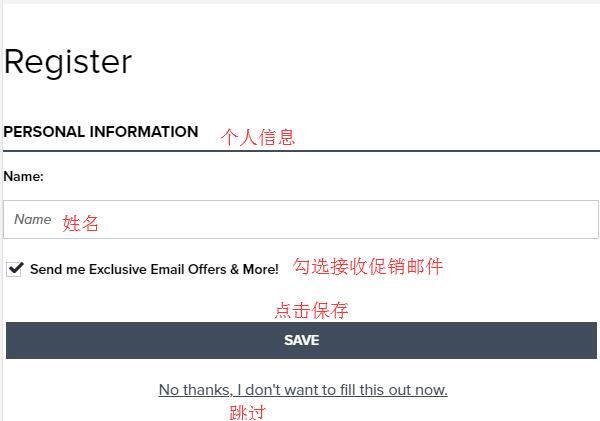
On the new page that loads, enter your name (or username), check the box if you want to receive promotional emails, and click Save. You can also skip this step and complete it later.
3. Click to expand the menu, and browse for products you like using the menu categories or the search bar at the top left:
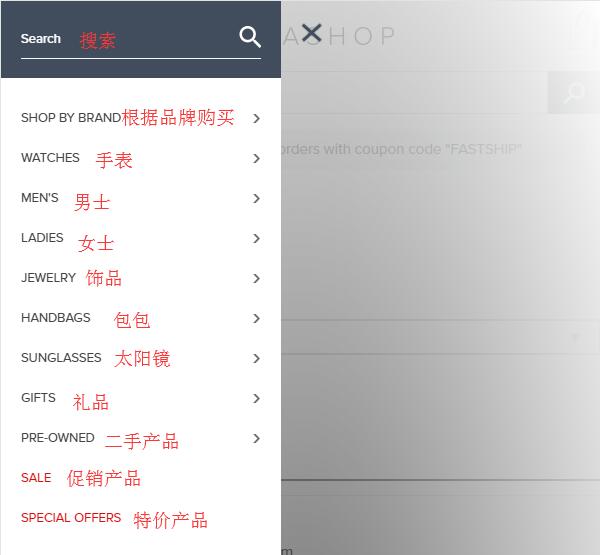
Click "special offers" to enter the promotions page. Here you can see brands, discounts, promotion periods, and other information. You can also select products based on promotional brands:

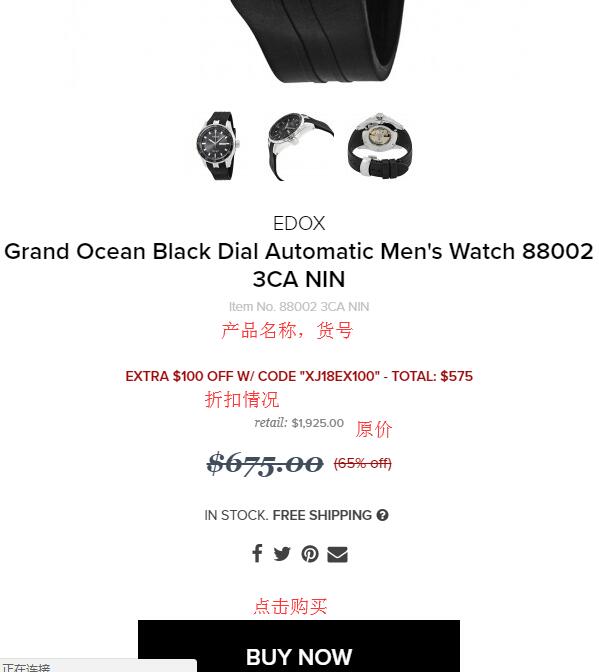
4. Once you've chosen your desired product, select the quantity and click "Buy Now" to add it to your cart:
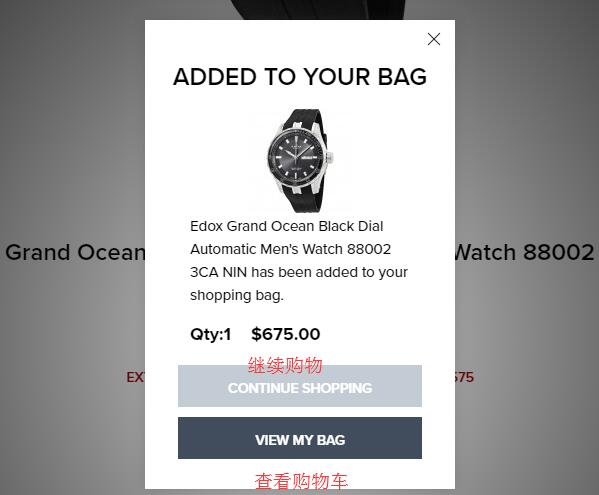
A small window will pop up. Click "VIEW MY BAG" here.
5. In the shopping cart, you can edit the items. If you have a promo code, enter it in the "Promo Codes" field and click "APPLY PROMO CODE".
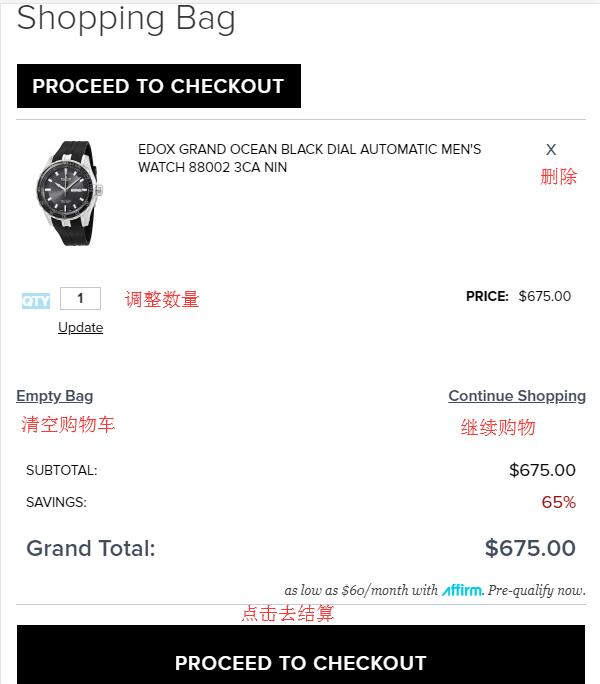
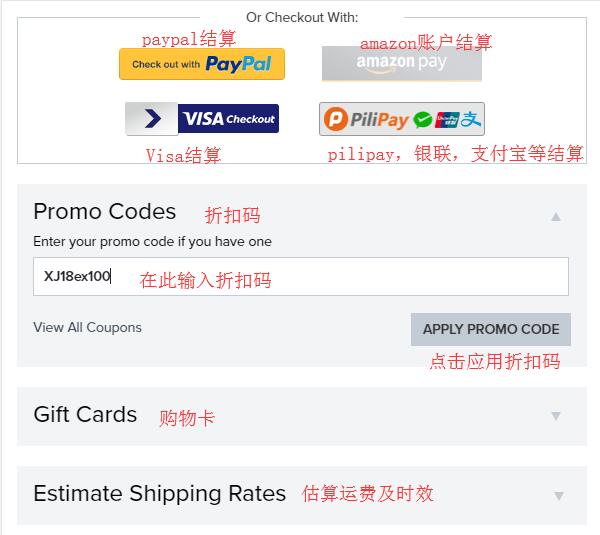
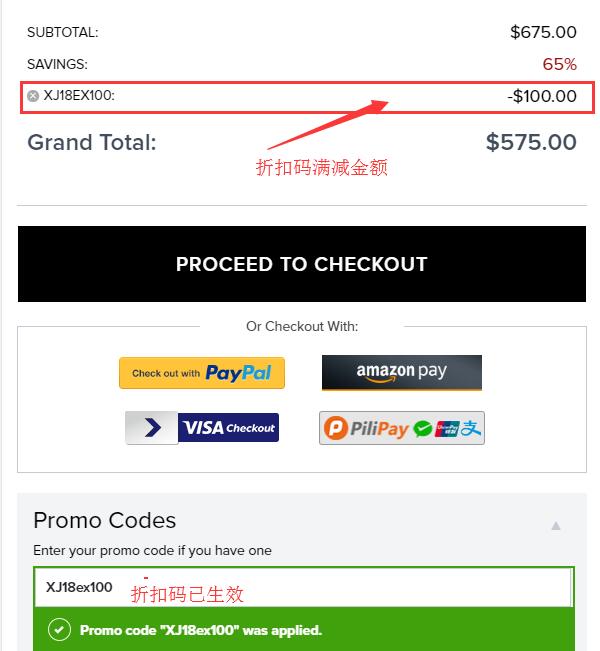
The image below shows the total price and the content displayed in the promo code field after entering the discount code:
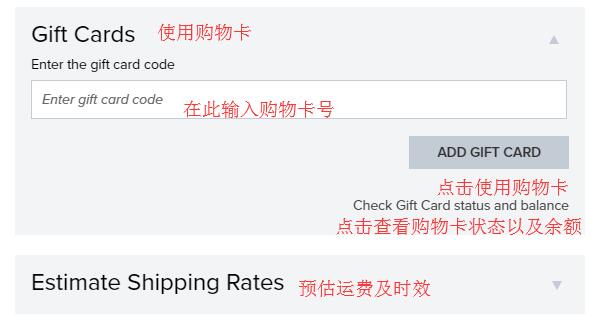
If you have a gift card, you can use it for checkout. Enter the gift card number in the "Enter gift card code" field below and click "ADD GIFT CARD" to use it.
Additionally, the shopping cart has a feature to estimate shipping costs. Select the state of your forwarding address and enter the zip code, then click "GET QUOTE". Different shipping options and their costs will be displayed below. You can enter the free shipping promo code FASTSHIP (valid long-term) here, so the first option, Ground, will be $0. If you don't need express delivery, you can select the first "Ground" shipping method, which takes about 5-7 days to deliver to the forwarder.
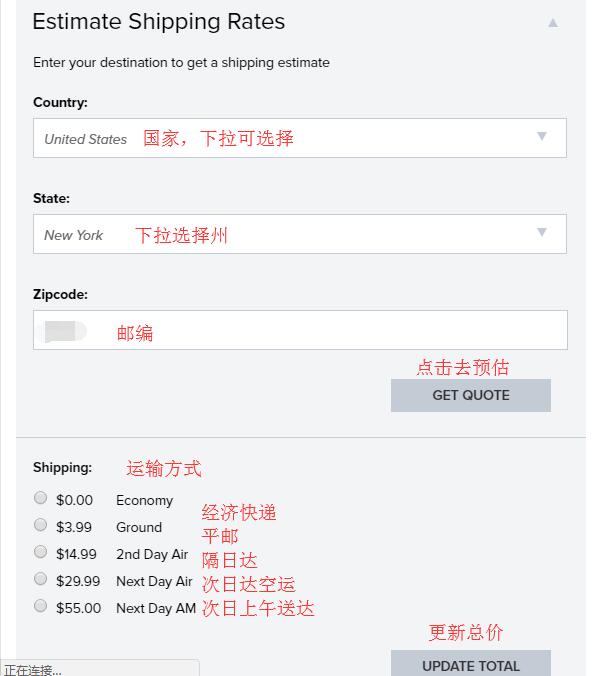
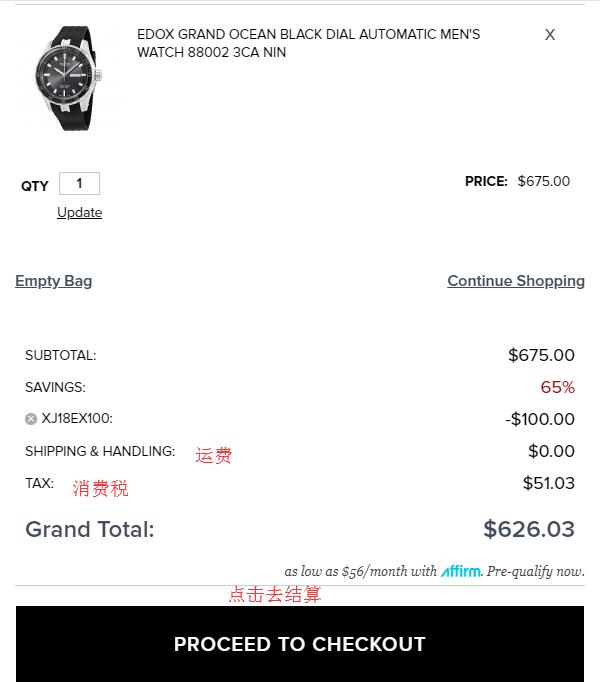
After selecting the shipping method, the order total on the right will be automatically calculated based on the product price plus shipping (as shown below). Once confirmed, click "PROCEED TO CHECKOUT" to proceed to payment.
Note: I selected an address in New York State here, so sales tax will apply. If you're not in a hurry and want to save money, you can choose to use a tax-free state address provided by your forwarding company to reasonably avoid this sales tax.
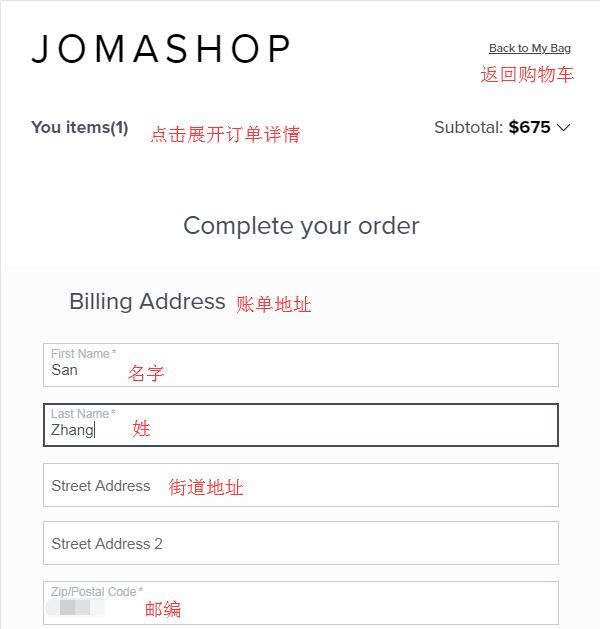
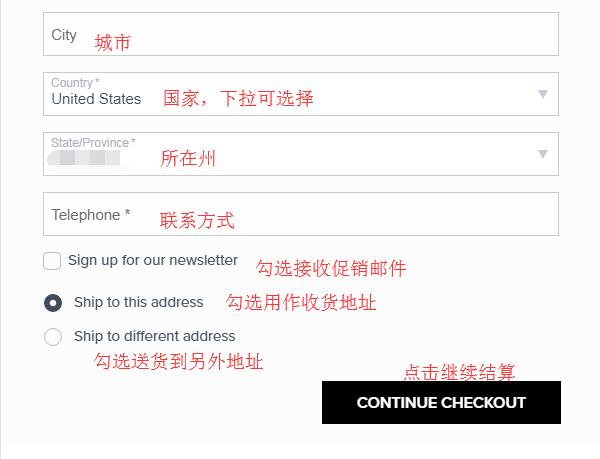
6. Step one of checkout: fill in the billing address. Follow the prompts to enter the relevant information. The system will default to making your credit card billing address the same as your shipping address. According to user reports, if the credit card billing address is incorrect, it may lead to order cancellations. Therefore, it's recommended to enter your real domestic address here. Then, under the shipping address, select "ship to different address" and fill in your forwarding address as prompted. Click "Continue Checkout":
7. Select the shipping method. As mentioned earlier, after entering the free shipping promo code, you can directly choose Ground. If you used another promo code, selecting Economy by default is also fine. Below, choose the payment method:
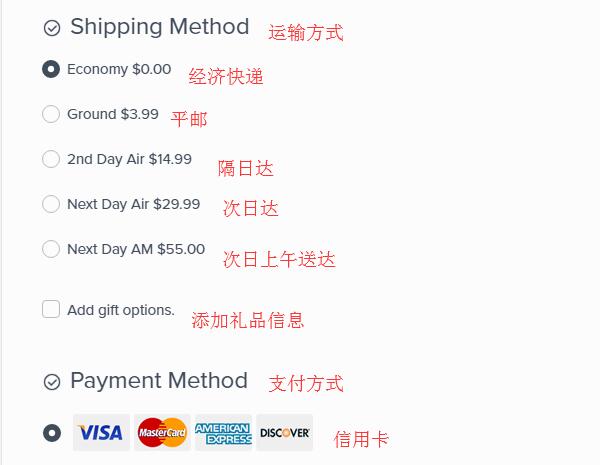
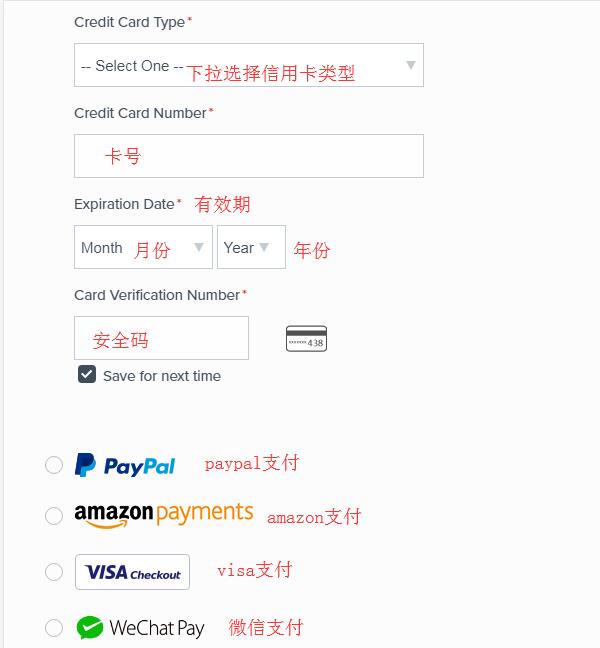
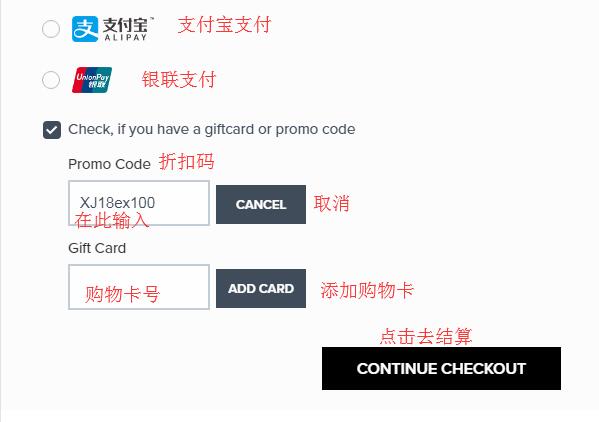
Enter your credit card information. Here we use a credit card for payment. After filling it in, click "Continue Checkout" below. You can see that the official website now supports WeChat Pay and Alipay, which are familiar to us. If you don't have a credit card, you can consider using these two methods. Also, if you didn't enter a promo code earlier, you can still do so here to get the corresponding discount:
8. The final step: carefully review and confirm the order. Double-check that all the entered information is correct. Once everything is confirmed, click "Place order" to submit the order.
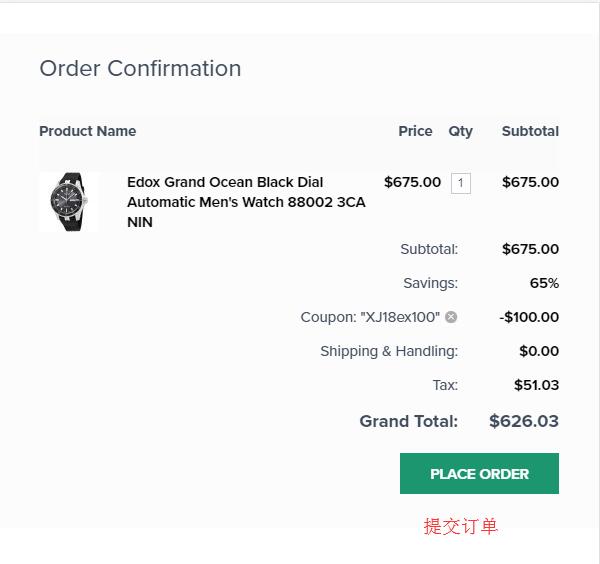
This completes the entire shopping process. If you want to view order details, you can go to "My Account" and check the order history. If you need to cancel or modify an order, click the "Contact Us" link to reach online customer service. The online customer service is available from 9 AM to 9 PM US time on weekdays.
Finally, a reminder: watches are valuable items and may be subject to customs duties. If the price is very high, it's recommended to bring them back personally.