

Italy is a world-renowned fashion country, and many major fashion brands originate from there. italist is an online store based in the United States that specializes in selling Italian luxury brands, offering a wide range of well-known names. The website supports free global direct shipping. Usually, the country option is automatically assigned based on your IP address when placing an order. However, direct shipping to China incurs additional customs duties. You can switch countries by accessing the site in an overseas network environment. Tests show that direct shipping to Hong Kong is duty-free, and shipping costs are calculated based on product weight.
This article introduces the italist official website direct shipping overseas shopping guide, telling you how to place orders and shop on the italist official website. If you also want to place an order on the italist official website but don't know how, feel free to click and check out this italist official website overseas shopping guide tutorial.
1. Open the website;
italist official website overseas shopping URL: https://www.italist.com, click the link to access directly;
2. Register an account;
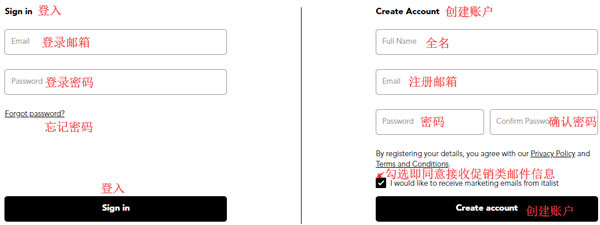
Click Sign in / Sign up in the upper right corner to log in or register an account;

Friends who have already registered can choose Sign In to log in. Unregistered users should select Create Account to register an account;
3. Select products;
Add the products you want to purchase to the shopping cart, then click Bag in the upper right corner to view the cart and go to the shopping cart page;
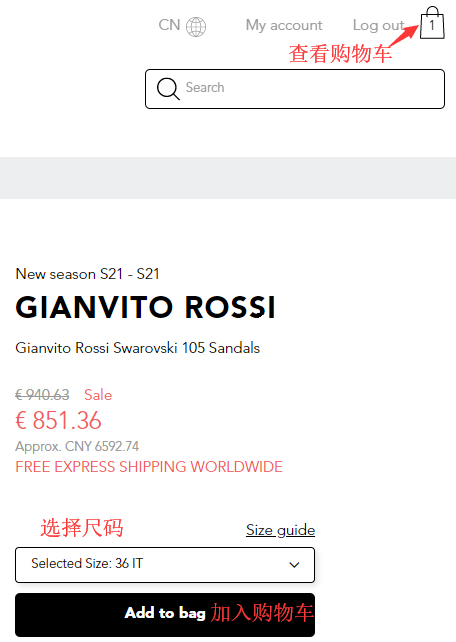
4. Click Bag in the upper right corner to view the shopping cart, then enter the shopping cart page;
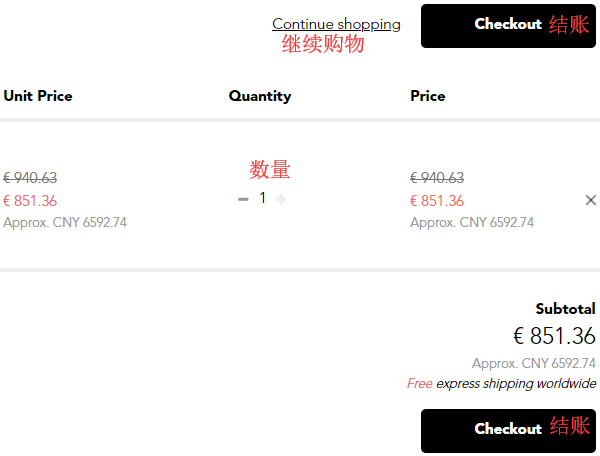
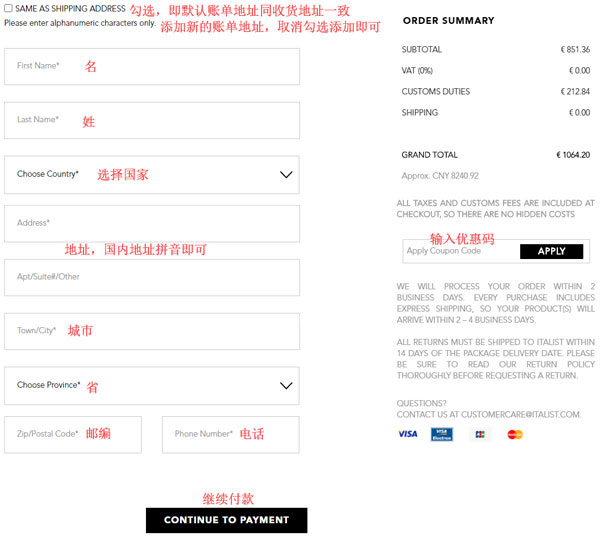
5. Click CHECKOUT to enter the shipping address page, using direct shipping as an example here;
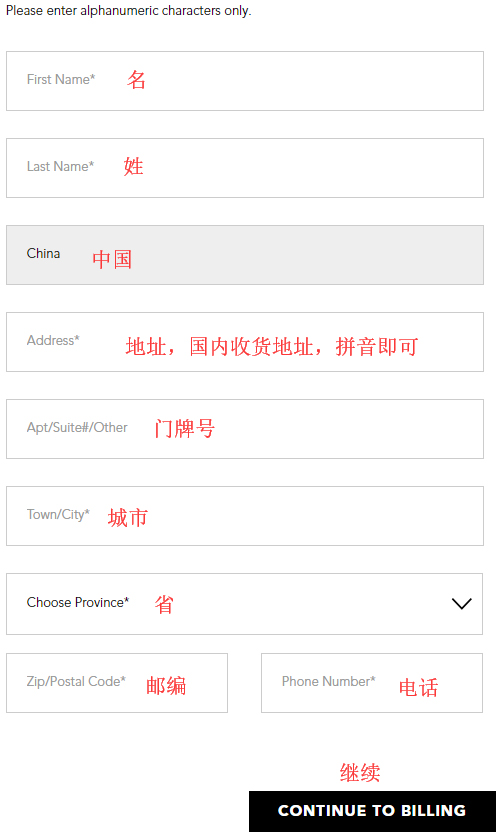
6. Next, enter the billing address page;
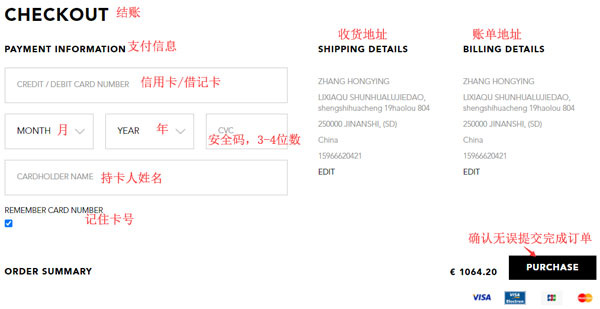
7. Then, enter the payment information page, review the order, and if everything is correct, click PURCHASE to submit the order. The shopping process is now complete.
8. All that's left is to wait for the delivery!