

KENZO is a brand founded by Kenzo Takada in France, emerging in the fashion world since 1970. It combines the serene意境 of Eastern culture with the lively passion of Latin ethnicity, featuring bright and lively styles with elegant and unique designs. The lifelike embroidered tiger head, in particular, is a favorite among many fashion trendsetters.
This article introduces a guide on how to shop on the KENZO US official website, explaining the steps to place an order and make purchases. If you also want to order from KENZO but don't know how, feel free to click on this KENZO overseas shopping guide.
1. KENZO Official Website Ordering Tutorial:
1. Open the official website
KENZO US official website URL: https://www.kenzo.com/us/
2. Log in to your account
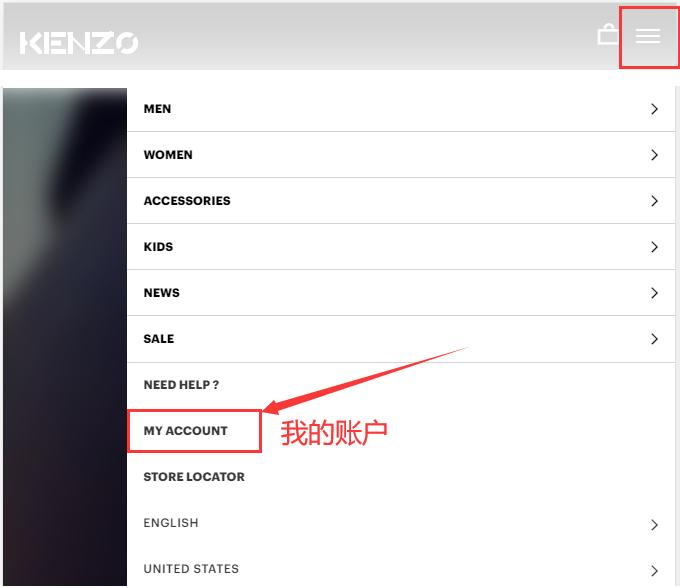
Click the dropdown menu in the upper right corner of the page and select My Account
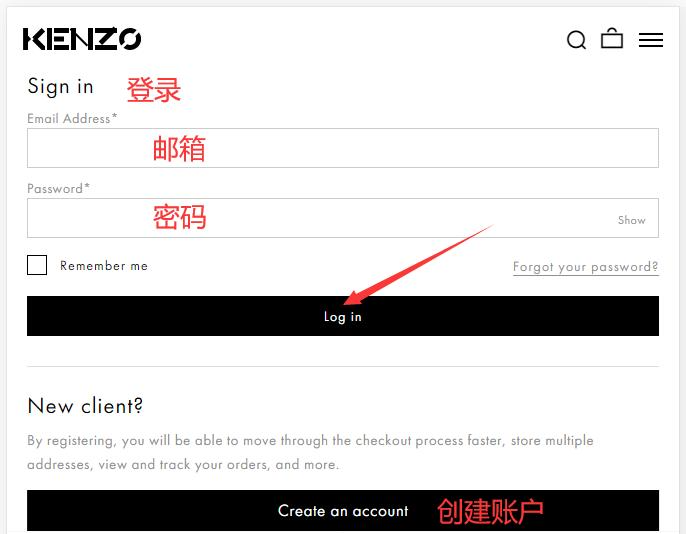
Existing users can log in with their email and password; unregistered users click Create
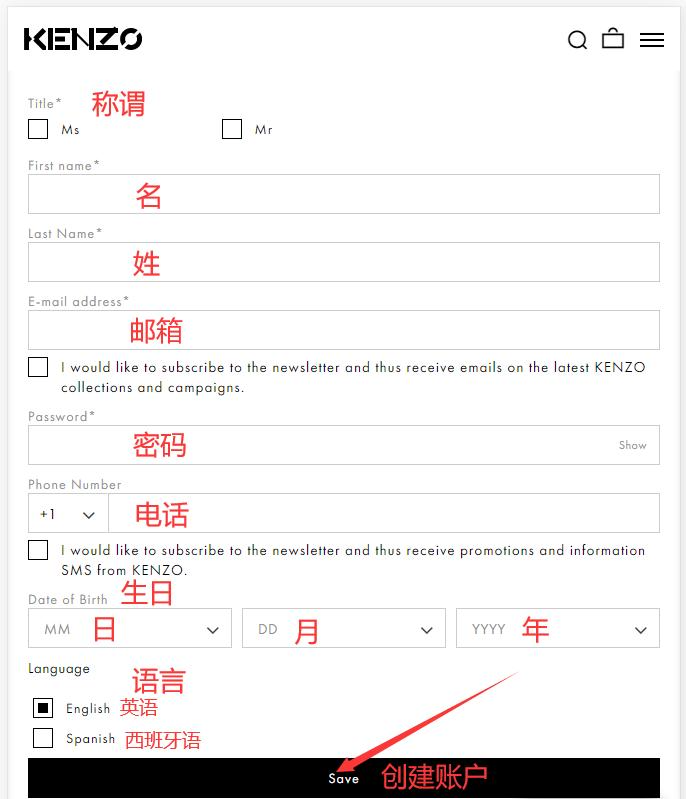
Enter registration information
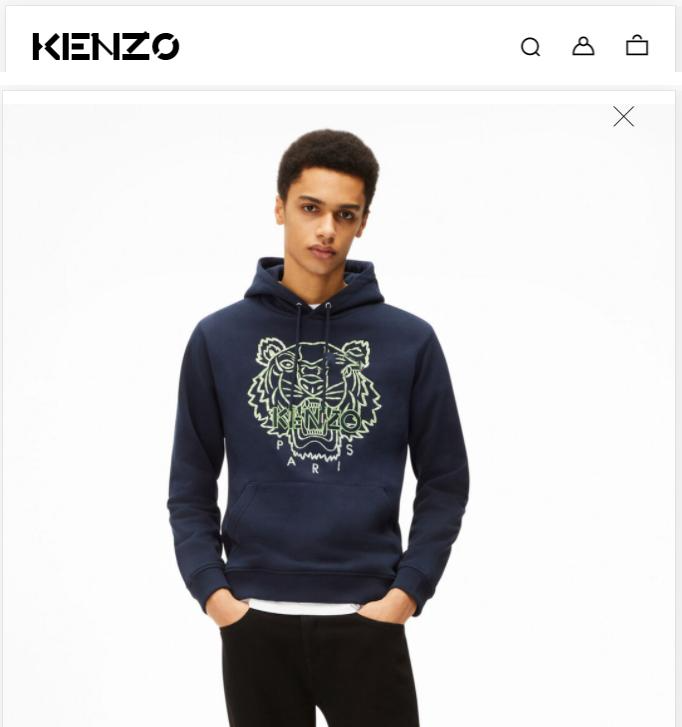
3. Select items and add to cart
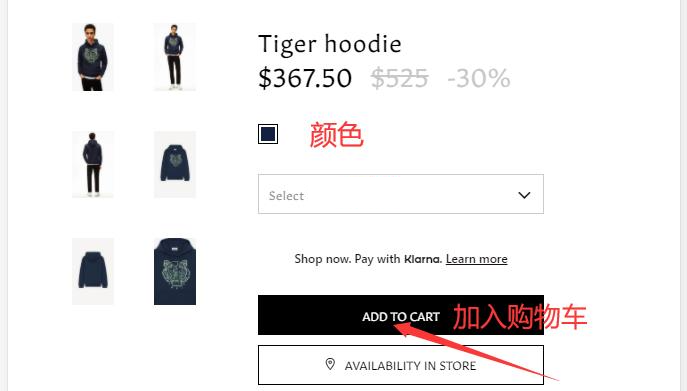
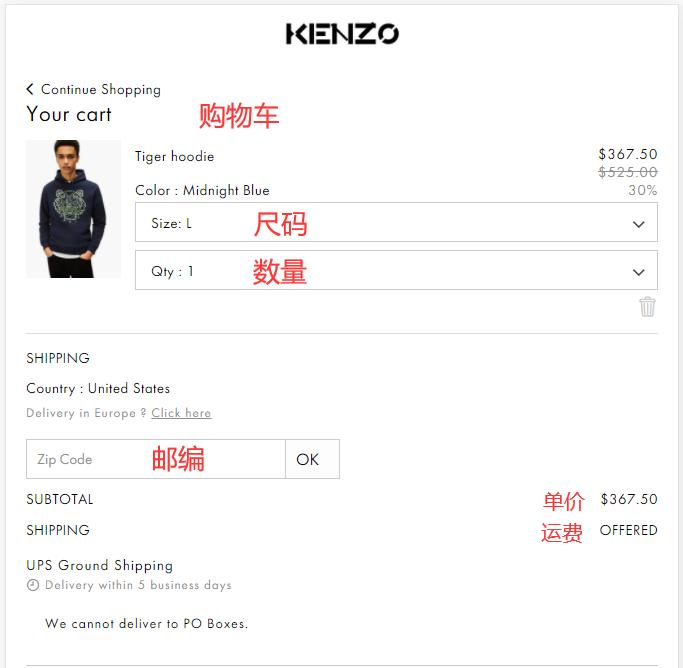
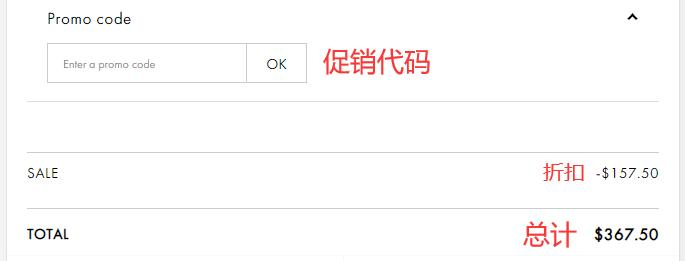
4. Open the cart and enter the zip code. If you have a promo code, you can enter it here to get a discount
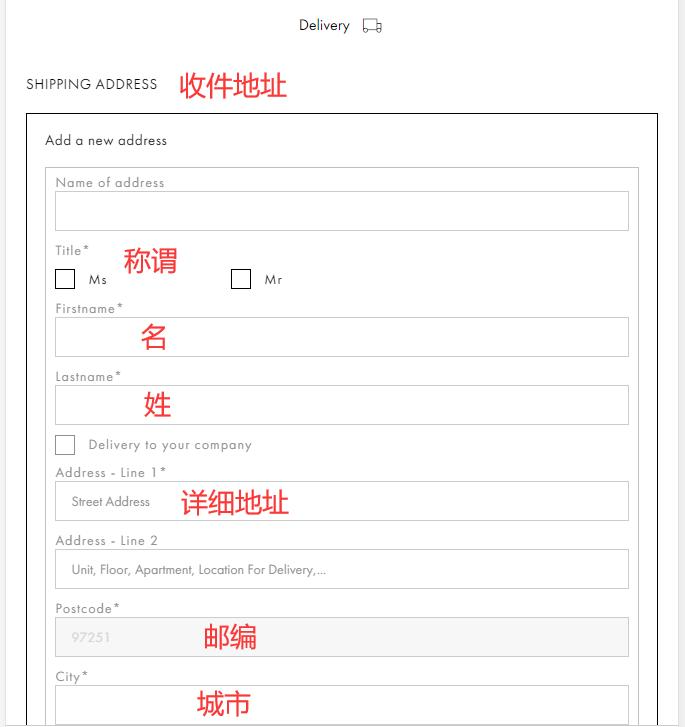
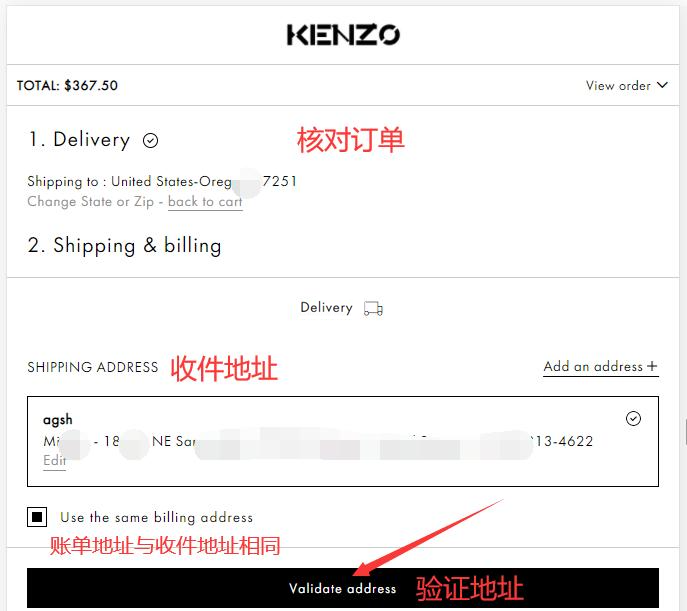
5. Fill in the shipping address

6. Verify the shipping address. If the shipping address differs from the billing address, it can be changed
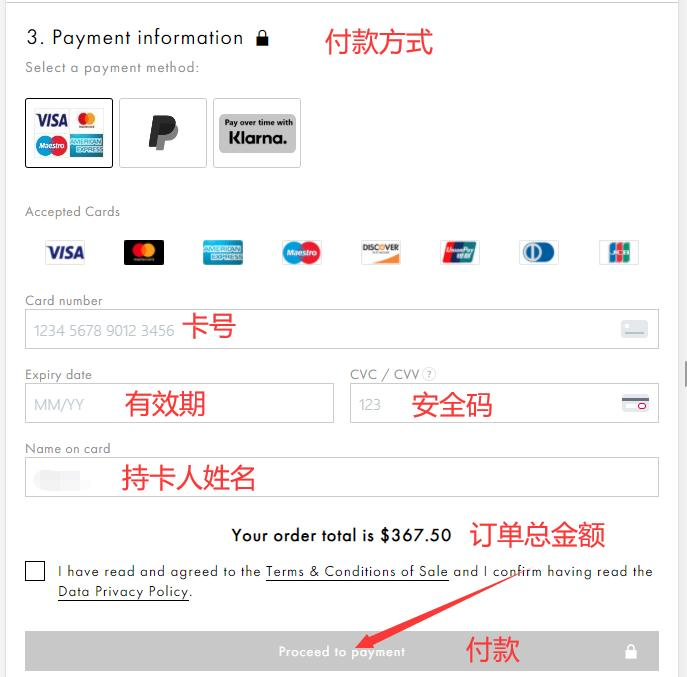
7. Choose a payment method
Using credit card payment as an example, fill in the cardholder's name, card number, expiration date, security code, and other details completely. Once confirmed, submit the order.
8. The rest is just waiting for the forwarding company to receive the goods and preparing the forwarding details for delivery!
2. Notes for Ordering on the KENZO Official Website
1. Supports UnionPay, Visa, MasterCard, American Express, Discover, JCB credit cards, and PayPal payments
2. Does not support direct shipping to China; requires forwarding service for orders. Free shipping within the US.