

Kiko Milano, known as KIKO, is a cosmetics brand from Milan, Italy. Popular across Europe, it is the official makeup brand used for Armani runway shows. The KIKO MILANO cosmetics universe features a diverse range of color combinations, with products made from high-purity, vibrant pigments. Combined with unique formulas and innovative textures in both makeup and skincare, KIKO MILANO has become a benchmark of innovation in the cosmetics world. Due to price differences between countries, the KIKO UK official website has also become a popular cross-border shopping site for Chinese users.
This article mainly introduces the ordering process for KIKO UK official website. Interested readers, please continue reading below!
KIKO UK official website entrance: https://www.kikocosmetics.com/en-gb/ Click to enter.
The specific cross-border shopping process on the KIKO UK official website is as follows:
1. Click the icon in the top right corner of the KIKO UK official website to select login or registration. If you have an account, choose to log in directly using your email and password. If you don't have an account, you can click to register. Below, we use new user registration as an example to explain in detail.

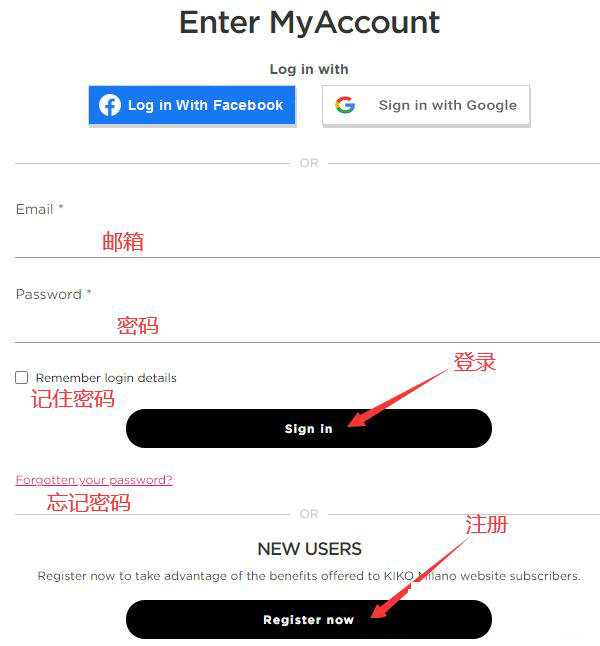
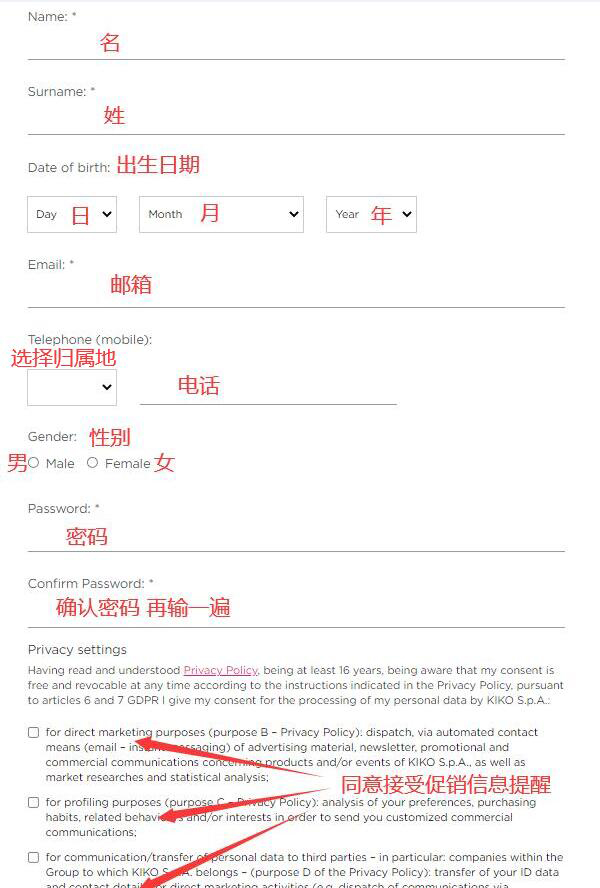
2. For new user registration, fill in the corresponding personal information as required, then click to confirm registration. It is recommended to log in and register under an overseas network, as the KIKO official website has a human verification process. Successful registration is only possible after passing the verification.
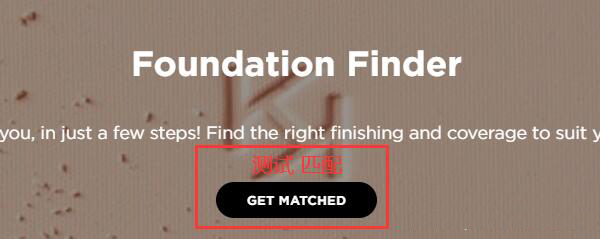
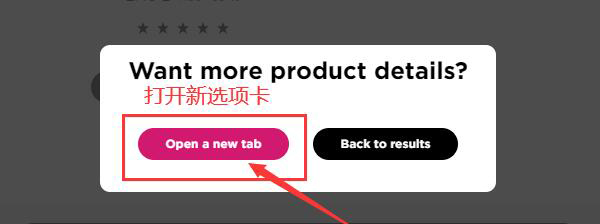
3. After registering your account, start selecting your favorite products. When choosing a foundation, KIKO will match a suitable one for you based on a test. If you don't need this, simply click on a new tab to reselect. Then, choose the desired specifications and quantity, and add them to the shopping cart.
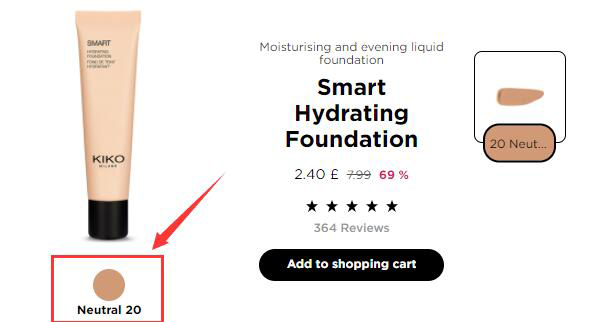
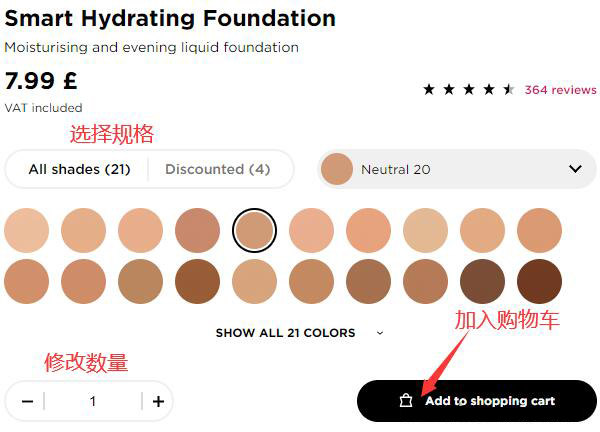
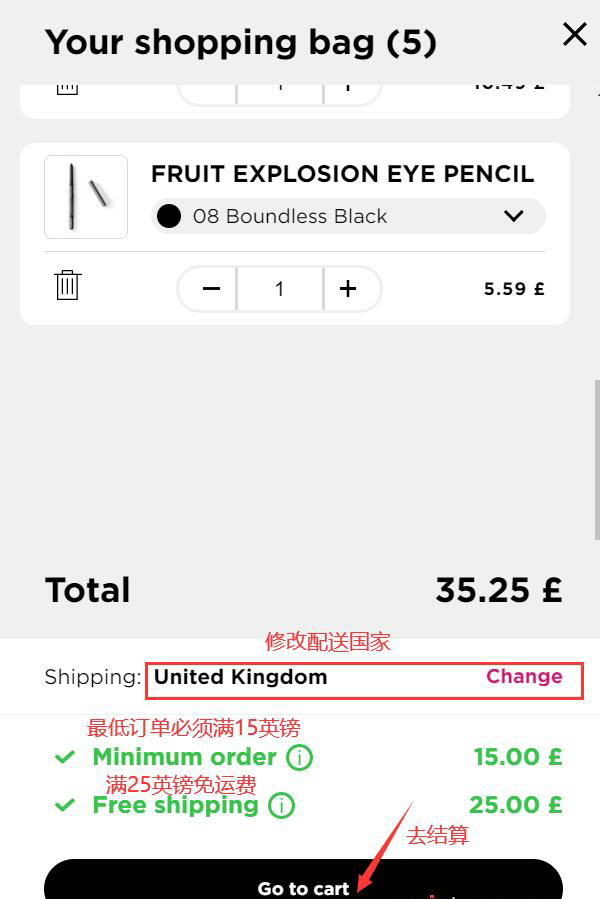
4. After adding items to the cart, click the shopping cart icon in the top right corner.

5. On the new page that opens, you can modify the delivery country. However, the KIKO UK official website currently does not support direct shipping to China, so there is no need to change this. The minimum order amount is £15, and shipping is free for orders over £25. Then, click "Proceed to Checkout".
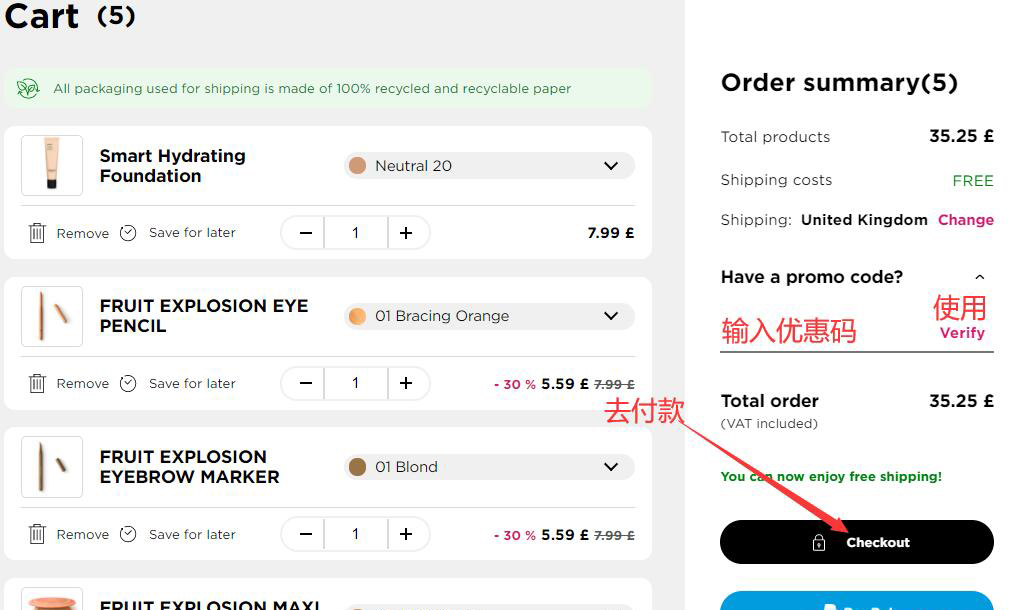
6. In the shopping cart, you can also modify the quantity and specifications of the products. If you have a promo code, enter it to apply it, then click "Proceed to Payment".
7. Enter the shipping address section and fill in the corresponding address information as required. Since the KIKO UK official website does not support direct shipping, this address needs to be a UK forwarding address. Regarding the billing address, you can use the forwarding address or fill in your actual billing address.
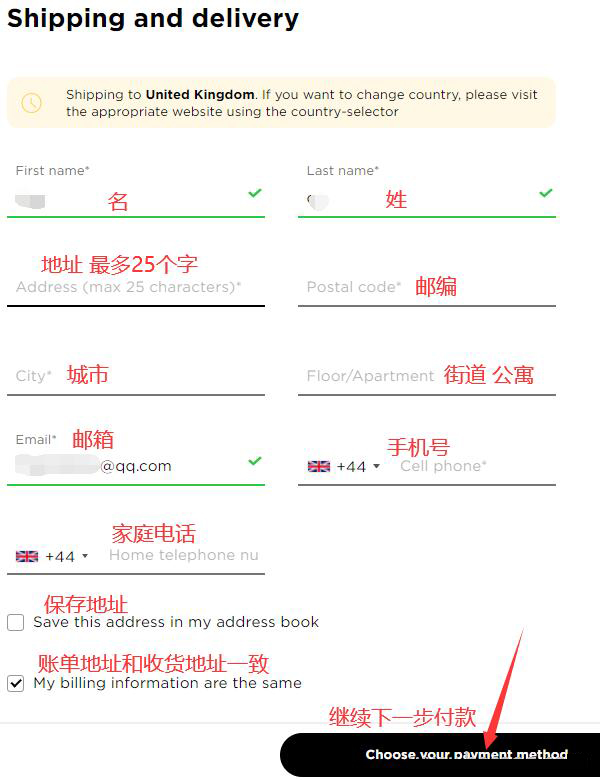
8. After completing the shipping address, proceed to the payment section. The official website supports payment via gift cards, PayPal, credit cards, and Alipay. Select the appropriate payment method and fill in the relevant information:
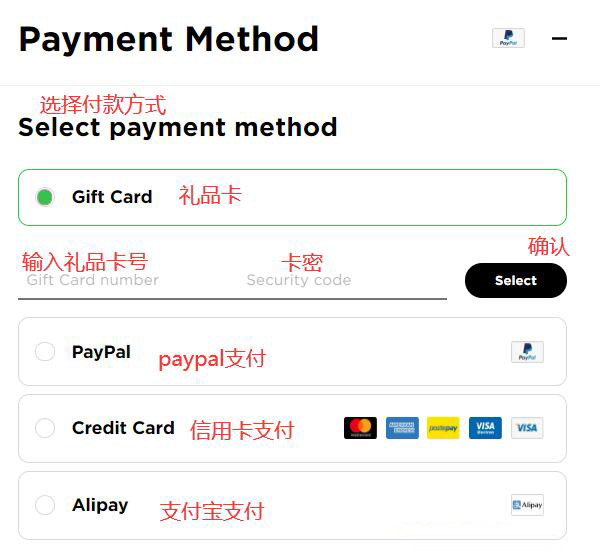
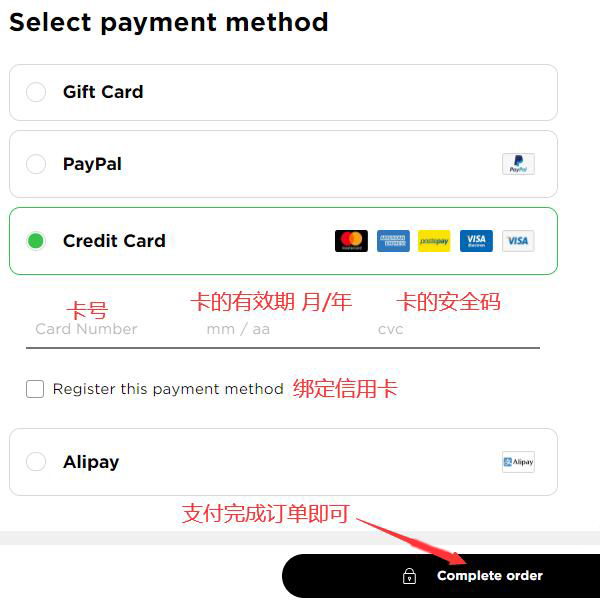
2) Credit Card
Enter the card number, card expiry date, and security code.
3) Alipay
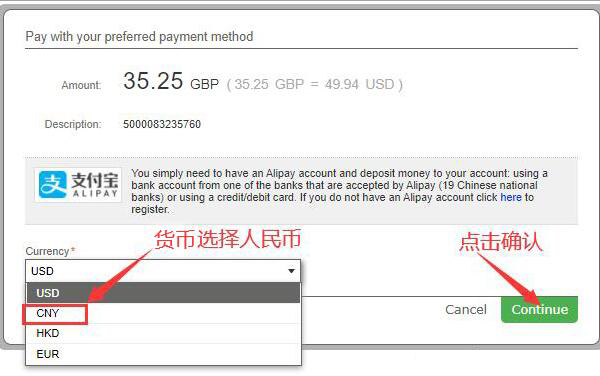
After selecting Alipay, click "Complete Order" to proceed to payment. You will enter a currency selection interface. Choose Chinese Yuan (RMB), click confirm, and you will be directed to a payment QR code page. Scan the code with Alipay to complete the payment.
4) PayPal
Log in to your PayPal account and complete the payment.
Summary of Important Notes:
1. The KIKO UK official website supports forwarding but does not support direct shipping.
2. It supports payment via gift cards, PayPal, Alipay, and credit cards with Visa, Mastercard, and AE logos.
3. After placing an order, you will receive an order confirmation email. This email contains the purchase information. It is best to double-check the details for accuracy. If there are any issues, contact the official website's customer service as soon as possible.