

Lucky Brand Jeans is an American denim company founded by Gene Montesano and Barry Perlman in 1990 in Vernon, California. Fans of American casual style may have heard of Lucky Brand, whose jeans are very popular. The brand focuses on denim apparel, with products including men's wear, women's wear, footwear, accessories, and children's wear.
This article introduces a guide to shopping on the Lucky Brand US official website, mainly telling you how to shop on the Lucky Brand US official website. If you also want to place an order on Lucky Brand but don't know how to proceed, feel free to bookmark this Lucky Brand shopping guide.
1. Lucky Brand US Official Website Shopping Tutorial
1. First, open the official website
Lucky Brand US official website URL: https://www.luckybrand.com
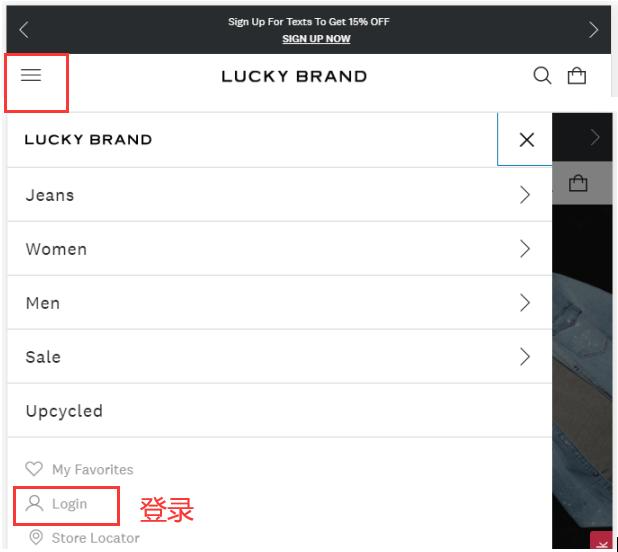
2. Click the menu to log in
Click the menu in the upper left corner of the page and select Log In
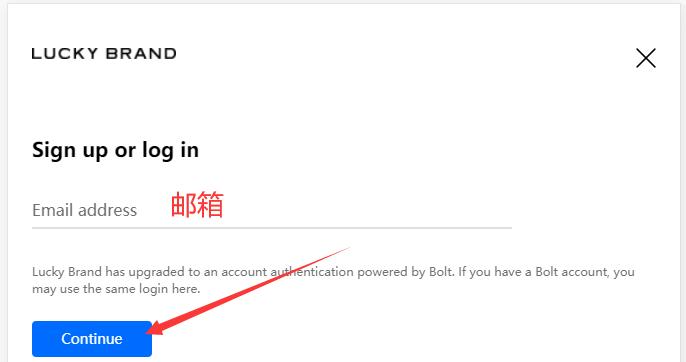
Enter your email address
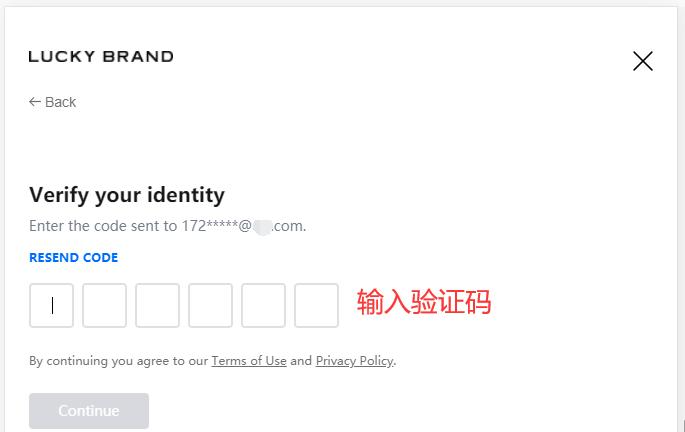
Customers with a registered account check their email for the verification code, verify their identity, and log in
Users who have not registered enter their name
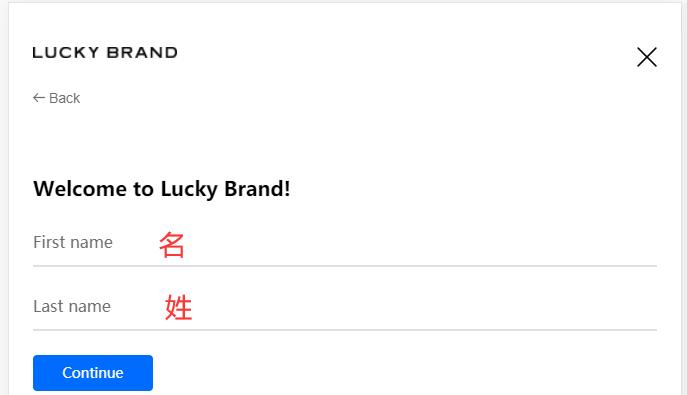
Also check your email for the verification code to verify your identity
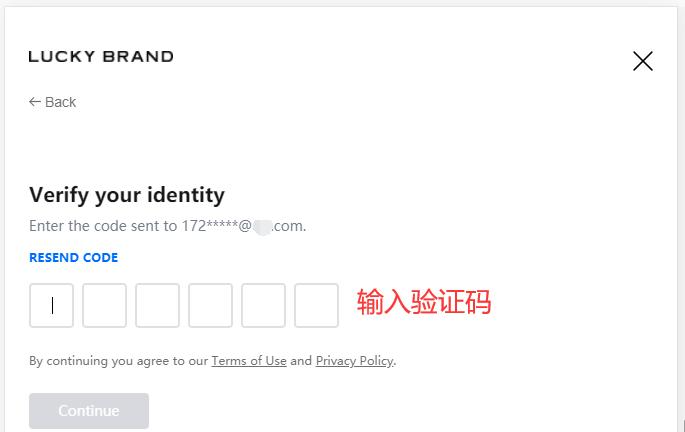
3. After registering, select items and add them to the cart
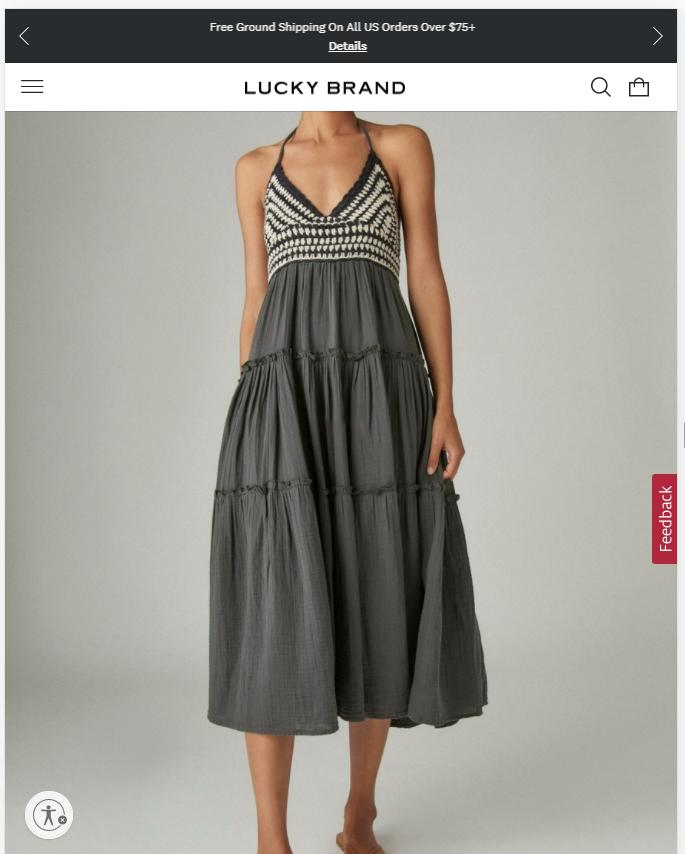
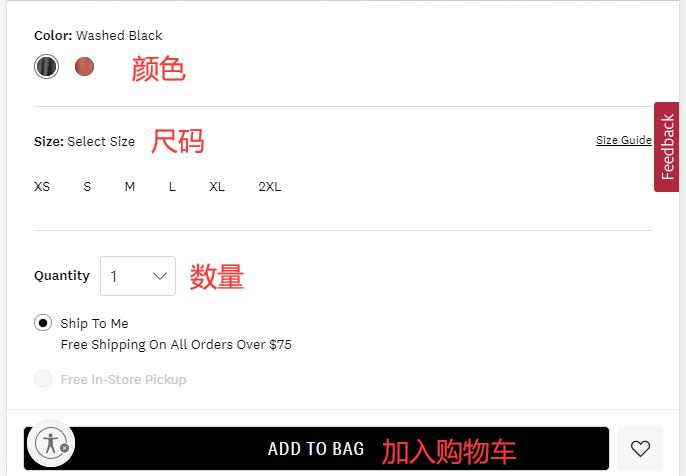
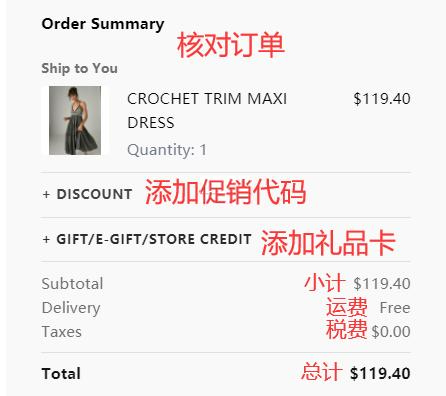
4. Open the shopping cart and review the added order
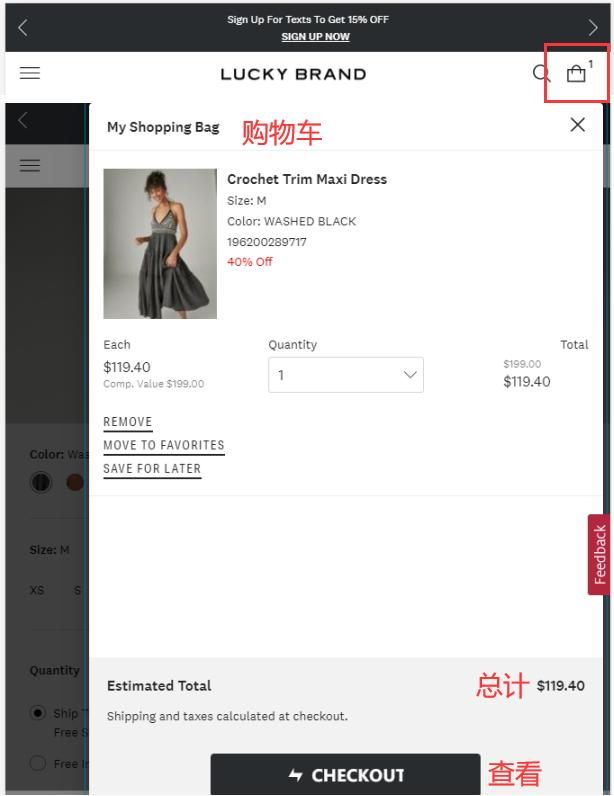
If you have a promotional code or gift card, you can enter it here to get a discount
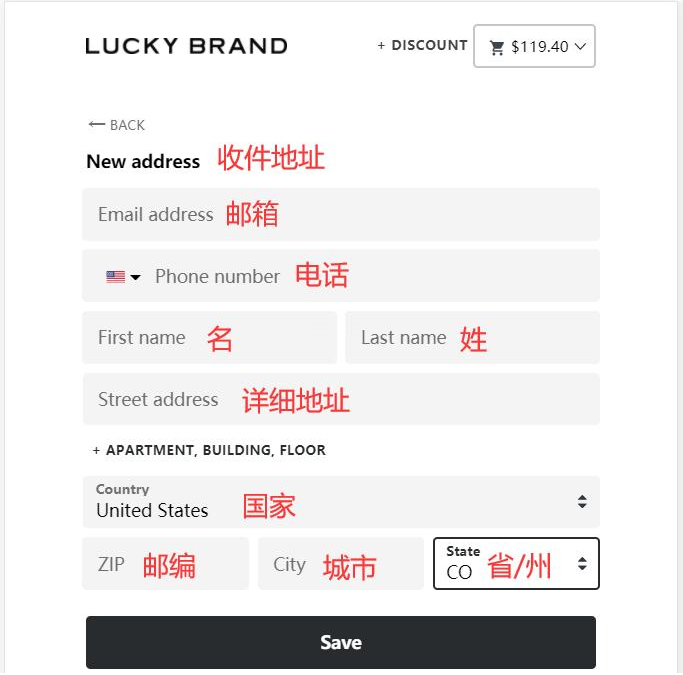
5. Enter the shipping address
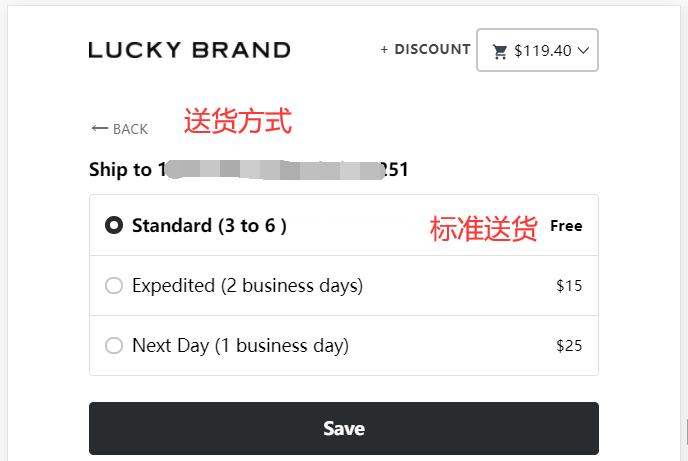
6. Select shipping method
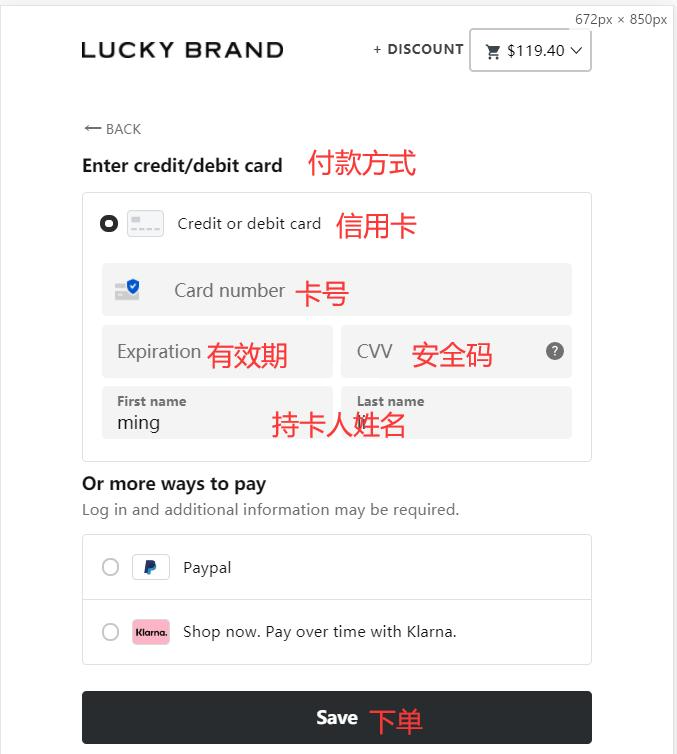
7. Select payment method
As shown in the image, fill in the credit card holder's name, card number, expiration date, security code, and other information completely, then submit
8. All that's left is to wait for the forwarding company to receive the goods, prepare the shipping details, and receive your package!
2. Other Ordering Notes for Lucky Brand US Official Website
1. This website does not support direct shipping to China. Free shipping within the US on orders over $75.
2. The website accepts domestic credit cards and PayPal payments.