

Notino is a well-known beauty, skincare, and perfume website from Germany, long favored by beauty enthusiasts. Notino offers 55,000 products from 1,150 brands worldwide. Here you can find not only a wide range of perfumes, cosmetics, skincare, and beauty tools but also enjoy affordable prices and high quality, making it a popular site for international online shopping!
This article introduces a guide to shopping on the Notino UK official website, explaining how to place orders and shop on Notino. If you also want to order from Notino but don't know how, feel free to click and check out this Notino UK official website shopping guide.
1. Notino UK Official Website Ordering Tutorial
1. Open the Website
Notino UK official website entrance: https://www.notino.co.uk/
2. Log In
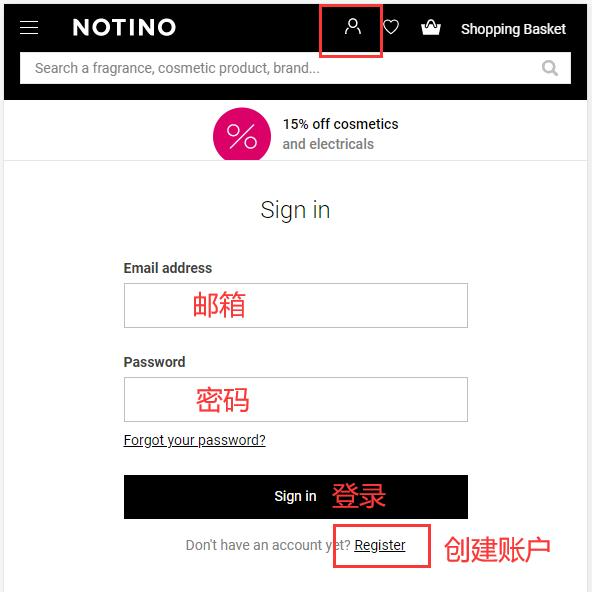
Click on the account icon at the top right of the page. If you already have an account, log in using your email and password. If you are not registered, click on "Create Account."
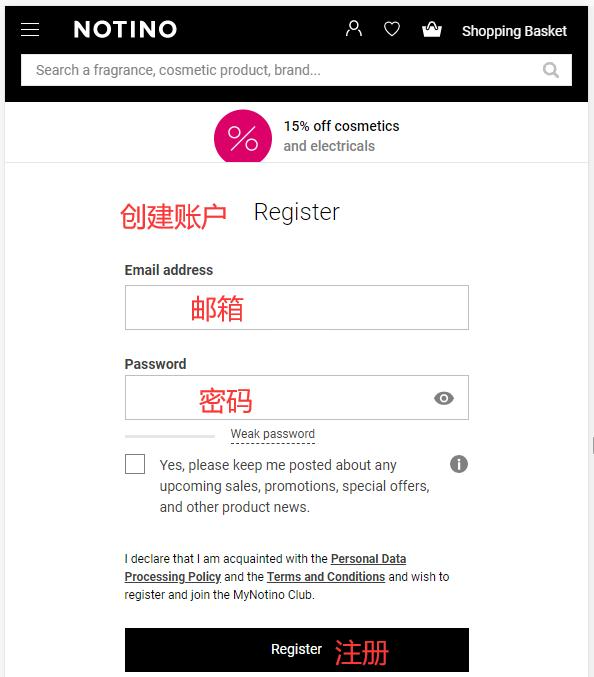
Fill in the information and click "Register."
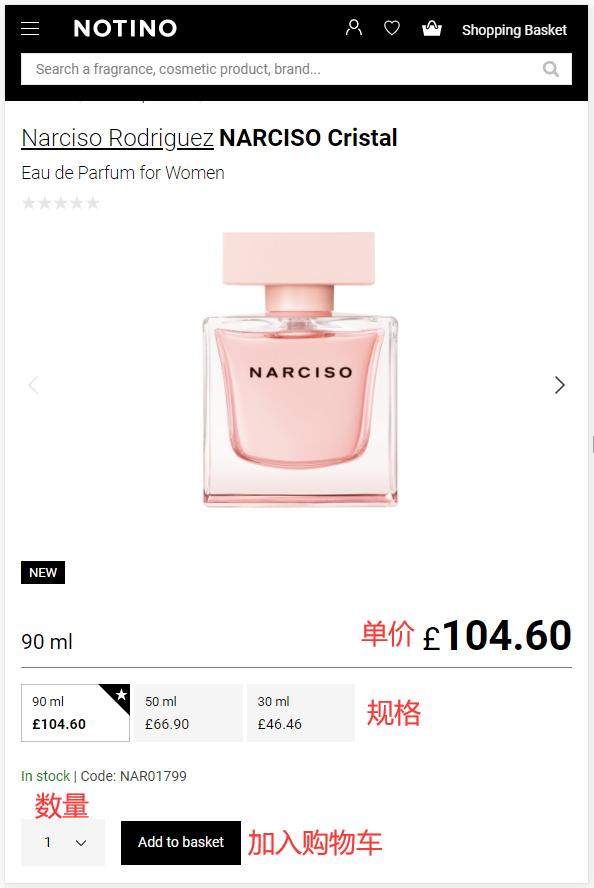
3. Select Products and Add to Cart
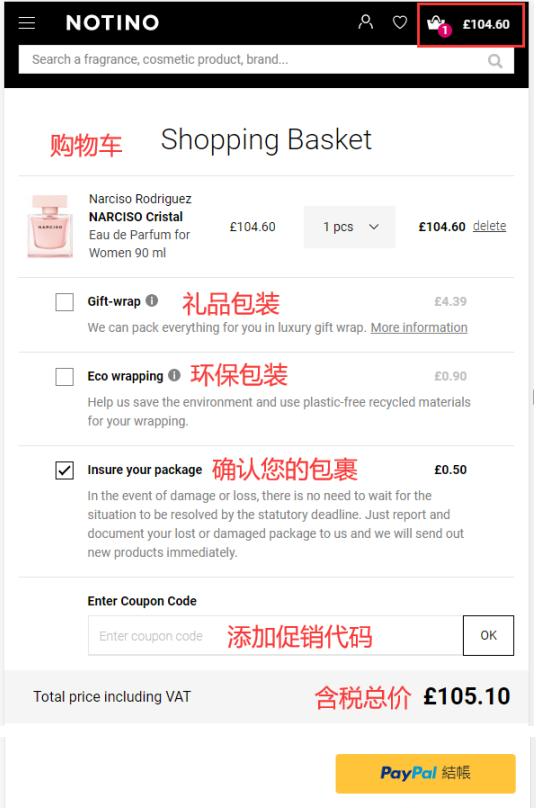
4. Open the Shopping Cart Page and Click "Checkout"
Enter a promotional code if available to get a discount.
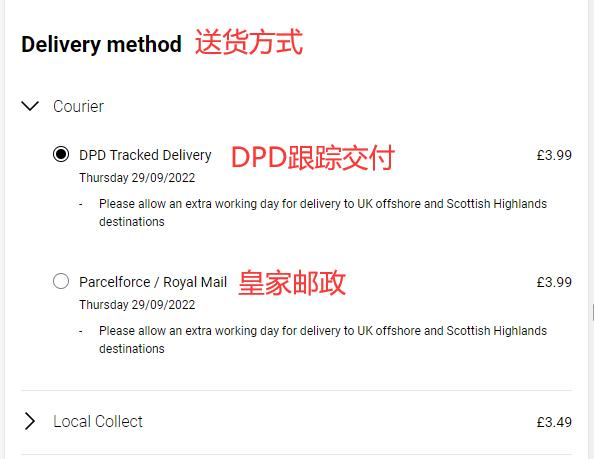
5. Select Shipping Method
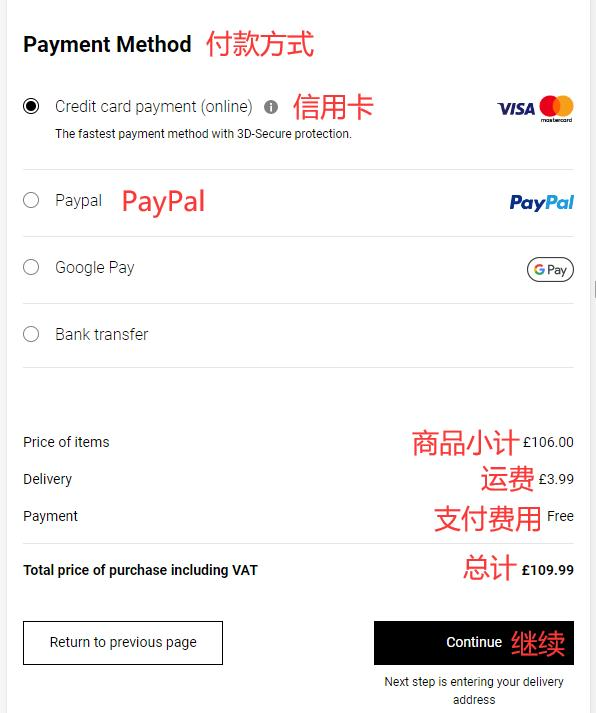
6. Select Payment Method
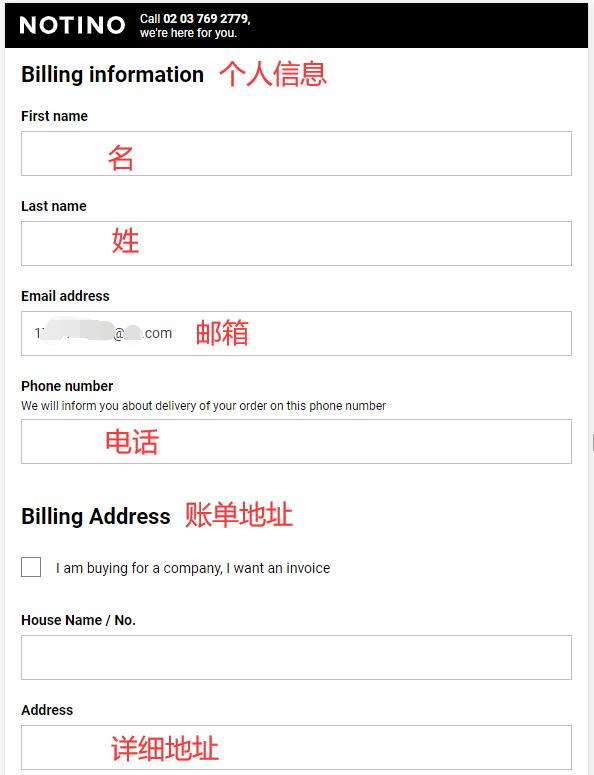
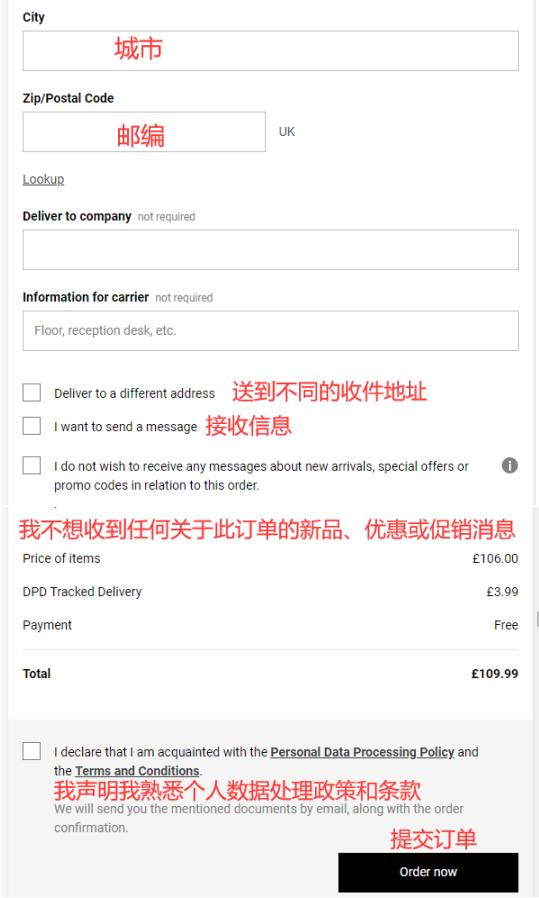
7. Fill in Billing Address and Verify Shipping Address
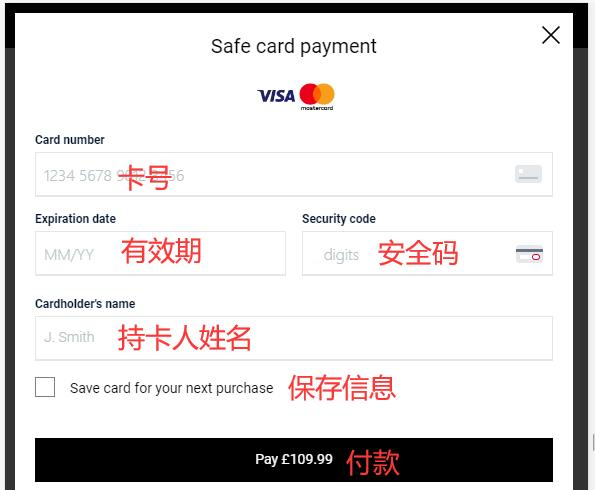
8. Fill in Payment Information
Using a credit card as an example, fill in the cardholder's name, card number, expiration date, security code, and other relevant details completely. After confirming everything is correct, click "Pay."
2. Notino UK Official Website Ordering Notes
1. Does not support direct shipping to China; a forwarding service is required for orders.
2. Orders are only delivered within the UK, with a shipping fee of £3.99.
3. Supports Visa and Mastercard credit card payments, as well as PayPal online payment.