

Perfumania is the largest and most well-known discount fragrance retailer in the United States, dedicated to selling branded perfumes, body washes, cosmetics, skincare products, and more. It has a loyal customer base across all ages, with physical chain stores throughout the country. The website offers over 1,000 fragrances for sale online and carries most major perfume brands, making it an essential site for international fragrance shopping.
This article provides a guide on how to shop on the Perfumania US official website, explaining the steps to place an order and make a purchase. If you also want to place an order on Perfumania but don't know how, feel free to bookmark this Perfumania shopping guide.
1. Perfumania Official Website Ordering Tutorial
1. Open the official website
Perfumania official website link: https://perfumania.com/
2. Log in to your account
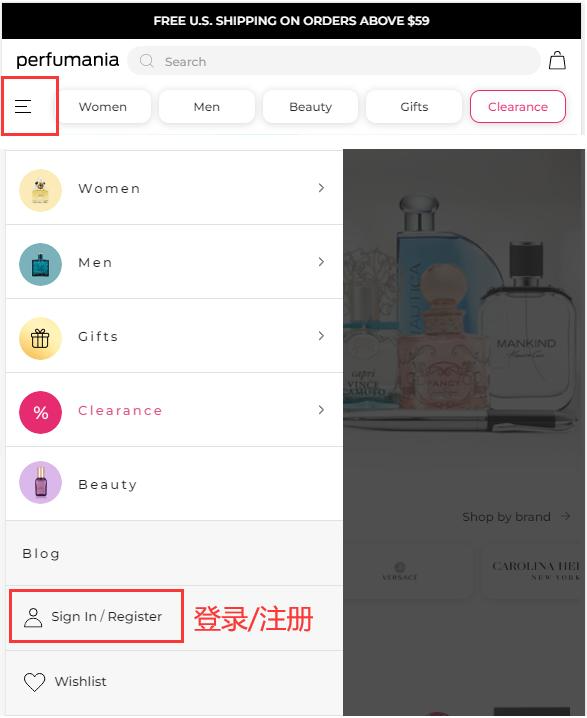
Click the dropdown menu in the upper left corner of the page and select Login/Register
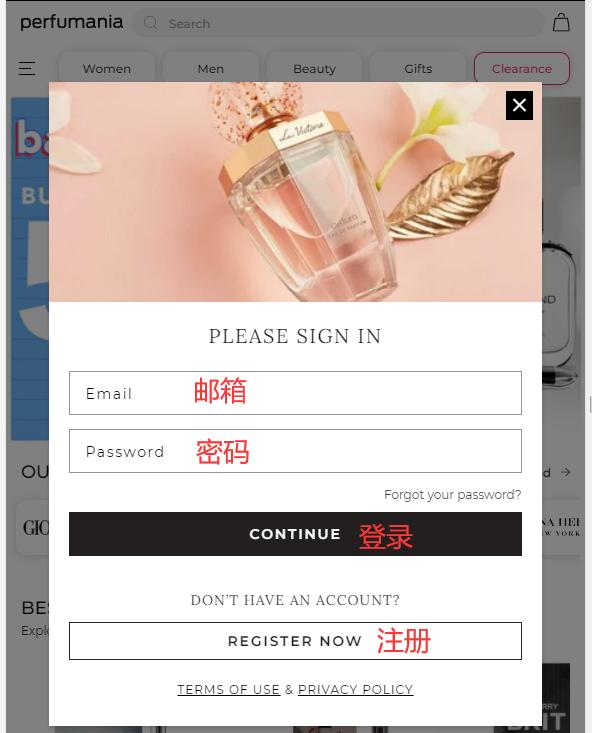
Existing users can log in with their email and password; new users click Register
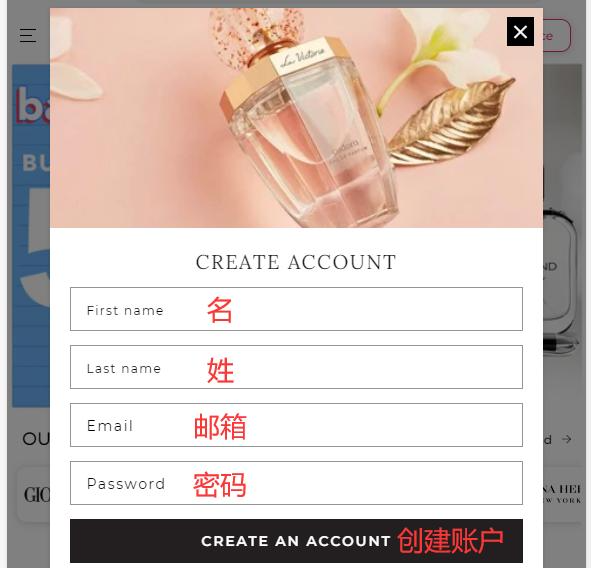
Fill in the registration information and click Create
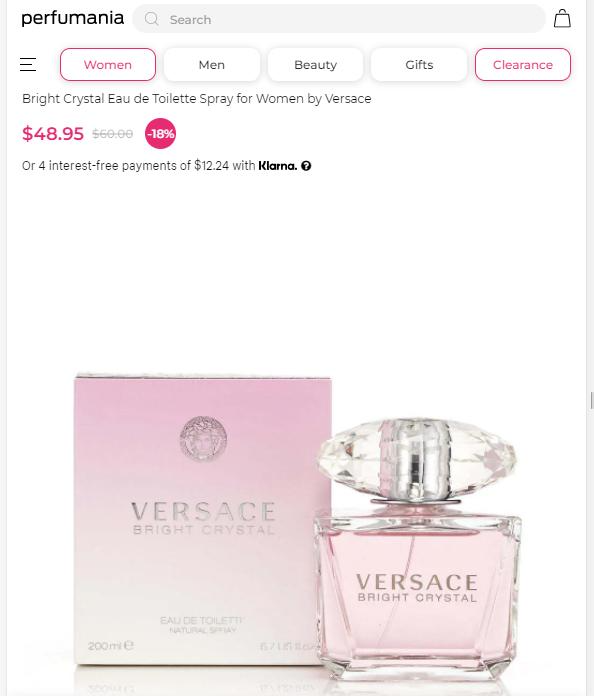
3. Select products, choose quantity and size, and add to cart
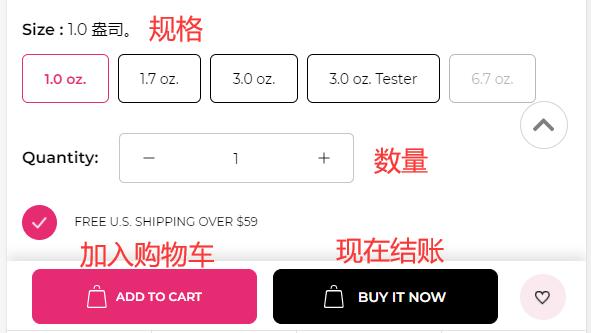
4. Open the shopping cart page to start checkout
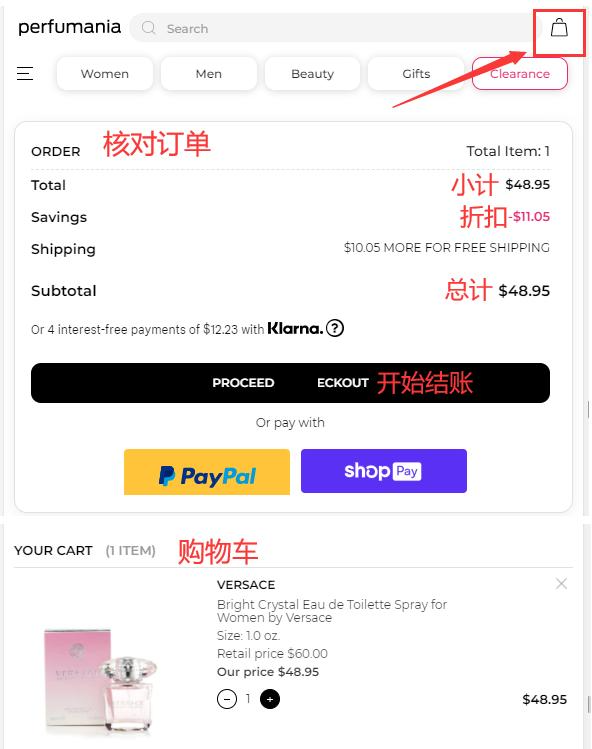
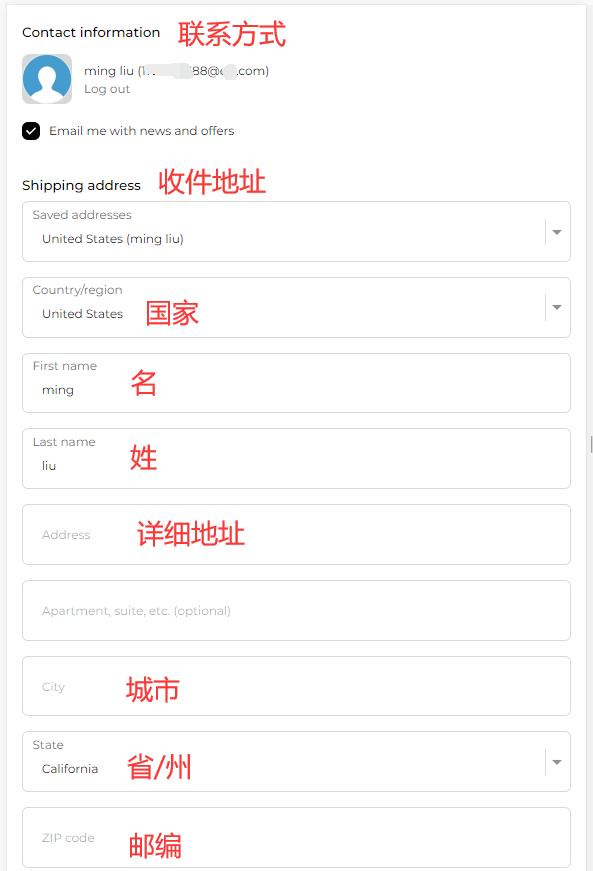
5. Fill in the shipping address
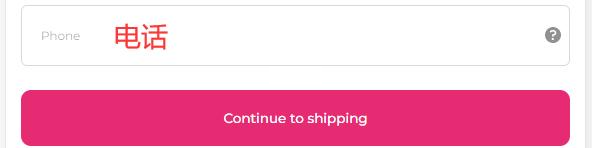
6. Review the order and select shipping method
Enter a promo code if available to get a discount
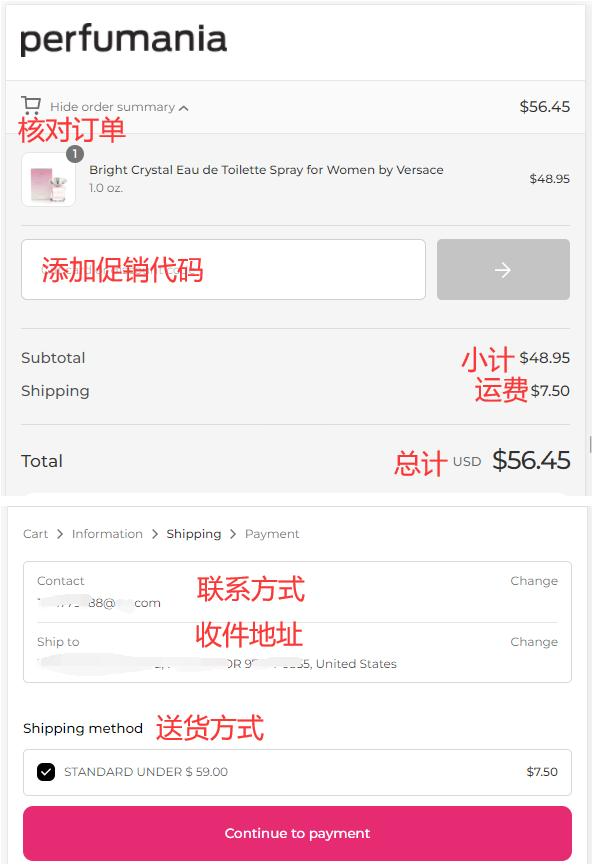
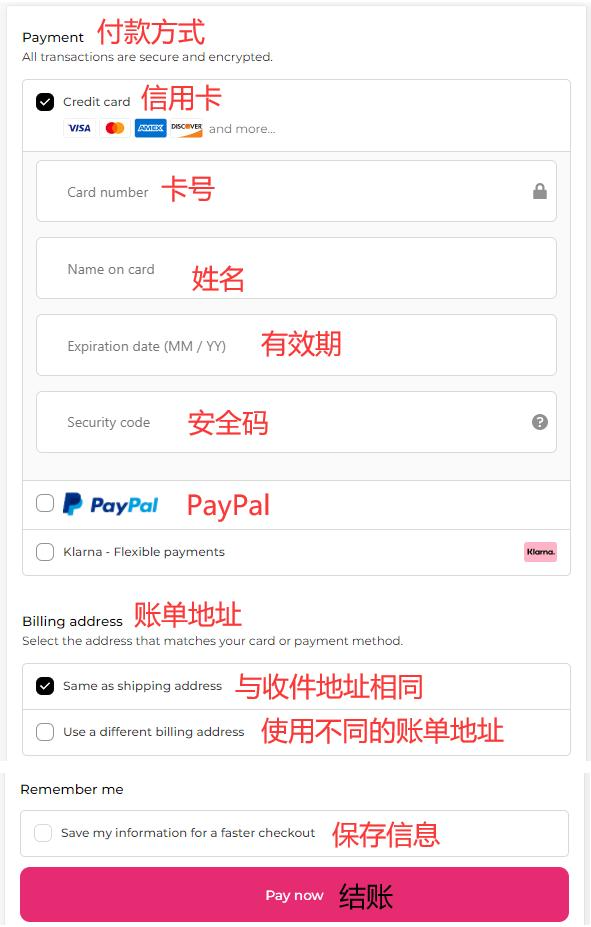
7. Choose payment method and review billing address
Using a credit card as an example, fill in the cardholder's name, card number, expiration date, security code, and other details correctly, then click Checkout
8. The rest is waiting for the forwarding company to receive the goods, prepare the forwarding details, and wait for delivery!
2. Other Notes for Ordering on the Perfumania Official Website
1. The website supports credit card payments via Visa, MasterCard, American Express, and Discover, as well as PayPal online payment
2. It does not support direct shipping to China. Orders within the US over $59 qualify for free shipping; orders under $59 require a standard shipping fee of $7.50