

Proenza Schouler is a New York-based fashion women's wear and accessories brand, founded in 2002 by designers Jack McCollough and Lazaro Hernandez. The brand uses high-quality premium fabrics to create effortlessly luxurious fashion for sophisticated urban women. Currently, Proenza Schouler has no official retail channels in China, so many netizens choose to shop for their favorite Proenza Schouler apparel via overseas shopping on the Proenza Schouler US official website.
This article introduces a guide on how to shop on the Proenza Schouler official website, explaining how to place orders and shop on the Proenza Schouler official website. If you also want to place an order on the Proenza Schouler official website but don't know how, feel free to bookmark this Proenza Schouler official website shopping guide.
1. Proenza Schouler Official Website Ordering Tutorial
1. Open the official website
Proenza Schouler official website entrance: https://www.proenzaschouler.com/cn/
2. Click the menu bar on the homepage and change the shipping address to "China"
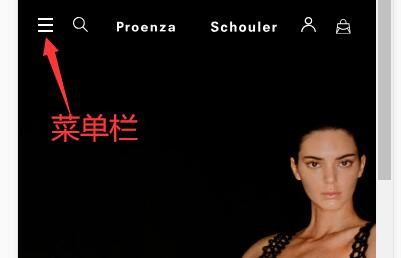
Then change Shipping To: China
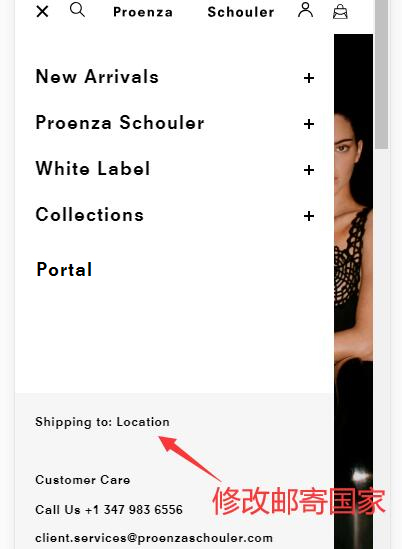
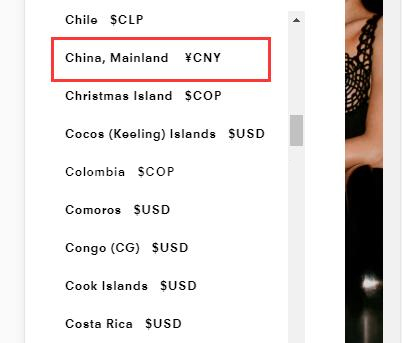
3. Click "My Account" at the top of the page to log in or register an account to avoid ordering as a guest
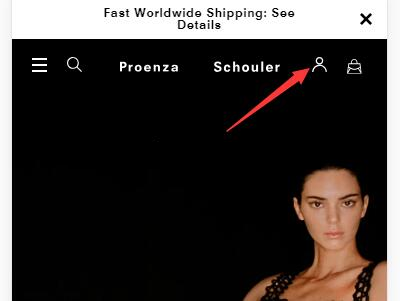
If you already have a Proenza Schouler official website account, you can log in directly by entering your username and password
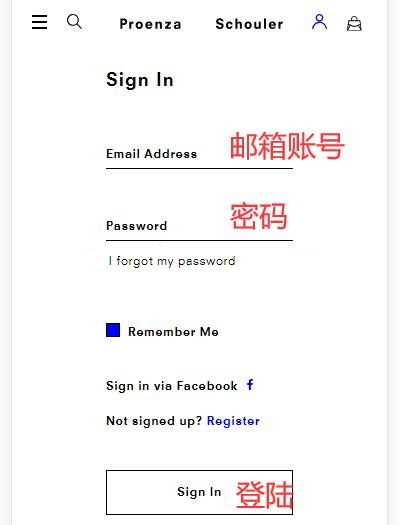
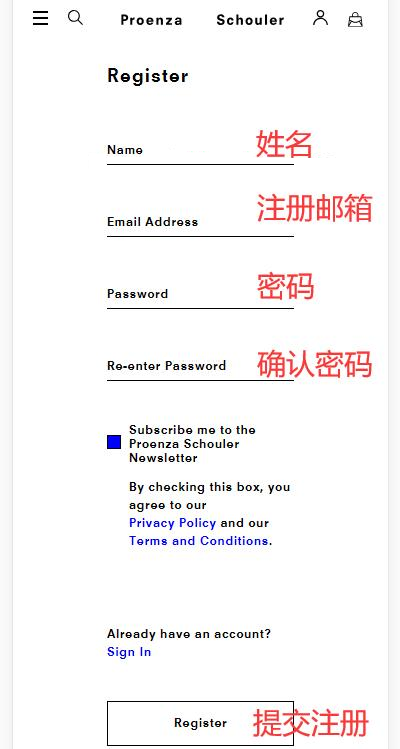
Users who haven't registered can click "Register" to create a new account. Fill in your first name, email, password, confirm password, and other registration details in order, then click "Register" to submit.
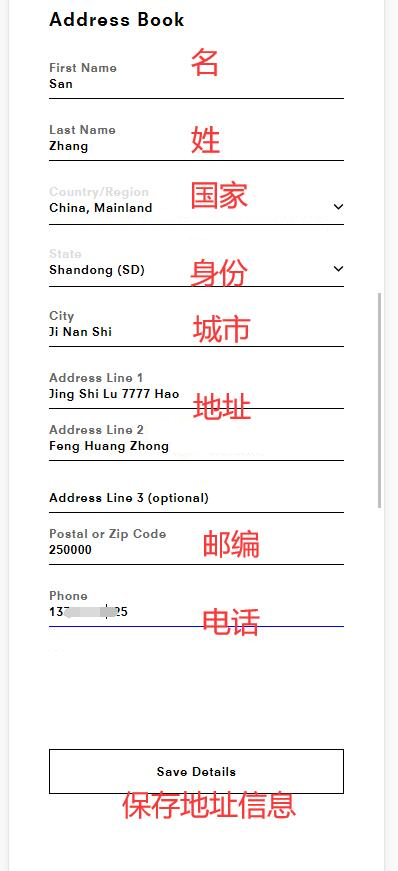
4. Fill in the shipping address. After submitting the registration, an address entry page will appear. Since we are ordering for direct shipping, use pinyin to fill in the domestic recipient information here:
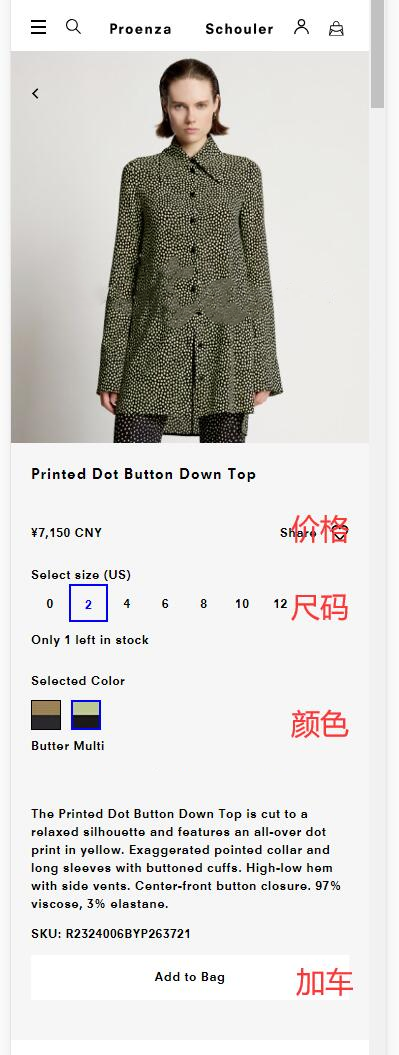
5. Browse the Proenza Schouler official website to select your favorite apparel, accessories, and other products, and add them to the shopping cart:
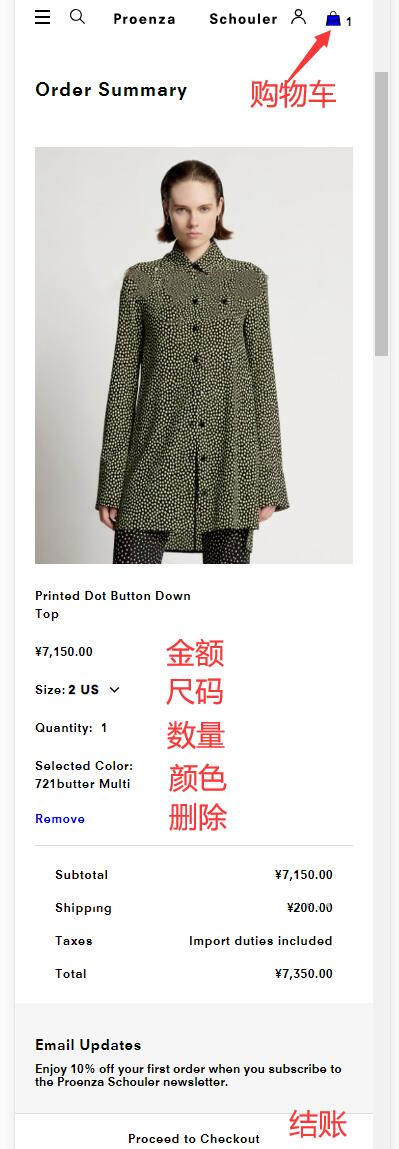
6. Click to enter the shopping cart to check if the product size and color are correct. If everything is fine, click "Proceed to Checkout" to go to the next step and checkout.
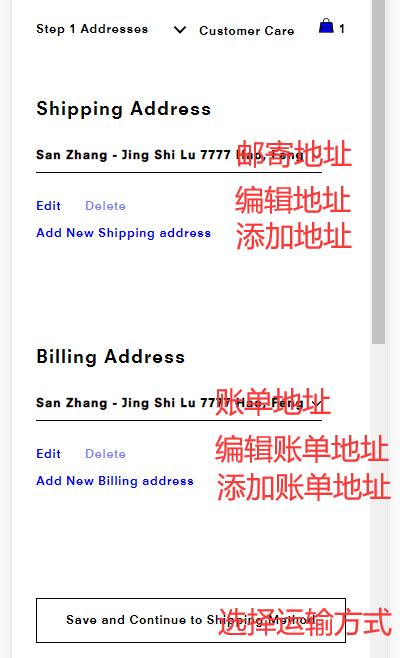
7. Confirm the shipping address or add a new one, and also confirm the billing address or add a new one. Once confirmed, click "Save and Continue to Shipping Method" to select the shipping method:
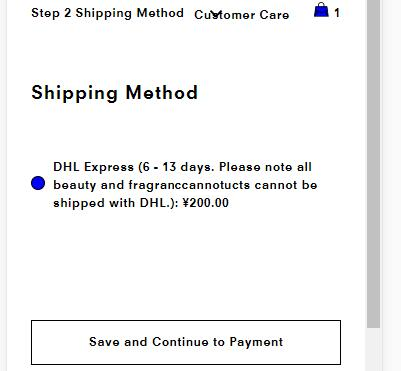
8. Confirm the shipping method is DHL, with a shipping cost of 200 RMB and a delivery time of 6-13 business days. Click "Save and Continue to Payment" to proceed to the next step;
9. Fill in the payment information. The Proenza Schouler official website supports Visa, Mastercard, American Express, and Alipay payments. When paying by credit card, fill in the card number, cardholder name, card expiration date, security code, and other relevant details in order. Finally, click "Save and Continue to Place Order" to save and pay for the order.
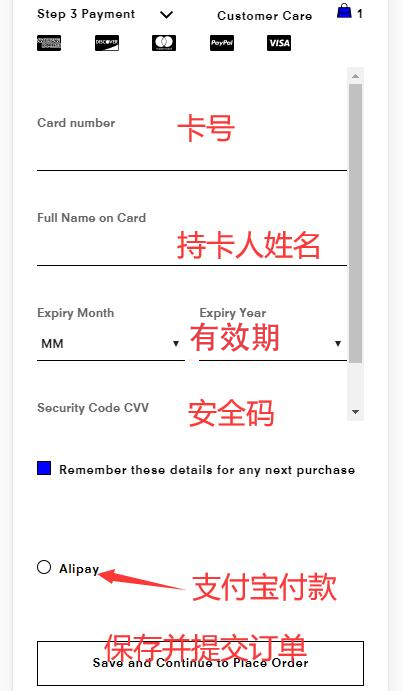
You can also choose to pay via Alipay.
10. Review the order and complete the payment:
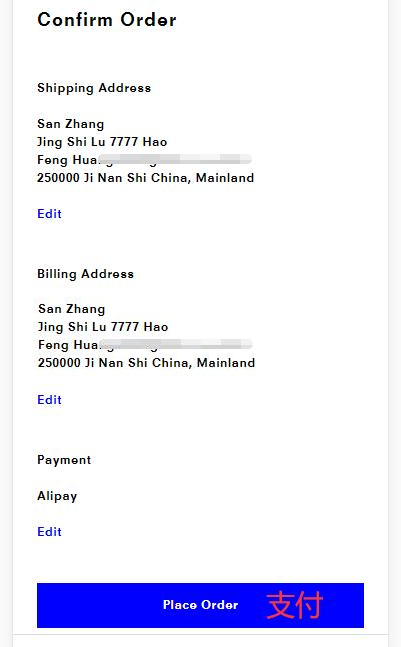
11. Monitor the order status on the Proenza Schouler official website. After shipment, track the logistics information and wait for delivery.
2. Other Notes for Overseas Shopping on the Proenza Schouler Official Website:
1. The Proenza Schouler US official website allows payment in RMB, offers direct shipping to China, and accepts Alipay, making it relatively overseas-shopping friendly.
2. The checkout amount for direct shipping orders on the Proenza Schouler official website already includes taxes, so there will be no additional customs duties upon entry into China.
3. Research Proenza Schouler sizing in advance to avoid buying ill-fitting clothes.