

Biotherm is a luxury brand from France, one of the three major skincare brands in Europe, offering a full range of face, body, sun protection, and men's care products. All Biotherm products contain the unique mineral-rich thermal plankton extract PTPTM, which is exceptionally pure and active, remarkably similar to the perfect state of natural skin cells, helping to maintain the skin's natural functions. It enjoys high popularity among both male and female users.
Today, let's share a guide on how to shop on the Biotherm US official website via mobile.
Biotherm US official website entrance: https://www.biotherm-usa.com/
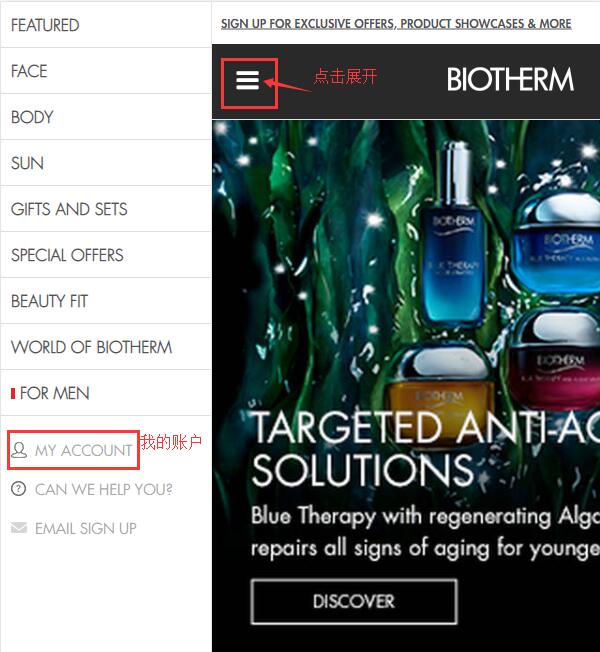
1. Open the Biotherm official website homepage, click to expand the menu in the upper left corner, and click My Account in the lower left corner of the menu to log in:
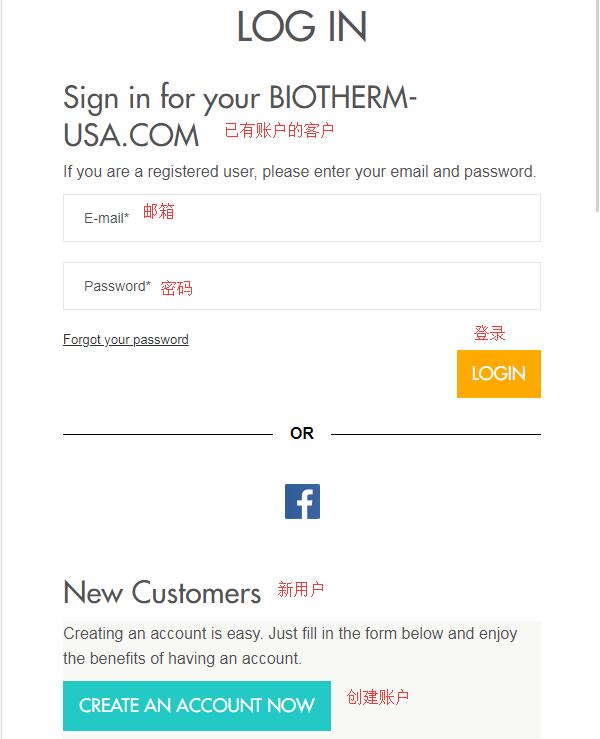
Returning users log in with their email and password. New users click Create an Account below to create a new account.
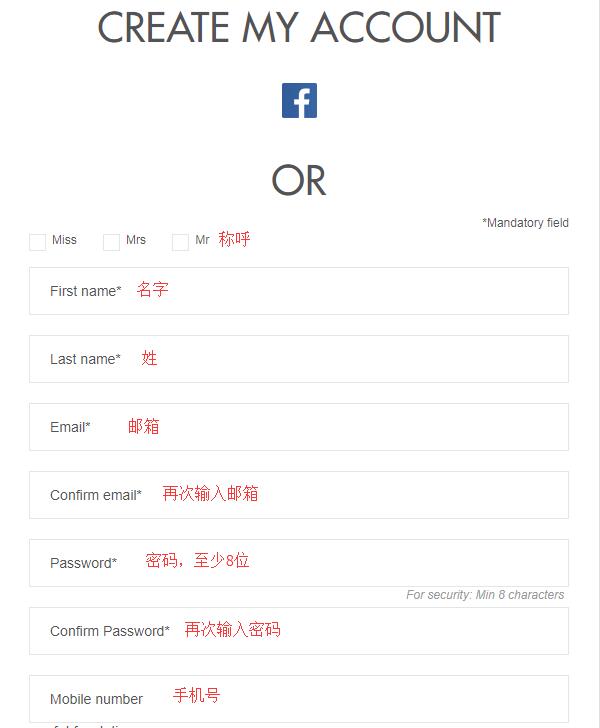
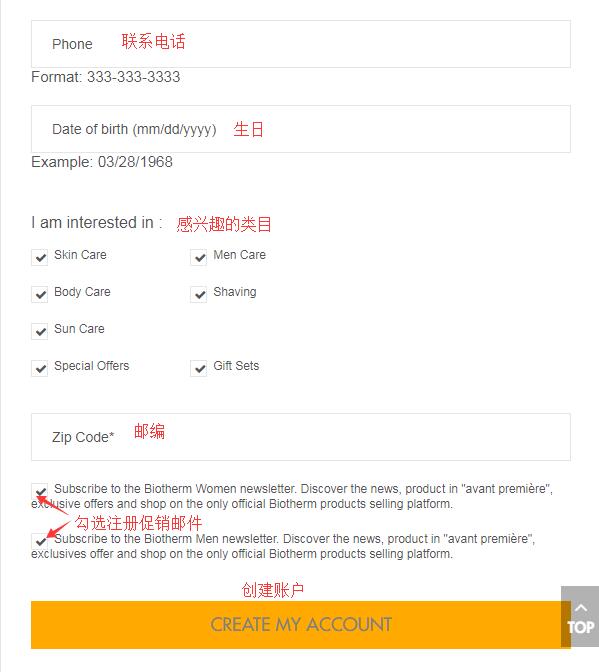
Select a title, enter your name, email, password (at least 8 characters), birthday, phone number, and other information. Check whether to receive promotional emails, then click Create My Account to create the account.
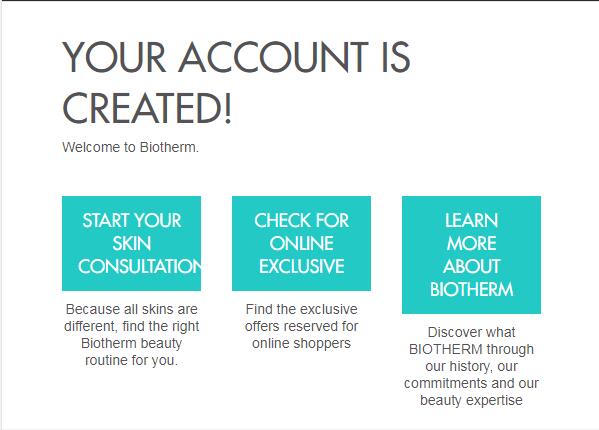
After registration, the following page will display that the account has been successfully created. Then you can start your Biotherm skincare journey!
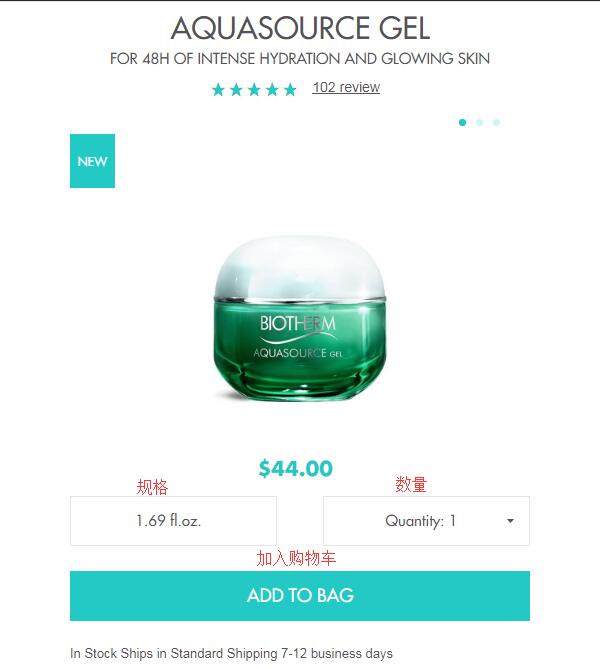
2. Browse by website categories, navigation, or search for keywords using the search bar to select your desired products. Enter the product detail page, choose the size and quantity, and add to the shopping cart:
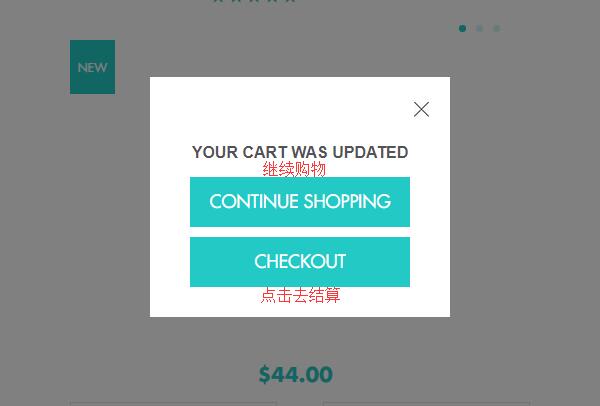
After adding, a pop-up will appear asking whether to continue shopping or proceed to checkout. Click Checkout to proceed:
3. Enter the shopping cart. You can edit the items. If you need gift wrapping, you can check the option; each package costs $5. Additionally, the website offers free standard shipping within the US for orders over $50, so you can add items appropriately to save on shipping costs.
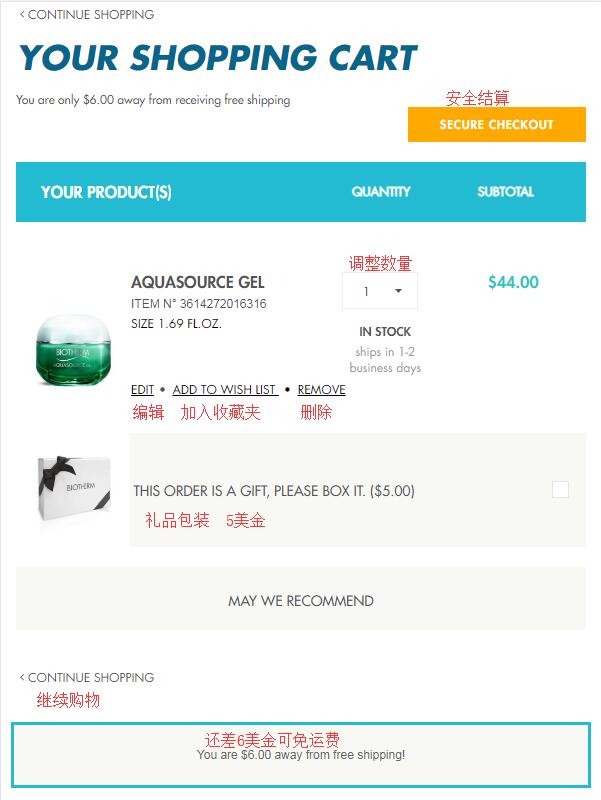
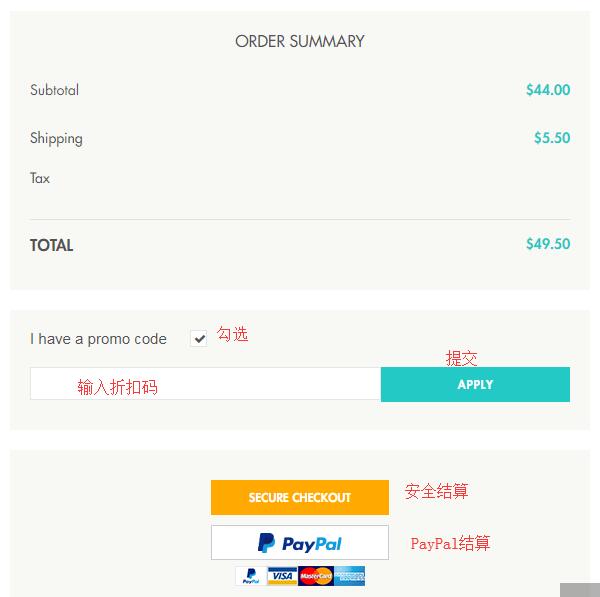
Below is the order summary. If you have a discount code, you can check I have a promo code below, enter the corresponding code in the expanded dialog box to get the discount. Then click secure checkout to proceed:
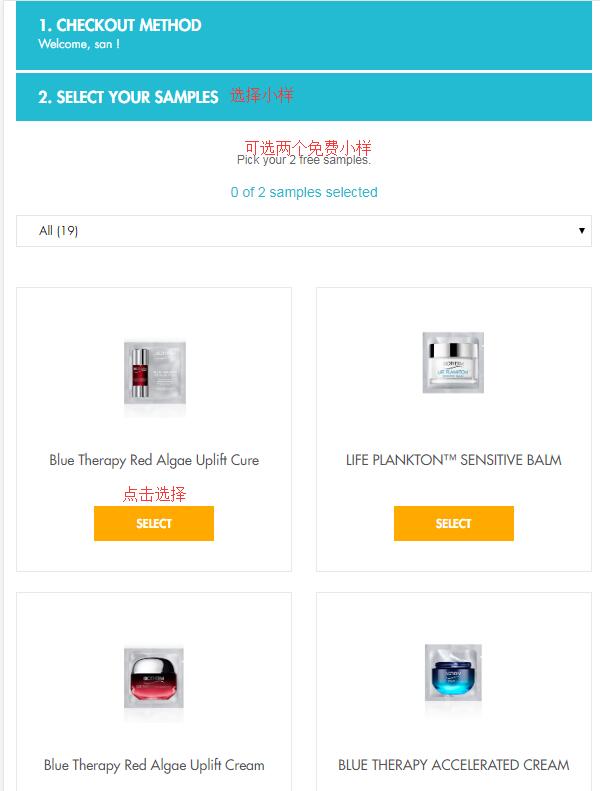
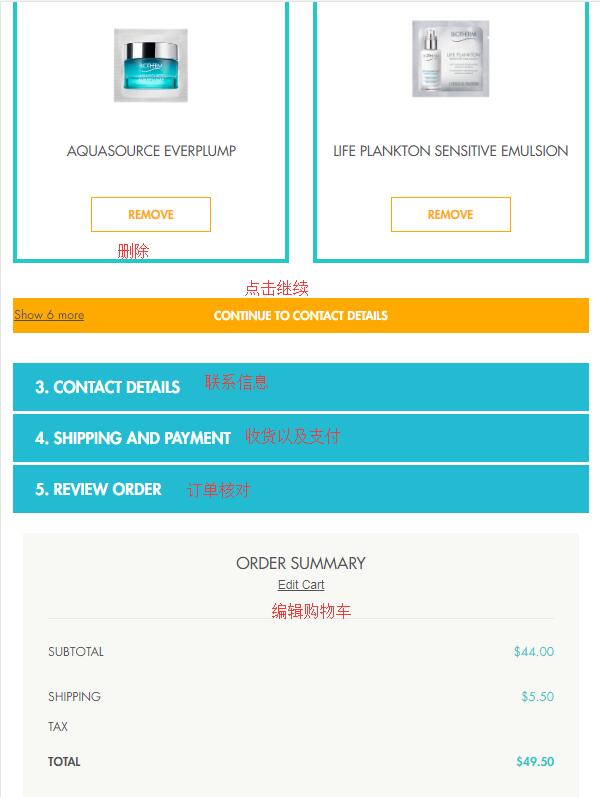
4. Enter the checkout process. First, select two free samples that come with every order. After selecting, click Continue to proceed:
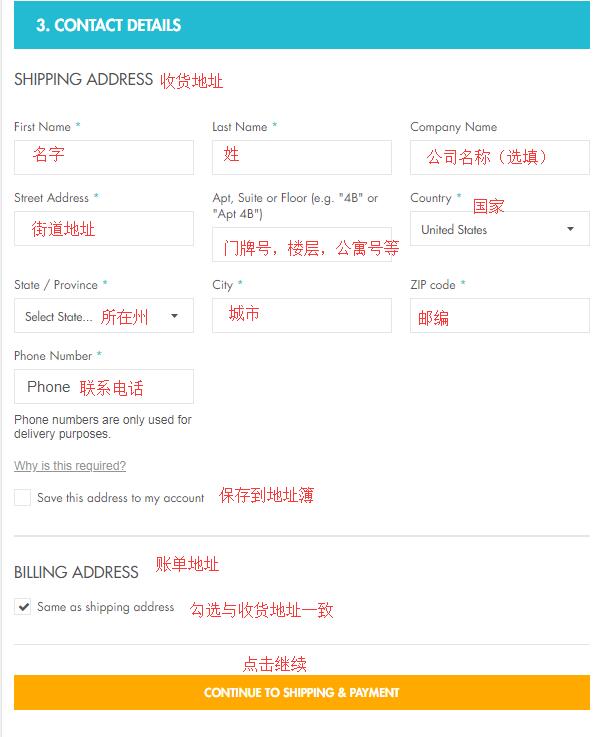
5. Next, you need to enter the shipping address. The official website currently does not support direct shipping but is friendly to forwarding addresses. So here, enter the forwarding address according to the requirements of your forwarding company. Regarding the billing address, user feedback indicates that using the forwarding address as the billing address works fine for successful orders, so you can check to use the shipping address as the billing address.
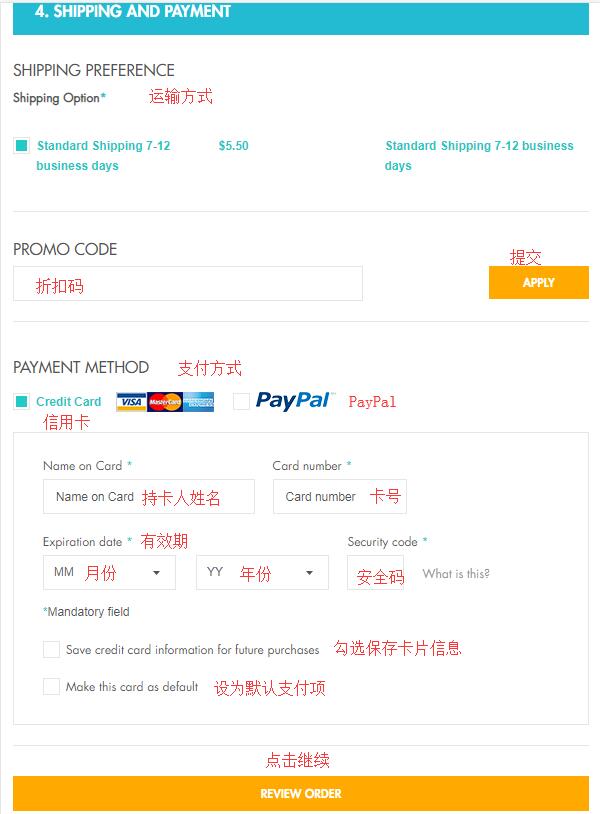
6. After entering the address, select the shipping method and payment method. Here we use credit card payment. According to the website requirements, enter the credit card number, cardholder name, expiration date, security code, and other information, then click Continue to review the order:
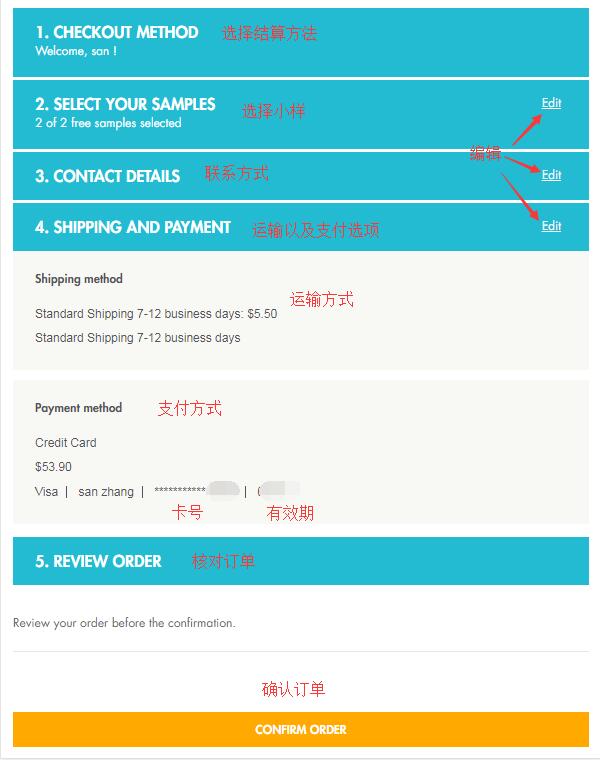
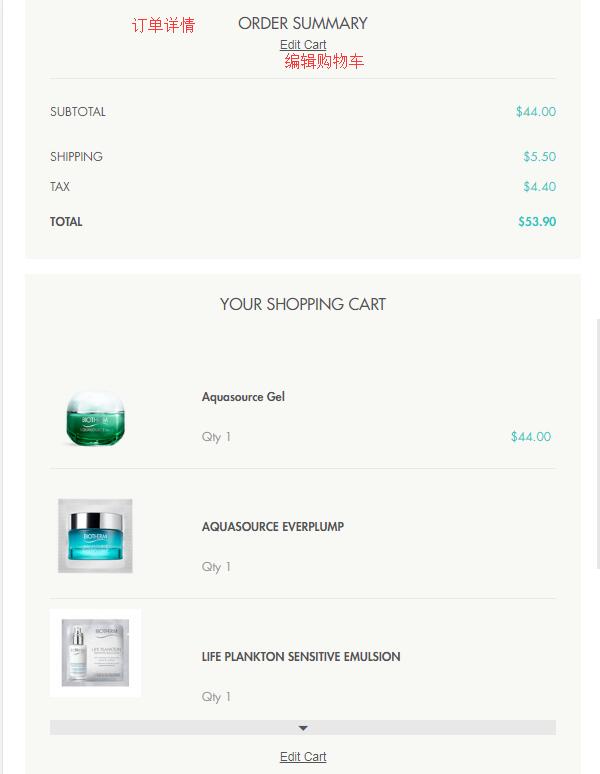
7. In the order review section, carefully check whether the previously selected samples need to be changed, and whether the shipping address, billing address, payment information, and product information are correct. If any information needs to be changed, click "edit" to make changes. Once all information is confirmed correct, click Confirm Order below to confirm the order and complete the purchase.
According to user feedback, the Biotherm US official website is not very friendly to domestic credit cards, only supporting certain ones, with a very high order cancellation rate. However, some users have successfully tested with China Everbright Bank cards and Guangfa Bank dual-currency cards, and some have successfully placed orders using AE cards. If you still cannot pay with a credit card, you can try PayPal payment.