

Founded in 1948 in Herzogenaurach, Germany, Puma is a world-leading dynamic lifestyle brand that designs and develops footwear, apparel, and accessories. Originally established in the sporting goods industry, the brand has since moved into the fashion world, and in recent years has successfully combined sports, leisure, and fashion into one, becoming one of the most popular brands among young people.
Below is a guide on how to shop on the Puma US official website.
Puma US official website: us.puma.com
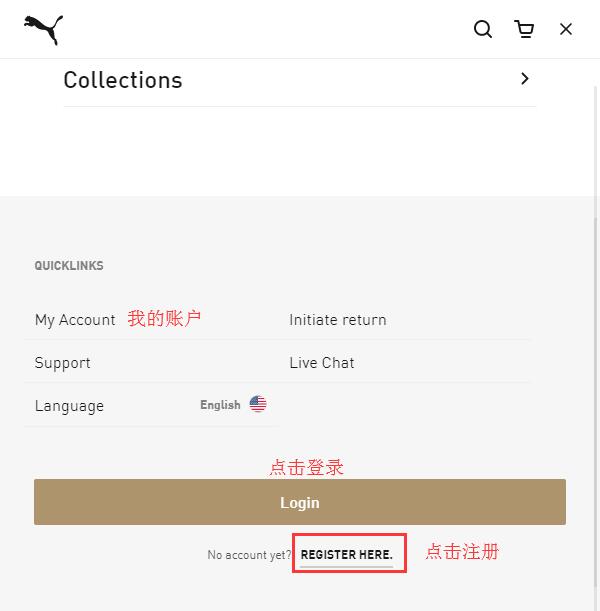
1. First, you need to register an account. Click to expand the menu in the top right corner. At the bottom of the menu, click Login. New users should click Register Here to create an account.

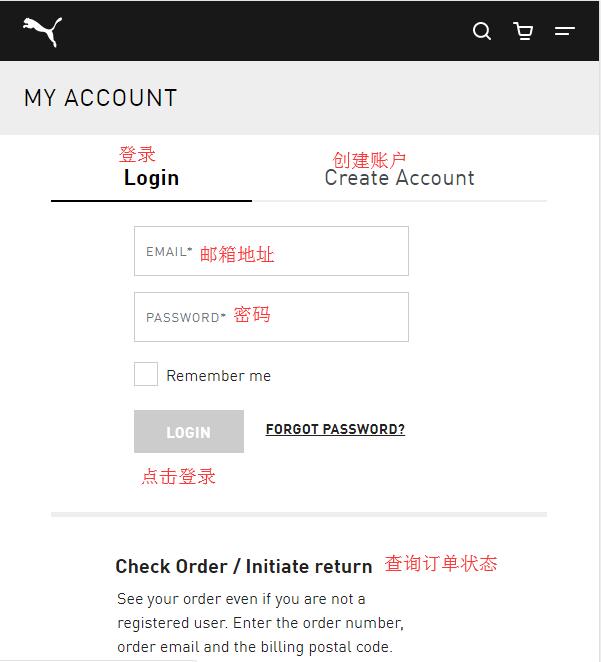
You will be taken to the login/registration page. Existing users can log in with their email and password. New users should click Create Account to register. Returning users can also check the status of existing orders by clicking check status below.
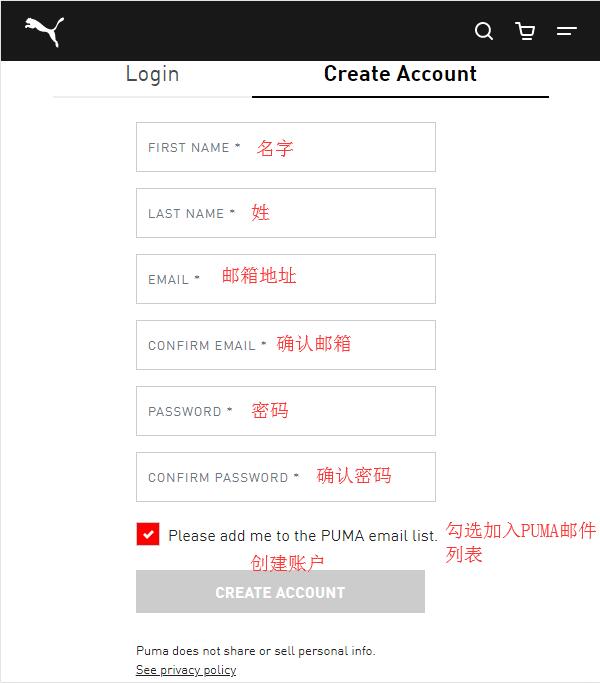
To register a new account, enter your first name, last name, email, and password. Click Create Account to register. Note: The password must be at least 8 characters long.
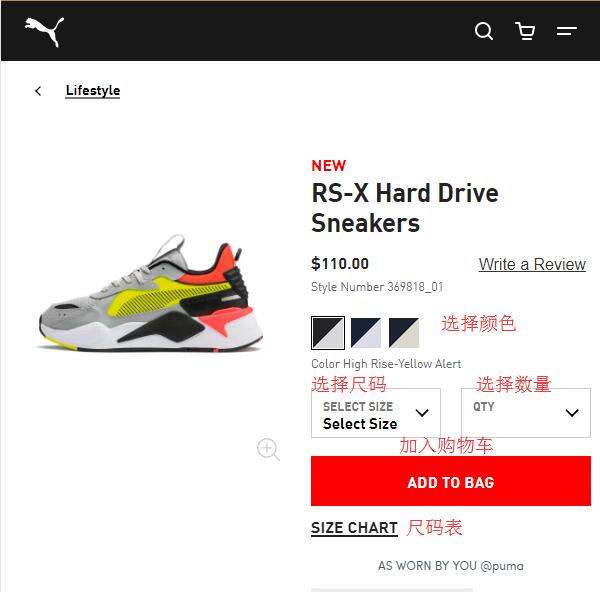
2. Registration complete. Start shopping. Browse by category, use the search function, or navigate via the homepage to select your desired products. Choose the color, size, and quantity, then add them to your cart.
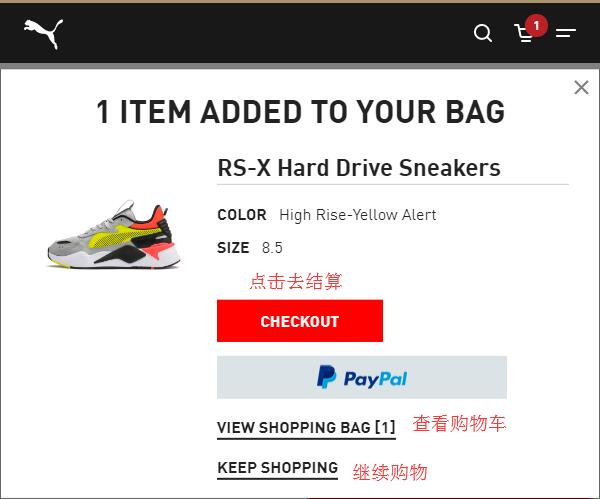
After adding an item to your cart, a pop-up will appear confirming the item has been added. You can choose to proceed to checkout, view your cart, or continue shopping. We will choose to view the cart.
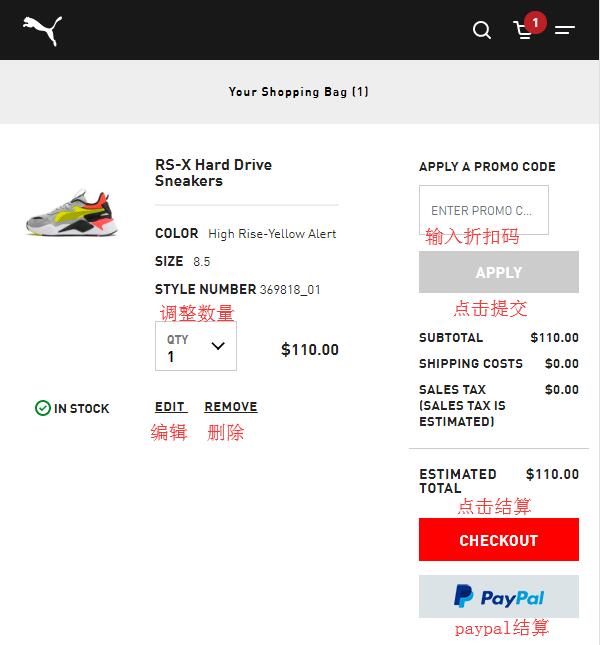
3. Enter the shopping cart and verify the product information. If everything is correct, click checkout to proceed. If you have a discount code, you can enter it here to receive the corresponding discount.
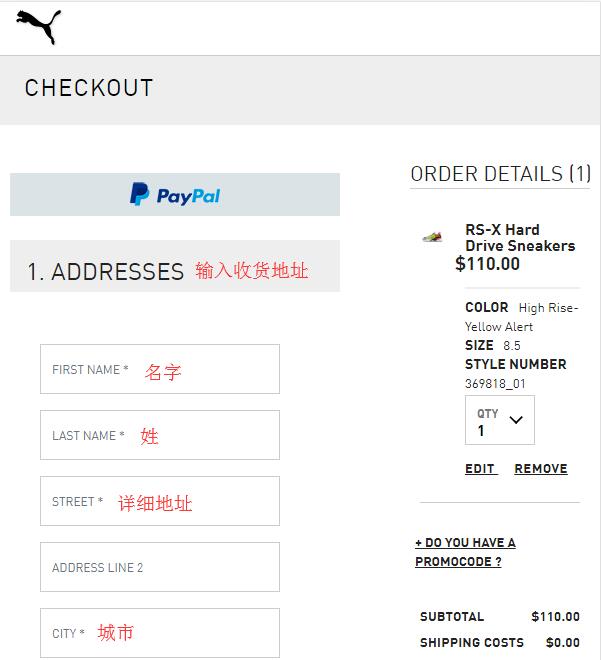
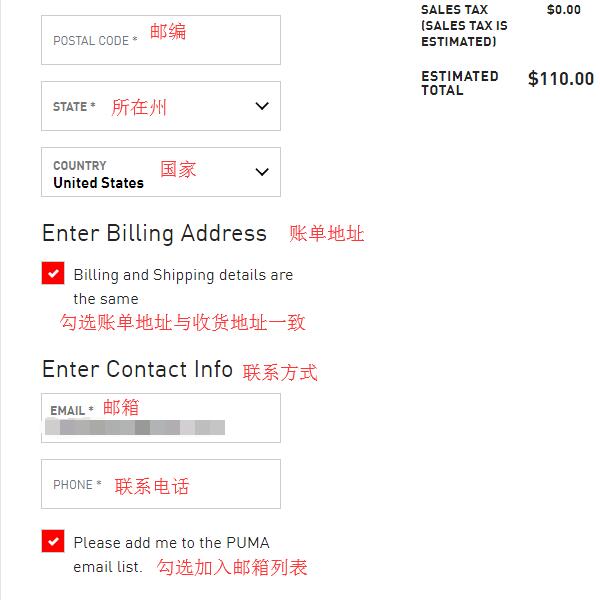
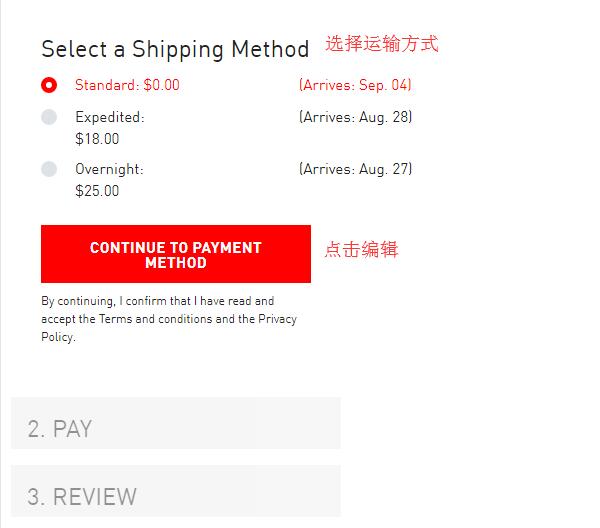
4. Start the checkout process. Enter your shipping address. Since the Puma official website currently does not support direct shipping to China, you will need to enter a US forwarding address here. The billing address can be the same as the shipping address. Then, select a shipping method based on the shipping address.
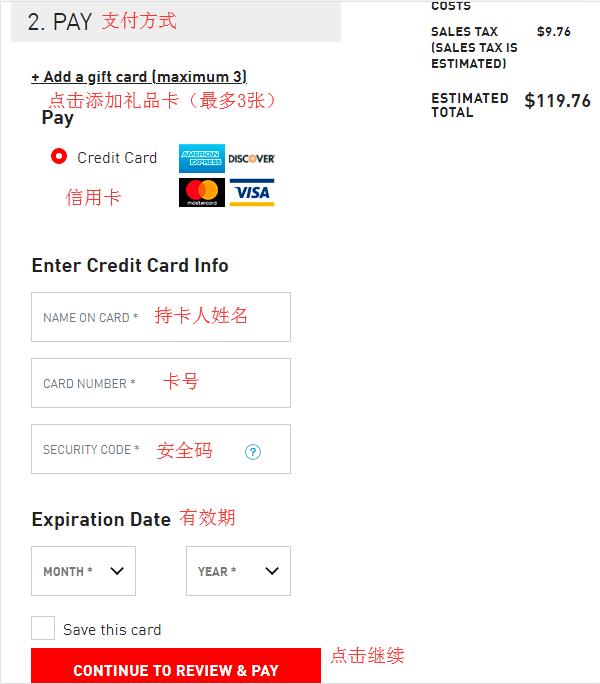
5. Select a payment method. If you have a gift card, you can choose to use it. A maximum of 3 gift cards can be used per order. If you don't have one, pay with a credit card. Enter the cardholder's name, card number, expiration date, and other information, then click Continue.
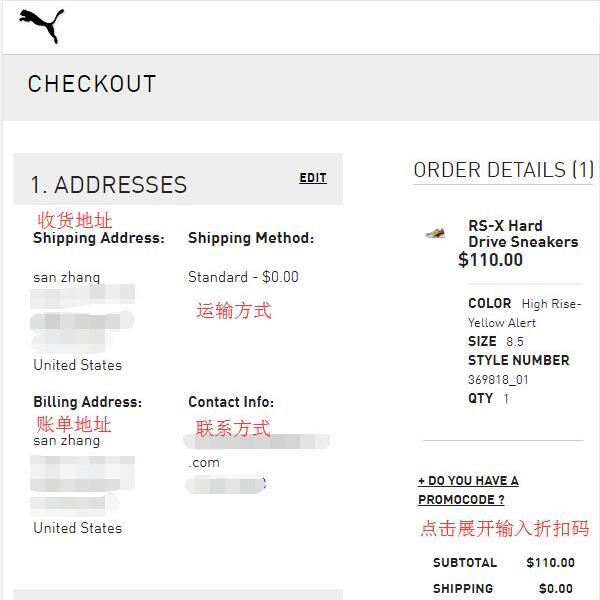
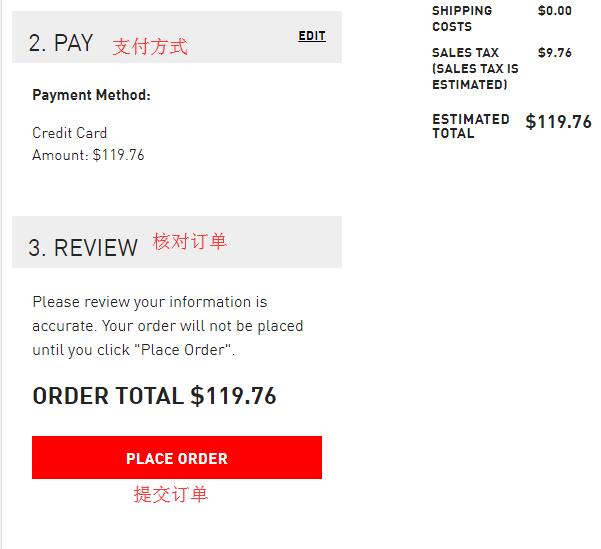
6. The final step is to review and submit your order. Double-check all entered addresses, payment details, and order information. Once everything is confirmed correct, click Place Order to submit your order and complete the purchase.
All that's left is to wait for the forwarding company to receive the package, prepare the shipping details, and then sit back and wait for your delivery!