

Puzzle Master is a leading Canadian brand website for puzzles and the number one online puzzle purchasing platform, where you can find a vast selection of various puzzles.
This article introduces a tutorial on how to place an order on the Puzzle Master official website for overseas shopping, guiding you through the process of ordering and shopping on the site. If you also want to place an order on Puzzle Master but don't know how, feel free to bookmark this Puzzle Master overseas shopping guide.
1. Puzzle Master Official Website Ordering Tutorial
1. Open the website
Puzzle Master official website entrance: https://www.puzzlemaster.ca/
2. Log in to your account
Click on the account icon in the top right corner of the page, then select Login/Create Account
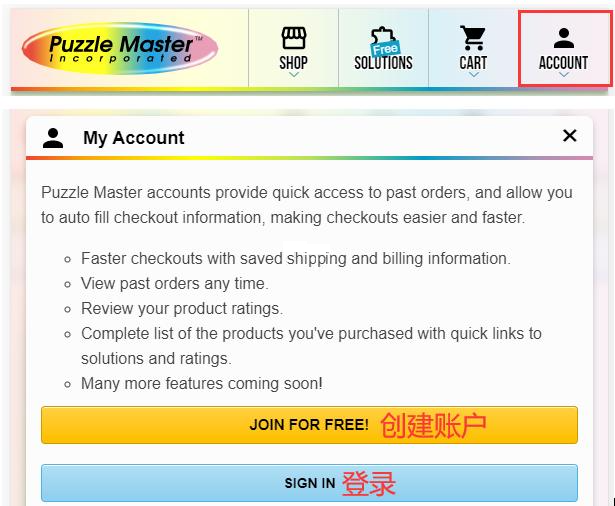
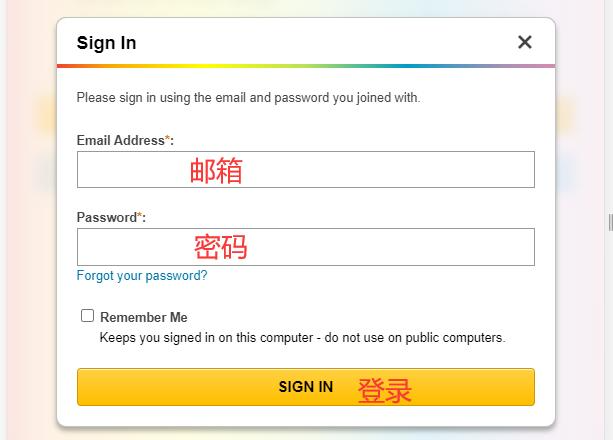
Existing users log in with email and password
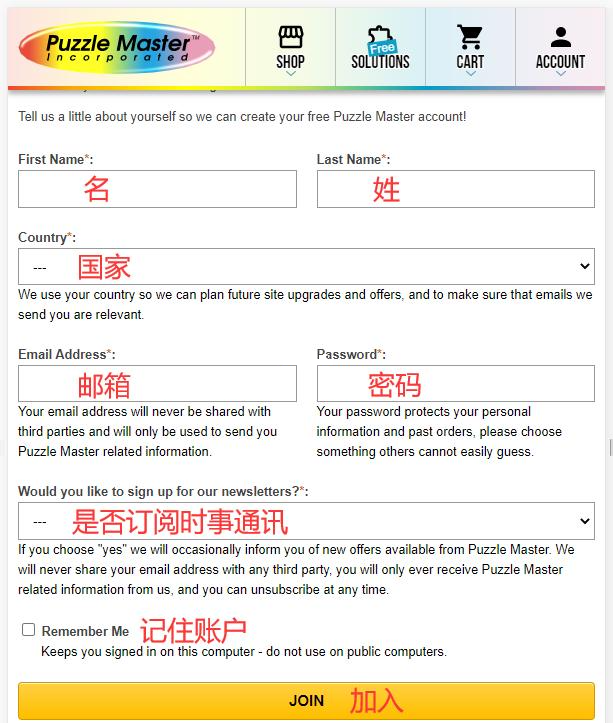
Unregistered users fill in the information and click Join
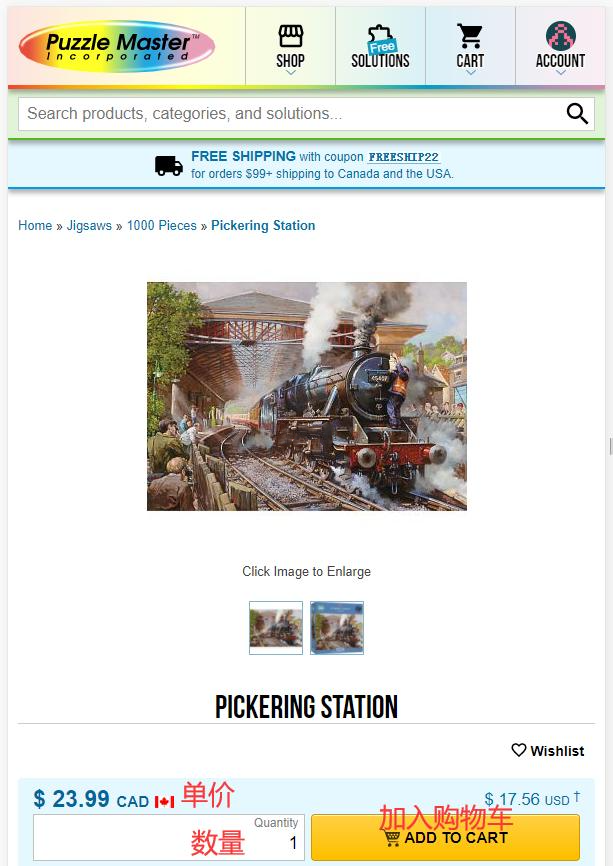
3. Select products and add to cart
4. Open the shopping cart page to review
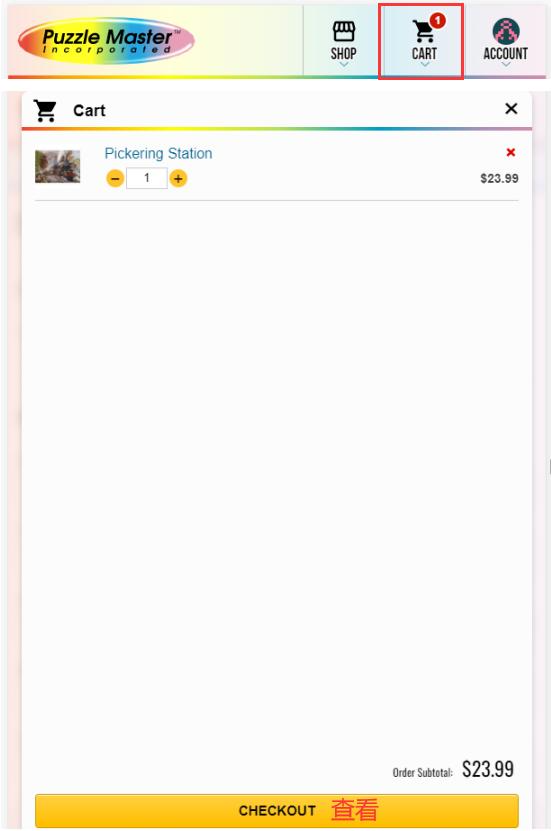
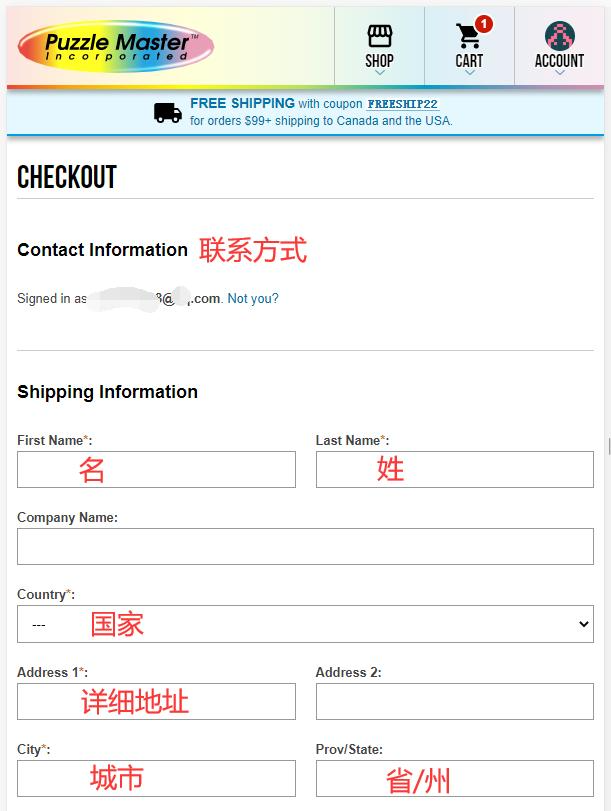
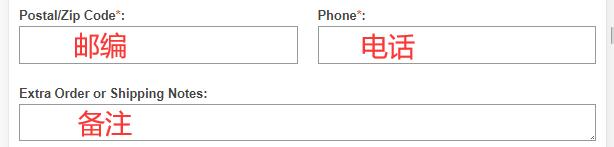
5. Fill in the shipping address
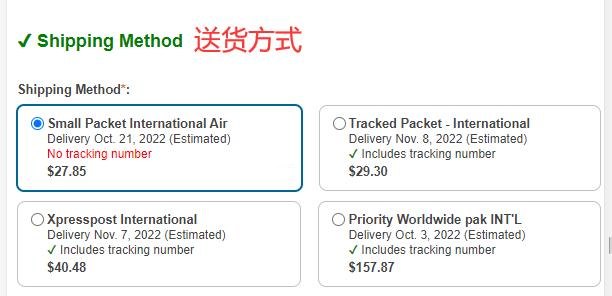
6. Choose a shipping method
7. Carefully review the order
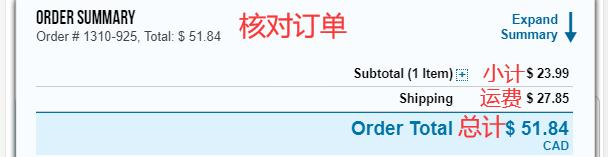
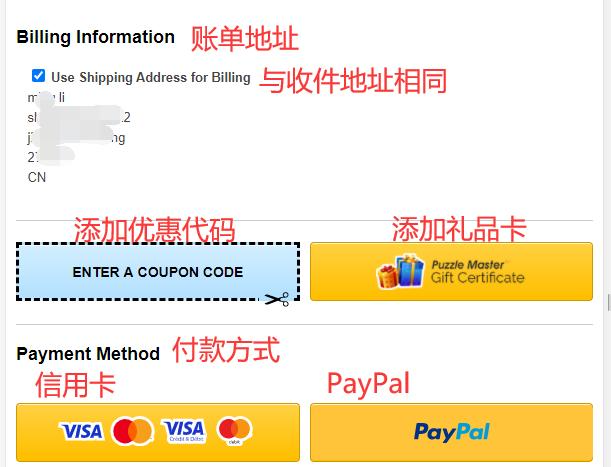
8. Review the billing address and select a payment method
If you have a promo code or gift card, enter it to receive the discount
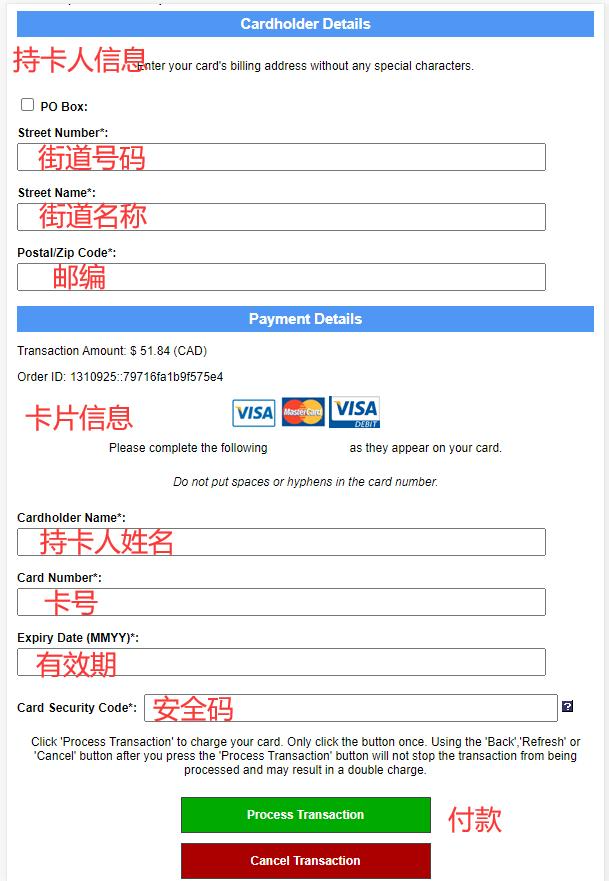
9. Fill in payment information
Using a credit card as an example, fill in the credit card billing address, cardholder name, card number, expiration date, security code, and other relevant details completely. After confirming everything is correct, click Pay
10. Wait to receive your order!
2. Notes for Ordering on the Puzzle Master Official Website
1. Direct shipping to China is supported, but shipping costs are relatively high. It is recommended to use a forwarding service for orders. Free shipping is available for orders over $99 within Canada and the United States.
2. Visa and Mastercard credit cards are accepted, as well as PayPal online payment.