

SSENSE is an online fashion retailer based in Canada, offering brand-name apparel from D&G, Juicy Couture, Miss Sixty, G-Star, Diesel, and more, including men's wear, women's wear, bags, shoes, and accessories. It is a popular site for international shopping. This article provides a guide on how to shop on the SSENSE official website, explaining the steps to place an order for direct shipping. If you want to order direct delivery from SSENSE but don't know how, feel free to bookmark this SSENSE direct shipping tutorial.
1. SSENSE Official Website Direct Shipping Order Tutorial
1. Open the official website
SSENSE official website link: https://www.ssense.com/
2. Log in to your account
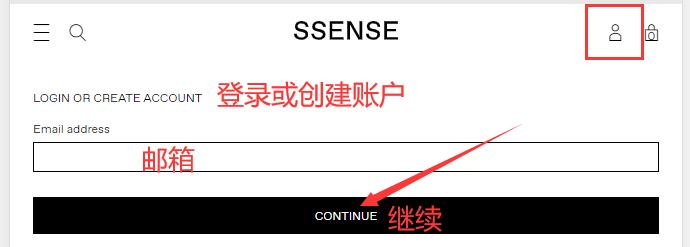
Click the top right corner of the page and enter your email to log in
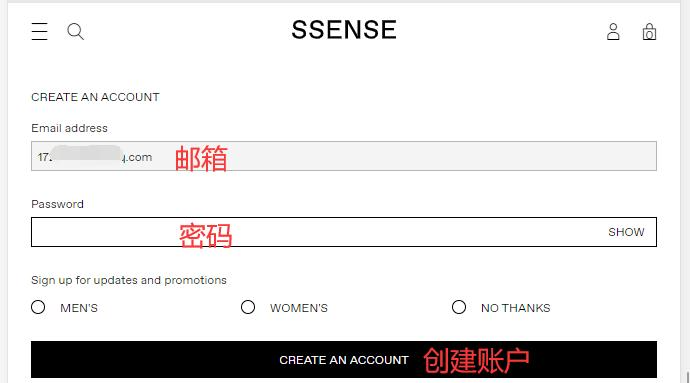
Unregistered users set a password to create an account
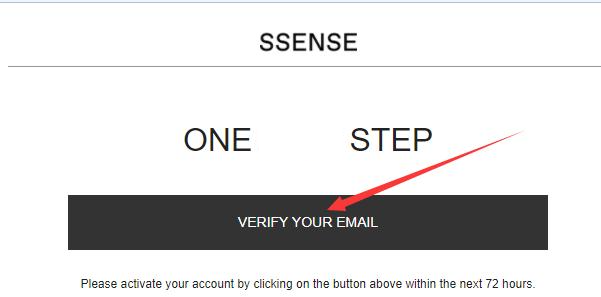
Open your email and click the confirmation link to activate
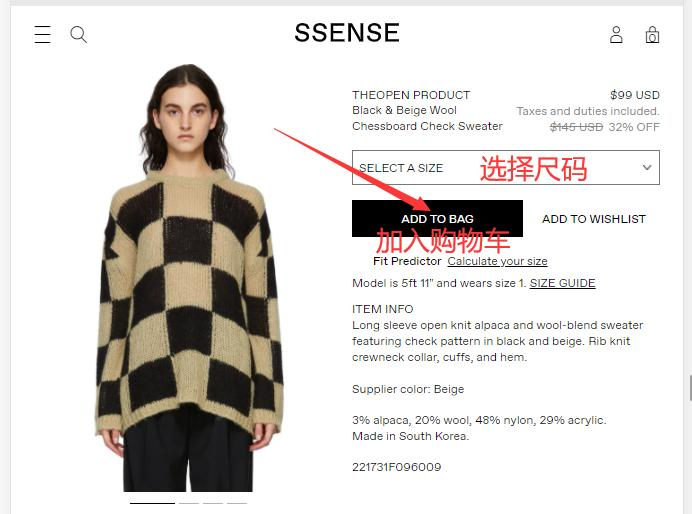
3. Select items and add to cart
4. Open the cart and review the order
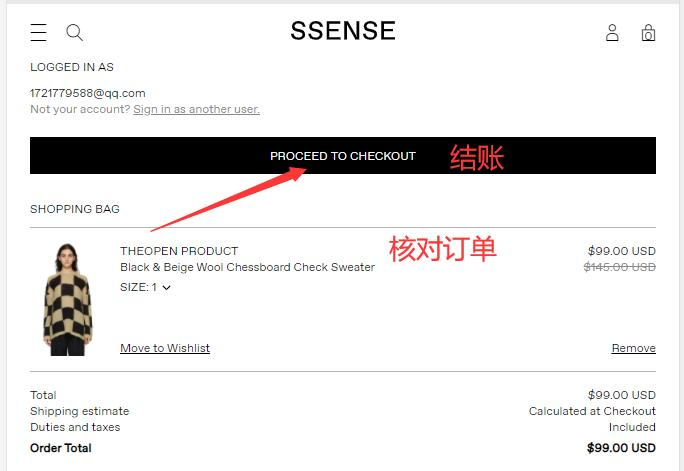
5. Fill in the shipping address
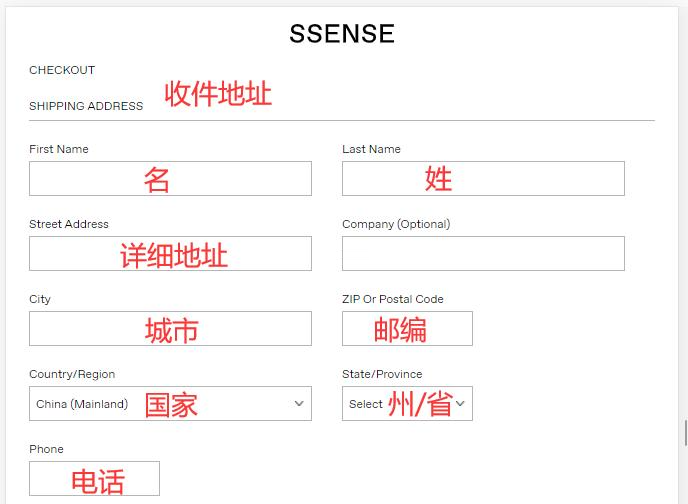
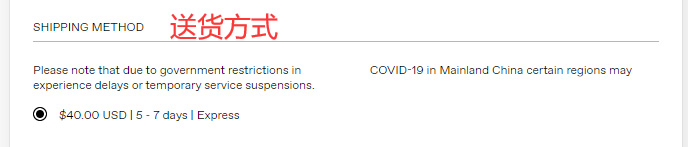
6. Choose a shipping method
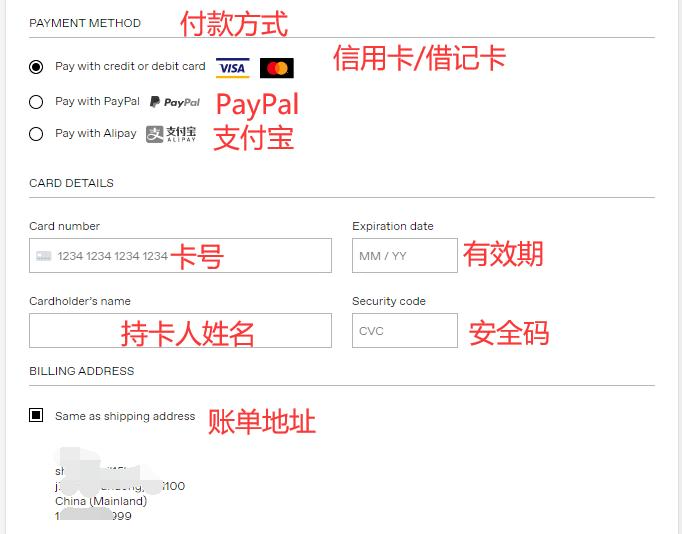
7. Choose a payment method
Using credit card payment as an example, fill in the cardholder's name, card number, expiration date, security code, and other details, then verify the billing address
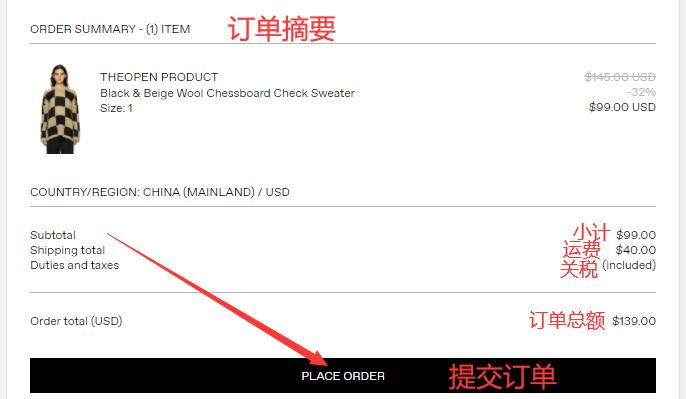
8. After confirming the order information is correct, click submit
9. Just wait to receive your package!
2. Notes for Placing Orders on the SSENSE Official Website
1. The official website supports direct shipping to China, with a shipping fee of $40
2. Product prices include tax, so there is no need to worry about customs clearance issues
3. Supports Alipay, Visa, MasterCard credit cards, and PayPal payments