

StockX is a standardized sneaker trading platform from the United States, founded in 2016, where sellers can sell or purchase items. With an average daily trading volume of 10,000 transactions, it has become the world's most well-known sneaker trading platform. On the StockX official website, you can buy many popular sneaker styles through overseas shopping.
This article introduces the StockX US official website overseas shopping guide, telling you how to place orders and shop on the StockX US official website. If you also want to order on the StockX US official website but don't know how, feel free to click and check out this StockX US official website overseas shopping guide.
1. Open the website;
StockX US official website overseas shopping URL: https://stockx.com/, click the link to access directly;
2. Register an account;
Unregistered users select Sign Up in the upper right corner to register an account;
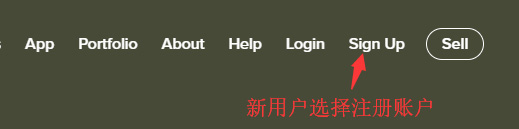
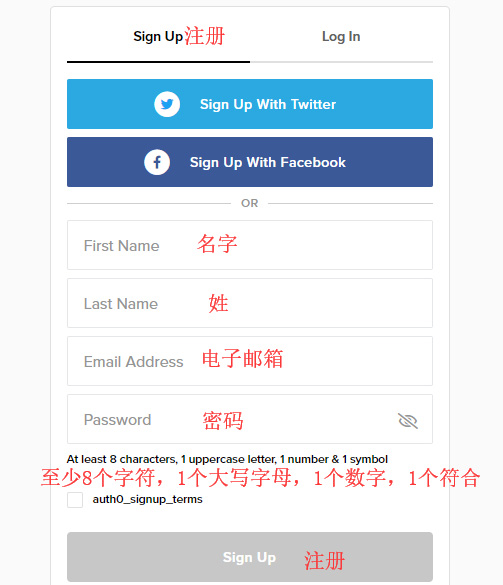
Enter the registration page;
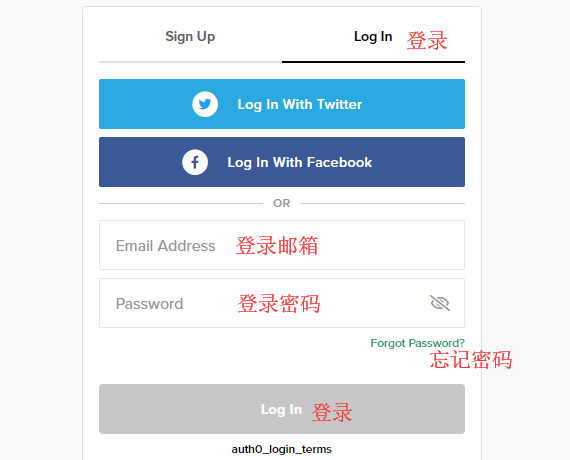
Friends who have already registered can select Login to log in;

Enter the login page;
3. Select a product;
Find the sneakers you need, and open it to this page. Pay close attention from here!!! Select the correct size; these are all US sizes. Green is for buying, red is for selling. Generally, to purchase sneakers, click the green box.
Clicking View All Ask will show Sales (transaction records), Asks (seller listed prices and the quantity of shoes at that price), and Bids (buyer bid prices, sorted from high to low);
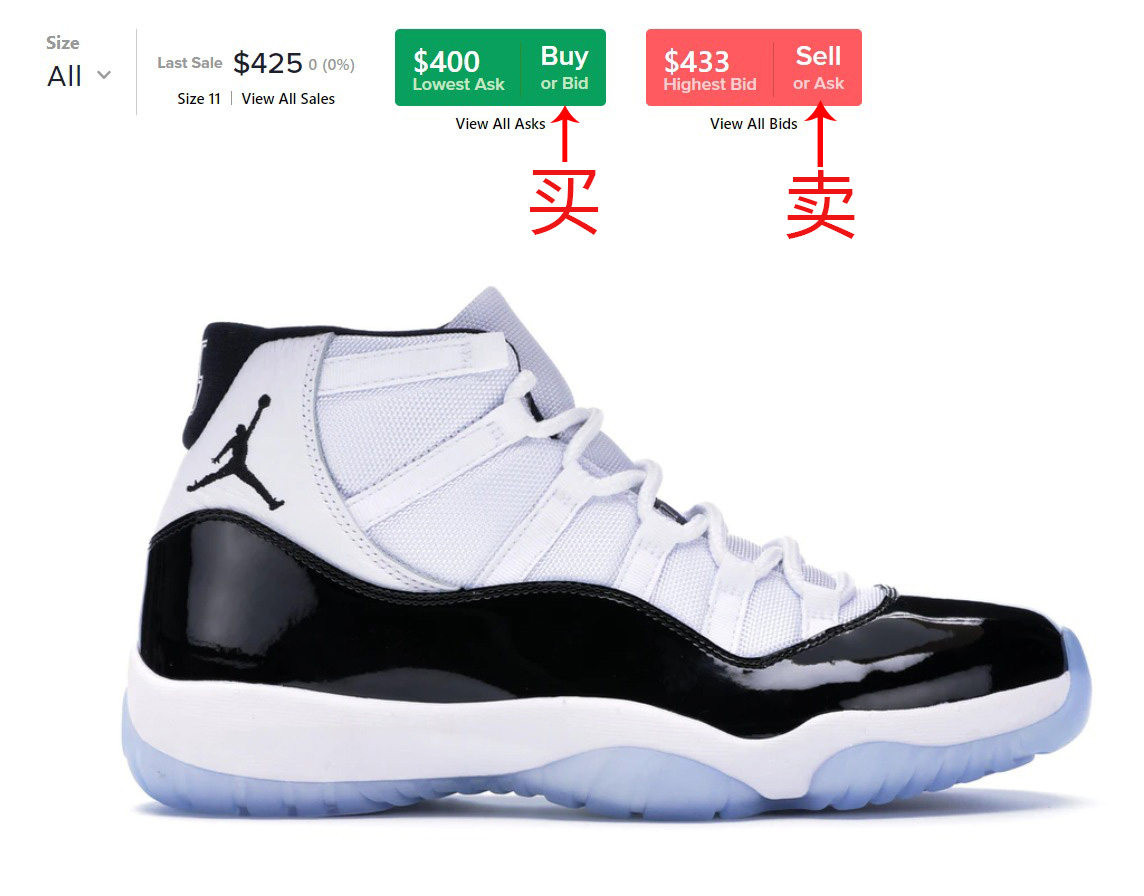
4. Whether you want to buy directly or need to place a bid, just click the green button, then select the size;
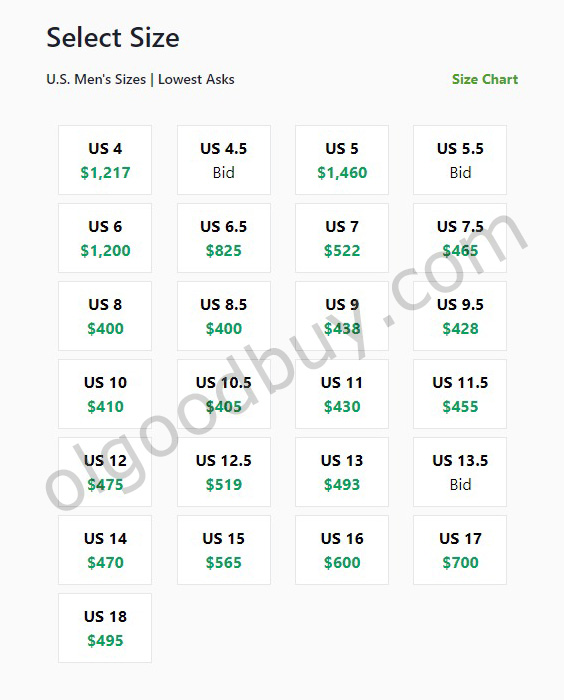
5. After selecting the size, the following image will appear;
Place Bid is for bidding, similar to making an offer, where you need to manually enter a price. If you accept the seller's listed price and want to buy directly, choose Buy Now;
Note: If you are placing a bid, look at the three small pencils below on this page. The first line is the validity period of the bid, defaulting to 30 days, which you can modify.
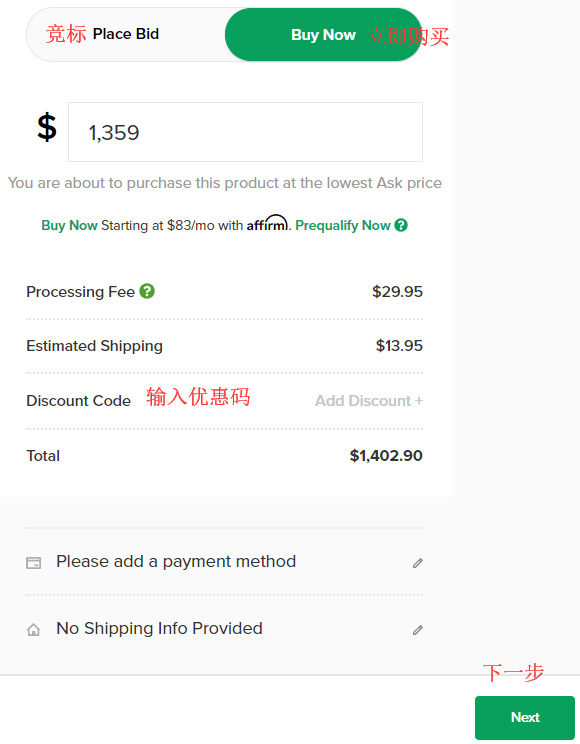
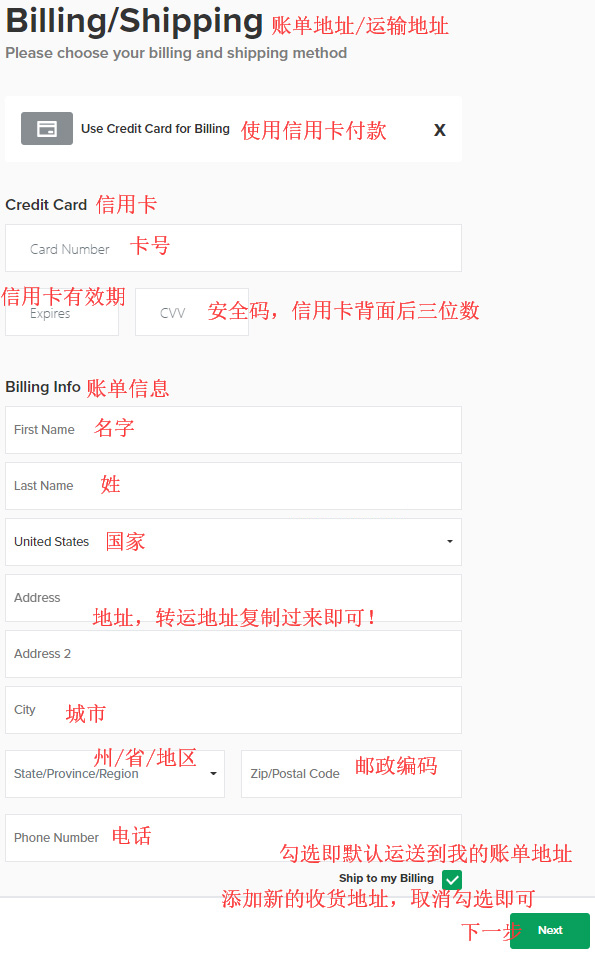
6. Click Next to continue to the billing address, payment method, and shipping address page;
It is recommended to fill in the billing address for your credit card with the real billing address you used when applying for the card;
7. All that's left is to wait for the forwarding company to receive the goods, prepare the forwarding details, and sit tight waiting for delivery!