
HUDSON'S BAY is an online department store under HBC, a long-established Canadian department store chain founded in 1670. It is one of the oldest companies in North America, commonly referred to as "The Bay." The company was founded on May 2, 1670, with its headquarters located in Toronto, Canada. Its online product range includes clothing, footwear, bedding, jewelry, cosmetics, electronics, home goods, and more.
Below is a guide to overseas shopping on The Bay official website:
The Bay official website link: https://www.thebay.com/
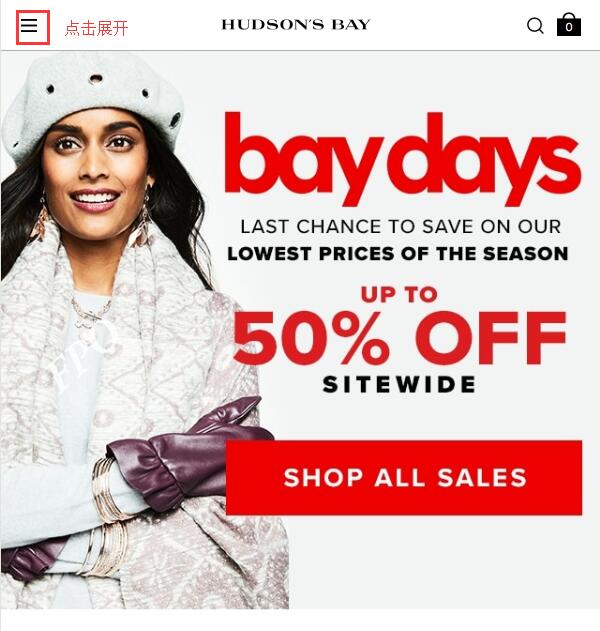
1. First, you need to register an account. Open the homepage and click to expand the menu in the top left corner:
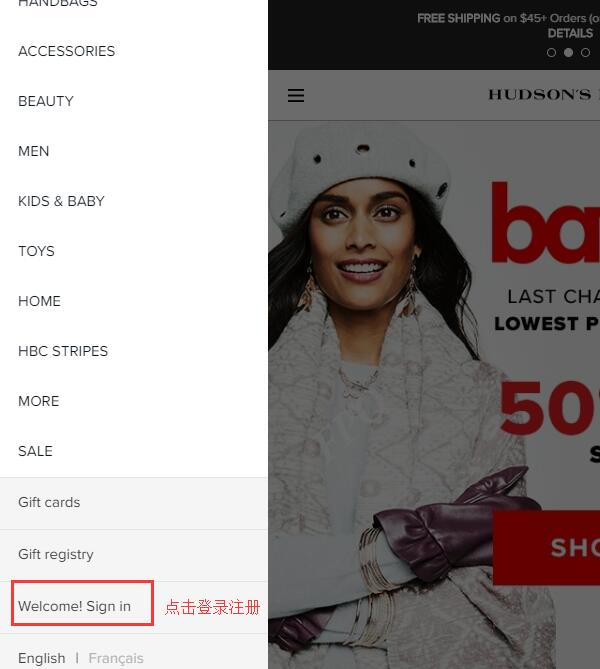
In the expanded menu, click "Welcome Sign in" at the bottom left to log in or register:
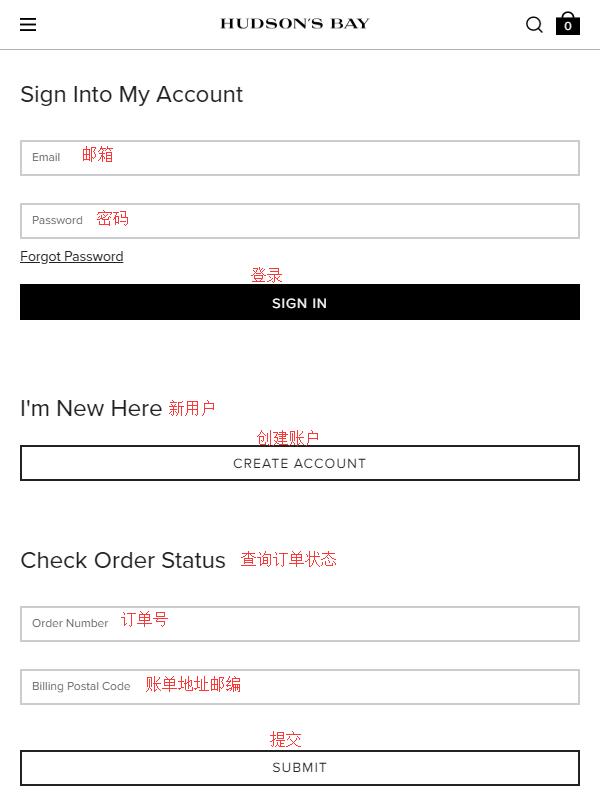
If you already have an account, enter your email and password to log in. New users should click "Create Account" below to create an account. On this login/registration page, you can also check the status of existing orders by entering the order number and the zip code of the billing address.
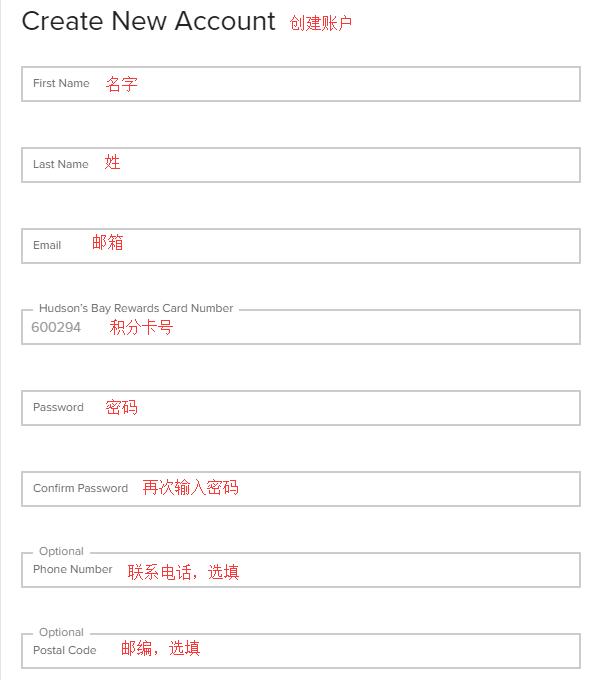
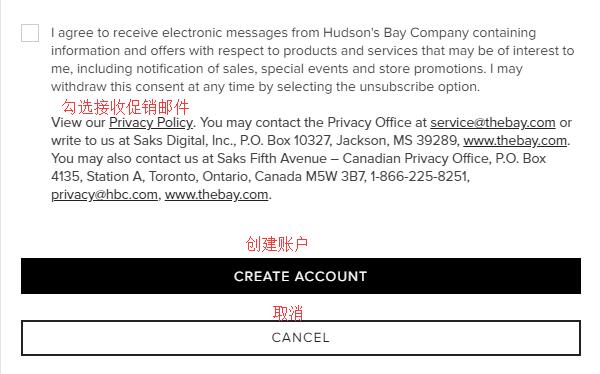
Click "Create Account" to create an account. Enter your name, email, password, and other information, then click "Create Account" below to complete registration:
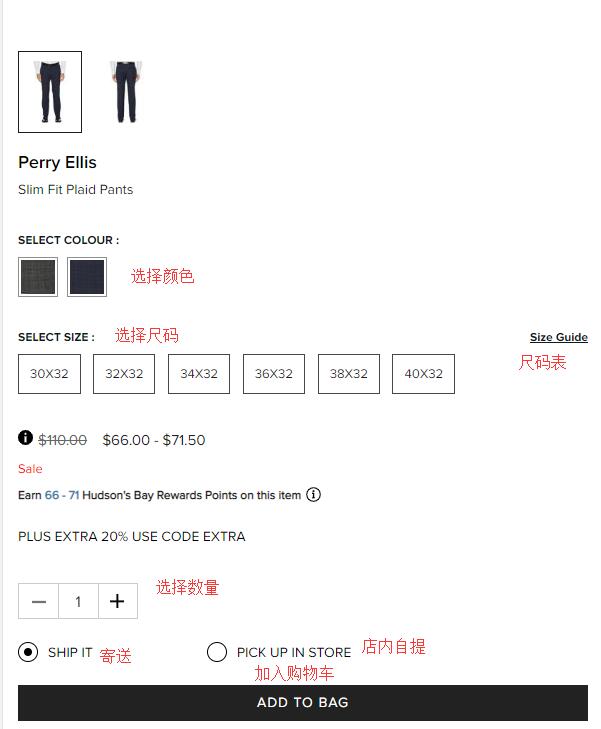
2. Once registered, you can start shopping. Browse by category on the website menu, check out homepage promotions, or search for products using keywords. On the product detail page, select color, size, and quantity, then click "Add to Bag" to add the item to your cart.
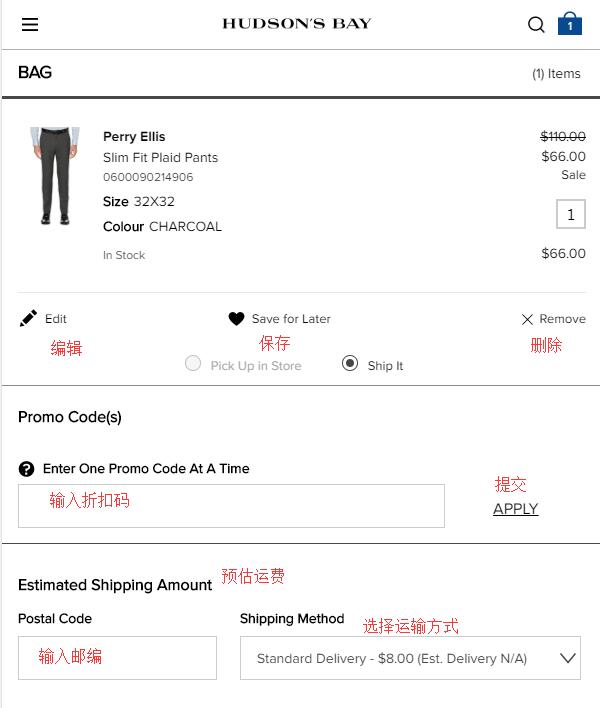
3. Go to your shopping cart, verify that the product information is correct, and click "Checkout" to proceed. If you have a discount code, enter it in the "Promo code" field below to receive the discount.
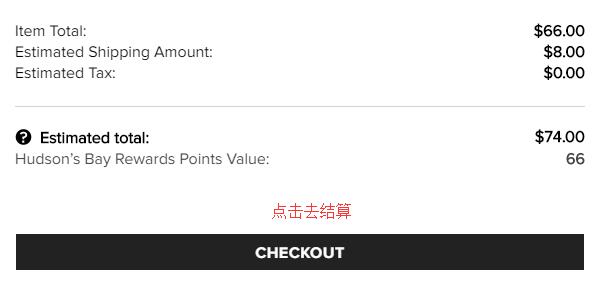
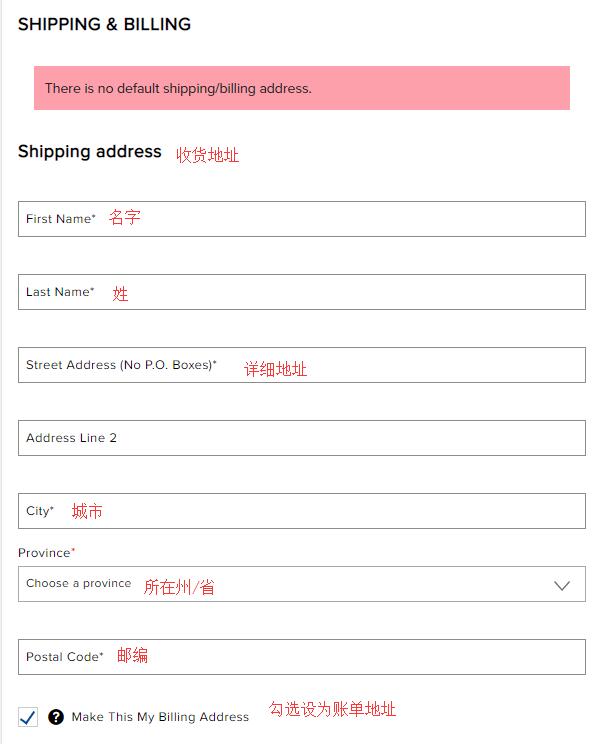
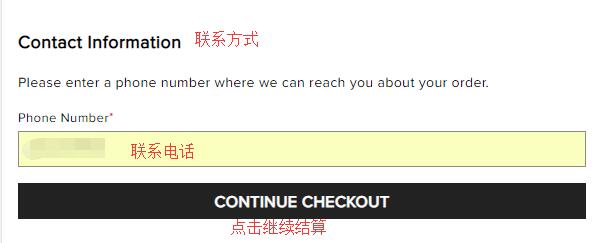
4. Click "Checkout" to proceed. First, you need to enter the shipping address. Currently, The Bay official website does not support direct international shipping, so you will need to enter a Canadian freight forwarding address. Fill in the address according to the forwarding company's requirements. The billing address can also use the forwarding address. Then click "Continue" to proceed:
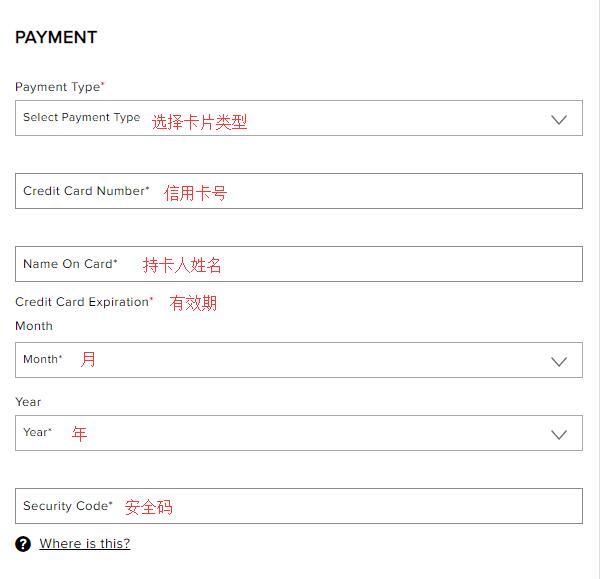
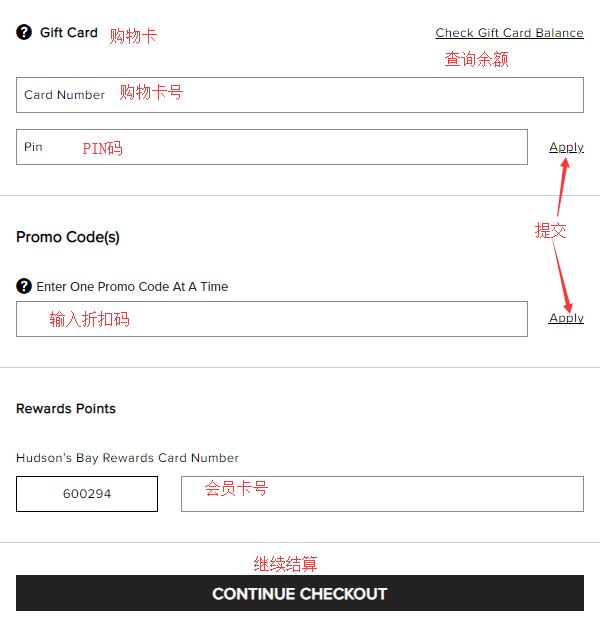
5. For payment, the website supports dual-currency credit cards. Select the credit card type, enter the card's expiration date, card number, cardholder name, and other details. You can also use a gift card or points for payment here. If you missed entering a discount code in the cart, you can enter it at the bottom of this page to receive the discount. Once all information is confirmed correct, click "Continue" to proceed:
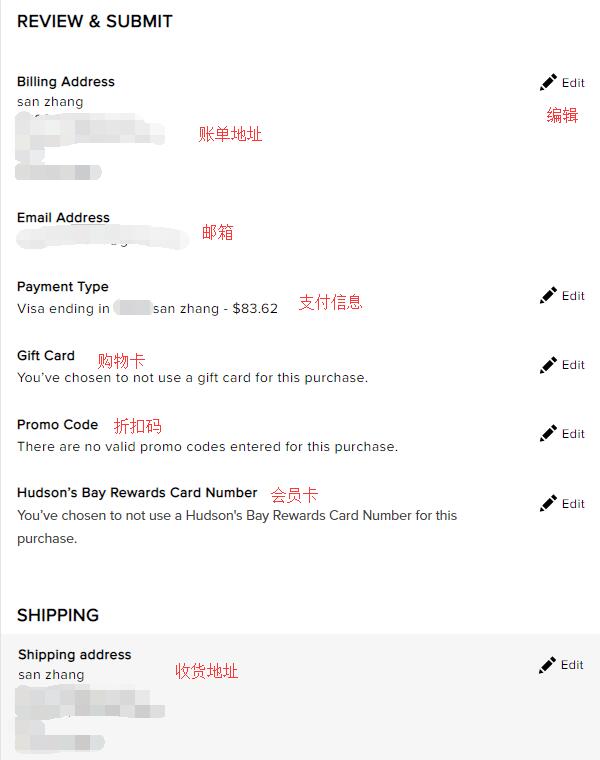
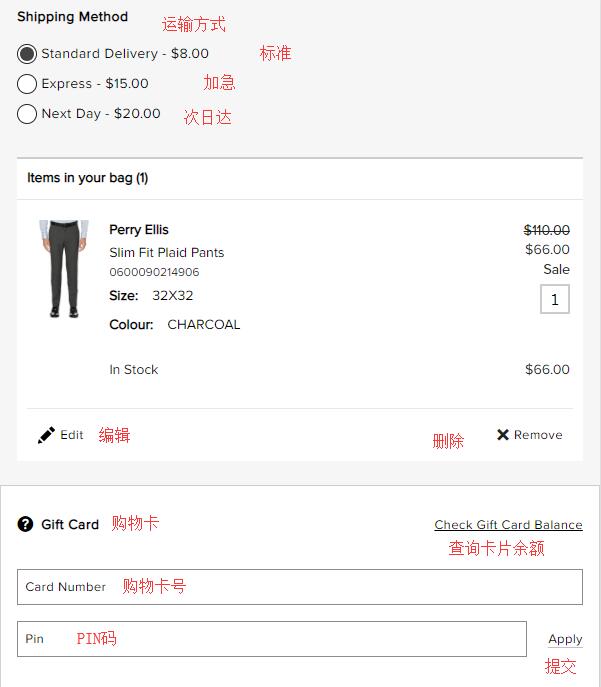
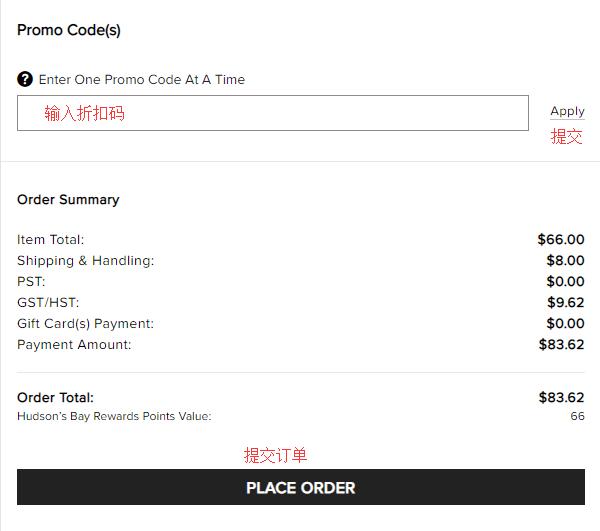
6. The final step is to review and submit the order. Double-check the shipping address, payment information, and product details. Once everything is confirmed correct, click "Place Order" to submit the order and complete your purchase.
Since there are currently fewer Canadian freight forwarding companies, experienced users are welcome to share their forwarding and ordering tips.