

The Body Shop, also known as TBS, is a British beauty and skincare brand with over 30 years of history. Its retail operations span 55 countries, with more than 2,200 stores. The biggest feature of The Body Shop products is the use of natural raw materials. Product lines include hair care, skincare, men's care, bath and body care, wellness products, fragrances, home fragrances, and cosmetics. Based on personal testing, the author especially recommends the bath and body care products. They are very gentle on the skin, leaving it smooth, firm, and elastic after use, with a light fruity or floral scent that feels refreshing.
Classic products from the brand, such as Elderflower Eye Gel, Vitamin E Eye Cream, Tea Tree Oil, and skincare masks, are well-known. Next, let's take a look at a guide for overseas shopping on The Body Shop US official website via mobile.
The Body Shop US official website link: https://www.thebodyshop.com/en-us/
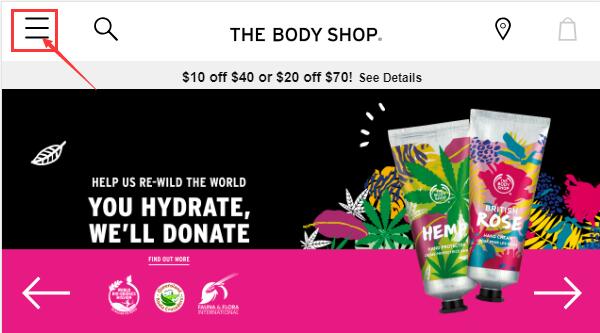
1. First step: register an account. Open the homepage and click to expand the menu in the top left corner:
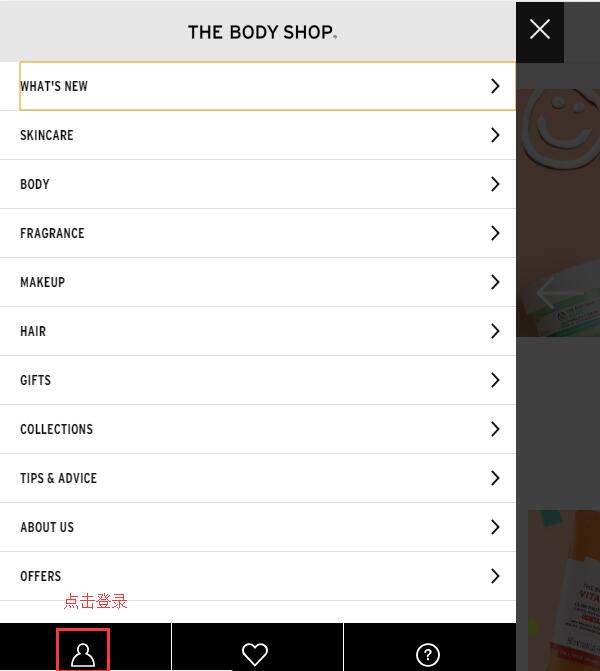
Click the profile icon below the menu to log in:
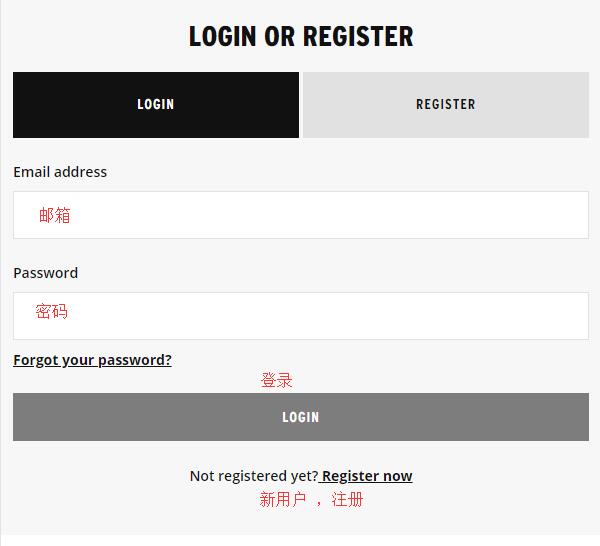
Existing customers select Log In and use their email and password. New users who haven't registered can choose Register on the right or click Register now below Log In to create an account:
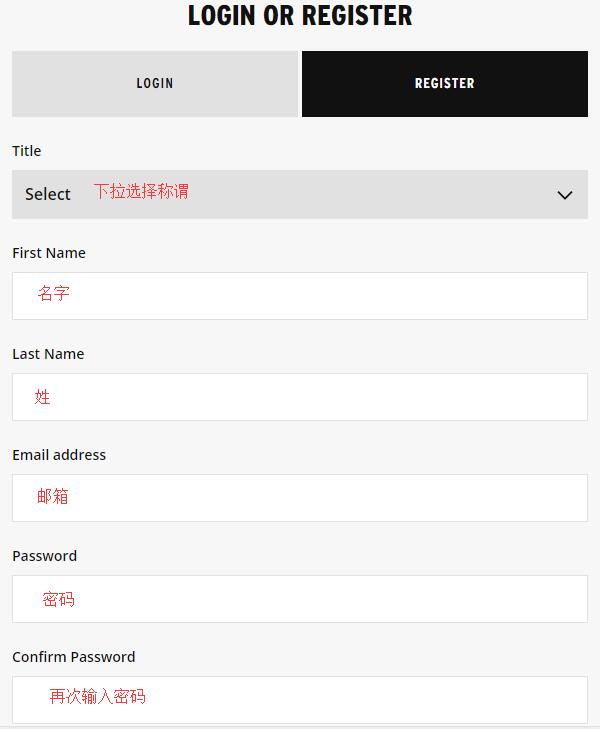
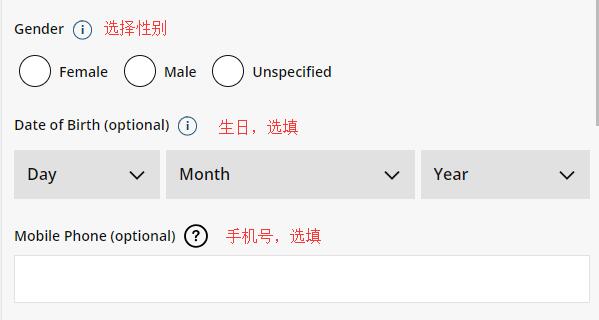
Enter your name, email, password, and other required information as prompted. Birthday, phone number, gender, etc., are optional and can be filled in based on personal preference:
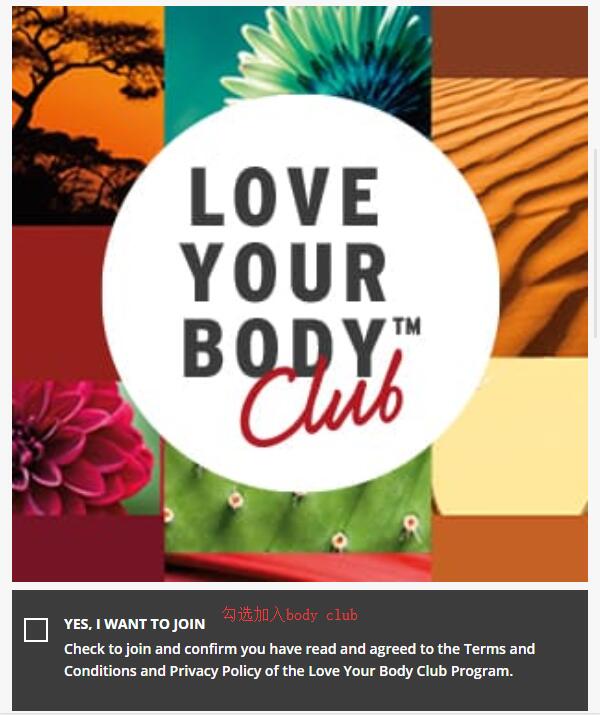
The prominent image below asks if you want to join the Body Club membership system. It's free, and you can choose whether to join based on your situation:
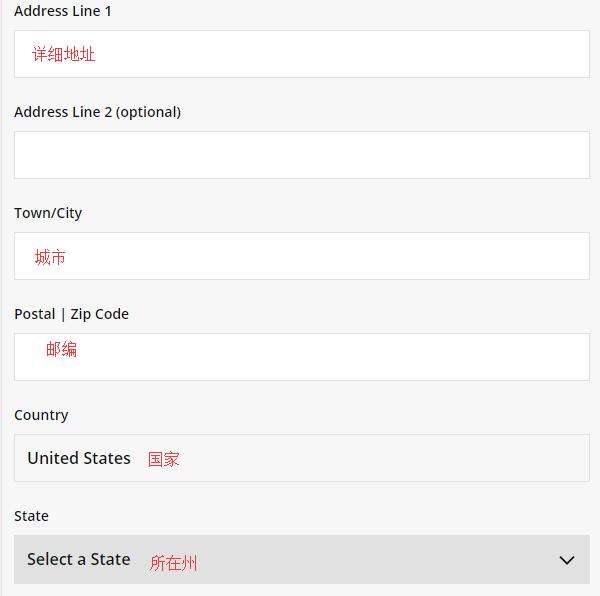
Enter your address information below, then click Register below to complete registration:
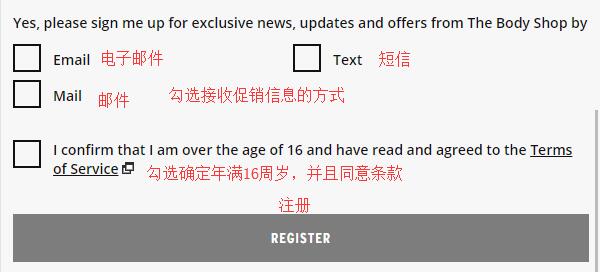
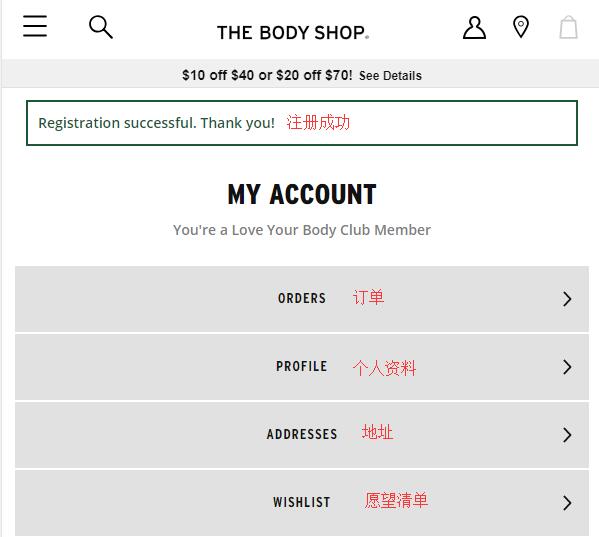
Once registration is complete, a success message will appear, and you can see your account dashboard:
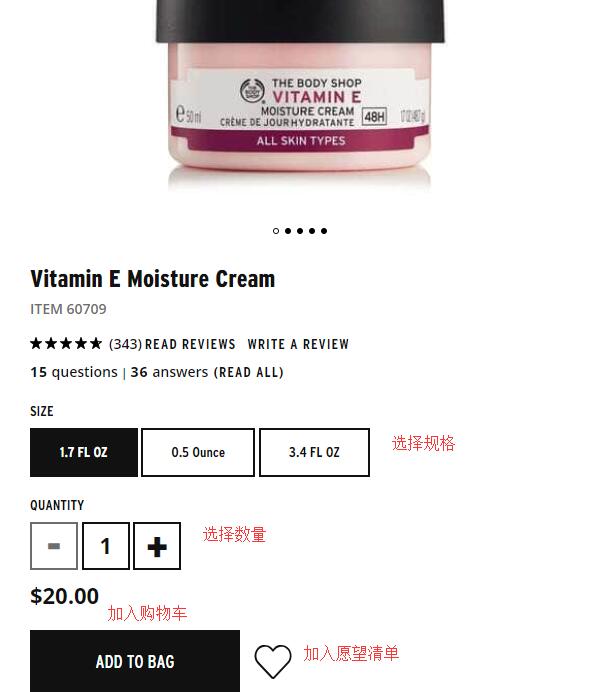
2. After registration, you can start shopping. Usually, people choose The Body Shop for its star products. You can search or browse categories to find the products you want. Let's use the Vitamin E Intensive Moisture Cream from the VE series as an example:
Go to the product detail page, select the size and quantity, and add to cart:
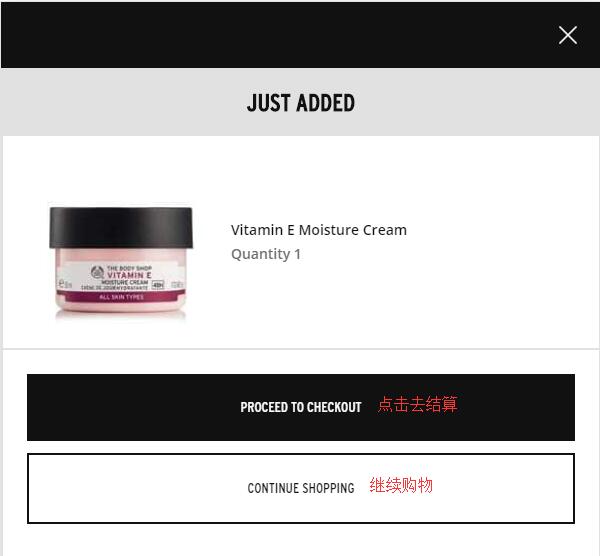
After adding to cart, a pop-up will appear. Choose to continue shopping or proceed to checkout. We select Proceed to checkout:
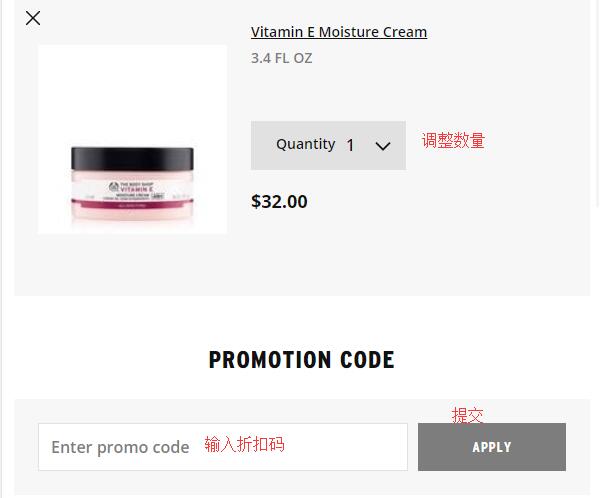
3. In the shopping cart, you can adjust the quantity. If you have a promo code, you can enter it in the dialog box below to get the corresponding discount.
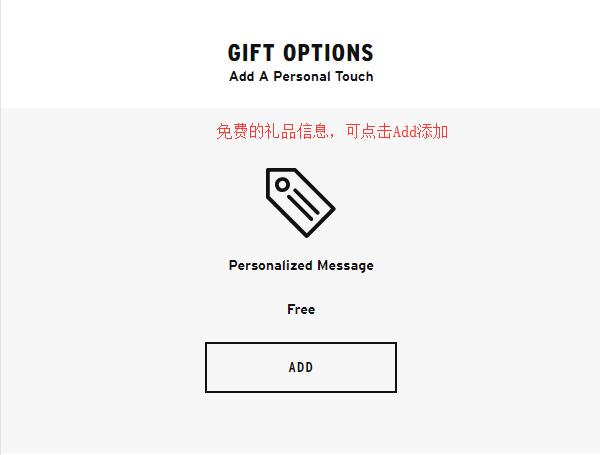
Below that, there is a gift option where you can enter gift card information for free. If needed, click ADD to add the info:
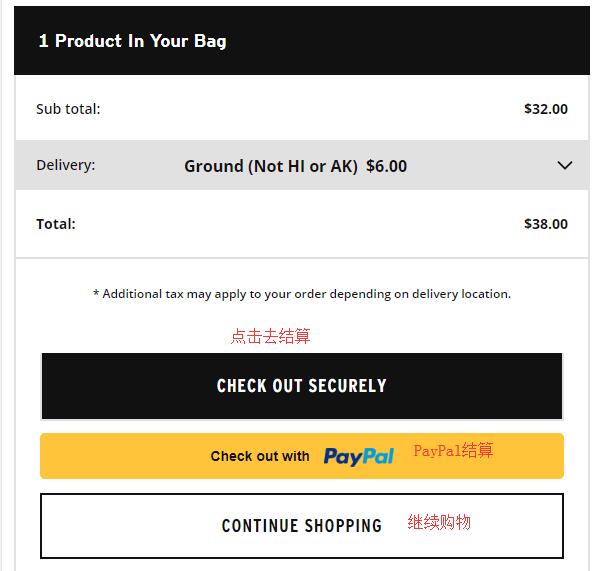
Below is the product information in the cart. Confirm everything is correct, then click Checkout securely. The site also accepts PayPal. We'll use credit card payment as an example:
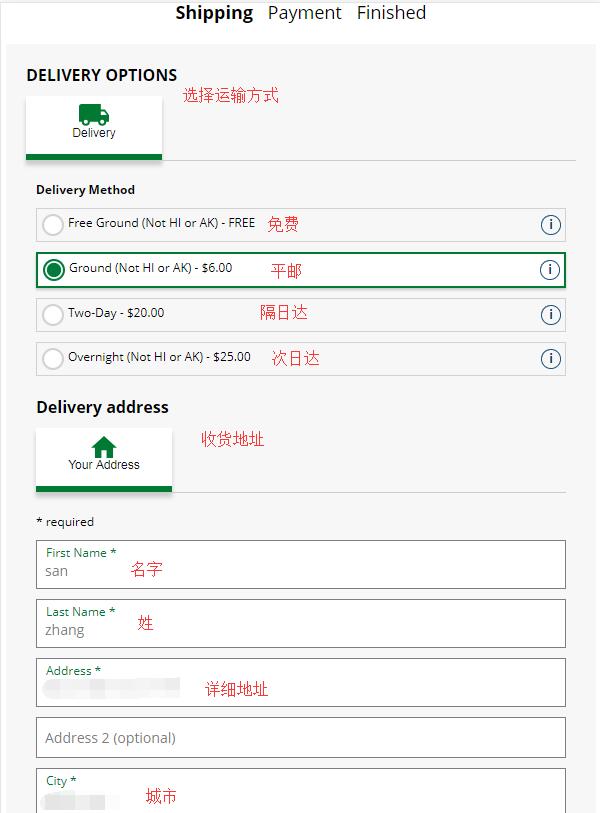
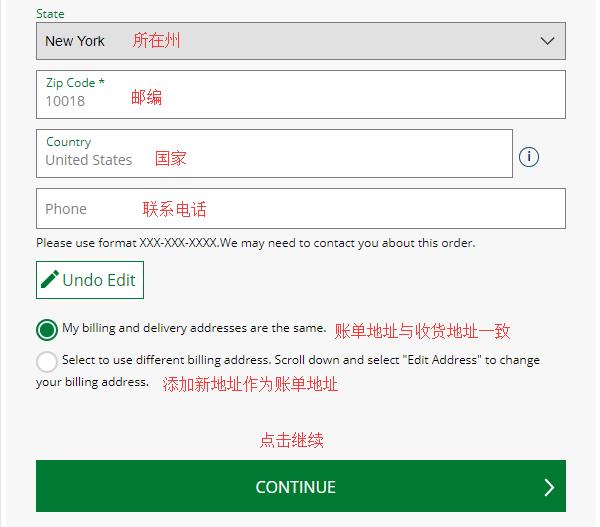
4. The first step in checkout is to enter the shipping address and select a shipping method. We usually choose the default Free Ground shipping. Enter your forwarding address, strictly following the requirements of your forwarding service. For the billing address below, it can match the shipping address, or you can use your real domestic billing address. Check The same to match, or select to use a different address to enter a new billing address. Then click Continue:
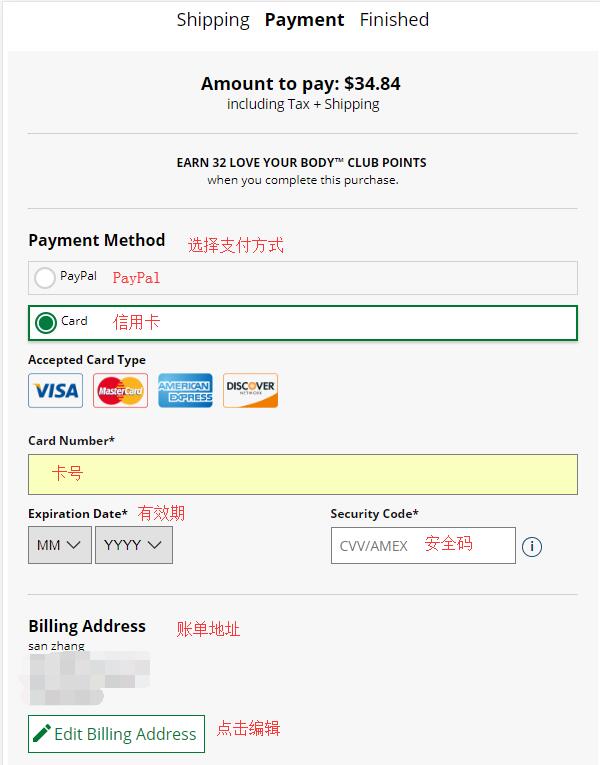
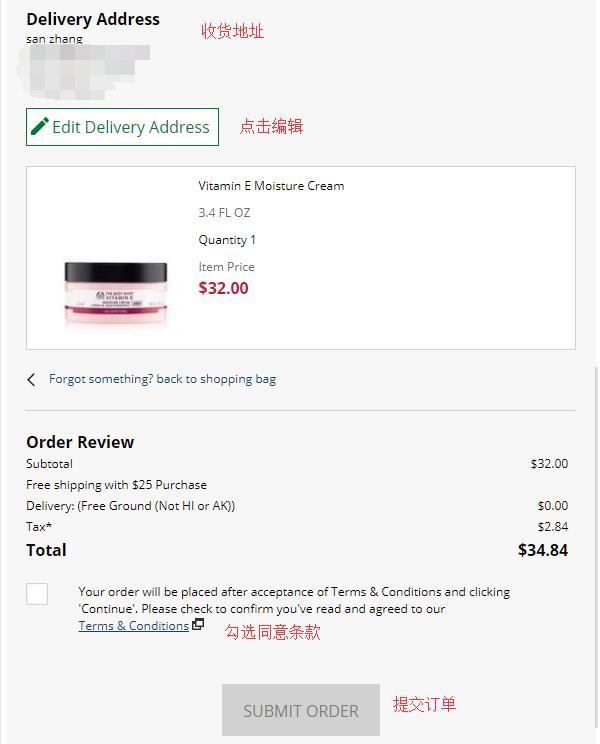
5. Payment information. We choose Card (credit card) payment. Enter the card number, expiration date, security code, etc. Carefully check that the entered address and product information are correct. Once everything is confirmed, check the box to agree to the terms, and click Submit order below. The entire shopping process is complete.
Tips:
The Body Shop US official website occasionally runs promotions, and sometimes offers can be stacked. If you're interested, feel free to check our latest promotional updates anytime to grab deals conveniently!