

Tory Burch is a very popular American fashion brand among young people. Founded in 2004, the brand's product line includes women's clothing, women's shoes, handbags, accessories, fragrances, and home decor. Its design style is the currently trending sporty-chic look, full of unrestrained energy without sacrificing the exquisite details that showcase taste, making it a favorite among celebrities and socialites. The bags feature a clean and simple design, the logo is instantly recognizable and memorable, and the clothing is elegant and appropriate, easily commanding attention in any setting. The shoes are comfortable, durable, and versatile, making them wardrobe essentials. There are relatively few cities in China with Tory Burch boutiques, and the prices are not very friendly. The official Tory Burch US website is a much better destination for fashion enthusiasts to get their hands on elegant, affordable luxury.
Tory Burch official website link: https://www.toryburch.com (Open in an overseas network environment)
Next, we will introduce the specific ordering process on the US official website's mobile version:
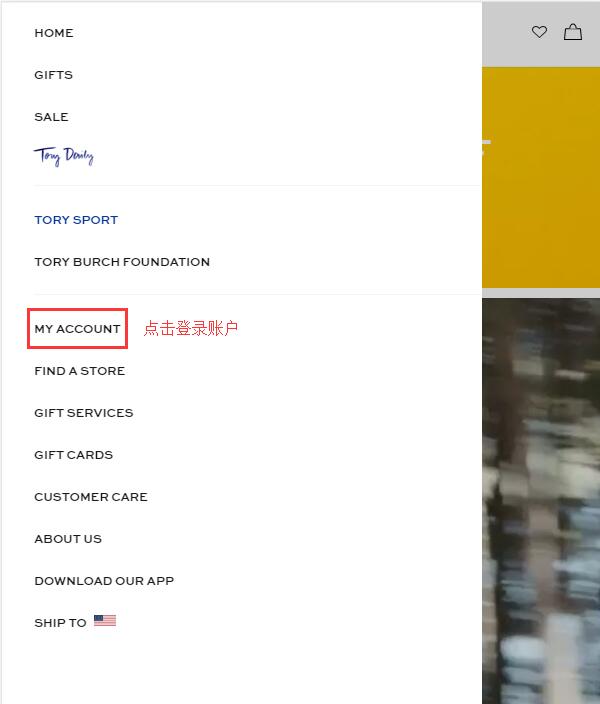
1. First, on the Tory Burch homepage, click to expand the menu in the upper left corner:

Click My Account to log in or register:
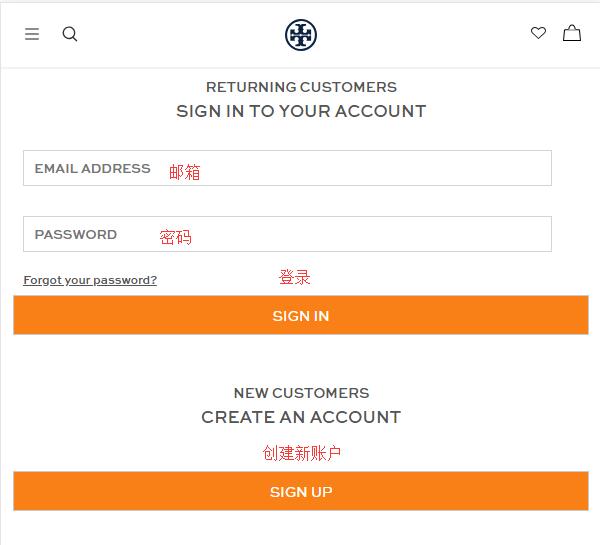
2. Existing users can choose to log in using their email and password. Those without an account can choose to create one.
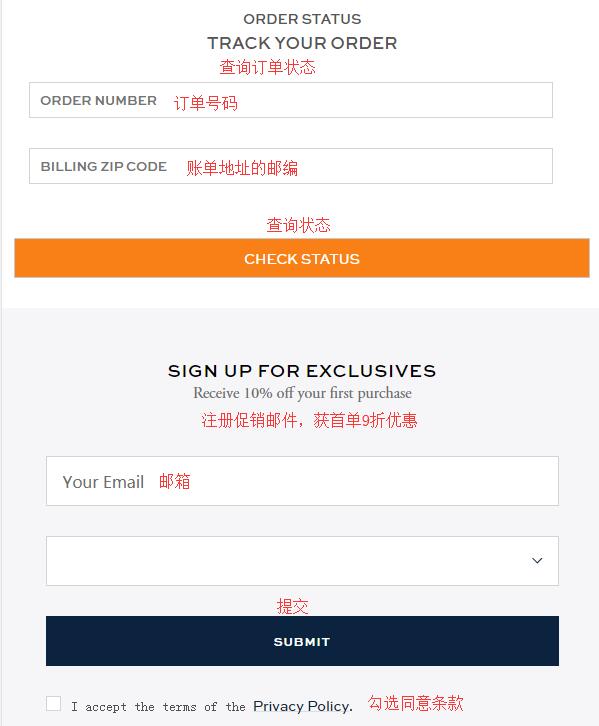
Additionally, on the login page, you can check the status of existing orders by entering the order number and the billing address zip code. Below that, you can also enter your email to sign up for promotional emails and receive a 10% discount on your first order! (Sign up if you don't mind receiving bulk emails.)
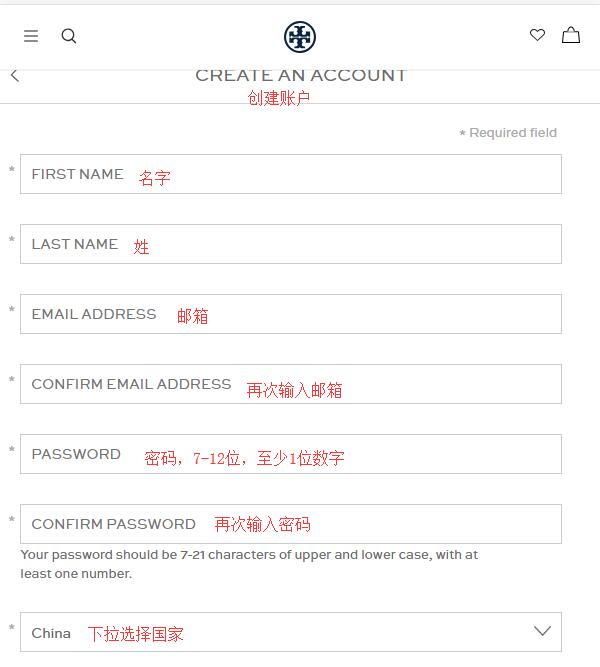
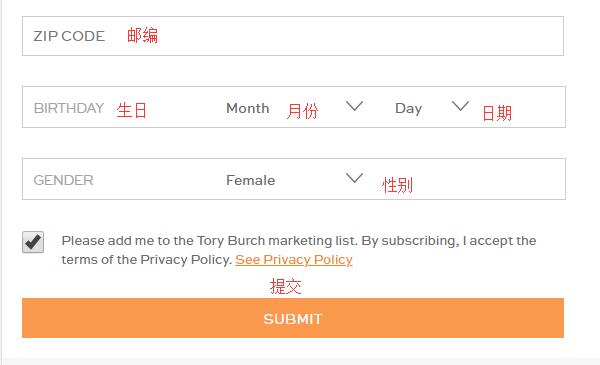
Fill in your personal information such as name, email, password, country, birthday, and gender as required by the website, and submit to easily complete the registration:
3. Once registered, you can shop with ease!
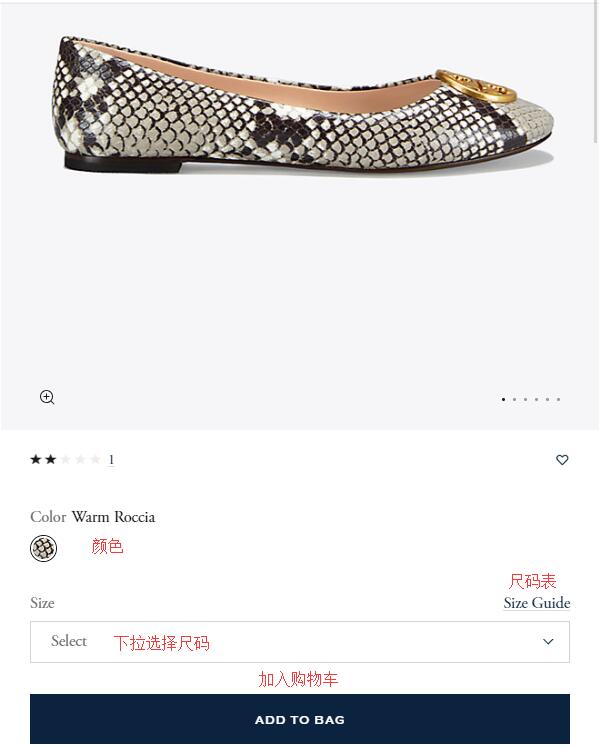
You can browse products through the menu by clicking the menu icon in the upper left corner of the page, or search for your favorite items using keywords. Click on a product image to enter the product details page, select the appropriate size and color, and add it to your shopping cart. You can refer to the product's size chart. If your size is temporarily unavailable, you can add it to your wish list. When you're done shopping, click the shopping bag icon in the upper right corner to proceed to checkout.
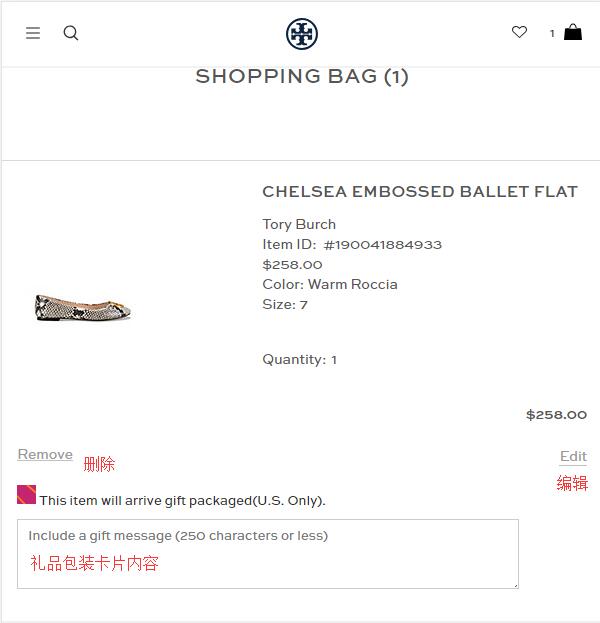
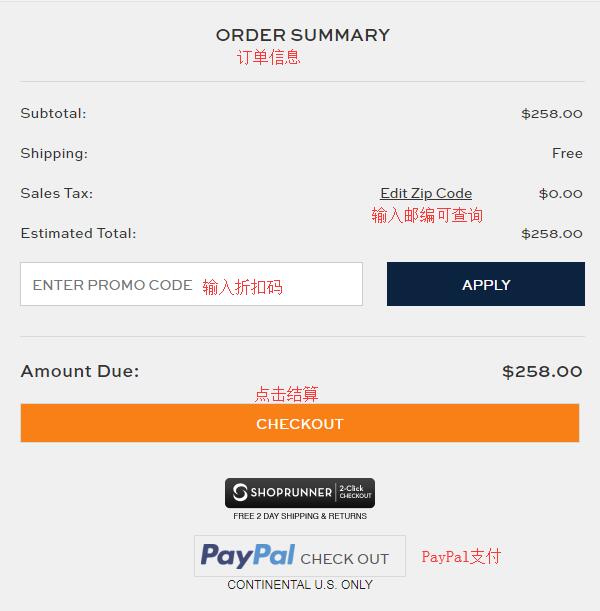
4. In the shopping cart, you can adjust the items. If you need gift wrapping, you can check the box. Below that, enter gift card details. If you have a discount code, you can enter it in the space provided to receive the corresponding discount. Then, click Checkout to proceed:
5. The first step of checkout is to enter the shipping address. The Tory Burch official website can ship directly to China without canceling orders, but the prices are not very favorable, and you won't be able to enjoy some promotions like free shipping within the US. Therefore, we recommend using a freight forwarder. Enter your freight forwarder's address here, select the shipping method, and click Continue:
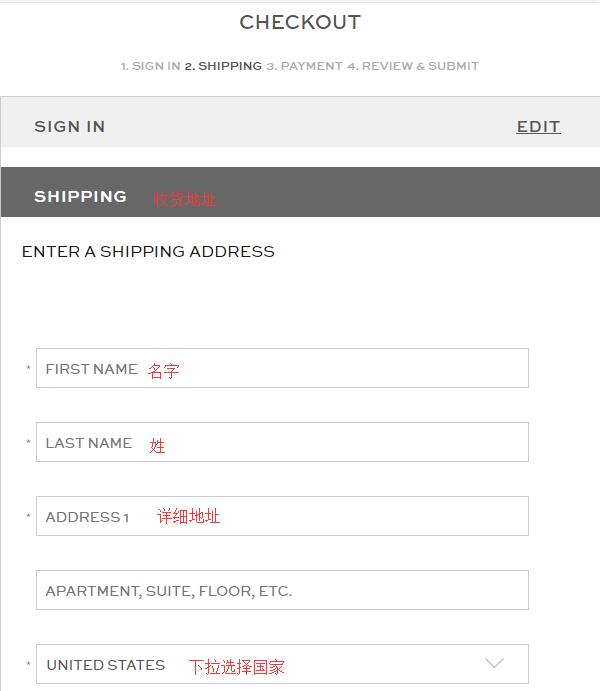
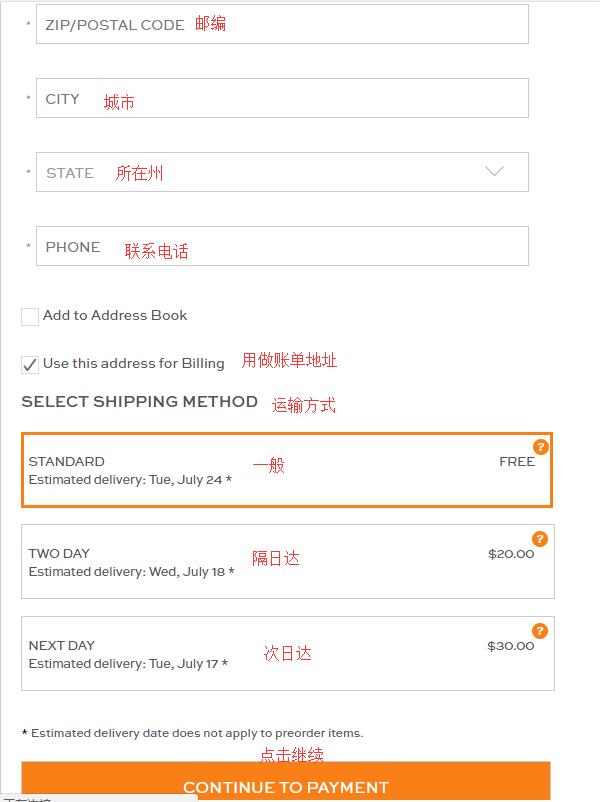
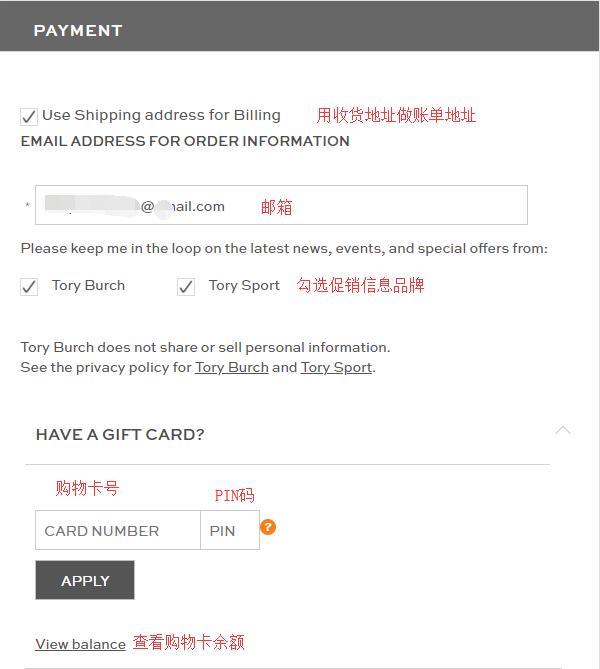
6. Proceed to the payment section. For the billing address, you can choose to use the freight forwarder address, or uncheck it and enter your real domestic billing address. If you have a gift card, you can use it for payment:
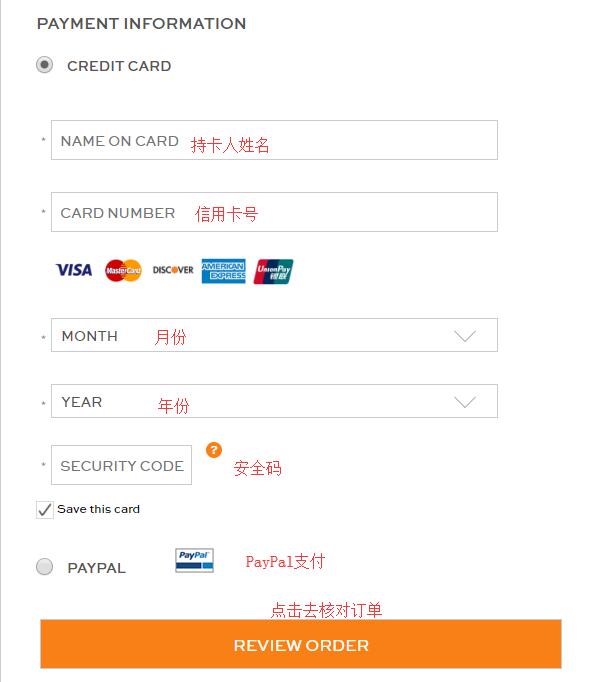
For payment information, pay with a credit card. Enter the cardholder's name, card number, expiration date, and security code. Once confirmed, proceed to the order review section. The official website also supports PayPal payment:
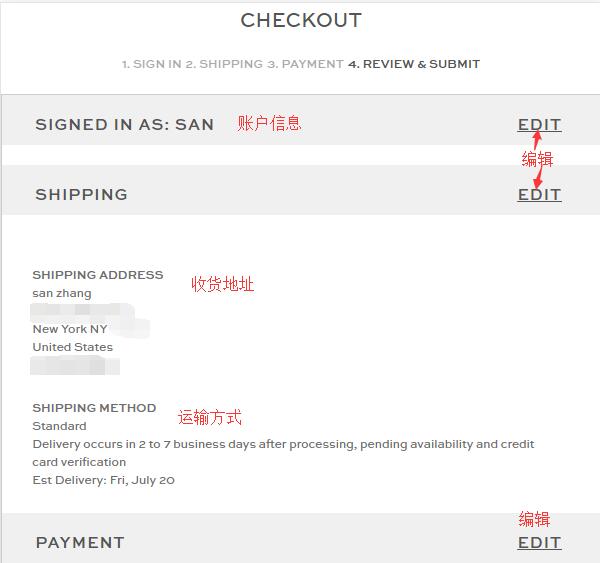
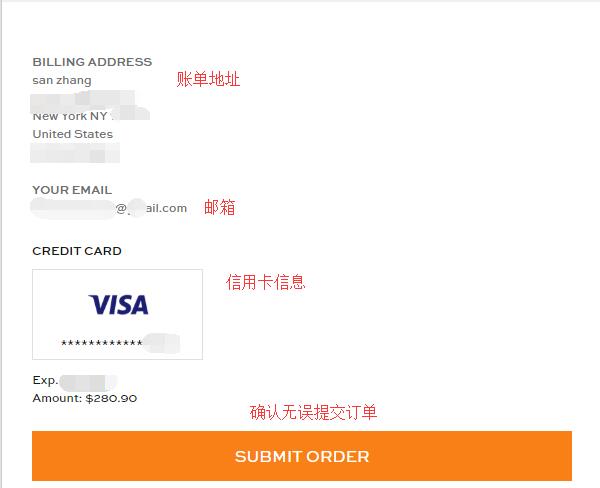
7. Enter the final step: order review. Double-check the shipping address, shipping method, billing address, and payment information entered above. To avoid unnecessary returns or exchanges, carefully verify the product, size, and color information. Once all information is confirmed correct, submit the order.
After the payment is completed, the shopping process on the Tory Burch official website is finished. You can log in to your account to check the order number and track the shipping status. Then, you just need to go to your freight forwarder to declare the package, and wait to receive it!