

UNIQLO (Japanese pronunciation: ユニクロ), a Japanese clothing brand, was founded by Fast Retailing Co., Ltd. in 1963 and has become an internationally renowned clothing brand. Many friends are likely already familiar with Uniqlo. Known for its basic and comfortable styles, Uniqlo mainly offers four categories: men's, women's, kids', and baby & toddler clothing. It also features special collections like the basic line, UT, and Uniqlo U for different groups, covering almost all scenarios consumers encounter in daily life. Due to price differences between domestic and international markets, Uniqlo is also a popular brand for overseas shopping among domestic users.
This guide mainly introduces the overseas ordering process for the Uniqlo US official website. Interested friends, keep reading!
Uniqlo US official website entrance: www.uniqlo.com/us/en/home Click to enter
The overseas shopping process for the Uniqlo US official website is as follows:
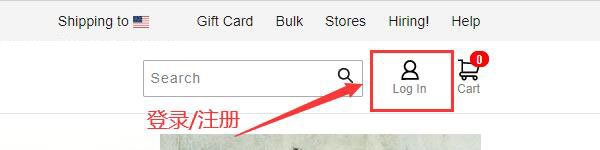
1. Click "log in" in the upper right corner of the Uniqlo US official website to log in or register. If you have an account, log in directly using your email and password. If you don't have an account, click to register. Below, we'll use new user registration as an example to explain in detail.
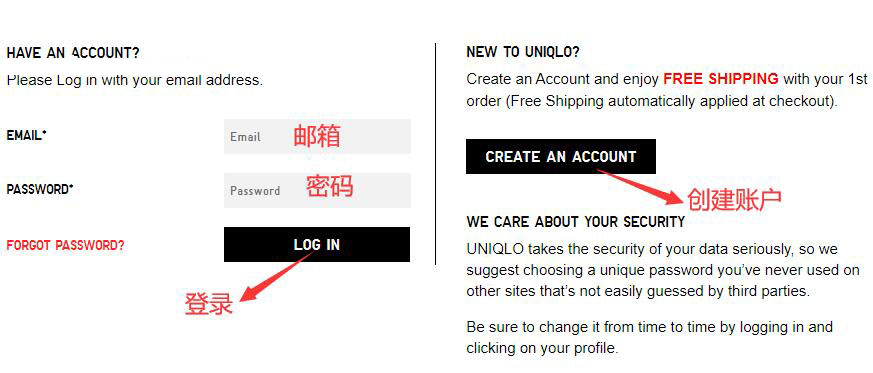
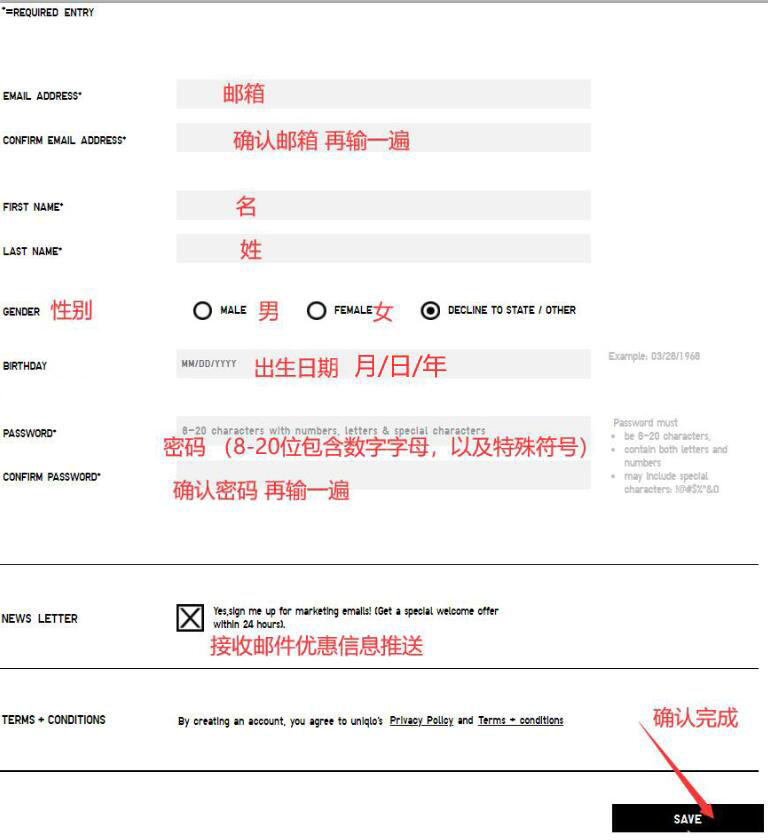
2. New user registration: Fill in the required personal information. You can choose whether to receive promotional information from the official website. Then click confirm to complete.
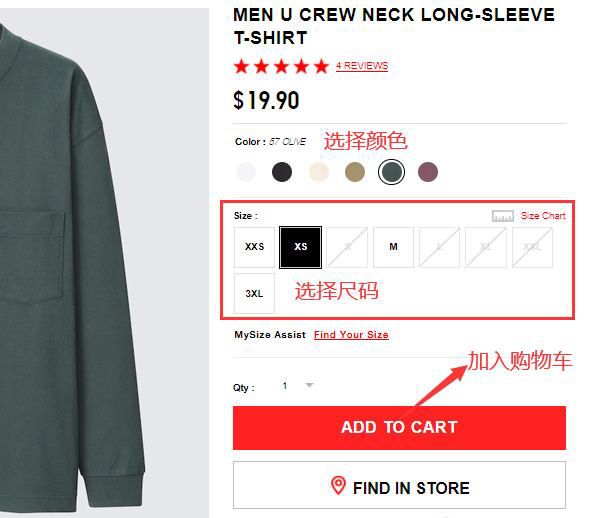
3. After registering your account, you can start selecting your favorite products. The homepage has categories for men, women, kids, and babies & toddlers. After choosing a product, enter the details page, select the color, size, and quantity, and add it to the shopping cart.
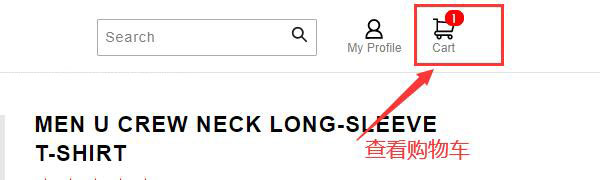
4. After adding items to the cart, click on the shopping cart icon in the upper right corner of the homepage to enter the cart.
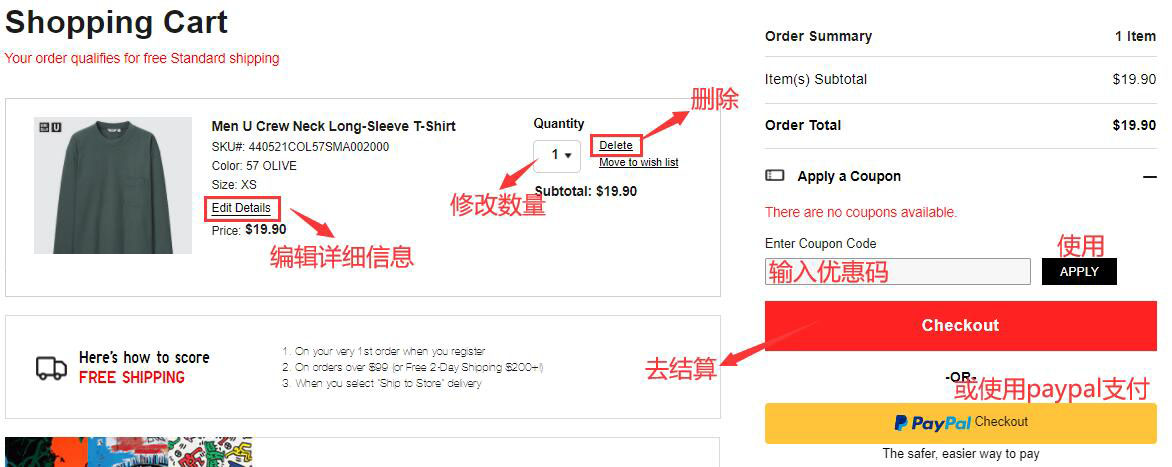
5. In the shopping cart, you can modify the quantity or specifications of the products. If you have a promo code, enter it and click apply, then click "Checkout" to proceed to payment.
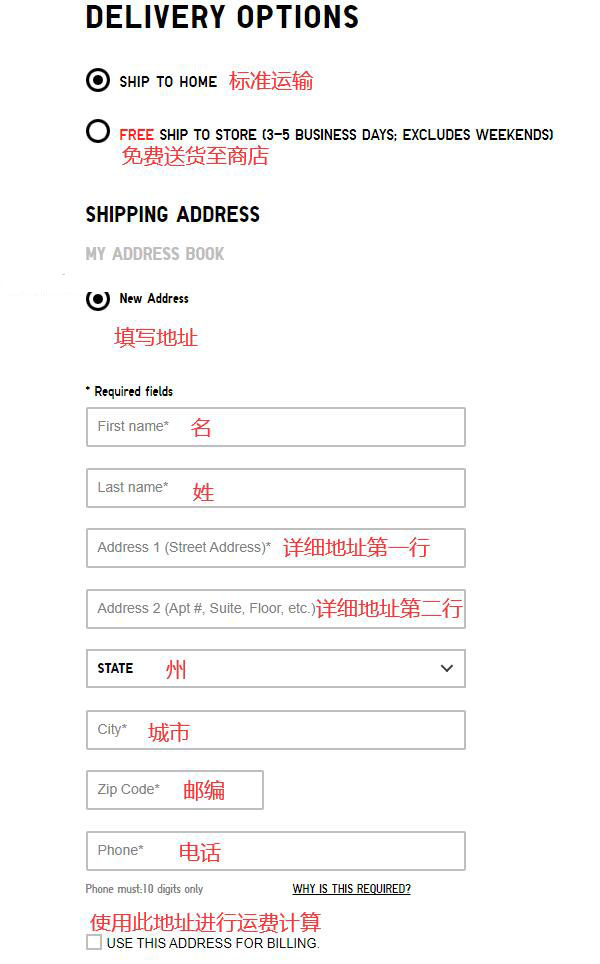
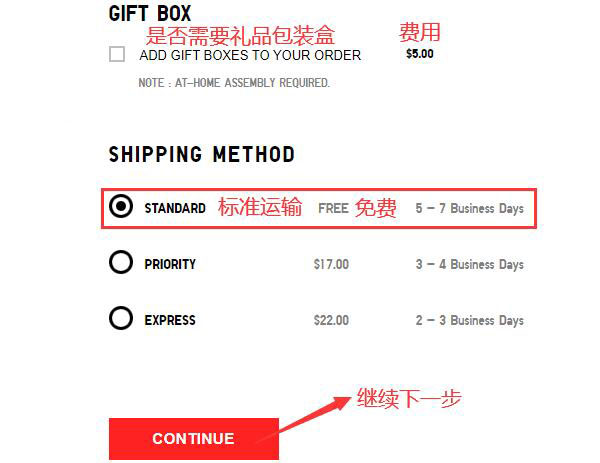
6. Enter the shipping address section and fill in the required address information. Since the Uniqlo US official website currently does not support direct shipping to China, this address needs to be your US forwarding address. Select standard shipping for the shipping method. You can also check the option for a gift box, but you will need to pack it yourself after receiving the items.
7. After completing the shipping address, proceed to the payment section. Fill in the corresponding credit card information. You can also use a gift card. Regarding credit cards, the official website supports VISA, Mastercard, and American Express branded cards. For the billing address, you can use the forwarding address or fill in your actual billing address.
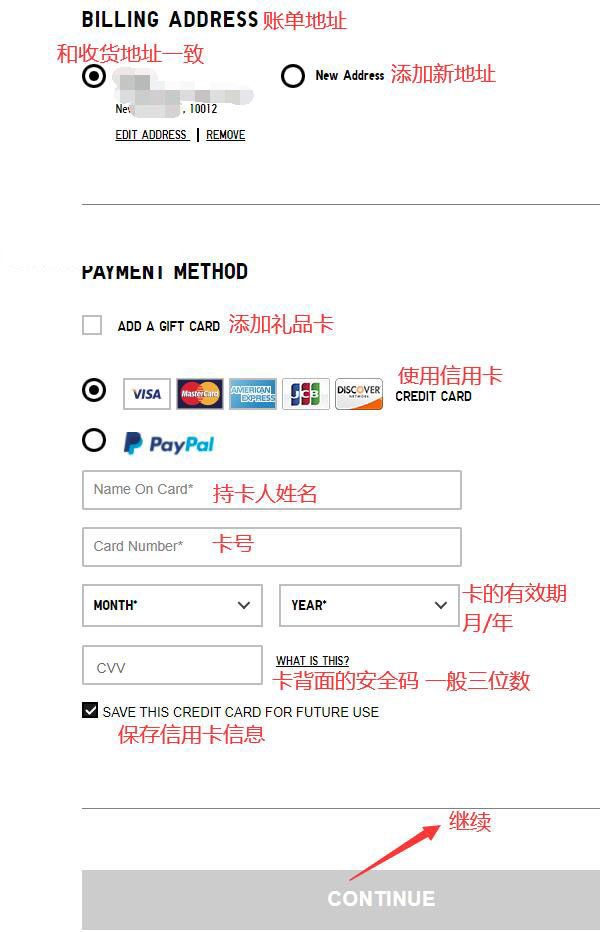
8. After completing the payment information, enter the confirmation page. Double-check the shipping address, billing address, credit card information, and the purchased items for any errors. Once confirmed, proceed with the payment.
All that's left is to wait for the forwarding company to receive the package, prepare the forwarding details, and sit tight waiting for your delivery!
Summary of Notes:
1. The Uniqlo US official website supports forwarding but does not support direct shipping to China.
2. Supports payment via PayPal, Visa, Mastercard, American Express, Discover, and JCB cards.
3. New users can enjoy registration discounts.