

Vitamin Planet is one of the UK's largest online health supplement retailers, primarily selling a variety of natural health products, including vitamins and minerals for beauty, weight loss, and daily wellness. All vitamins and supplements are developed by British nutritionists and health experts, strictly produced in accordance with UK regulations, making the products reliable and trustworthy, and the site a popular choice for cross-border shoppers.
This article introduces a guide on how to shop on the UK Vitamin Planet official website, explaining the steps to place an order. If you also want to order from Vitamin Planet but don't know how, feel free to click and bookmark this Vitamin Planet shopping guide.
1. Vitamin Planet Official Website Ordering Tutorial
1. Open the official website
Vitamin Planet official website entrance: https://www.vitaminplanet.co.uk/
2. Log in to your account
Click the menu in the top left corner of the page and select Login/Register
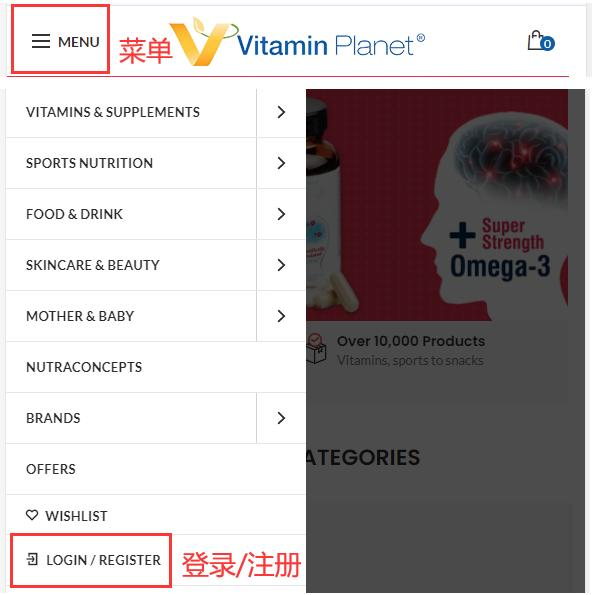
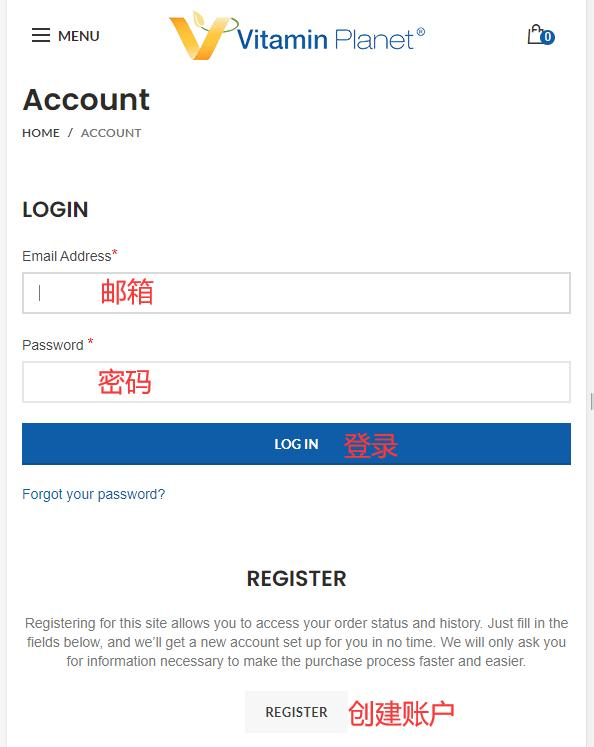
Existing users can log in with their email and password; new users click Create
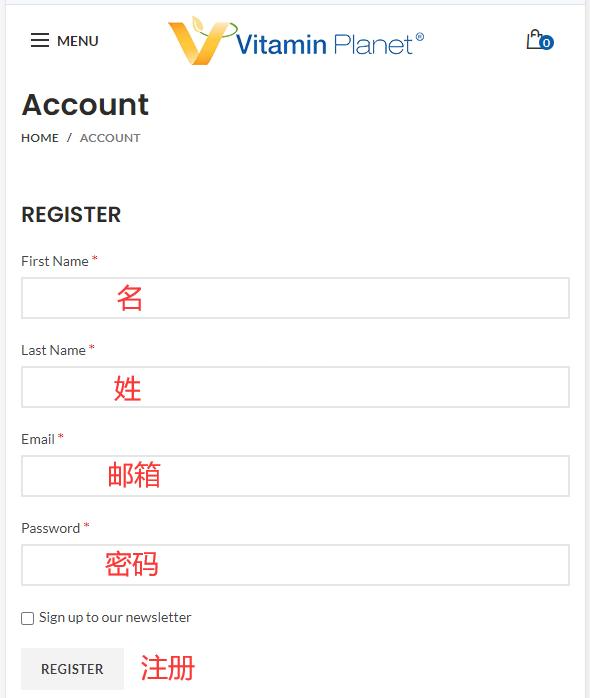
Fill in the registration information to create an account
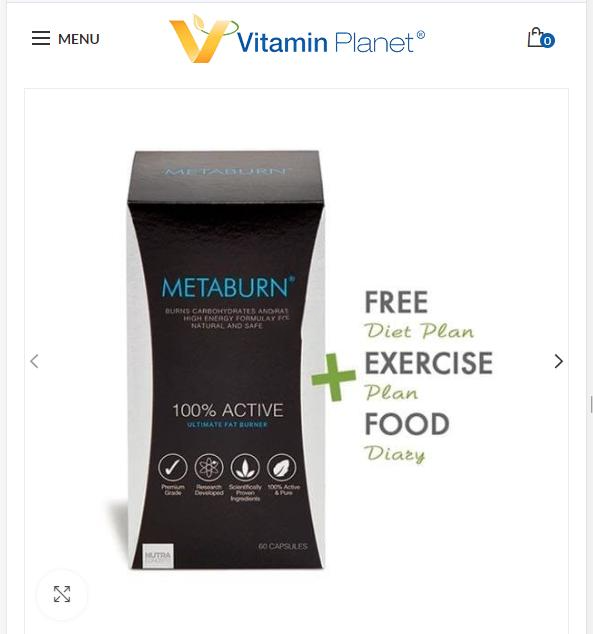
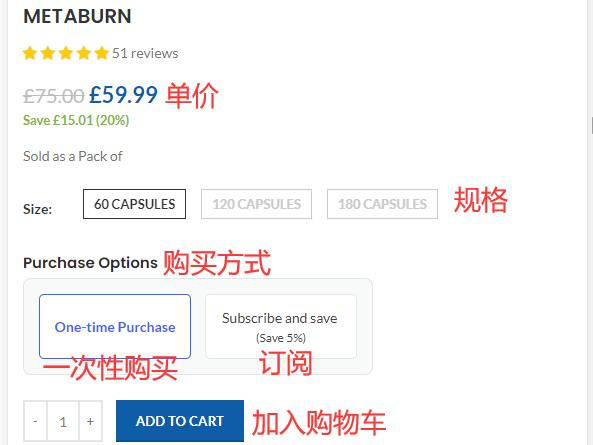
3. Select products and add to cart
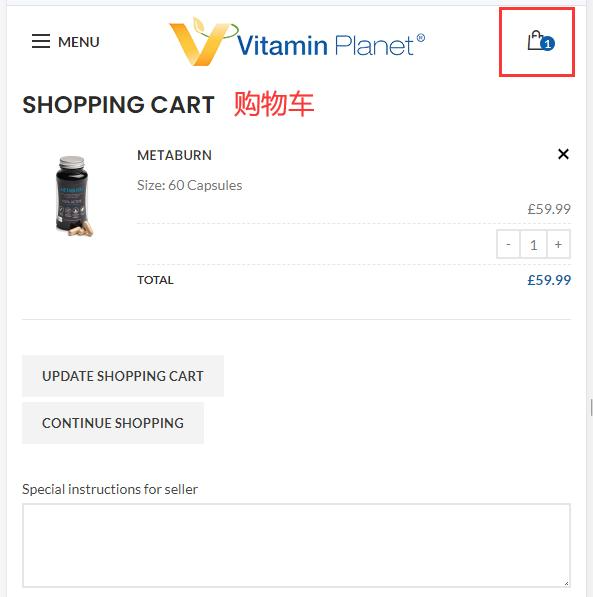
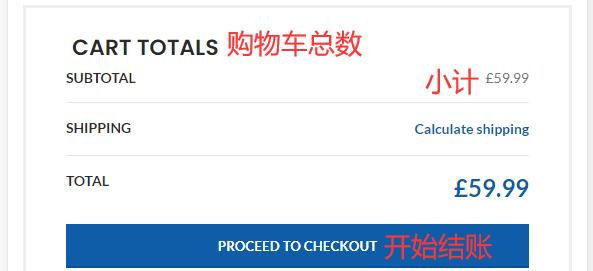
4. Open the shopping cart page to review the order and proceed to checkout
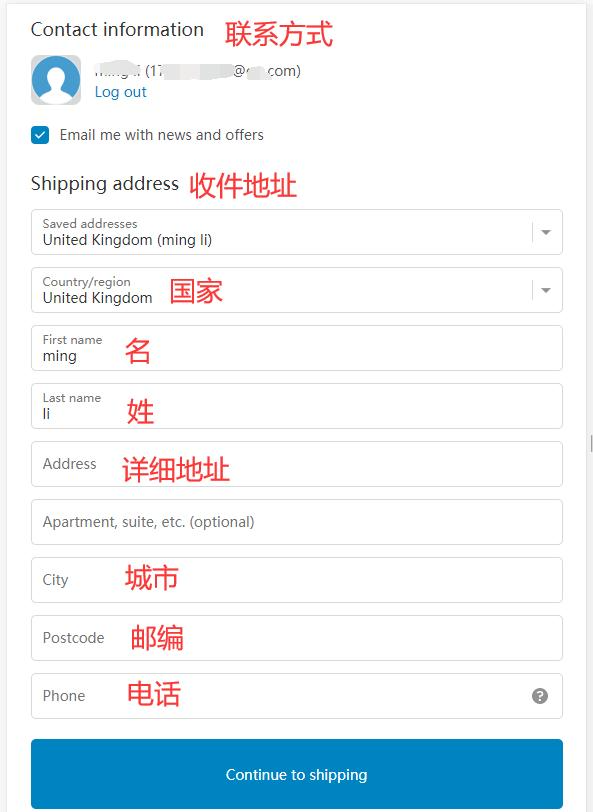
5. Fill in the shipping address
6. Select shipping method
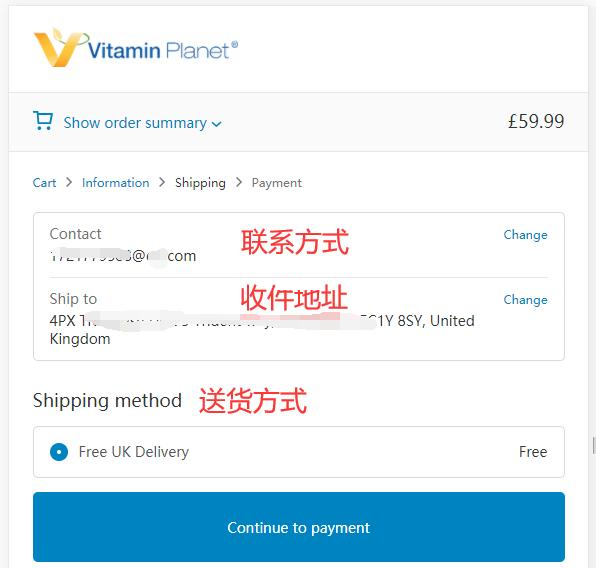
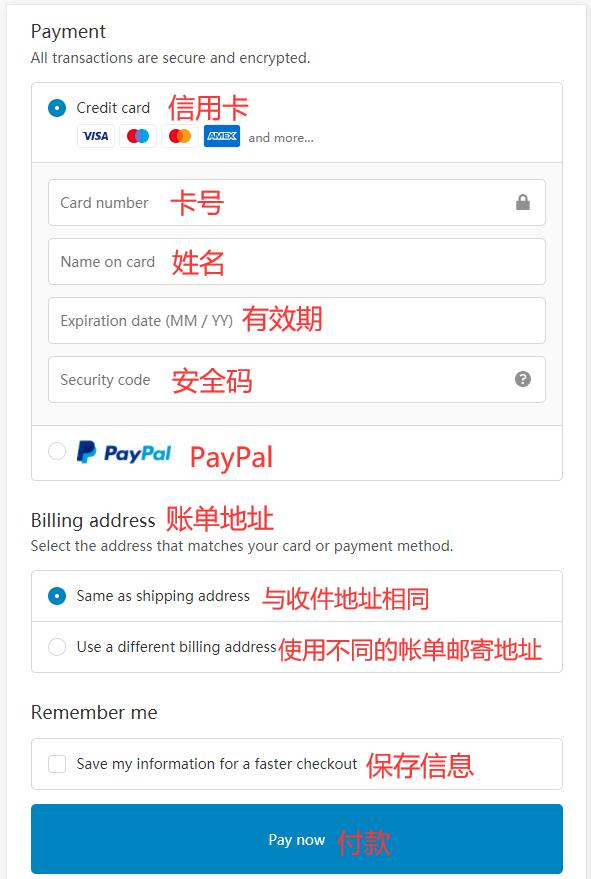
7. Choose payment method and review billing address
Using a credit card as an example, fill in the card number, expiration date, security code, and other details completely, then proceed with payment once correct
8. The remaining step is to wait for the forwarding company to receive the goods and prepare the forwarding details for delivery!
2. Other Ordering Notes for Vitamin Planet Official Website
1. The website supports credit card payments via Visa, MasterCard, and American Express, as well as PayPal online payment
2. The website can ship directly to China, with free shipping for orders over £75; it also supports forwarding orders, with free shipping for UK domestic orders over £40, and a standard shipping fee of £3.99 for orders under £40