

Wiggle is a UK-based sports goods retail brand, founded in 1999, primarily selling sports equipment and related gear. Initially, the brand sold a variety of sports products but later decided to focus mainly on cycling gear. After achieving success, it fully transitioned to online sales in 2003. There is now also a Wiggle China official website, making domestic shopping very convenient.
This article introduces a guide to overseas shopping on the Wiggle UK official website, explaining how to place orders and shop on the Wiggle UK official website. If you also want to order on the Wiggle UK official website but don't know how, feel free to check out this Wiggle UK official website overseas shopping guide.
1. Open the website;
Wiggle UK official website overseas shopping URL: https://www.wiggle.co.uk/, click the link to access directly;
2. Register an account;
Click on "Your Account" in the top right corner;

Unregistered users select "New customer" to register an account;
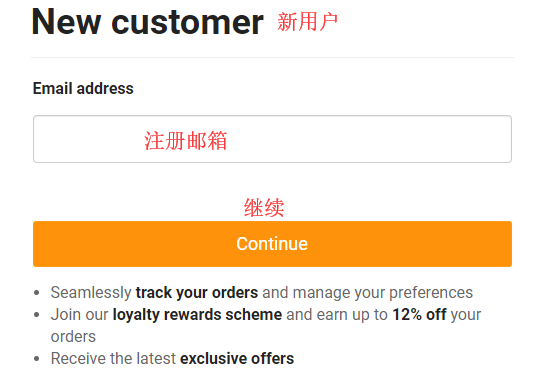
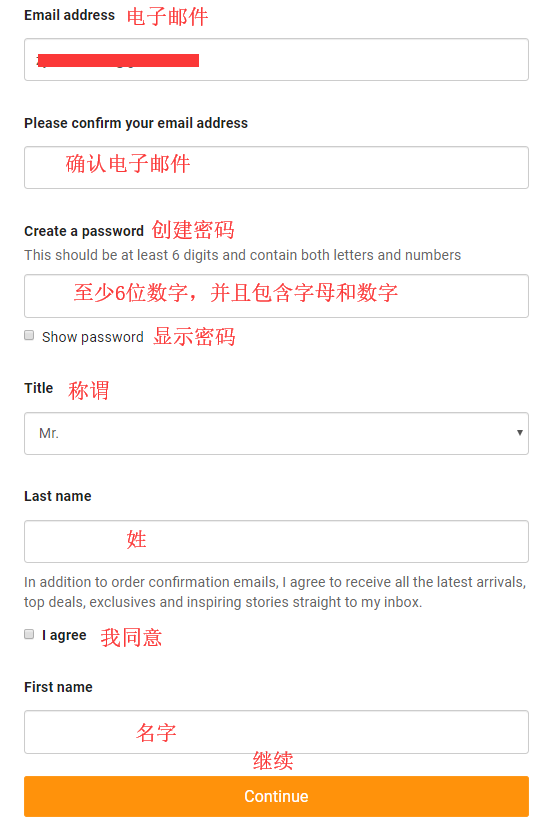
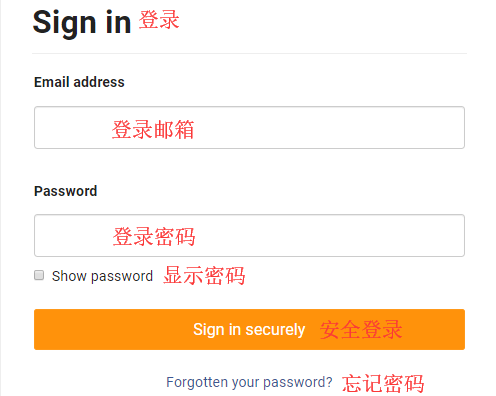
Already registered users can select "Sign In" to log in;
3. Select products;
Add the products you want to purchase to the shopping cart, then click on the top right to view the cart and go to the cart page;
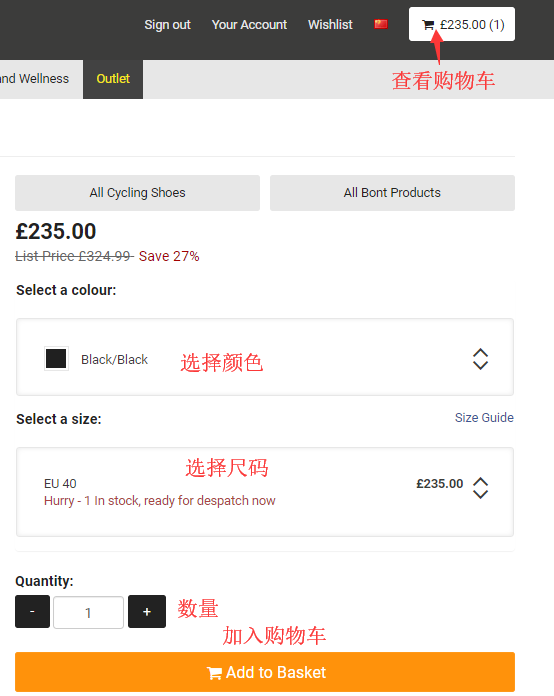
4. Click on the top right to select "View Cart" and enter the cart page;
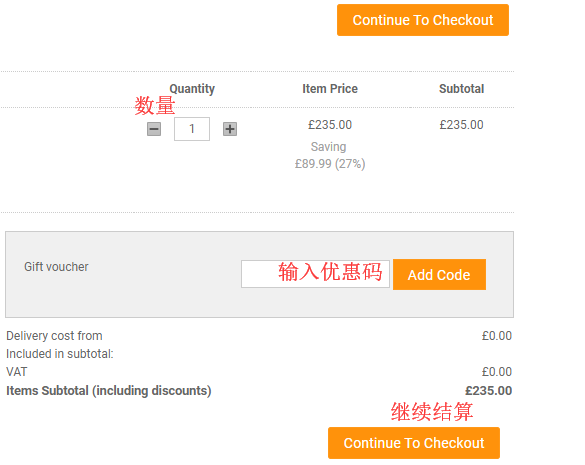
5. Click "CHECKOUT" to enter the page for selecting shipping methods and filling in the delivery address. Here, direct shipping is used as an example;
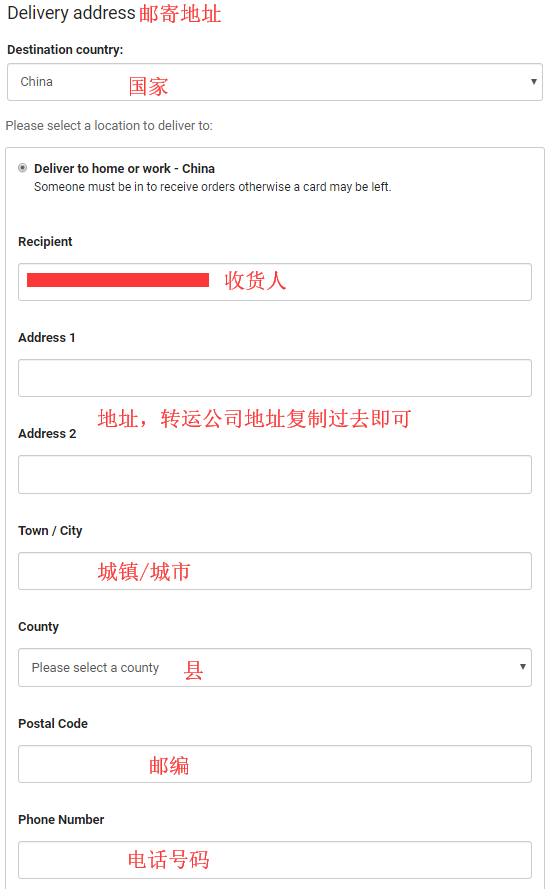
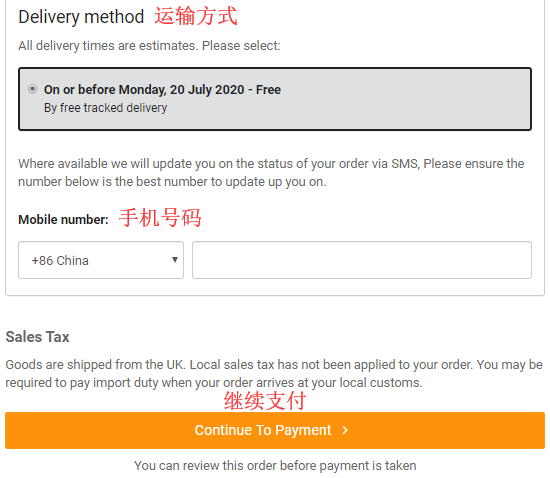
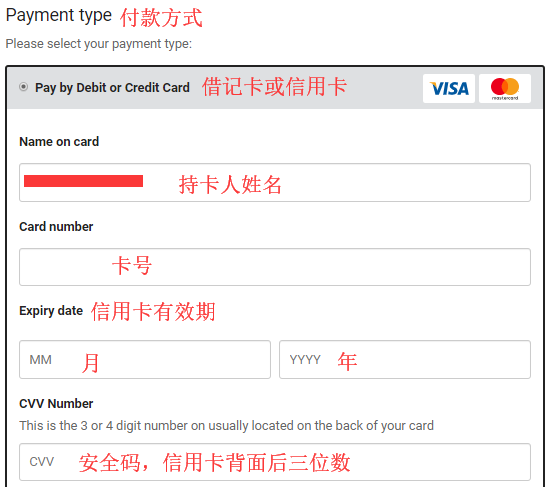
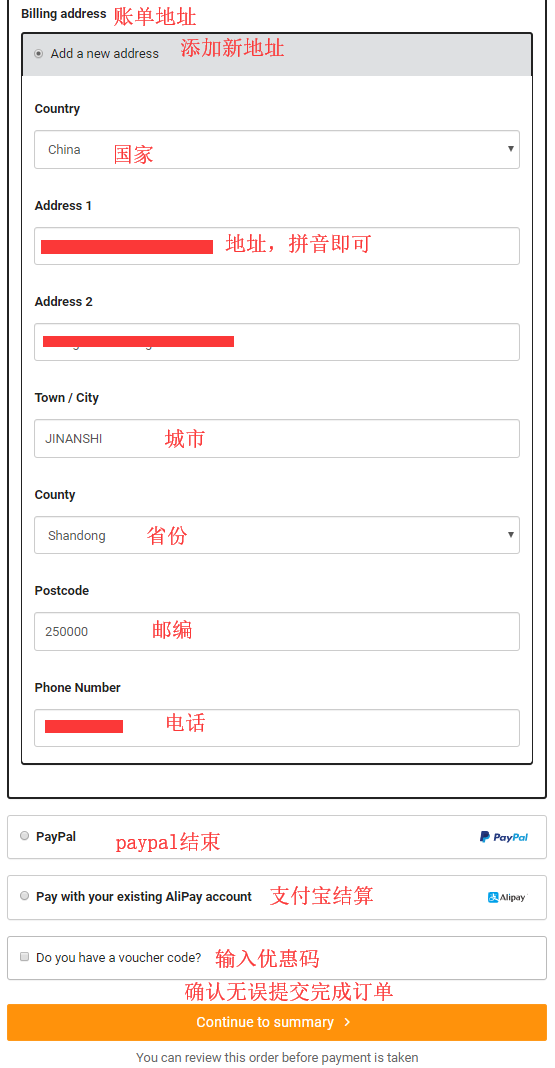
6. Next, enter the page for filling in payment information and billing address. Confirm everything is correct and click "Continue to summary" to submit the order;
7. All that's left is to wait for delivery! Note: Direct shipping does not include tax, and you will receive a text message notification!